Fixing 4G Dial-Up That Won't Connect on Ubuntu 18.04
If you run Ubuntu Unity like I do, you might run into the “can’t establish a 4G dial-up connection” problem. It doesn’t happen all the time — on standard GNOME Shell or KDE the connection should come up fine. But Unity’s NetworkManager isn’t standard, and that’s where this whole mess comes from.

What it looks like in practice: every time you try to connect your 4G dial-up, you get:
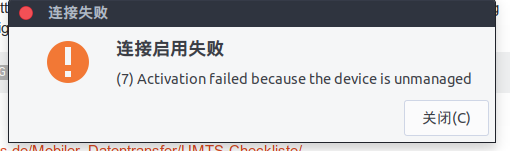
“Activation failed because the device is unmanaged”
So it says unmanaged. Then let’s just make it managed, right?
sudo usermod -a -G dip,dialout $(whoami)
Then edit the config file:
sudo vim /etc/NetworkManager/NetworkManager.conf
Change the line inside to:
managed=true
Save, then restart the network service and re-add the 4G connection to test it.
sudo service network-manager restart
That should usually do it. If it still doesn’t work, there’s one more thing to edit:
sudo vim /usr/lib/NetworkManager/conf.d/10-globally-managed-devices.conf
Change the contents to:
[keyfile]
unmanaged-devices=*,except:type:wifi,except:type:wwan
Same deal — restart the service, re-add the 4G connection. Honestly this last step is a dirty workaround for a bug that newer Ubuntu versions should have fixed already.
Comments are hosted on the Chinese main site. This mirror is read-only.