Hands-on: Intel AX200
Using an Intel AX200 Wi-Fi Card in a ThinkPad X1 Carbon 2017
Intel recently released the AX200 series of Wi-Fi cards. A batch showed up on eBay too, and surprisingly cheap — pretty friendly compared to the old 7265 and friends, which used to run close to 200.
And after the ThinkPad X250, ThinkPad products no longer have a whitelist. Still, even though by conventional wisdom Intel wireless cards and Linux get along just fine, I have to say this product is an exception.
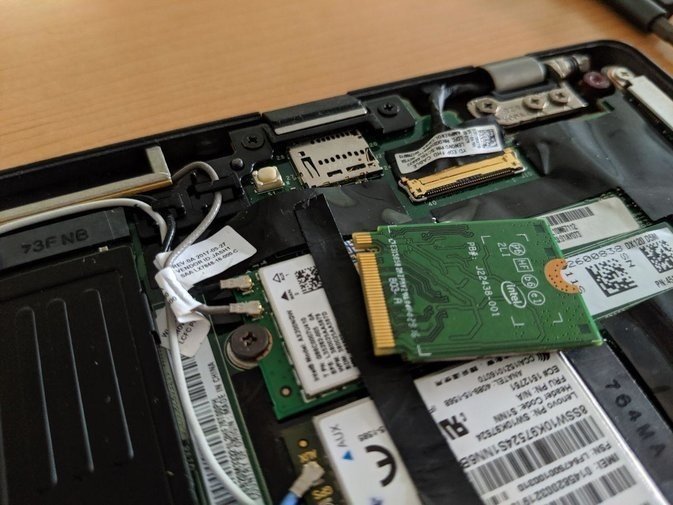
Put simply, this Intel AX200 card is not well supported on Linux at this stage — worse than Windows, even. To use it under Linux you need these steps.
- Upgrade your kernel to Linux 5.1 or above. 5.0 can’t drive this card. On Ubuntu you can just grab it from the PPA or Mainline Kernel
- A kernel alone isn’t enough — you also need the firmware. The firmware that drives the AX200 is called iwlwifi-cc-a0-46.ucode; download it and drop it in /lib/firmware/
- After both of those, reboot and you’ll find the card works
But after using it, I found that although the card is “working,” it’s still a long way from “stable.”
- Wi-Fi supports speeds of over 1000M, but that needs a router that supports it. Most people aren’t going to swap routers for this, so basically it’s useless
- The Wi-Fi signal looks fine under Linux, but it frequently drops back to 6M, though real transfers don’t seem affected — probably just a display bug. Still, watching the signal go good-bad-good is unpleasant
- The card’s Bluetooth transfer has problems. Not sure if the Bluetooth module firmware hasn’t been updated or if BlueZ’s support for Bluetooth 5.0 is just bad right now, but when listening to music over Bluetooth, after about 5 minutes of continuous playback, Bluetooth disconnects, with the error “Bluetooth: hci0: last event is not cmd complete (0x00)”. You have to turn Bluetooth off and on again on both ends to fix it. Really nasty. Bluetooth keyboards and mice aren’t affected, though
The network signal bug doesn’t affect me much, but I’m not sure whether the Bluetooth issue is a hardware problem, so in the end I swapped back to the stock Intel 18265 card. Maybe after future firmware updates this card will be more polished.
Comments are hosted on the Chinese main site. This mirror is read-only.