ThinkPad X1 Carbon Cooling Mod
Summer’s here and my laptop keeps getting hotter, so time for a cooling mod.
Besides the usual thermal paste swap, I also went after the SSD this time.
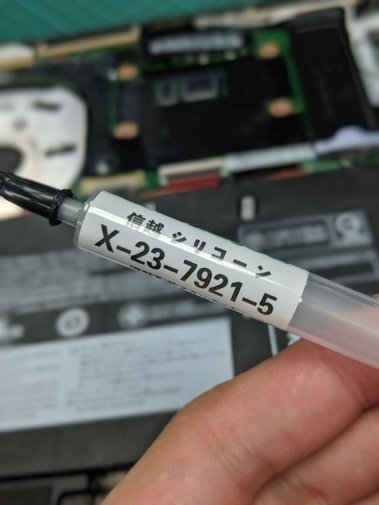
Not much to say about the paste — Shin-Etsu 7921, no idea if it’s genuine or not, but it works better than anything I’ve used before. I figure the bigger factor is that I changed how I apply it: no more spreading it flat, I just squeeze a blob onto the die and let the cooler mount flatten it. It spreads on its own, why bother with a finger. End result was actually pretty good.
The other thing is I decided to cool the SSD. The SSD in an ultrabook gets seriously hot too — when you’re copying files, most of the heat climbing out of the machine isn’t from the CPU, it’s from that SSD.
On a desktop you’d just slap a copper shim on it, but an ultrabook is too thin for that. After looking around I found this thing that clips onto the SSD.
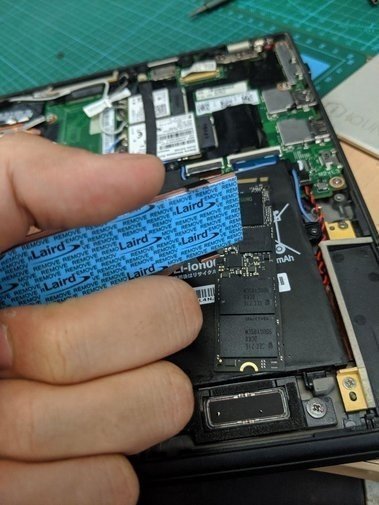
Final result looks like this.
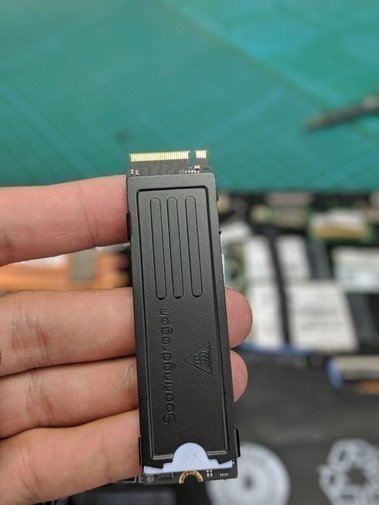
The catch is you have to peel off the sticker on your SSD.
Mod complete, back in the machine, and I blew out the dust with a can of compressed air while I was at it. Tested it and the results were surprisingly good — it rarely hits the thermal wall anymore, even though I raised that wall to 85°C…
So yeah, this mod was worth doing.
Comments are hosted on the Chinese main site. This mirror is read-only.