Hands-on: ThinkPad X1 Carbon
I'm Serious: You Should Put a Tempered Glass Screen Protector on Your ThinkPad
Generally speaking, putting a tempered glass protector on a laptop is a dumb idea, unless your laptop is a tablet 2-in-1 or has a touchscreen.
After all, the laptop screen doesn’t really come into contact with anything, and closing the lid protects it too, so why would you ever need a protector? Even if it gets dirty, just wipe it off, right?
Well, lately I’ve come to feel that was naive of me.
After more than a year of using mine, I personally strongly recommend putting a tempered glass protector on your laptop, especially if it’s a ThinkPad X1C series.
Don’t laugh, I’m serious.
There’s only one reason to do it:
The laptop screen gets dinged up by the keyboard.
I don’t know how it is with other laptops, but at least in the ThinkPad series, the thinner and lighter it is, the worse this gets. You can try it yourself — when closed, it feels like there’s still a good gap between the screen and the keyboard — but once you put the laptop in a bag or wherever else, after a little pressure, marks still show up on the screen.
Not dust marks, not grease marks — impact marks, because most laptop screens are soft panels with no glass layer protecting them.
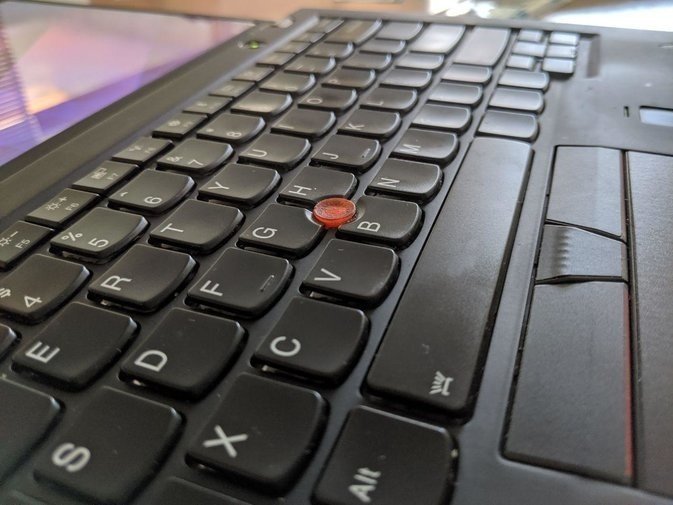
Of course, after some searching I found this is a common problem with today’s “thin and light laptops.” They’re so thin that when closed, the screen and keyboard inevitably collide and leave marks. Even something like the MacBook Pro, which uses glass, can’t escape it…
It’s not that there’s no fix — just use Gorilla Glass. But right now it seems almost nobody uses it for laptops, except for those 2-in-1s. The reason is simple: saving cost…
You can also fix it manually: go buy a tempered glass protector on eBay, there are plenty for the ThinkPad X1C. Most are a bit smaller than the screen, but they cover the display area just fine, which is acceptable.
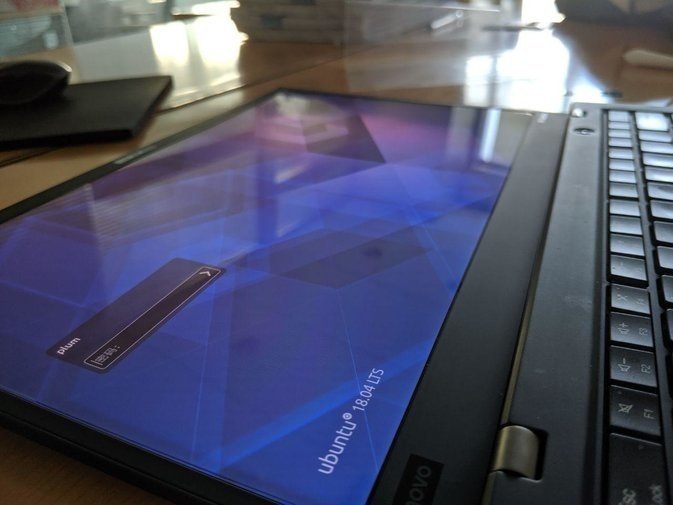
Applying it is the annoying part, because the surface area is so large that dust is unavoidable, so you need to be careful. Even so, I still ended up with a tiny bubble at the corner of my protector, though it’s not obvious, so I’m just living with it for now.
Hopefully when I upgrade my laptop to a 4K screen in the second half of the year, I can just apply one along the way…
Unless you don’t care about the impact marks on the screen, and have money to burn, thinking you’ll just replace the screen once it’s marked up — otherwise I still recommend putting on a protector, if you can.
I’m serious.
Comments are hosted on the Chinese main site. This mirror is read-only.