Fixing the "Device Not Managed" Issue for the LAN Port on Ubuntu
Advertisement
Recently I noticed that after plugging the official LAN Adaptor into my laptop (a ThinkPad X1 Carbon 2017), the system didn’t show a new LAN connection. Instead it said “device not managed.”
Took me forever to find the fix.
Advertisement
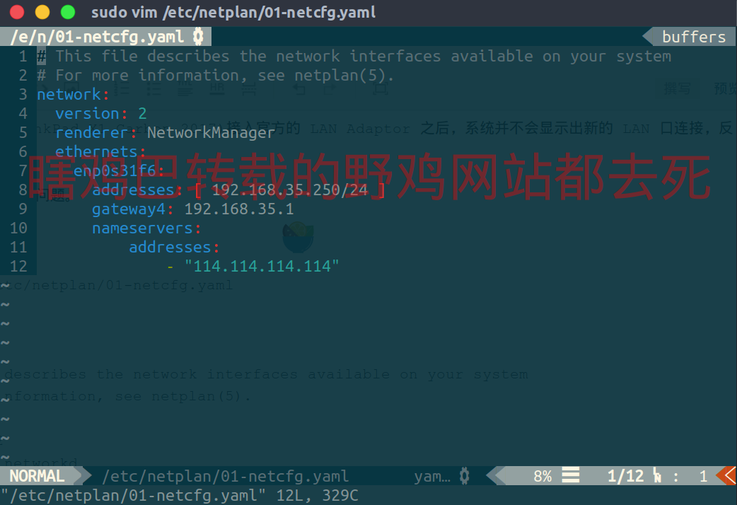
sudo vim /etc/netplan/01-netcfg.yaml
In the original file
# This file describes the network interfaces available on your system
# For more information, see netplan(5).
network:
  version: 2
  renderer: networkd
  ethernets:
    enp0s3:
      dhcp4: yes
change renderer: networkd to:
renderer: NetworkManager
then run
sudo netplan apply
and that’s it.
The reason seems to be that I installed this Ubuntu using the Ubuntu minimal method, and that network management mode is meant for Server, not Desktop, which caused the problem.
Source: https://forum.linuxconfig.org/t/wired-unmanaged-ubuntu-desktop-issue/1574/4
Comments are hosted on the Chinese main site. This mirror is read-only.