Home Network Overhaul (Part 2): Setting Up the Soft Router and Wi-Fi
Moving to a new place means setting up a new router. This time, though, I decided to do something a little different. Soft routers have been popular for a while, so I figured I’d give one a try.
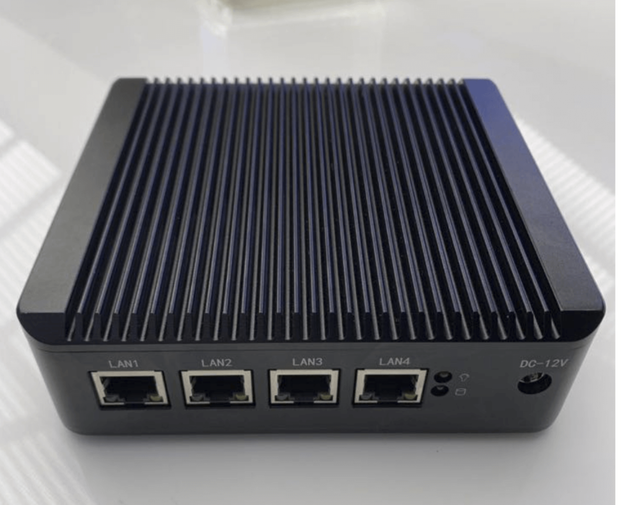
There are plenty of soft router guides online, and quite a few of them are hardware-hacking level. I’m lazy and broke, so I just bought the cheapest J1900 4GB soft router on Taobao. Since it’s only going to be a router, I had no particular requirements for disk storage. As for why I went with the 4GB RAM version—I’ll just blame my OCD, since it means it can run 64-bit.
When the router arrived, I took a quick look. Basic info:
- LEDE OpenWrt x64 pre-installed
- Not installed in UEFI mode
- The router itself is compact, but the power adapter is bulky. You can pick your own DC power supply, but I didn’t think it was worth the trouble
- The “soft router” only has router functions—no Wi-Fi
Since there’s no Wi-Fi, I had to buy a separate Wi-Fi transmitter. After shopping around, being poor, I bought a secondhand D-Link DIR-868L.
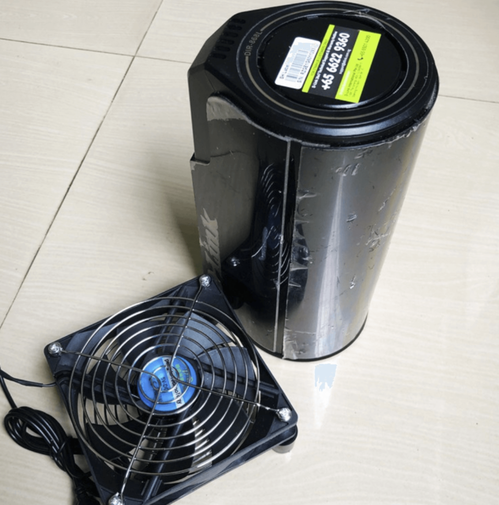
Worth noting: this router can be flashed with Merlin firmware, but I’m only using it as an AP, so there’s no need to flash it, and I didn’t. Performance-wise it’s fine—it only needs to do AP duty—but it does run a bit hot, so you can add a cooling fan.
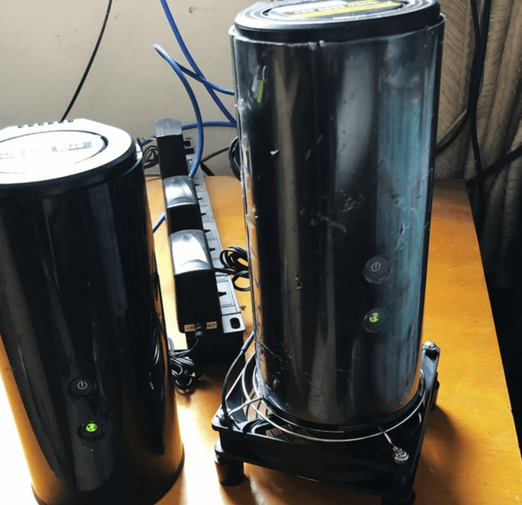
After running stably, the temperature sat at 43°C, and that was in late summer (yes, it was still summer when I bought it). Winter should be even better.
So the router itself works fine, but as a soft router it has advantages in quite a few areas:
- LEDE has a rich software repository
- Easy to install circumvention plugins (important)
- A lot of software can be deployed following the x86 architecture
What I care about most is circumvention, custom routing, and firewall operations. With previous non-x86 routers, many packages were missing and you had to cross-compile; with a soft router, you just SSH in and do whatever you want.
Most soft routers ship with LEDE OpenWrt x64, but that firmware has some small problems:
- Unexplained random reboots
- The koolss circumvention plugin doesn’t work
- The ad-blocking plugin crashes often
Random reboots—there doesn’t seem to be a good fix right now. The logs show no reason; it just reboots without warning.
The koolss plugin not working is actually fixable. I use Vtworay-plugin, and found that after manually downloading it and copying it into the router, replacing the original simpleobfs parameters, the proxy would start but domestic sites would show a checkmark and foreign sites a cross.
Looking carefully at the logs, I found the problem was in koolss’s startup script. Near the end of the script:
-f /var/run/sslocal1.pid
Adding that series of statements causes startup to fail. I don’t know why either.
Considering only I use this router, I just brute-forced the script, hardcoding the parameters. After that, circumvention worked normally.
Script address:
https://github.com/hq450/fancyss/blob/master/fancyss_X64/koolss/ss/ssstart.sh
At this point the soft router and wireless were more or less configured. Overall it’s been pretty stable. The only shortcoming is the “unexplained reboots,” but hey, think of it as replacing scheduled reboots. People have been saying there’s some new Lean plugin for soft routers, but I don’t care. This stuff is what it is… I’ll do more customization when I get the chance.
Since this involves “magic internet,” I didn’t go into the details here, but the gist is there. The soft router’s Koolss script really does have problems; fixing it yourself probably isn’t hard.
Comments are hosted on the Chinese main site. This mirror is read-only.