Home Network Overhaul (Part 2): Public IP and Data Sync
Last time we sorted out the NAS and the router, so eventually the network itself had to be dealt with.
First, getting online in the new place. I signed up for Henan Unicom broadband, and they threw in a cable TV service. Free is free.
Of course, problems showed up the moment it was installed:
- The ONT was a Skyworth, not the Huawei I had at home
- This ONT had built-in Wi-Fi and was doing the PPPoE dialing itself, so my router didn’t need to dial. Meaning I couldn’t bridge it directly and couldn’t map a public address
- Worst part: the IP the ONT itself got wasn’t even a public IP
- The ONT was locked down and I couldn’t log in. Googled around, found a cracked password, got in, changed something, and the ONT froze
I asked the Unicom installer guy, and his answers were deeply unsatisfying. Basically:
- That’s just how this thing is
- If you don’t want the Wi-Fi you can turn it off
- Bridge mode? Never heard of it, don’t know how to do it
Eventually I dug around online and found plenty to complain about. First, that Skyworth ONT: weak performance, shaky stability, plus a useless Wi-Fi radio. Way worse than the old Huawei. Second, bridge mode is actually simple. A phone call handles it. Turns out Henan Unicom configures ONTs by remote provisioning, so the installer doesn’t do anything himself. HQ writes the config remotely, and they’re the ones who switch it to bridge mode too.
So here’s what I did:
- Bought a Huawei HG8321R GPON ONT wo-27s on Taobao
- Called the installer and told him I had another Unicom ONT at home (stressing it was Unicom’s own), said the current one with wireless was annoying and hard to use, and asked him to come swap it
- After the swap, called Unicom support and said I work in network operations, need to connect remotely to the data center and back, and asked them to enable bridge mode and a public IP
- Restarted the router to dial, and the public IP was mine
One important warning: Henan Unicom gives you a public IP easily, but they’ll take it back after a while. Keep an eye on it. If you find it’s no longer public, call and ask again. No idea how long it lasts, but using it as long as it lasts is fine.
With the public IP sorted, the next problem was syncing.
What I needed was Syncthing between two residences (both with public IPs) and my workplace (no public IP, behind two layers of firewalls). Two public ends are no problem. But one node is on an internal network, and that’s the headache.
Then I remembered Zerotier, which is free.
Zerotier links your devices into a VPN, and NAT traversal between them just works, so syncing data is fine too.
Zerotier usage is documented everywhere, so I won’t repeat it. With Zerotier, my three data nodes finally talk to each other.
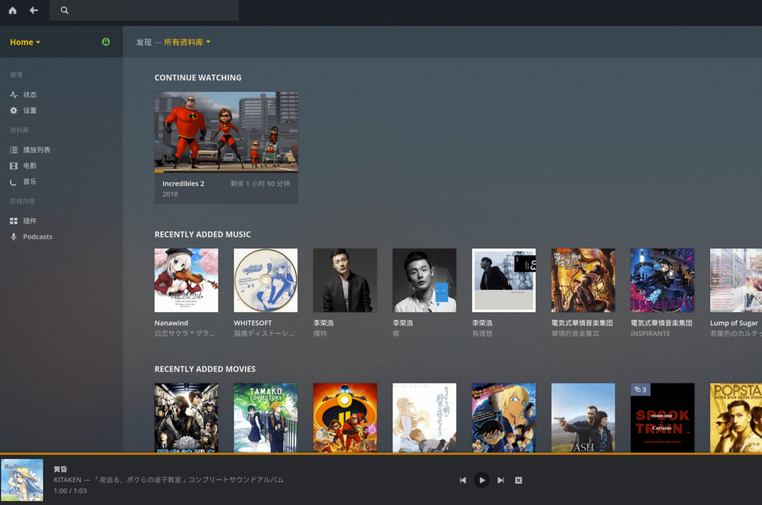
Oh right, if you use Plex like I do, you can enable port mapping too. Remote music and video, no problem.
Comments are hosted on the Chinese main site. This mirror is read-only.