Upgrading to Fedora 32 Beta
Been on Fedora 31 for almost half a year now. Honestly no complaints — Mawei keeps telling me Fedora will break, but it’s been weirdly reliable on my machine.
Aside from some Qt programs constantly rendering fonts wrong, and the occasional Qt window manager going completely haywire…
Got the itch recently, so I figured I’d upgrade to the Fedora 32 Beta. I’m going to install Ubuntu 20.04 in a couple weeks anyway, so this is basically a taste test.
Three commands is all the upgrade takes:
sudo dnf upgrade –refresh -y
sudo dnf system-upgrade download –releasever=32
sudo dnf system-upgrade reboot
Of course, if you have a bunch of third-party Copr repos enabled and they haven’t updated to 32 yet, you’d better disable them.
If there are conflicts, add “–allowerase” to kill the conflicting packages and reinstall them after the upgrade.
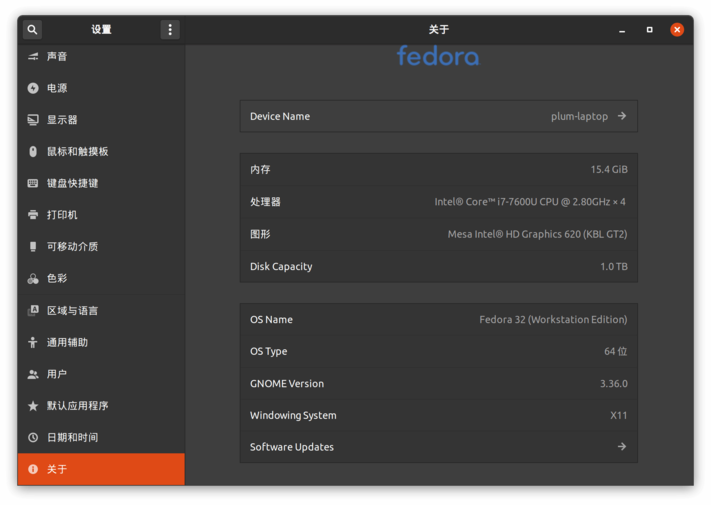
The upgrade took about 30 minutes, and things worked fine afterward, but three things needed fixing:
1. Fcitx-mozc is gone
I just set it up myself and installed it
https://copr.fedorainfracloud.org/coprs/plumlis/fcitx-mocz/
Please ignore the typo in the name
**2. Dash to Dock doesn’t support GNOME Shell 3.36
Just grab the 3.36 branch from GitHub and run make and make install.
git clone -b tmp/gnome-3.36 https://github.com/micheleg/dash-to-dock.git
cd dash-to-dock
make
make install
3. Dynamic Panel Transparency doesn’t support GNOME Shell 3.36
Just edit the code directly, see:
https://github.com/rockon999/dynamic-panel-transparency/issues/111
Beyond those, the only thing left is that the ThinkPad module in TLP doesn’t have a 32 build yet, so I’ll have to wait on that.
Though maybe I won’t have to wait — I’ll just switch to Ubuntu 20.04 by then.
Comments are hosted on the Chinese main site. This mirror is read-only.