Replacing the Fedora Dash Icon
Back when I was on Unity, you could swap the app icons in the dock, so now that I’m on Fedora with GNOME Shell, naturally I had to see if the same trick works.
And of course it does.
First, grab the icon image:
wget /launcher_bfb.png
Then open it in something like Inkscape and save it as view-app-grid-symbolic.svg. Yes, the .svg extension—I know you know it’s not actually a vector, but who cares, as long as it works.
Save that “vector” file to
/usr/share/icons/your-icon-theme-name/actions/symbolic/
Theme structures differ, so you can also just search for the file’s location and overwrite it.
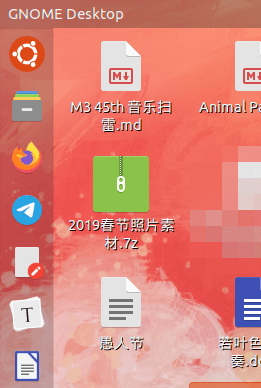
Then hit alt+f2, type r to restart GNOME Shell, and you’re done. What’s that? You’re on Wayland? Then just pull the power cord, I guess.
I’m pretty happy with the final result. Only afterward did I remember I’m on Fedora—why did I go and slap an Ubuntu icon on it? But whatever. The freedom fighters who never shut up about open source are all using authoritarian MacOS and singing its praises, so what’s wrong with a Fedora user borrowing Ubuntu’s icons, fonts, and themes? Two-faced people are everywhere.
Comments are hosted on the Chinese main site. This mirror is read-only.