Installing a "Clean" WPS Linux
If you need to work with Doc files and the like that came out of Office, WPS Linux might be your only option.
Yeah, “only option.” Don’t come at me with LibreOffice — if you say that, I have every reason to suspect you’ve literally never opened an Office file that was handled on Windows.
WPS Linux from a few years back was actually pretty decent: fast to open, feature set was enough, good compatibility with Doc files and so on. Sure, anything with slightly complex layout still looked like shit, but at least you could open the file and read it, which is more than I can say for fucking LibreOffice. I’ve been using it the whole time. But in recent years WPS Linux has picked up the same bad habits as the Windows version, bolting on dumbass “cloud drive,” “cloud templates,” “cloud space” type features that you can’t turn off. Even better, it leaves a background process running called “Cloud Office.” Cloud-deez-nuts, more like.
So I poked around a bit and found a trick for installing a “clean” WPS Linux:
Install the English version, then add the Chinese localization on top.
I don’t recommend just using the English version as-is, because it’s not about how good your English is — an English system is just bad at supporting Chinese typesetting.
First, grab the English version here:
Then grab the Chinese version here:
Install the English DEB/RPM, and at the same time extract the Chinese DEB/RPM. Copy the corresponding language folder from the Chinese package’s MUI directory into the same directory in your English install:
/opt/kingsoft/wps-office/office6/mui
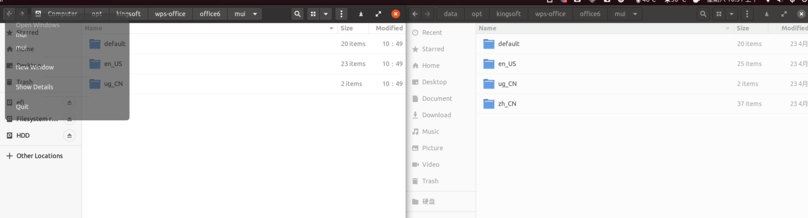
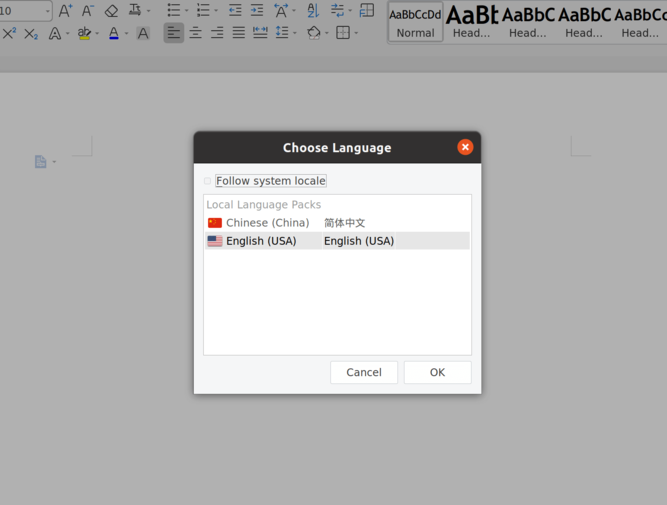
Then launch WPS, create a new document, and find the language setting in the top right — you can switch it to Chinese there.

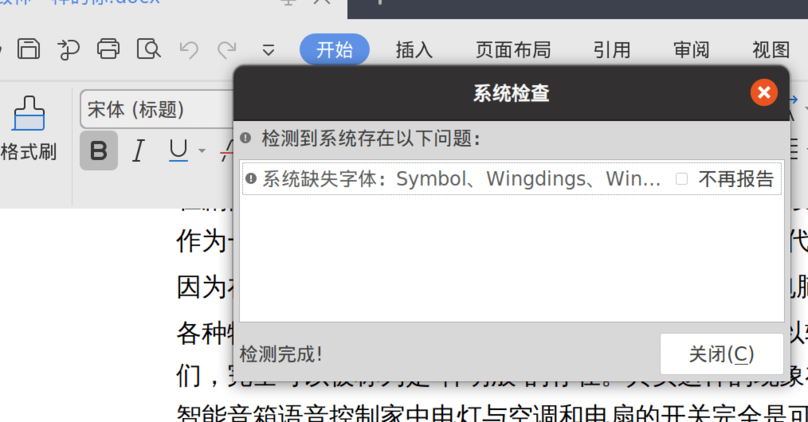
After you switch to Chinese it’ll tell you some fonts are missing. I don’t know how the Chinese version bundles them, but you can search for them yourself:
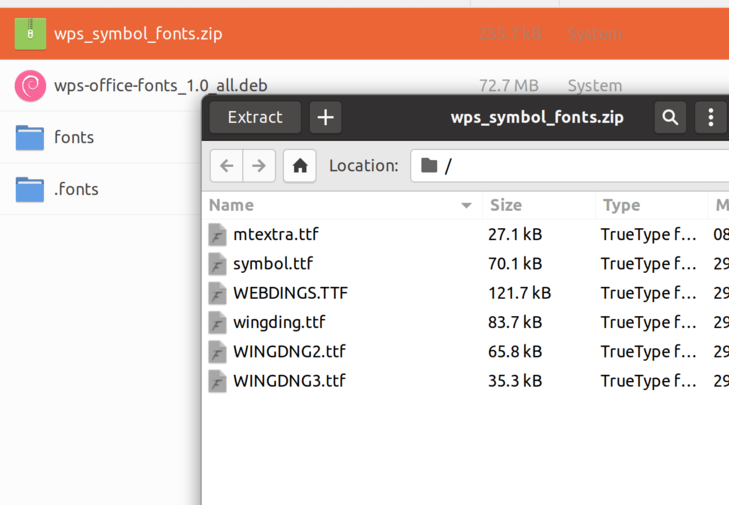
wps_symbol_fonts.zip
wps-office-fonts_1.0_all.deb
Those two files — drop in the fonts yourself. Recommended location is the .fonts directory.
Launch it again and your WPS will work fine, with none of those garbage “cloud” features. Sometimes you gotta admit it: the foreign release is always cleaner than the Chinese one.

The current WPS Linux build is pretty polished, though there are still some Hi-DPI scaling issues. No idea if that’s Gnome’s fault or WPS’s, but it doesn’t get in the way of using it.
Comments are hosted on the Chinese main site. This mirror is read-only.