Installing fcitx 4.2.9.8 on Ubuntu 20.04
The great 囧脸 a.k.a. CSSlayer quietly pushed out a new fcitx release 12 days ago, version number 4.2.9.8.
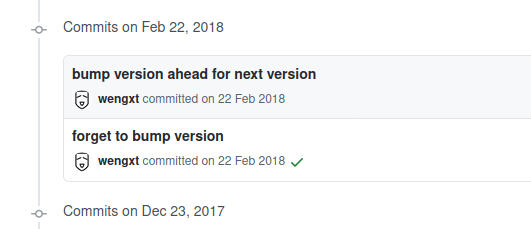
Bear in mind the last new release from 囧脸 was back in the winter of 2018. Probably busy with the New Year, poor guy — he even forgot to bump the version number that time.
Sure, most of the noble Archer crowd have already moved to fcitx5, but for us backwards Ubuntu users a new fcitx4 release still means a lot. Aside from fixing a pile of typos and updating translation files for a pile of languages almost nobody recognizes, it also fixes a few small problems.
When I saw the new fcitx release, I went straight for the changelog. Found it, looked at it, and just stared.
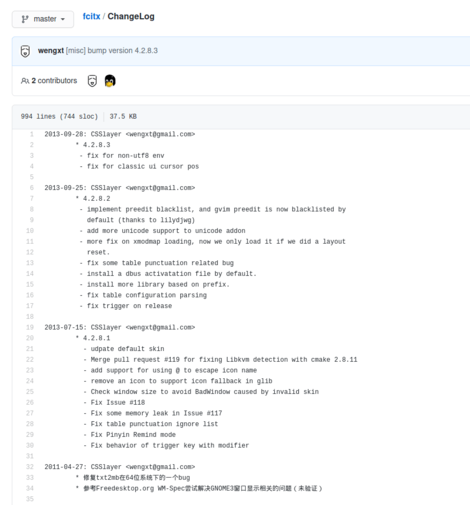
Well, everyone’s busy. Getting the release out at all is already hard enough. I dug through the commits and summarized them — the useful ones are probably these:
- Switching input method status now also shows a tooltip
- Fixed the issue where two trayicons still show up when using the plugin under that garbage Gnome-shell
- Fixed the issue on Ubuntu where the fcitx tray icon’s submenu is unusable when the plugin isn’t enabled
Maybe we all found some “other workarounds” for these, but regardless — finally fixed in the new version!
The noble Archer crowd probably rolled over long ago, and for Ubuntu 20.04 users the only way to update is via PPA.
sudo add-apt-repository ppa:ikuya-fruitsbasket/fcitx
sudo apt update
sudo apt upgrade
After that you can use the new version.
And as always: praise 囧脸╮( ̄▽ ̄)╭
Comments are hosted on the Chinese main site. This mirror is read-only.