Using the AX200 Wi-Fi Card on Ubuntu Linux 20.04
I installed one before… and now I’m doing it again. This time around it seems way less trouble than last time — maybe that’s the newer hardware revision, who knows. Anyway, my old Intel 18625 card kept hard-locking the laptop on wake, and swapping it out fixed it instantly. Could be a hardware issue. If the card still gives up the ghost, I can always sell it to Wu Lao Er.
So here’s a quick rundown on getting this card properly driven under Ubuntu.
If your Linux kernel is newer than 5.1 it’ll come up on its own, but if you look at the iwlwifi info you’ll see some weird errors — like it only loads 48.ucode instead of 50.ucode, and the card’s speed isn’t all that great either.
There’s another way to fix this though: borrow the driver from Google’s Chromebooks.
git clone https://chromium.googlesource.com/chromiumos/third_party/linux-firmware chromiumos-linux-firmware
cd chromiumos-linux-firmware
sudo cp iwlwifi-*  /lib/firmware/
cd /lib/firmware
sudo ln -s iwlwifi-Qu-c0-hr-b0-50.ucode iwlwifi-Qu-b0-hr-b0-50.ucode
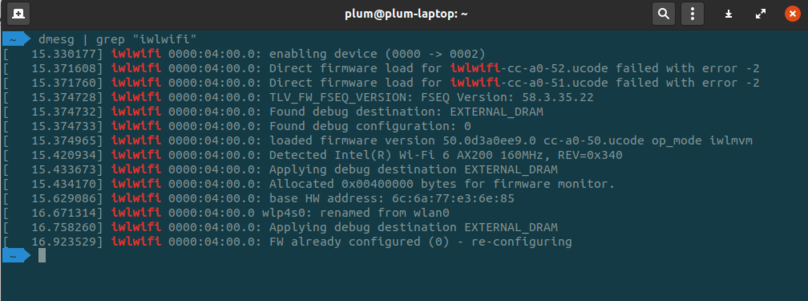
Just reboot and you’re done. Tested working on the Linux 5.6 kernel.
Links: https://gitlab.com/emrose/xps13-7390_debian/-/issues/5#note_240886447
Comments are hosted on the Chinese main site. This mirror is read-only.