Lenovo M73
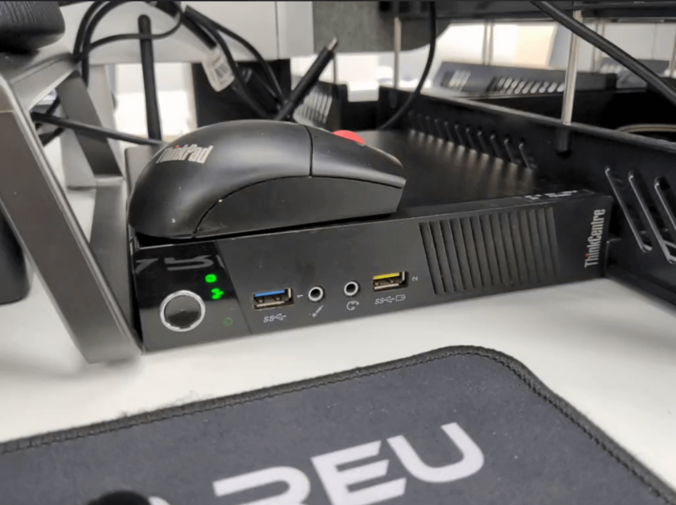
Desktop Pocket Rocket: Lenovo M73 Build Log
Preface:
My workplace just moved to a new office, and during the move my old computer stopped turning on. It was an ancient AMD machine anyway, slower than today’s low-voltage Celerons, and I’d wanted to replace it for a while — so this was a good excuse to put together something new.
But at work my desk space is limited, and there’s no room under the desk for a tower either, so the “new computer” had some requirements:
- It has to take up very little space
- Within that footprint, as much performance as possible
- It has to run Win10 without issues
- As cheap as possible — under 1000 ideally
After looking around, the Lenovo M73 that was popular a while back turned out to be a pretty good choice. After a bunch of research I decided to jump in.
Buying the parts:
There isn’t much to say about buying the M73 itself — Taobao is full of them, many even come with RAM and a drive, some with a CPU. Since I was going DIY, I bought the kit without drive, CPU or RAM, just the one with the higher-wattage PSU.
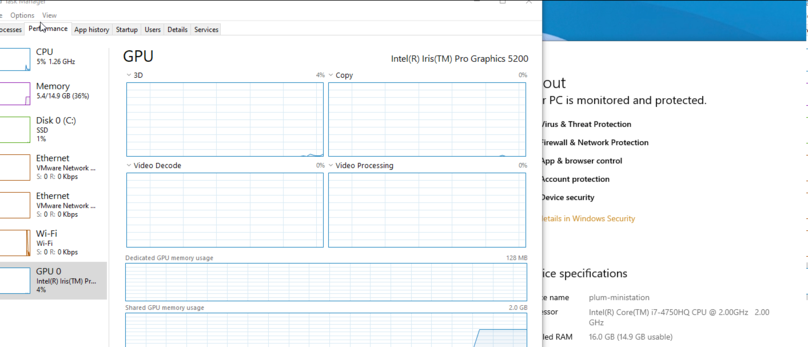
Choosing a CPU for the M73 isn’t easy. The chipset is H81, but it seems you can’t just drop in any 1150 CPU. According to an article on SMZDM though, the M73 can take laptop modded CPUs, and can even enable the Iris 5200 integrated graphics, which gets you close to entry-level discrete laptop GPU performance. That was tempting, so I bought a modded i7 4750HQ on Taobao.
For RAM I bought the cheapest Xiede, 8G X 2 — “reasonably reliable” and “cheapest” basically both point to it.
For the drive I used a 240G Lenovo SSD I found in the office storage room. Authentic, at least.
WiFi cards are awkward on the M73 because of the whitelist. Best to buy one with a Lenovo FRU. I don’t need Hackintosh, so Intel was the obvious pick, ideally an Intel 7260 with FRU. I’d suggest checking Xianyu — just search “M72 wireless” and filter; you can get a 7260 mSATA with FRU for the lowest price, and for a dozen extra yuan you get an original antenna, which matters a lot.
Normally thermal paste isn’t worth mentioning, but since we’re running a modded CPU, cooling has to be considered. I got some Shin-Etsu 7921 — thick as cement, but it lasts.
With the main parts chosen, it was time to assemble.
Assembly and configuration
Installing the M73 isn’t complicated — one screw opens it up, and the drive and RAM are where they should be. The WiFi card mounts oddly: no screws, just an expanding clip. The only thing to watch is the WiFi antenna — next to the drive bracket there’s a clip for the antenna. The M73 has two internal antennas, one at the back of the machine and one on the front panel, held on with a piece of foam and double-sided tape.
Worth special mention: installing the modded i7 4750HQ in the M73.
Because it’s modded, this CPU is thicker than a normal one, and the seller gives you a solution — shim up the whole CPU bracket so the CPU doesn’t get crushed. Unfortunately, after using the seller’s CPU screw shims, the M73’s screws were too short to fix the clip to the motherboard, which was a headache.
Then I found that if you flip the CPU clip’s backplate over, the screws barely reach. So I peeled the insulating tape off the backplate, stuck it on the other side, and mounted the clip reversed. It held.
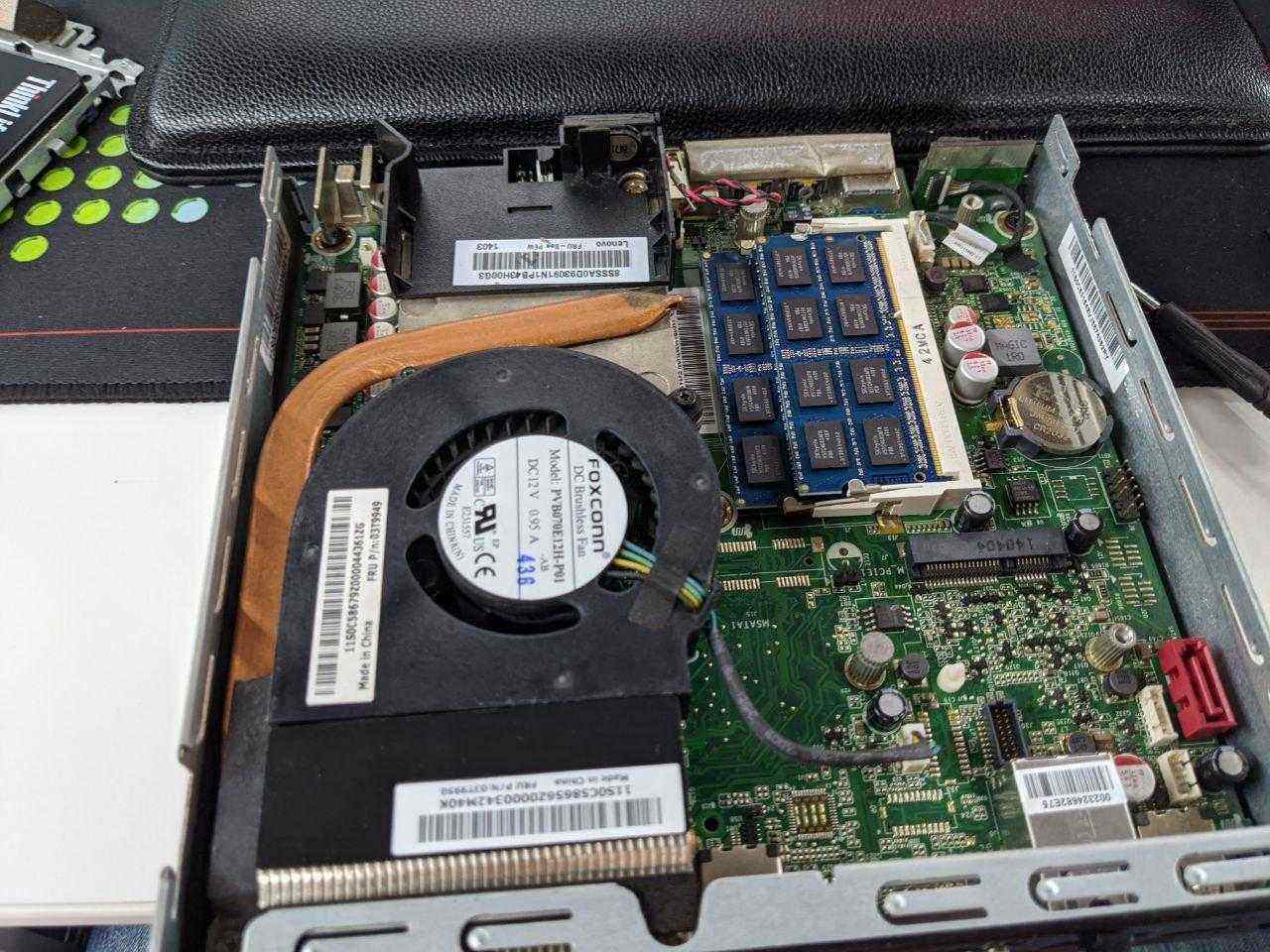
Putting on the fan and heatsink went perfectly, and the machine POSTed on the first try. The CPU, 16G of RAM and the wireless card were all recognized perfectly — the only difference is that every boot it throws an error saying it can’t find the CPU’s Microcode. Modded CPU, so that’s normal.
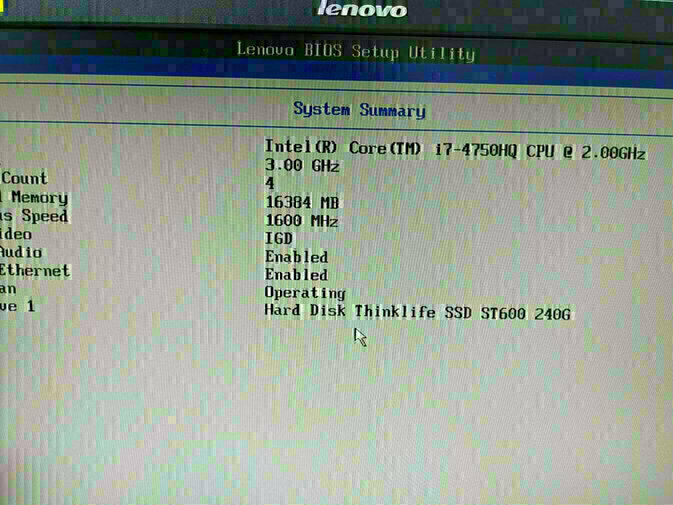
A few things about the M73’s BIOS settings I should mention:
- Since I have 16G of RAM, I maxed out the shared graphics memory
- Definitely disable things like Intel Smart Boot, otherwise the DP output won’t work at boot
- The M73 has three cooling modes; I’d pick the second. On the third, full performance, this little rocket gets loud enough to take off — don’t believe me, try it
Then I installed Win10 2004, installed the drivers, and everything was perfect.
Oh right, one more thing worth mentioning: the M73 has a built-in speaker, but it sounds terrible. Fine for hearing a beep, not for music — it distorts badly. I don’t know if it’s this speaker or just how it is. I bought another speaker on Taobao for 15 yuan; I’ll swap it in when it arrives and see.
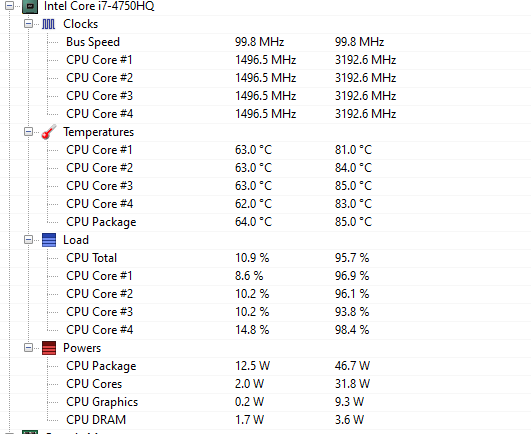
The machine ran for about a week and was great. It can run Dota 2, play WoW Classic and the like without any problem. Temperatures are around 60°C when not gaming, and can spike to 80°C in games, but that’s still far from exploding.
Cost and conclusion:
Let’s add up what it cost:
| Part | Source | Price |
|---|---|---|
| Lenovo M73, no RAM/drive/CPU (case with PSU) | Taobao | 289 |
| Modded CPU i7 4750HQ | Taobao | 480 |
| Xiede DDR3 1600 laptop RAM X 2 | Taobao | 337 |
| Lenovo SSD 240G | Found | 0 |
| Lenovo M73 wireless card with internal and external antennas | Xianyu | 78 |
| Lenovo M73 internal speaker | Taobao | 25 |
| Shin-Etsu 7921 thermal paste | Taobao | 18 |
| Total | 1227 |
Overall it doesn’t feel that cheap, mainly because the CPU cost so much. If you don’t have big performance demands, a CPU under 200 would probably suit you better.
I originally considered the Chuwi Larkbox — that machine is even smaller — but the performance is too weak, and it wouldn’t have been much cheaper than this anyway, so I gave up on it. Also, this machine can actually run Hackintosh, but you’d need to swap the WiFi for a Broadcom card, and flash a whitelist? Though I remember FRU versions don’t need the whitelist.
Comments are hosted on the Chinese main site. This mirror is read-only.