Fixing Fcitx 5 Not Working in WPS
So earlier I found out Fcitx doesn’t work under WPS on Linux.
And there’s an issue about it on Jionglian’s tracker too: https://github.com/fcitx/fcitx5/issues/83
The solution everyone on the internet gives is to set:
env QT4_IM_MODULE="fcitx5"
and then launch WPS, after which the IME works. That did jack shit for me. And from what Jionglian has said in various places (GitHub, IRC, SNS), setting it to fcitx5 isn’t actually fixing anything — it fails to find a real “fcitx5” and falls back to xim, which is why it works.
So why the hell are we setting “fcitx5” at all? Just set “xim” directly!
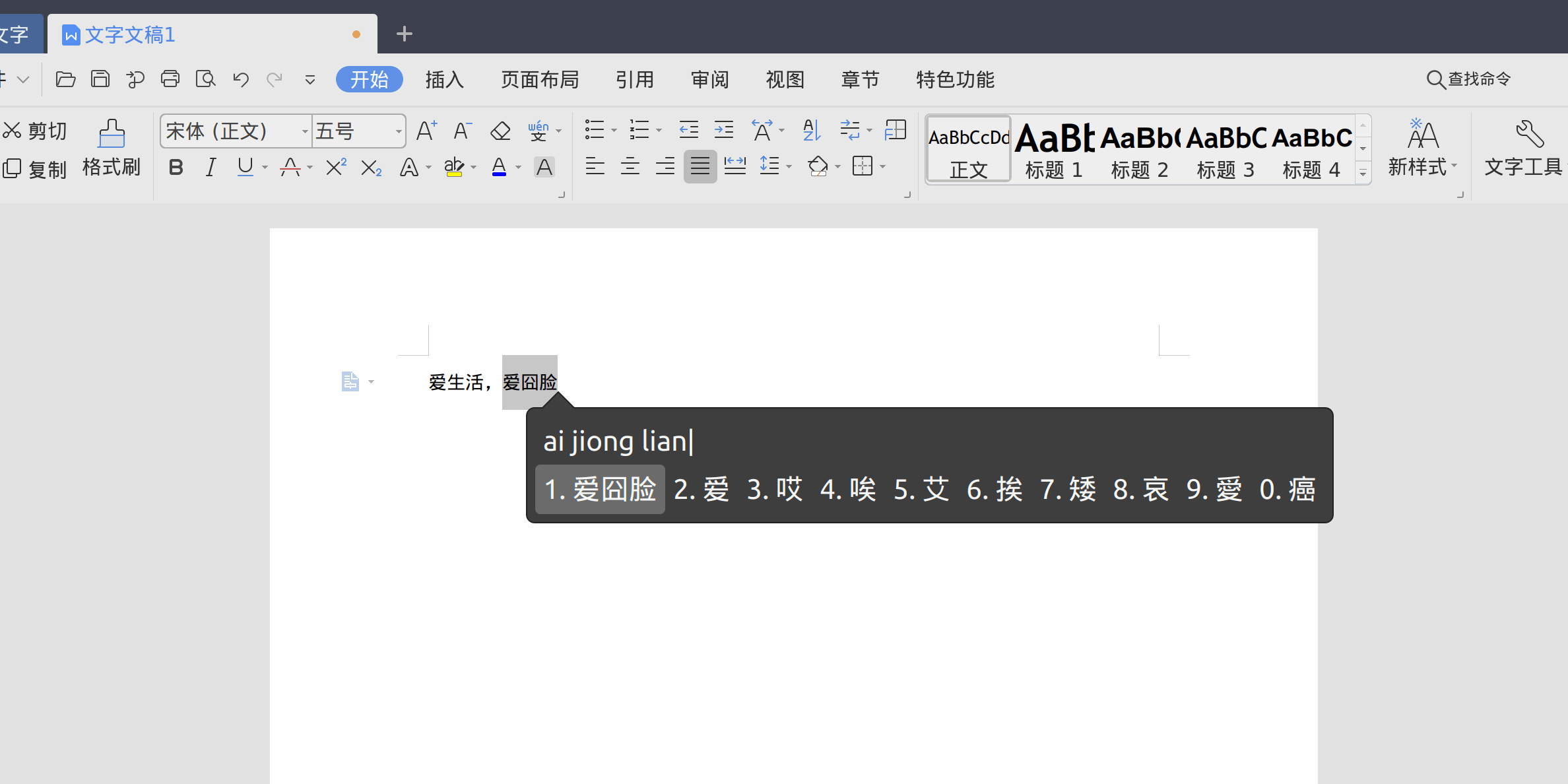
You can just edit WPS’s launch scripts:
sudo gedit /usr/bin/wps
sudo gedit /usr/bin/et
sudo gedit /usr/bin/wpp
Add this on the second line:
export QT_IM_MODULE="xim"
Save and see if it works. If it still doesn’t (or opening associated files breaks), then you’ll have to take the blunt approach and edit the desktop files.
sudo gedit /usr/share/applications/wps-office-wps.desktop
sudo gedit /usr/share/applications/wps-office-wpp.desktop
sudo gedit /usr/share/applications/wps-office-et.desktop
Just append this after the exec command:
env QT4_IM_MODULE="xim"
If it still doesn’t work, try replacing the absolute path at the end (/usr/bin/wps or whatever) with just wps.
Then it runs. Sure, it’s not a proper fix, but it solves the problem. Ultimately, praise be to Jionglian, and here’s hoping WPS fixes this soon.
Comments are hosted on the Chinese main site. This mirror is read-only.