Improving the Touchpad Experience on Ubuntu 20.04
Everyone knows MacBook touchpads are the best in the business. Plenty of Apple fans will tell you that once you’ve used one, “you’ll never want to touch a mouse again.”
I’ve used a MacBook touchpad, though it was a while back. Not gonna lie, when I was in college, besides a Windows gaming laptop, my main work machine was an Apple iBook G4. I was a full-on Apple fanboy back then, and at one point I figured I’d stay one for life, keep buying iPhones, iPads, MacBooks, the works. Fate had other plans, thankfully, and I didn’t turn into that guy.
Anyway, this isn’t a trip down memory lane. On to the actual topic.
Since Apple’s touchpads are so good, Microsoft put out something called “Precision Touchpad” to compete, which massively improved the touchpad experience on Windows (still room to grow, though). So as a Linux user, am I just stuck with what I’ve got?
No, I’m not. A bunch of people with too much free time started a project called “Linux Touchpad like Macbook Update.” The name says it all: make Linux touchpads work like MacBook ones.
The project mainly tweaks and optimizes the drivers that handle touchpad management on Linux, to improve the touch experience — multitouch and so on, especially.
It got a big publicity push and crowdfunding over a year ago, then went quiet. I figured the whole thing was a scam, until it suddenly pushed out an update a while back, listing its commits and shipping compiled packages as a PPA that you can install on Ubuntu 20.04.
After upgrading, touchpad responsiveness and so on improved by a lot.
sudo add-apt-repository ppa:p12/xorg-gestures
sudo apt-get update
That said, we’ve only improved things at the driver level. On the application side you still need another tool: touchegg
To install it you have to grab the deb/rpm package from the releases page yourself.
https://github.com/JoseExposito/touchegg/releases
Once it’s installed, three-finger swipe up and three-finger swipe down both work — three-finger up maximizes the window, three-finger down minimizes it, for example.
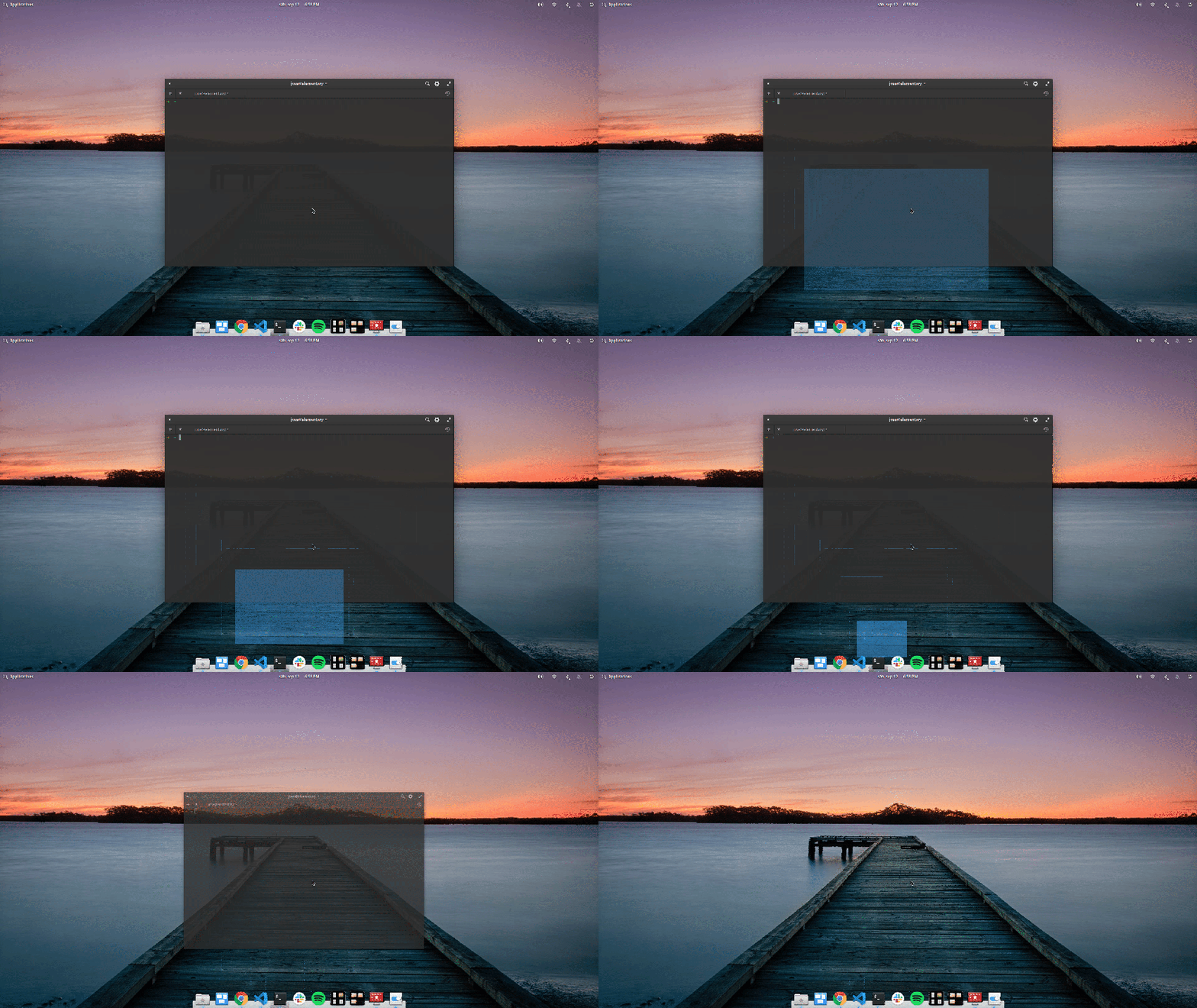
For the full config, check the project’s homepage.
Worth noting: touchegg works great but it only supports X11, not Wayland. Wayland handles multi-finger gestures pretty well on its own anyway, so you probably don’t need it there.
Also, the touchegg devs are tight with the elementary OS folks. In the upcoming elementary OS 6.0, touchegg integration supposedly gets you touch gestures that are 99% MacBook-like.
As for the “Linux Touchpad like Macbook Update” project, it hasn’t made a peep since releasing that PPA. But given they’ve been crowdfunding the whole time and the lead keeps showing up online, it’s probably not a scam. Keep an eye on it; maybe they’ll make Linux touchpads even better down the line.
Comments are hosted on the Chinese main site. This mirror is read-only.