Ubuntu: The Weird apt Repository Certificate Error, and How I Fixed It
A while back, apt-get update started throwing something weird at me:
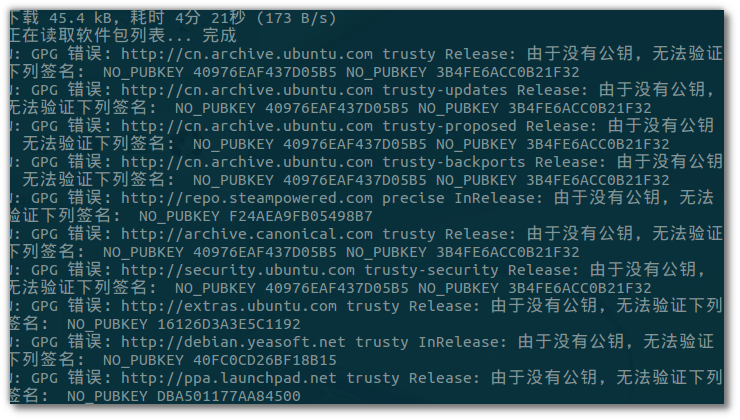
“The following signatures couldn’t be verified because the public key is not available: XXXXXXX”
My first thought was whether I’d gotten myself MITM’d or DNS-poisoned — the public key just up and vanished?
So I flushed the DNS cache and ran the update again. Same problem.
Fine, I’ll add them by hand then. Went through them one by one:
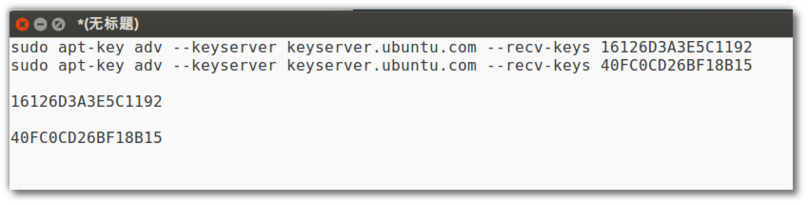
sudo apt-key adv --keyserver keyserver.ubuntu.com --recv-keys XXXXXXXX
Updated. Same problem. I even went and deleted the key files under /etc/apt/ and updated again — still the same.
Right when I was completely stumped, Google handed me one piece of info:
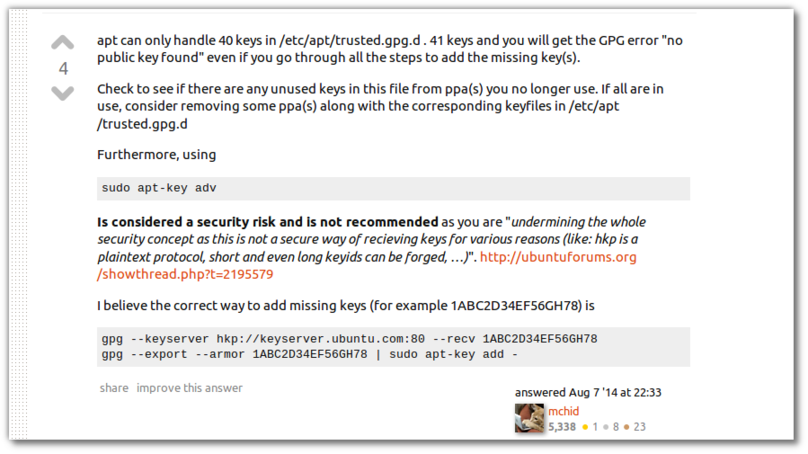
apt can only handle 40 keys…..
apt can only handle 40 keys…..
apt can only handle 40 keys…..
apt can only handle 40 keys?

Are you kidding me?
Checked my /etc/apt/trusted.gpg.d/ directory — yep, exactly 40. And I’d added more than 40 PPAs.
Cleaned out the PPAs I wasn’t using, ran apt-get update again, problem solved.
Lately I feel like I’m constantly wrestling with one dumbass problem after another.
Comments are hosted on the Chinese main site. This mirror is read-only.