Installing an AX200 Wi-Fi Card in a Lenovo M73
That Lenovo M73 I messed with earlier only takes Mini PCIe cards and has an FRU whitelist on top of that, so I was stuck with an Intel 7260.
It’s not that the card doesn’t work. I just don’t think it works well. The Bluetooth in particular drops out all the time, which annoyed me enough that I wanted to swap it.
Around the end of 2020 a batch of Mini PCIe AX200/201 cards showed up on eBay. They’re basically an adapter board with the module bundled inside, but that’s fine by me. The first batch skimped on the antennas; the newer ones are much better, so I picked one up and got ready to install it.
Installing it in the M73 still runs into the whitelist, though, and you have to defeat that first.
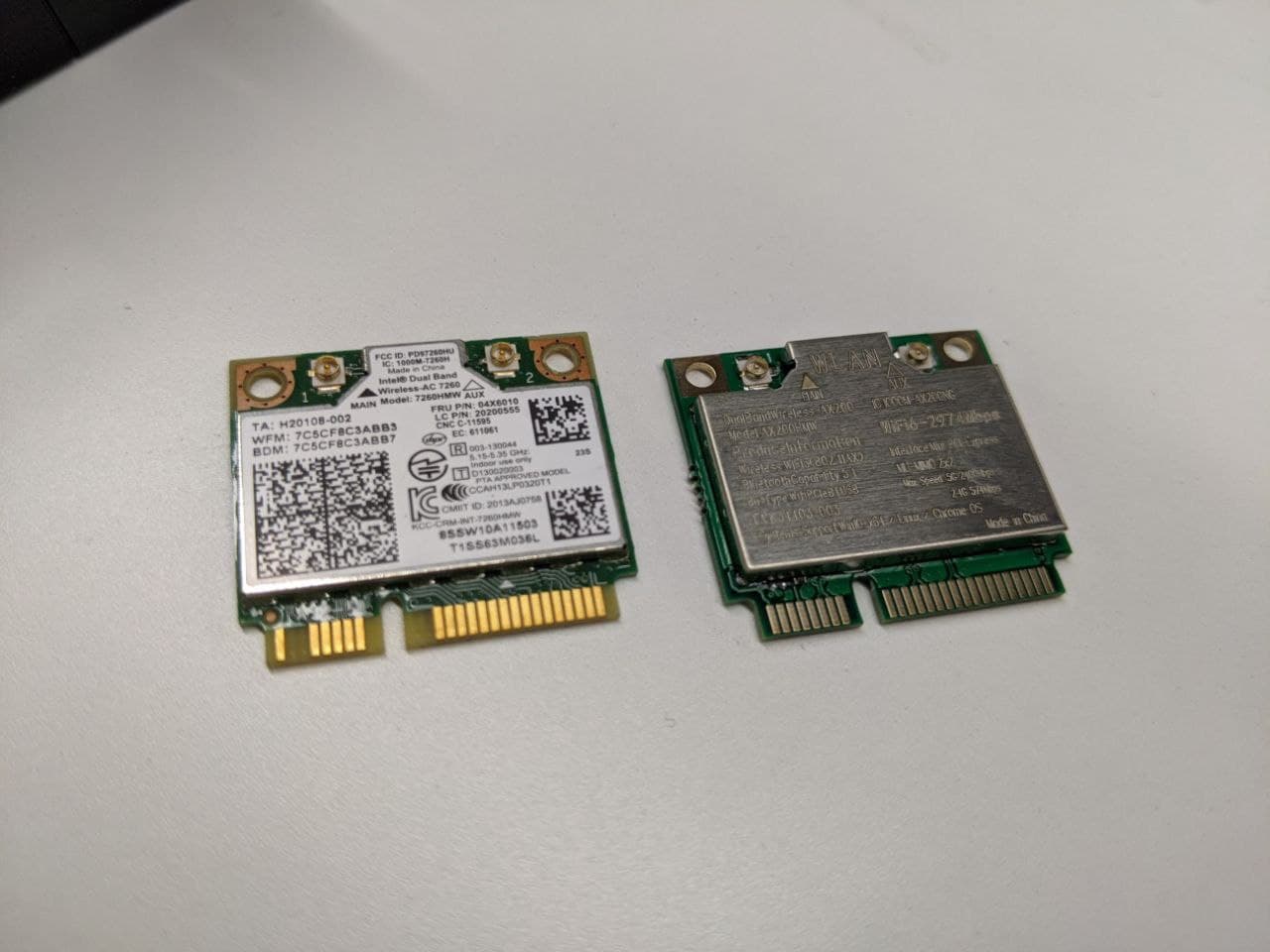
There are two main ways people get around the M73 whitelist. One is a proper hacked BIOS file that you flash, but that’s hard to pull off. The other is the more common route: change the machine’s serial number so the BIOS can’t detect it, the whitelist never kicks in, and the device restriction is effectively broken.
The second method has its downsides. Losing the serial number makes future BIOS updates a pain, and it throws an error on every boot. You can ignore it, but it’ll drive anyone with OCD up the wall.
I don’t have OCD, so I went with the second one.
The exact procedure is already written up here: https://zhuanlan.zhihu.com/p/309334893
So I won’t repeat it. A few things worth noting:
- The original post says you have to boot into FreeDOS to do it. That’s bullshit. You can do it straight from Win10 with an admin command prompt.
- Take a photo and write down your original serial number before you change it, so you can restore it if something goes wrong later.
Anyway, after changing the serial number it was fine and the card booted up without a hitch. After using it for a while, Bluetooth feels a lot more stable — at least the disconnects have mostly cleared up. All in all, a successful mod, I’d say.
Comments are hosted on the Chinese main site. This mirror is read-only.