Using Telegram on Ubuntu Linux
There are two ways to use Telegram on Linux: a client, or the web version.
The web version is simple—just open it and it works, notifications included:
The client is a bit more hassle. There’s an official one, but it’s not great, so you can use the third-party Cutegram instead:
sudo add-apt-repository ppa:aseman/desktop-apps
sudo apt-get update
sudo apt-get install cutegram
After installing, you need to do a couple of things before you can use the Jiong Face input method 囧脸输入法 in it.
Cutegram is a Qt5 application, so the fix for not being able to type Chinese with the Jiong Face input method follows the same approach as other Qt5 apps.
First:
sudo apt-get install fcitx-frontend-qt5
Then:
sudo ln -s /usr/lib/x86_64-linux-gnu/qt5/plugins/platforminputcontexts/libfcitxplatforminputcontextplugin.so /usr/lib/cutegram/plugins/
The exact path will depend on whether you’re on a 64-bit system and whether your distro is Ubuntu. Basically, you just copy or link libfcitxplatforminputcontextplugin.so into Cutegram’s plugins directory.
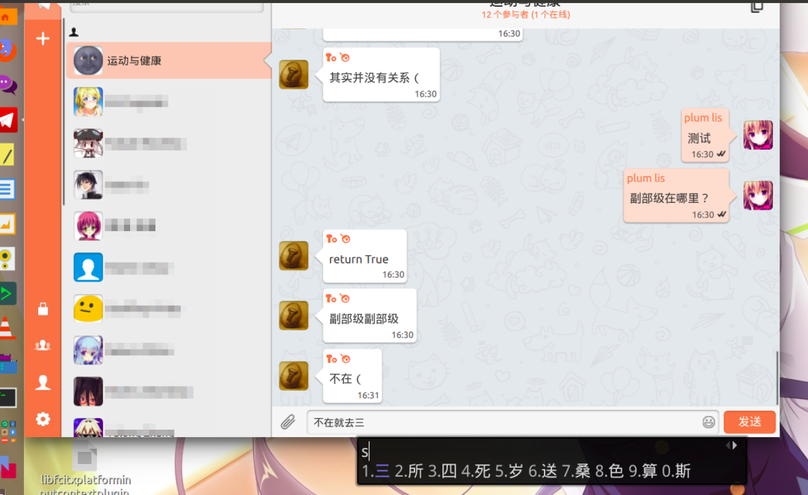
Log out and back in, and you can use the Jiong Face input method in Cutegram.
References: http://www.qtcn.org/bbs/simple/?t56908.html http://blog.sina.com.cn/s/blog_71e26e290102uy9e.html
Comments are hosted on the Chinese main site. This mirror is read-only.