A Few Days with Lenovo Chromebook Duet
Shy Productivity: Lenovo Chromebook Duet Hands-On
I remember once saying, angrily, that Android tablet productivity is all shit.
And then I went to a Xiaomi store and tried one out, which only confirmed it. Even on the “Xiaomi Pad 5 Pro,” productivity is still a pile of shit. My biggest complaint is that the IME on Android still can’t do proper cursor-following; in a lot of cases you still get the idiotic “type up here, pick characters down there” setup. Not to mention the browser being unusable…
In the end I decided to try the Chromebook Duet. I picked one up on eBay, plus a USI stylus. Bought before the price went up — the seller listed it at 50, realized the next day he’d undersold, and jacked the price up in a hurry. But I’d already bought mine.
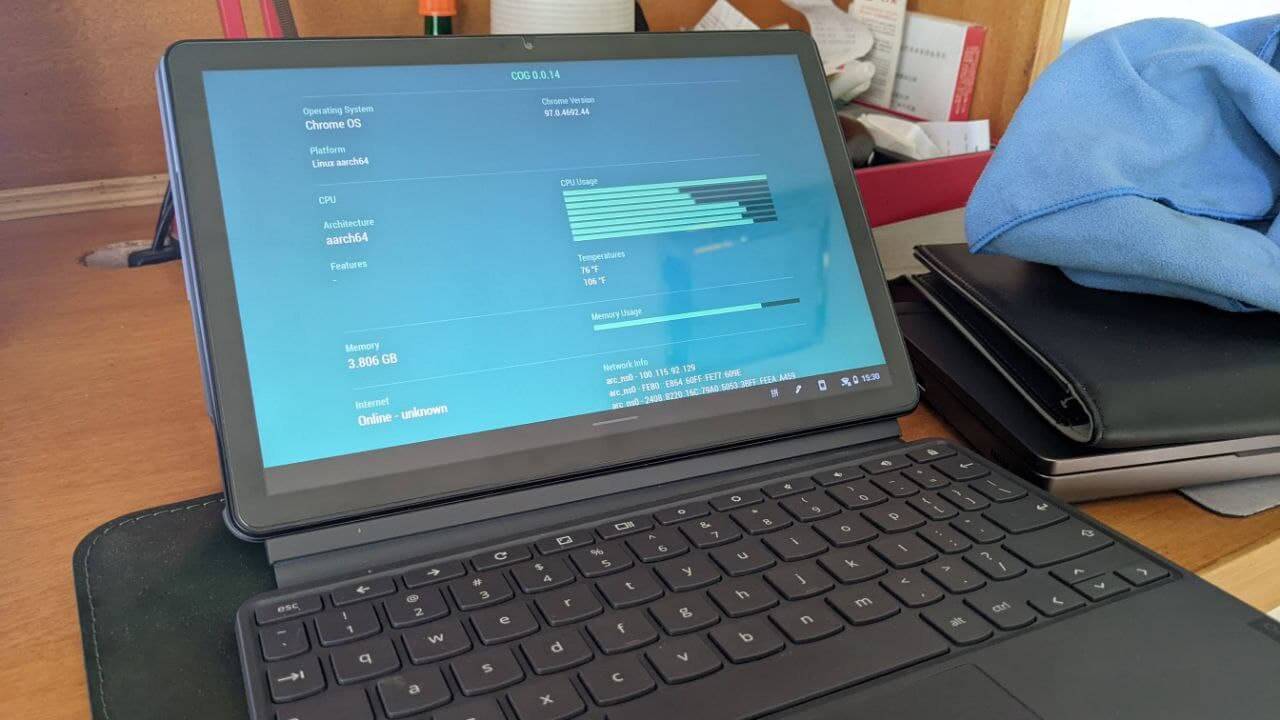
I’ve used it for a few months now, read some PDFs on it, so here are some quick impressions. Same old approach: whatever comes to mind, in whatever order.
- First off, the thing looks great. 16:10 screen, light and portable, 100% sRGB, though the color temperature runs high — fairly cool — but it still looks OK.
- Specs are a MediaTek P60T + 4GB RAM + 128GB eMMC. Fine for light use, but think twice once you go a bit heavier, especially with the Android VM and Linux container running.
- Activating the machine requires getting around the Great Firewall. After that you can install your proxy app of choice in the Android VM and use it just like on an Android tablet.
- The default Android container performs surprisingly well. I got Honor of Kings running on medium settings, no problem. Tried Genshin too — emmm, it launches, and that’s about all it does.
- As a web browser, the Chromebook Duet is more than qualified. Fast browsing, and the included keyboard has a trackpad so you can use it like a tiny PC, with all the gestures. The keyboard’s a bit small for me, though — typing on it is hard to get used to. People with smaller hands will probably fare better.
- The speakers are mediocre, all crammed along the top edge, which is awkward when you hold it vertically. Not loud, not quiet — but next to modern Android tablets with four speakers a pop, it doesn’t measure up.
- As a tablet, ChromeOS has plenty of strengths and weaknesses. The strength: “everything works in the browser.” Don’t feel like installing the Android container? Just open the web version — YouTube, Bilibili, whatever. The system also auto-switches to tablet modes when you attach or detach the keyboard. The weakness: the tablet UI still stutters, and the on-screen keyboard genuinely sucks. In a lot of web pages it gives no sound or haptic feedback, and it flickers like crazy. Sometimes it’s really hard to put up with.
- The ChromeOS Linux container performs so-so, probably held back by that garbage eMMC. You can install WPS for word processing, but you can’t use the default IME inside the Linux container — you have to install Fcitx yourself, which is idiotic in its own way. And installing WPS directly from the Arm64 DEB gives you dependency problems you have to sort out yourself, which is even more idiotic.
- The Chromebook Duet supports USI styluses out of the box, but the palm rejection is deeply stupid. The pen frequently just stops working, and you have to press it down hard somewhere to get it going again. I can’t tell if it’s the pen or the tablet — at least I’ve seen plenty of people on Reddit complaining about the same thing.
- Pressure sensitivity isn’t supported in a lot of apps, even the handwriting software bundled with Chrome OS. The best support I found was actually Squid inside the Android container, where pressure and palm rejection both work perfectly — except to use it properly you have to pay, monthly. Not much choice, but at least it’s cheap.
- Battery life: nothing to complain about. Absolute tank.
Overall, the Chromebook Duet is a pretty good tablet for “browsing the web” — at least it’s good at reading pages. But for actual document work it doesn’t cut it at all. If you really need that, buy a more powerful Chromebook. Then again, the more powerful ones cost 5000+, and at that price why wouldn’t I just buy a normal laptop?
In the end I decided to sell the thing. The reason’s simple: as a reader and handwriting tablet, the stylus that keeps losing control is just unusable. And the pitiful 4GB of RAM is genuinely awkward. It’s better than an Android tablet as a text-entry tool, but not by much. If Android tablet productivity is shit, ChromeOS productivity can only be called “shy.”
To this day I don’t understand why Chromebook tablets insist on eMMC. I get that ChromeOS maybe doesn’t need big, high-end storage — but are you really skimping on that little bit of cost?
Comments are hosted on the Chinese main site. This mirror is read-only.