A Few Days with Anbernic Win600
The Broke Gamer's First Steam Deck: Anbernic Win600
As someone who loves portable devices, I was actually pretty interested in the Steam Deck. But earlier this year, the Steam Deck was terrifyingly expensive and basically impossible to buy. The few Chinese handheld makers that bothered to show up were all just drawing pies in the sky.
Then Maxzhou, Brother Zhou, released a Windows handheld: the Anbernic Win600. Not only was it in stock, it was the cheapest thing from a legitimate manufacturer on the market…
Most importantly, before launch they advertised it as: made in cooperation with Valve, supports Steam OS, and they even showed some demo videos.
So I got carried away. Couldn’t afford the expensive one, bought the cheap one.
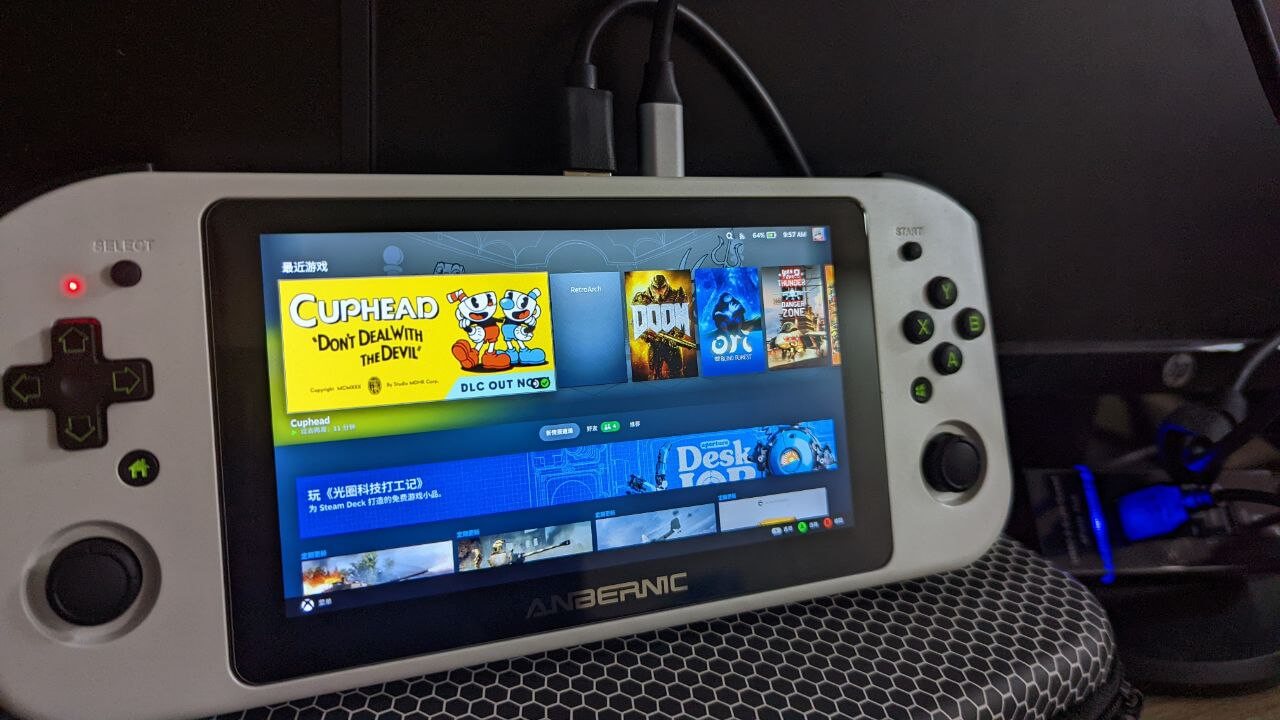
Let’s start with the specs:
CPU: AMD APU 3050e
RAM: 8GB DDR single channel
SSD: 256GB 2242 MSATA
LCD: 720P
Batt: 39Wh
Ports: one USB A, one Type C, one headphone jack
Now for how it feels in the hand:
The machine actually feels decent. It’s probably the usual polished ABS plastic used for controllers, the shoulder buttons use Brother Zhou’s traditional conductive rubber, very comfortable. The sticks aren’t Hall effect, but they’re not garbage either. The buttons are standard quality Zhou parts, basically like buying a 8BitDo controller.
The screen is actually 100% sRGB, but the color accuracy is way off; after calibration it’s barely acceptable. The screen also flickers, and only stops at max brightness, which is awkward.
The cooling is very quiet; unless the fan is at full blast you can barely hear it. Dual speakers, sound is fine, there’s a button on the side to switch between joystick mode and mouse mode; in mouse mode the stick controls the cursor, similar to the GPD Win1 controls.
Then there’s the machine’s biggest weakness: performance.
Based on various benchmarks, the CPU performance of this APU 3050e is roughly a tiny bit above the GPD Win2’s Intel 8100Y. On the GPU side, because it uses Vega, it’s still quite a bit better than Intel’s garbage integrated graphics. However, this machine has “single channel” memory… so even if the performance is good, it can’t be that good.
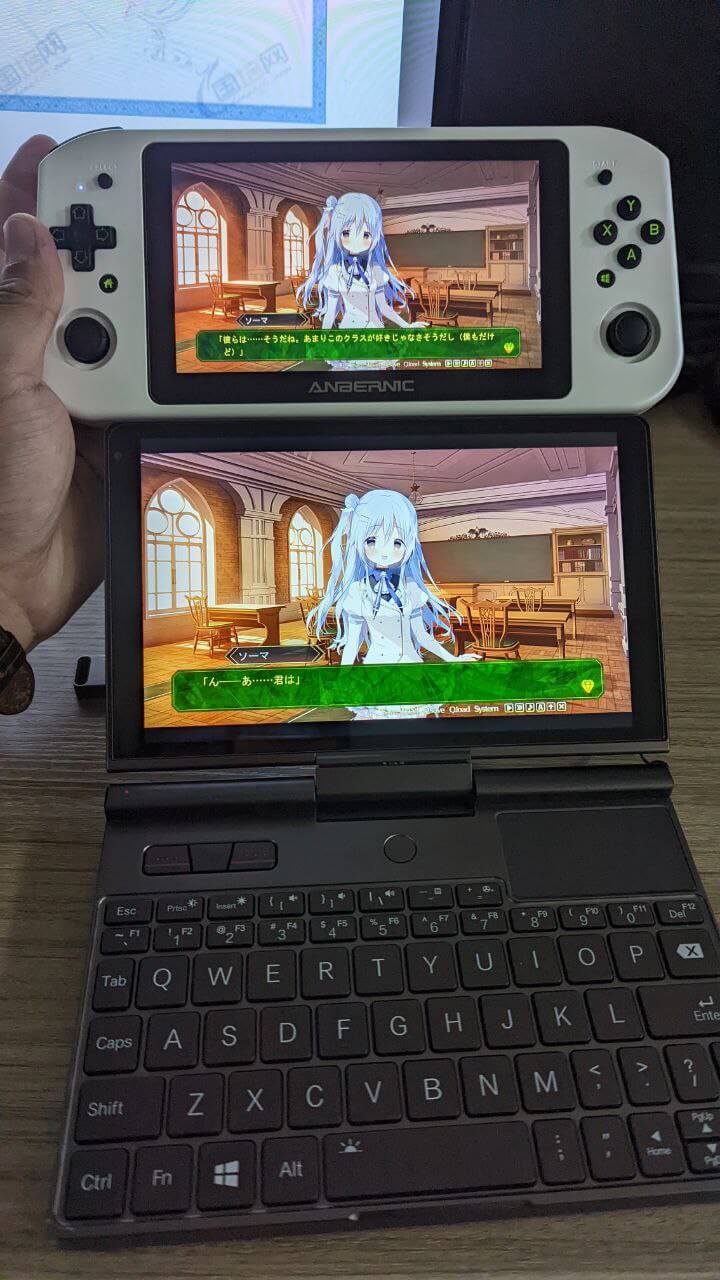
So the performance expectation for this machine is clear: whatever the GPD Win 2 can play, it can basically play; whatever the GPD Win 2 can’t play, it probably can’t either.
The machine ships with Windows. After fiddling with it for a few days, here are my thoughts:
- It comes with Win10 and can upgrade to Win11 without a hitch, but there’s no point. I think Win11 has too many background tasks, which actually drags down performance.
- The default performance can basically play 3A games from 2012 and earlier, some particularly well-optimized games like Doom and Ori 1, and some current 2D games are about the same. Anything higher needs a resolution drop.
- You can use tools like ryzenadj to raise performance, but that brings higher power draw and lower battery life. Personally I don’t think it’s worth it, though there’s a guy on Bilibili called “P爸爱电玩” who keeps updating which games are playable. If you’re interested, check it out. I personally think it’s just the fun of pushing the limit.
- Windows sleep works properly, and installing emulator platforms via various installers is all normal. From a system perspective there’s no real flaw.
- For controls, both sticks are at the bottom, which doesn’t match current mainstream layouts. Playing FPS is a pain, but it’s not unacceptable. The PSV had the same layout back in the day and had plenty of FPS games. You need to adapt, it’s not that bad.
- If you want to keep tinkering, you can contact Taobao customer service to join the official Win 600 Discord group. There are lots of easy-to-use resources there that can save you a lot of time.
- I tried playing some Galgame on this thing. It’s acceptable, except the resolution is only 720p, but honestly most Galgames are 720p anyway, right Hook/SMEE?
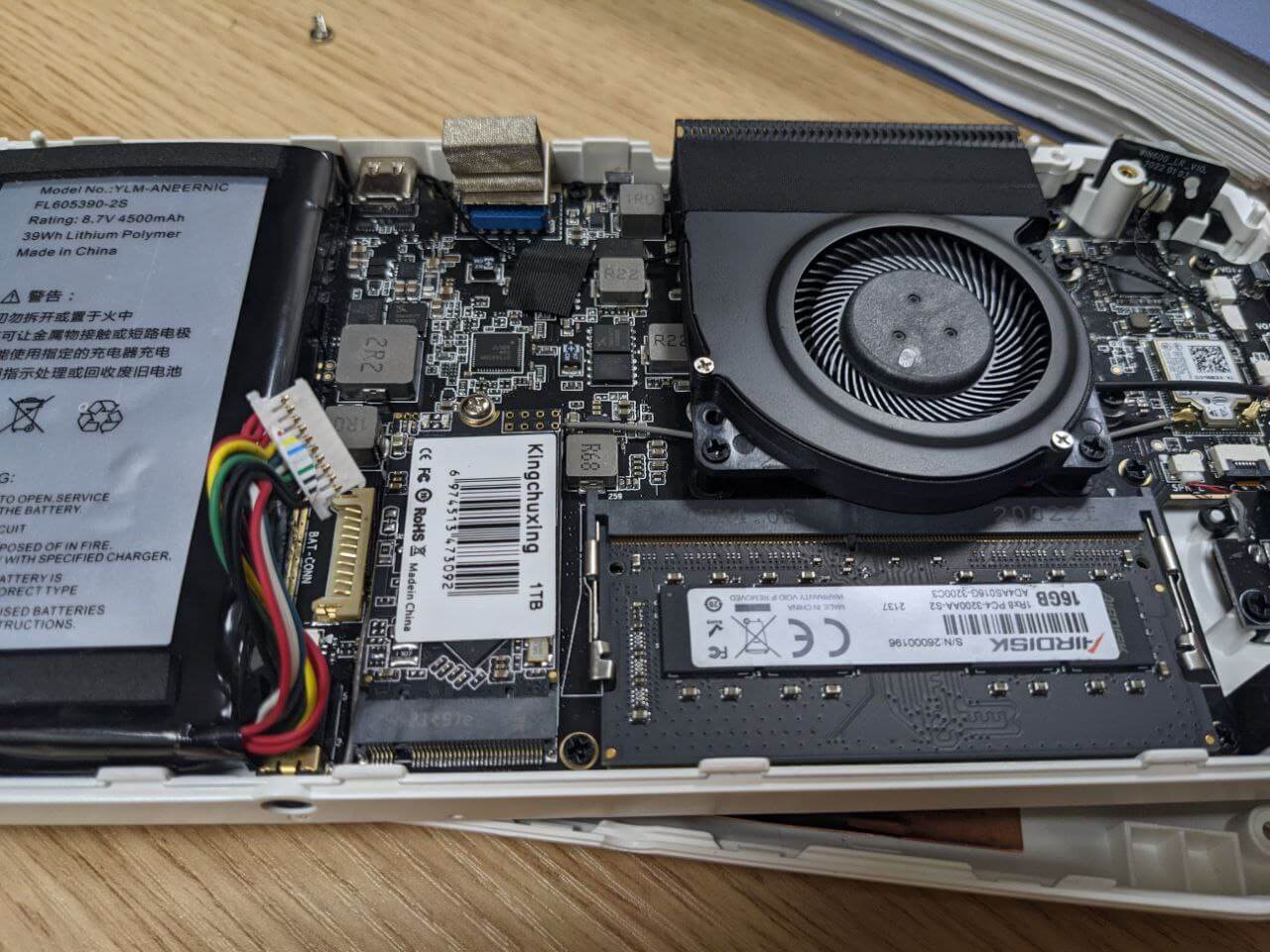
- The machine can be opened up and you can add your own RAM and storage. Default RAM frequency is 2666, and this SoC only supports 2666, but oddly you can upgrade the RAM to 16G yourself and set the frequency to 3200 in the Bios. According to some tests, even though the SoC doesn’t support 3200, setting it this way still gives a performance boost…
Of course, after using Windows for a while I still felt this system isn’t very convenient as a “handheld”, especially with no good frontend UI. Since the official word is that this thing supports Steam OS, why not install a more “professional” handheld system? Besides, it’s Linux underneath, so optimization is simpler.
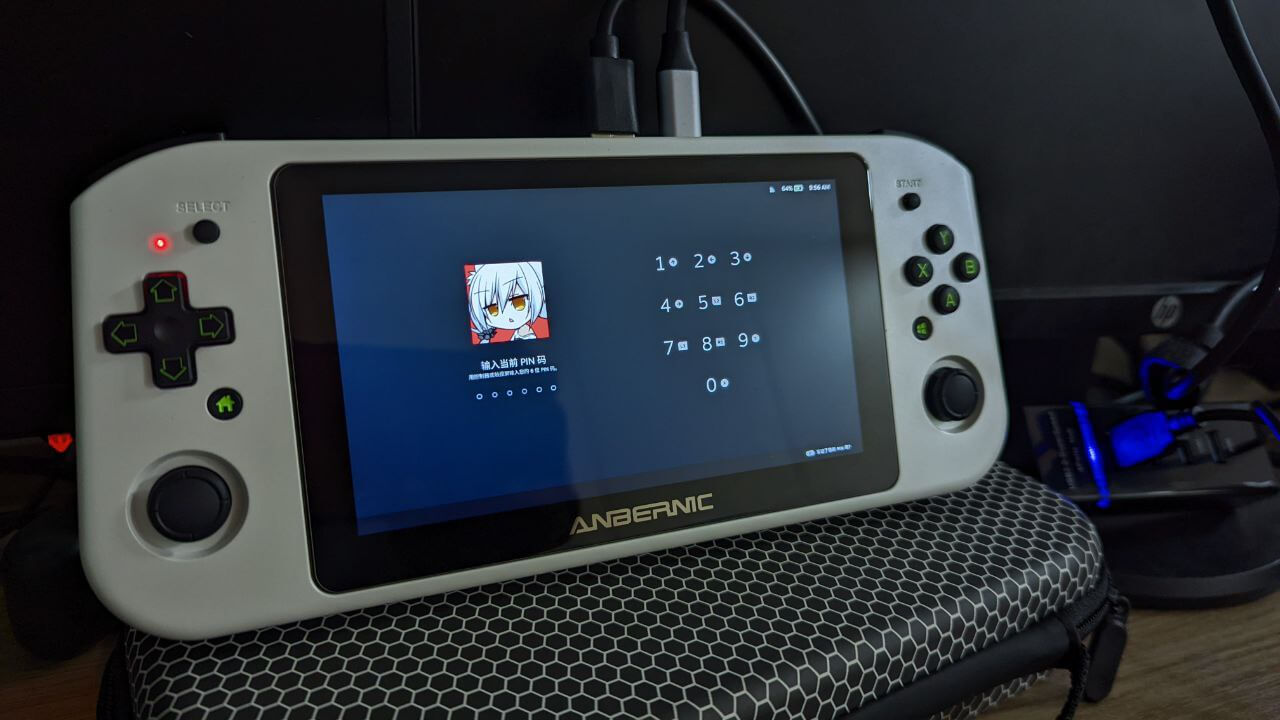
But I soon discovered that installing Steam OS on this machine is not a simple matter.
First, Anbernic officially provides a Steam OS image. I looked at it, and although it’s called “official”, it’s actually HoloISO, a third-party project with a little bit of official background. You know HoloISO can be installed on any computer, just like I can’t randomly install HoloISO on a Surface and claim my Surface has Valve’s “official” system support, right?
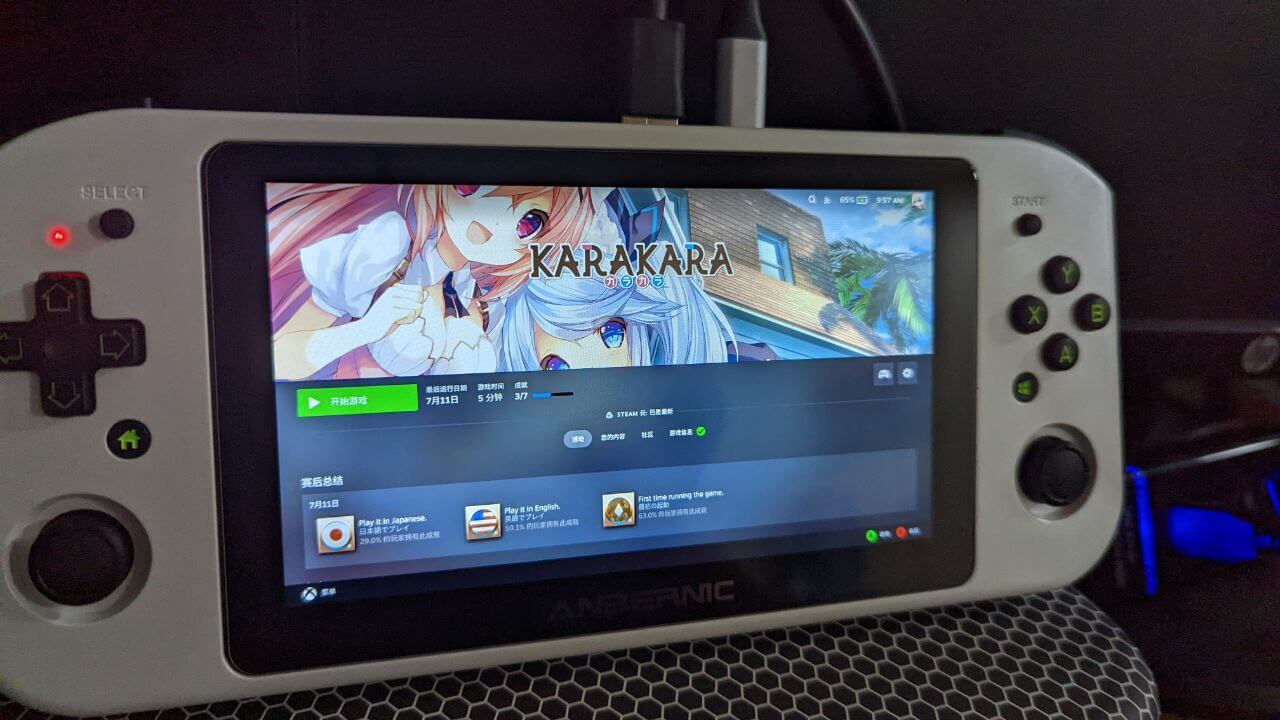
By the same logic, all the Chinese handhelds claiming “official” SteamOS support are just installing HoloISO themselves, especially GPD, which is mainly about scamming people.
The Steam OS image Anbernic provides has quite a few bugs when installed. It’s an early version of HoloISO, and what I don’t understand is that the image also contains some Anbernic scripts whose purpose I can’t figure out, like forcing the backlight to max when you plug in the charger. There’s also a controller shortcut support module, which you can install yourself later.
All in all, this so-called “official image” has too many problems, so I decided to install HoloISO manually myself.
The HoloISO installation isn’t hard, but the dumbest part is: the installation method is basically reinstalling ArchLinux via a script, and after ArchLinux is installed it automatically installs the Steam OS parts. Yes, Steam OS is indeed based on Arch, but couldn’t you just package a system image?
The even dumber part is that many of the sources this script adds are the author’s own. The author is probably Russian, using some crappy server somewhere, and it disconnects constantly. This magical install script doesn’t retry after a disconnect; it just gives up on that package and moves on…
So it’s a pain. You need extremely good network conditions to complete the HoloISO installation, otherwise if any package fails along the way, you’re back to square one.
I tried who knows how many times, and finally at 4 AM on a dark and windy night, I got up and typed the command, and the installation completed…
Default HoloISO doesn’t support the Win600’s special buttons, but luckily Anbernic later sent a machine to the HoloISO author. The latest version should support various shortcuts to bring up menus by default. The dumb part is that the most important performance menu is brought up with the right side “keyboard” + “A button”.
Support for the special buttons is done by compiling a module. If you find the module isn’t loaded, you can compile it manually yourself:
https://github.com/lualiliu/holoiso-win600-driver
Here are some personal usage notes:
1, The relationship between HoloISO and SteamOS
SteamOS is a Linux system based on Archlinux plus Valve’s own set of software sources, and HoloISO is an imitation of it. 99% of the functionality comes directly from SteamOS. How to put it, you can think of it as the relationship between CentOS and RedHat Enterprise Edition.
2, HoloISO’s two kernels
Unlike SteamOS, HoloISO provides two kernels after installation: one is Neptune and one is HoloISO. The former is SteamOS’s original kernel, while the latter is more mainline. The former seems to still be 5.13, while the latter is already the latest 5.19 (though not 6.0). Generally you can try the former, since it gets you infinitely close to the Steamdeck experience, but for many third-party handhelds, especially those using Intel and the new 6800U, the latter kernel is more suitable and can solve quite a few driver issues.
3, Optimizing system fonts
SteamOS itself is Linux and inherits the traits of most Western Linux distributions: Chinese display optimization is terrible.
The fix is simple. Just enter desktop mode through the power menu, which is a standard ArchLinux + KDE environment, and modify font rendering however you like. Whether you write fonts.conf yourself or go into the settings menu, both are fine. For details, search the “said to be so universal that even a monkey can use it” ArchLinux wiki.
4, Installing software
As mentioned earlier, SteamOS itself is ArchLinux, so install software the Arch way. I heard the partitioning uses some kind of “root write protection” and “btrfs” stuff, I didn’t look closely. Installing software is just commands. But honestly, for a game console, I have no interest in installing various software on it, and I heard the default installed flatpak version of firefox got criticized for some reason…
The only thing I recommend installing is emudeck:
https://www.emudeck.com/
An all-in-one package containing all mainstream emulators. The latest version perfectly supports the Win600, and installation is idiot-proof. You just download the shortcut and run it on SteamOS. But I ran into a really dumb problem that needs mentioning:
This Emudeck installation is actually a script, and the script hardcodes the user’s Home directory as:
/home/deck
The reason is that the Steam deck’s default user really is deck, but when installing holoISO on the Win600 you can freely customize the username… so this can very likely cause the emudeck installation to fail. I don’t know if the latest version fixed this, but if you want to install emudeck on a third-party handheld, I suggest just setting the username to “deck” too. Once and for all.
5, Gaming experience
Honestly I think the SteamOS gaming experience is clearly better than Windows. Most new games perform no differently than on Windows, since it’s a tuned Wine. Games with native Linux support are even better, like Left 4 Dead and Serious Sam, all very smooth.
I used it to finish a Chinese metroidvania called “Brave Harker” (勇敢的哈克). Overall the controls were quite good.
Generally, games marked “Deck compatible” run fine, but that doesn’t mean the controls work properly, especially Galgames. Because the Deck has two touchpads, it can easily control the mouse. The Win600 only has sticks, and most games claiming “Deck support” don’t support controller operation at all; they just give you a simulated mouse function. With a touchpad it’s fine, but controlling the mouse with a stick will make you die of pain.
The biggest advantage of SteamOS is the “console-intuitive sleep mode”. It lets you press the power button while playing, put the whole system into sleep and standby, and when you turn it on later the game is still exactly as you left it. But this is currently impossible on all Windows handhelds. That’s also my main reason for recommending Steam OS. As a handheld, you can’t be expected to quit and shut down every time. Being able to play whenever and wherever is the core.
6, Power control
I think another core feature of SteamOS is on-the-fly power adjustment, which lets you choose the game’s optimal “sweet spot” power draw. After all, so many dumb Chinese Windows handhelds brag about how amazing they are at pulling 45W, but never mention the less-than-one-hour battery life. As a handheld, battery life still matters.
However, although the Win600 is also an APU, for the SteamOS power adjustment panel it only supports “frame limiting” and “GPU frequency locking”. FSR seems to work too, but it’s meaningless for this weak SoC.
Adjusting TDP is completely unavailable. Later I checked the docs and understood: the TDP adjustment in SteamOS is “only effective for the SteamDeck’s customized SoC”, and the same goes for various parameters. If you’re not using that customized SoC, this parameter control is just decoration.
There is a workaround: install a third-party plugin to call the ryzenadj Linux version for adjustment. The plugin that can do this is handypt:
https://github.com/ShadowBlip/HandyPT
Unfortunately, this HandyPT cannot be used on the Win600. Currently it seems 6800U machines can use it.
Whether under the Neptune or HoloISO kernel, ryzenadj just says there’s no “Ryzen SMU” kernel module. Interestingly, if you boot Ubuntu yourself, the module loads fine. I can only assume it’s due to the system kernel settings. I also reported the error, but nobody cared, so I gave up.
So the most painful thing about running SteamOS on the Win600 is that you can only use the default power draw. Even when playing small 2D games, the power draw often gets pushed to 23W, leaving the whole machine with at most an hour and a half of battery life.
If there were a chance to finely adjust the power draw, SteamOS would be even more perfect on the Win600.
Conclusion:
The Anbernic Win600 is actually a decent handheld. Good build quality, performance better than the GPD Win 2, nice in the hand. Many people call the price an idiot tax, but considering the performance and the current second-hand price of the GPD Win 2, it’s not expensive. It’s just that the new 6800U handhelds are so brutally competitive that it feels like “not worth buying”.
If you’re just buying it to play emulators, I think it’s still OK. And the Anbernic Win600 official group has always had a good atmosphere; it’s worth checking out.
Of course, now that the SteamDeck is readily available, there’s little point in buying this machine. If you’re really interested, just pick one up for around 1000 on Xianyu.
Comments are hosted on the Chinese main site. This mirror is read-only.