Impressions: ThinkPad
ThinkPad Refurbishment Log
Last year, while I was replacing the battery in my Switch, my hand slipped and the screwdriver flew off and hit the screen, leaving a nice little pit right in the middle.
That’s when I remembered that almost a year ago, I still had insurance on the screen — you can read the details here.
So I thought, isn’t this the perfect time to get the screen replaced?
While I was still hesitating, the next day the machine obligingly developed a new problem: the TrackPoint’s right-click button popped out, and it wouldn’t go back in.
Looks like I had no choice but to go to the service center.
So in mid-December 2022 — right when mainland China fully reopened and everyone was testing positive — I went to the service center. Not that I was worried; I’d already had it back in October.
I told the Lenovo people what I wanted, but it didn’t go as smoothly as I’d hoped. Here’s what they said:
- The machine has to stay here for diagnostics first, then they’ll decide if the screen and keyboard can be replaced. The right-click button is part of the whole C-cover assembly with the keyboard, so replacing the keyboard means replacing the entire C-cover.
- My screen damage counts as accidental damage, so technically it’s not covered for replacement. And those few bright and dark spots are really hard to see — they probably wouldn’t pass review at headquarters.
- Lenovo never said anything about being able to replace the screen freely if you have insurance. They could only submit a request for me; no guarantee it would go through.
- The clerk who promised me I could “use it as hard as I want” was wrong, and nobody there remembered ever dealing with my machine.
- They could pull the drive out so I could take it with me and avoid any data leak.
- The whole replacement process would take about two weeks, since parts have to be ordered from headquarters.
- If the screen replacement is approved, they replace the entire upper half — the A and B covers as a single assembly.
After that conversation, I pretty much assumed the screen was a lost cause. Felt like I’d been played by that clerk from before. Still, replacing the whole C-cover alone costs nearly 1000 yuan, so at least that made the “insurance” price worth it.
Back home, I’d already started searching Taobao for screen parts. An original screen runs about 600, plus 100 for a B-cover (it’s held on with double-sided tape, so once you peel it off you can’t stick it back — it’s a one-time thing). Total cost around 700, not too bad. If they wouldn’t replace the screen, I’d just do it myself.
So the two weeks dragged on. Even after the New Year holiday ended, Lenovo finally called with news that perked me right up: both the screen and the C-cover keyboard had been replaced.
When I got the machine back, it really looked like it had been fully refurbished. New keyboard, new top cover and screen — basically everything except the bottom D-cover was brand new.
The Lenovo clerk then went on with the usual blah blah: my machine’s “accident insurance” limit was only 6000, and this repair had already used up several thousand, so there was almost nothing left. They suggested I pay to renew it.
Actually, renewing the “accident insurance” on Taobao is doable and much cheaper than the official store. And according to Lenovo’s official policy, the insurance limit is 150% of the machine’s price, provided you show the invoice. I bought mine from the official website, so I naturally had an electronic invoice. I asked the clerk about this and got confirmation: with an invoice, the insurance limit is set at 150% of the purchase price.
When the new machine came back, I noticed the screen was still from CSOT — not the LG I’d imagined. If anything, LG has been kicked out of the ideal supply chain. The screen felt a bit less greasy, though that might be my imagination. The other thing is the new keyboard feels noticeably better; the old one was always stiff, so stiff I’d bought an external mechanical keyboard. Probably a different supplier issue.
Then, while everything was still new, I quickly applied some protection.
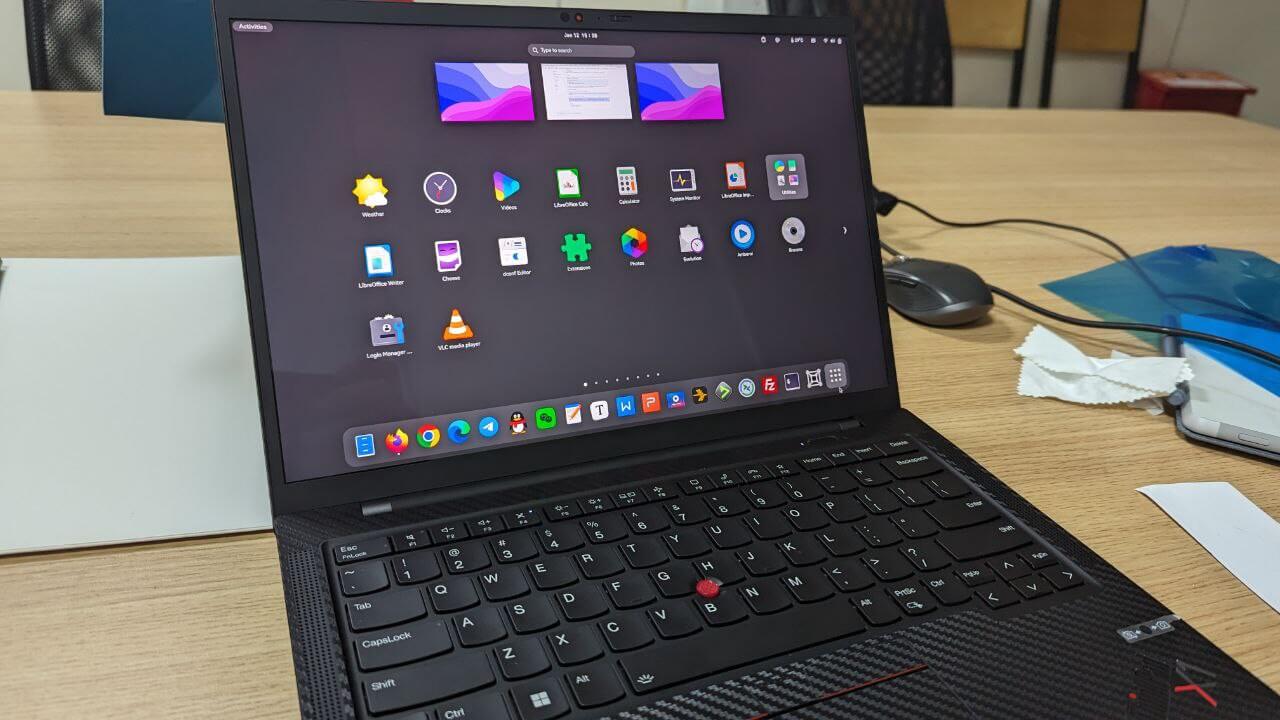
First, to avoid keyboard marks on the screen, I decided to apply a screen protector. Since the screen was brand new, I had to do it now. I went with something called an “AR film,” which supposedly increases light transmission and reduces glare. But that’s not what matters to me — what matters is that the AR film’s material is special: harder than regular PET, with a glass-like feel, yet still very light. You can buy the ThinkPad T14 version and it fits the X1 Carbon 2021 just fine. After applying it, I’m very happy — highly recommended.
The other thing is the skin for the machine itself. I’ve been a longtime Dbrand user, and this time the skin was a saga in itself. I tried several textures on Dbrand and finally settled on the “Black Camo” series, because only that one truly resists oil and grime; the others are fingerprint magnets. If you think Dbrand is too expensive, the plain “carbon fiber” skins are fine too — they just look a bit cheap.
Then there was another accident: shortly after the refurb, I broke the screw clip on the bottom D-cover. So I went on Taobao and bought a new D-cover for 100 yuan and swapped it in.
So after all this running around, my ThinkPad X1 Carbon 2021 has new A, B, C, and D covers, plus a new screen — the whole thing’s been replaced.
Comments are hosted on the Chinese main site. This mirror is read-only.