A Few Days with HP Chromebook X2 11
Wishful Productivity: HP Chromebook X2 11
I’ve said before that ChromeOS tablets might be the future of “productivity”. But the Duet’s performance and RAM were just too weak, so I eventually sold it. Not long after, I saw this new product:
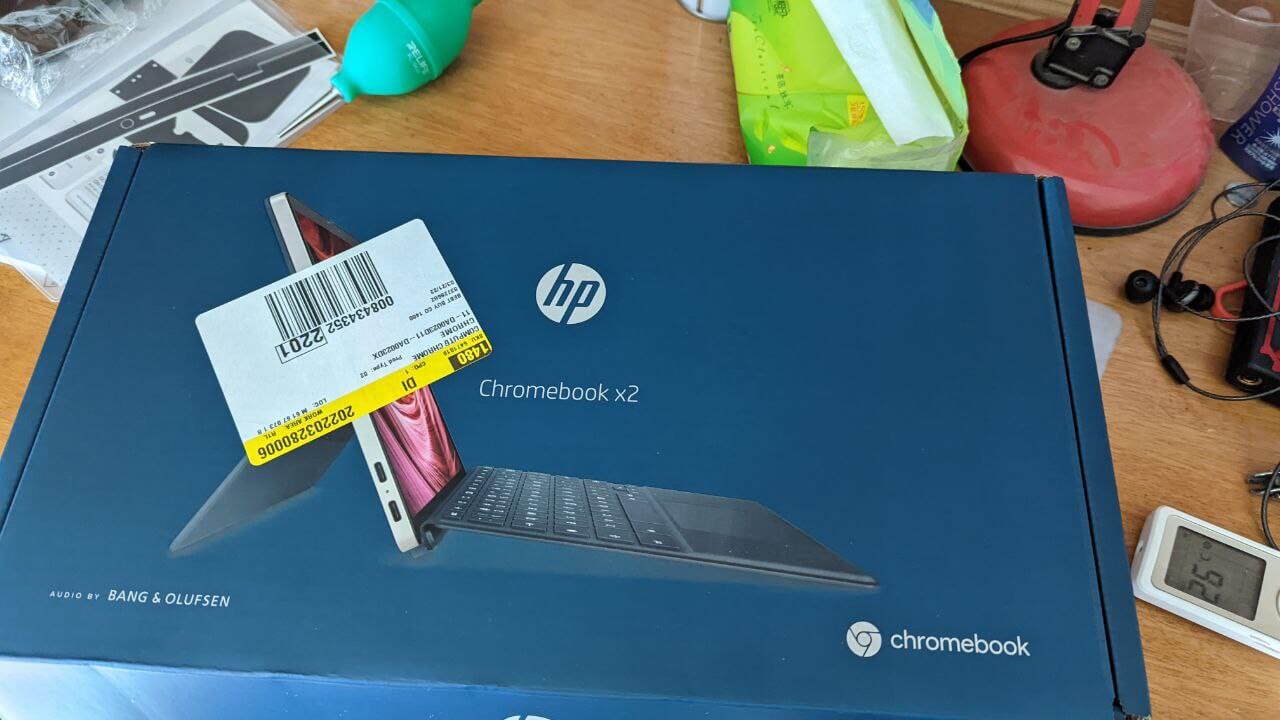
HP Chromebook X2 11
A 3:2 screen, 8GB of RAM, a Snapdragon 7c processor, a detachable keyboard, a magnetic charging stylus…
This was exactly what perfect “productivity” looked like. Doesn’t that seem cool… I forgot the rest.
So I got impulsive and bought one. It’s expensive at MSRP, but Best Buy and HP’s own site discount it hard all the time. I paid $299, and by the time it shipped to China, it hit last year’s Shanghai lockdown and sat in customs for over a month before I finally got it.
I used it for over half a year, right up to New Year 2023. My feelings are best described as “love-hate.” It probably met most of my needs, but as the “productivity” device I wanted, it falls way short.
First, the machine’s own problems:
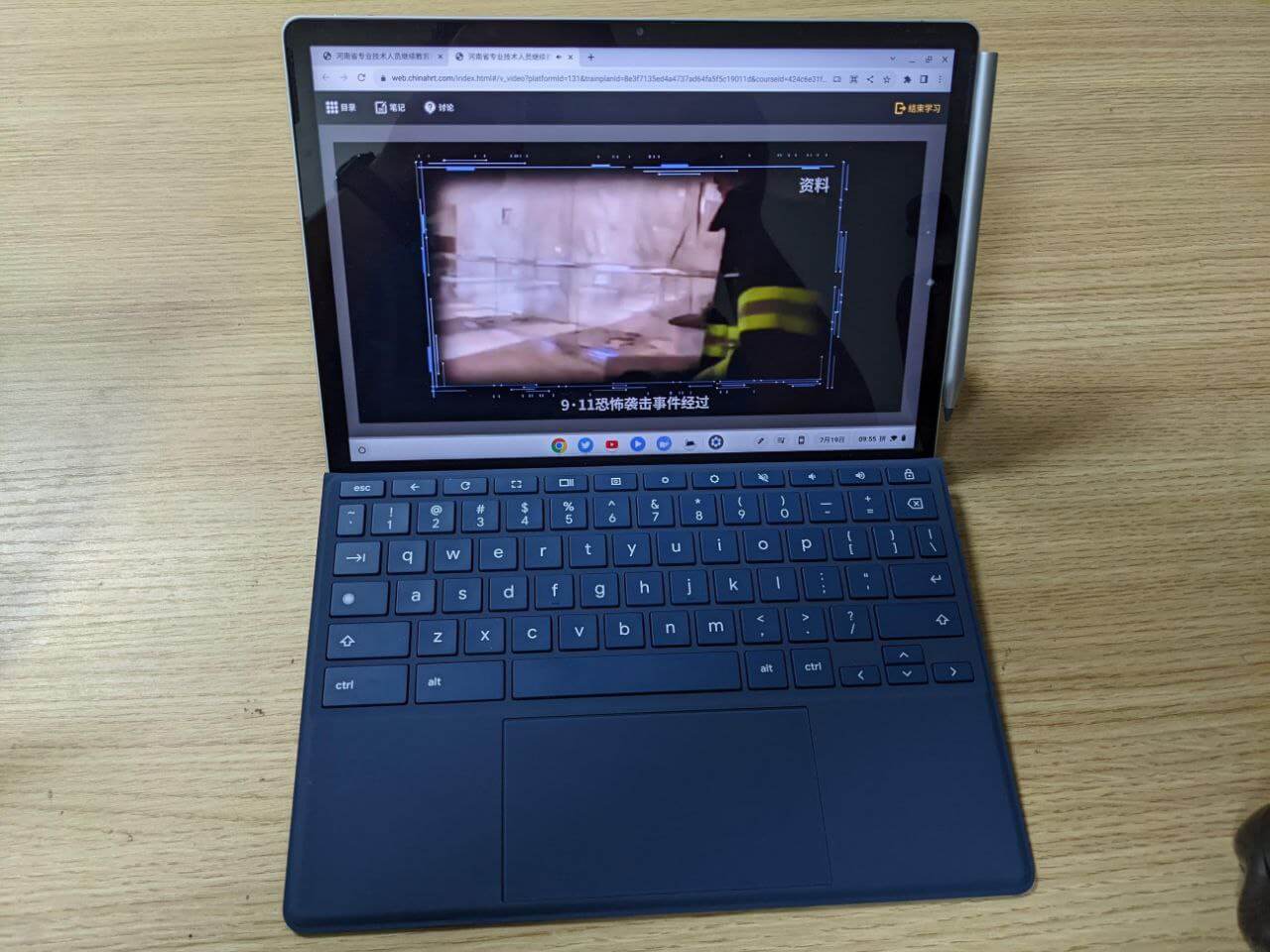
The keyboard: no backlight, and the material is too “soft.” How soft? If you press on the back of the keyboard, you can accidentally trigger the trackpad.
That leads to an awkward problem: when typing, you can’t let your palms rest too heavily on the palm rest, or the touchpad goes wild.
This isn’t a QC issue; it’s a design issue. I never had this with Surface, and plenty of Western YouTubers also emphasized how boring this problem is.
Next, the tablet’s speakers: HP claims they use some O&B acoustic tech, like “Harman Kardon tuning,” but the sound is just bad—unlistenable. No low end, harsh highs. As a video-watching tablet, it’s subpar.
Then there’s the weight: the whole body is magnesium-aluminum alloy, making it very heavy, even with the protective back cover. It makes the detachable 3:2 screen design awkward—I want to hold it vertically to read documents and watch videos, but my arm gets tired after a while. And to make it worse, there’s no 3.5mm headphone jack, so you need a dongle, which makes using it even more painful.
Beyond hardware, the software raises my blood pressure too:
ChromeOS’s support for “2-in-1 tablets” is puke-inducing. After you enable Linux development mode, every time you plug in the keyboard, you get a prompt: “Does Hammer want to connect to the Linux virtual machine?” Hammer is the keyboard’s codename. This prompt appears every single time, and you can’t permanently dismiss it—you have to manually click it away each time. Utterly idiotic.
On the other hand, Chinese language support in Linux development mode is terrible. You can install fcitx or similar, but it’s completely separate from the native ChromeOS input method. Even weirder, the on-screen keyboard has severe lag in native mode, and using the web version of Twitter is a nightmare.
A big feature of ChromeOS is using Android VMs to expand the app selection, but for most Arm devices, it’s still the old Android 9; the promised Android 12 upgrade is nowhere in sight. Performance is barely adequate, and there are quite a few bugs. Some apps are awkwardly better off using the web version—but the web version loses touch optimization. Think about how you’d scrub a video progress bar with gestures in a browser; you definitely can’t just swipe on the video like in an app.
My demands for this tablet were simple: browse the web, watch videos, read documents, type.
Because of the weight and speaker output, web browsing and video are dead. Because of the weight, reading documents is dead too. Only typing is left.
Yet I couldn’t find a suitable text input tool. Input methods and text rendering in the Linux VM have all sorts of issues, and on Android, if you use “Chunchun Xiezuo” (a writing app), you run into compatibility troubles. I don’t have a good file sync method either, and that “soft” touchpad that misclicks makes everything worse.
So what is the HP Chromebook X2 11 actually good for?
It seems good as an ordinary netbook, just for browsing the web. And only if you don’t use the touchpad and keyboard much. I saw a domestic brand releasing a Fyde OS tablet called Fydetab Duo. It doesn’t look like a big improvement over the HP Chromebook X2 11: only one Type-C port, a 16:10 screen ratio that’s just for show, still no keyboard backlight, and the stylus isn’t even magnetic…
Fydetab Duo sent review units to many domestic KOLs, and quite a few praised it, but in my view it doesn’t solve the same awkward situation at the system level. It seems to support Android and Linux with infinite possibilities, but the barriers between input methods and file sharing make these multiple systems fragmented—far from as wonderful as you imagine.
Looking back at the HP Chromebook X2 11, and maybe other ChromeOS tablets too, I originally thought it could bring more productivity, but in the end it only has an edge in “browsing the web.” For media consumption, it’s even worse than an Android tablet.
People say Android tablets are for productivity before you buy and for iQiyi after. But at least it can do iQiyi, and even games. For a ChromeOS tablet, it barely qualifies for iQiyi—it’s only good as a browser.
In the end, I think the answer to productivity might really only be a Windows tablet. As for ChromeOS, my fondness for it was just wishful productivity.
Comments are hosted on the Chinese main site. This mirror is read-only.