Review: Galgame Device
My Experience Buying a Device for Galgame
I keep seeing posts like this online:
“Looking for a device to play Gal.”
“Which tablet is good for eroge?”
“This handheld is great, a perfect eroge-dedicated machine.”
…
Sometimes I’m confused too. The “Galgame” category has been a dying industry for ages, so why does it look like there are still so many fans online, willing to spend real money on a pricey dedicated device just for it?
Actually, long-time readers of my blog probably know that about 10+ years ago I wrote a similar article. I briefly laid out some of my own views back then; some hold up now, some were incomplete.
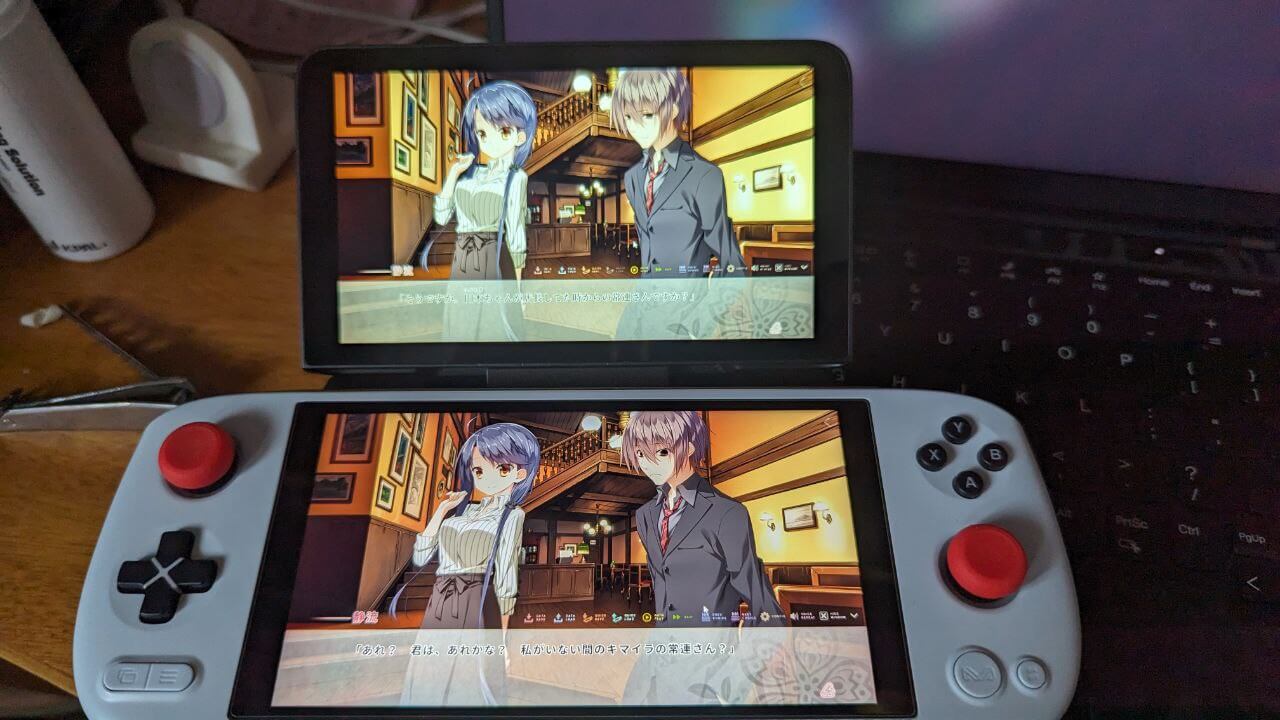
After all these years I’ve built up a fair amount of galgame experience and cycled through a lot of devices for playing them. Maybe we should sit down and talk about this again, and share some of my experience.
My “Galgame machine” history
I hate showing off, but before we start, to establish the credibility and reliability of what follows, I need to introduce my galgame background:
If we don’t count that game called 《完全吸血》 I accidentally clicked open from a pirated disc in 2001, I got into the galgame category in 2004, and the first game was of course the familiar 《秋之回忆》.
My dedicated galgame machine back then was a PSP, on which I cleared 《秋之回忆》, 《天神乱漫》, 《夜明け前より瑠璃色な》, 《11eyes》, 《青空下的约定》, 《秘密游戏杀手女王》, 《纯白交响曲》 and the like.
Later, because of a breakup, I started looking for something to lean on. Around the end of 2012, I was among the first to import the then Dell V8p as a Windows tablet, and continued my galgame journey.
On it I cleared 《初雪樱》, 《隙间樱花与谎言都市》 (the source of most of my avatars), 《秽翼的由丝蒂娅》, 《恋爱0公里》, 《明日的世界》, 《盛开的钢琴之森下》, 《你与我与伊甸园的苹果》, 《向日葵的教会与长长的暑假》 and so on and so on…
Later the tablet’s screen and performance could no longer meet my needs. In 2014 I switched to a Surface Pro 3 and started a new run, finishing a bunch of games within a year and picking up my long-abandoned Japanese, trying out raw Japanese releases.
The next year, 2015, I upgraded again to a Surface Pro 4, which lasted until the end of 2019, nearly 4 whole years. In between I tried the GPD Win 1, GPD Pocket 1, an HP 7-inch Windows tablet and various others, but the Surface Pro 4 stayed my main machine.
Then in 2019 I switched to a Chuwi Minibook. In early 2021 that device was lost, so I bought a GPD P2 MAX, later replaced it with a GPD Pocket 3, sold that after a year, and moved to a Surface Go 3, which is my main machine now.
I’ve thought about trying a SteamDeck, an Ayaneo Air Plus 1215u, a GPD MicroPC and others to replace it, but in the end I kept the Surface Go 3 for now.
Worth mentioning: according to recordable data, from 2015 to the end of last year, I played galgames on these devices at an average of 70 titles a year, at no small intensity.
I think that data is enough to support my views on “how to pick a suitable galgame device.”
“Eroge” and “eroge” are not the same
Most people online use “eroge machine” as one unified term, but the actual concepts differ wildly. From what I’ve seen, quite a few people define “eroge” as “porn games” — games whose main draw is selling sexual content, where the experience is for fapping, everything serving sensory and emotional stimulation: story, visuals, even voice acting all exist to make you “get off.” Most present it as text dialogue, a small portion use interactive systems, like RPGMaker stuff, various 3D-modeled doujin works, or even illusion-style character creators.
The other group’s “eroge” refers specifically to “Galgame,” or “ギャルゲーム,” with “romance” and “narrative” as the main axis,附带 some “sexual” elements, sometimes all-ages with none at all. 99% are story- and novel-text-driven; the West calls them “visual novels” too. Some may have gameplay, but narrative always comes first.
The line between the two isn’t exactly clear either; there’s a lot of middle ground, what we call “nukige,” works with more direct sexual content that still keep some narrative.
Still, let me give a simpler way to tell them apart: one kind of “eroge” you can use without understanding Japanese, the other kind you must understand the text to feel any of the joy. The former is pure AV; the latter is an arthouse film with 18+ elements. With the former you can fast-forward and get to the good part quickly; with the latter, if you can’t read the story you have no idea what they’re doing.
The “eroge” and “Galgame” I’m talking about naturally means the latter. The former kind, I don’t think there’s any need to buy a dedicated device for — they’re short, need some interactivity,不少 have 3D elements and some performance demands, so just treat them as another category on a Windows handheld. How to comfortably play the latter kind of “eroge” is the main purchasing goal we’re discussing today.
“Players” and “players” are not the same
Even if we lock in the concept of “eroge,” the “eroge player” category is still split — simply put, “translation players” and “original players.”
Most galgames don’t launch with multilingual support, because this stuff is like hip hop to American gangs: a subculture product that only grows on Japanese soil.
I’d even go so far as a hot take: only the original Japanese version of a galgame can show the game’s charm to the fullest. No matter how good the translation, playing it always loses some soul.
But Japanese isn’t like English — it’s a minority language, not many people know it. So most players are “translation players,” meaning they wait for a translated version before playing. Many of them are extremely passionate about galgames, but they only can, and only do, play “translated eroge.”
I do think translated eroge is far inferior to the original, especially given how rough translation groups are nowadays, but we still can’t deny these “translated eroge players” the right to play the games they love.
Though I’m an “original player,” it’s undeniable that every original player came from the translation camp. More understanding, less confrontation.
The reason to distinguish the two is one important factor: game age and cracking.
Almost all translated games are “cracked versions” — Steam ones aside, but plenty of people still prefer non-Steam games since they’re more complete. And almost all translations are “delayed”: at the earliest you can play a “decent quality” translation two months after release.
That leads to a very real situation: after a game launches, “original players” do the first playthrough and give their reviews, and by the time “translation players” get to it, the original crowd has long moved on to the next batch of new releases. The two groups barely have any room to discuss.
I run into this often — a translation player brings up some game with me years later, but I barely remember the plot anymore, and because of the translation, even the character names don’t match up.
More importantly, the games translation players get mostly don’t face the bugs and weird issues that appear right at launch, don’t need locale tweaking, and get maximum compatibility. That’s the biggest upside, and it makes device choice much more forgiving — plenty of devices and machines I wouldn’t recommend to “original players,” I happily recommend to “translation players.”
What matters most in a galgame device
To play galgames comfortably, what matters most? Performance? OS? Controls?
From my years of experience, plainly: it’s the screen and the battery life.
First, the importance of the screen goes without saying. Most galgames are anime-style, vividly colored, with strong visual impact. A good screen not only greatly improves the experience but also protects your eyes.
You might think screens on modern devices can’t be that bad… sadly, if you want a good screen right now, the options are few.
Most tablet screens don’t care about color; most fall short of 100% sRGB, and it’s even worse in the “domestic Windows handheld” category. Even when they hit 100% sRGB, most aren’t factory-calibrated, with color accuracy wildly off and Delta E sky-high. Call it a cool-toned screen if you’re being polite; call it an “Avatar screen” if you’re not. No matter the color, on such a screen it comes out so blue it’s outrageous. Stare at it long enough and it’s not just color shift — it’s torture for your eyes and vision.
Most portable Windows devices can manage decent performance and looks easily, but once you add “screen color” as a condition, the options shrink a lot.
Of course someone might ask: can’t I just calibrate the screen with a colorimeter and save it?
The answer is complicated: maybe, but it still won’t reach factory-calibrated level.
I’ve calibrated colors on many Windows devices (mostly domestic off-brand machines), and stuck with several for nearly a year. All I can say is calibration somewhat rescues the look, but it still feels bad after long use — it’s system-level correction, not hardware-level.
Sadly most users don’t care about screen quality. They look at those eye-destroying screens and think they’re fine. Some say it’s like “tin ears” among audiophiles; I disagree, because a color-shifted screen isn’t just shifted color — it wrecks your eyesight.
Think about all those devices claiming to protect your eyes with “anti-blue-light” — why do they block “blue” light…
Beyond the screen, the other big thing is battery life. Easy to understand: most galgames are very long, individual routes and common routes run ten-plus hours each, and most Windows devices at high performance last two hours at most — sometimes not even through a game’s OP…
So for a device that properly plays galgames, you don’t need great performance, just enough to run them, and battery life should be as long as possible…
There’s no magic to extending battery life — roughly two directions: “opening the source,” i.e. a bigger battery, and “cutting the flow,” i.e. lower power draw.
On the bigger battery front most domestic handhelds do fine — after all, for 3A games a small battery really won’t cut it. But domestic handhelds are terrible at controlling total system power. All we can do is cap CPU and GPU TDP; domestic handhelds generally let you drop to 5W, but that’s only the CPU’s draw. Remember a handheld also has screen, speakers, RAM, drive, motherboard, sticks, RGB lights… all needing power — we call that “peripheral draw.” Add it all up and even at 5W TDP the whole machine pulls close to 10W. If the handheld has a 40Wh battery, a simple division:
40 / 10 = 4 hours
In the ideal case, with everything at the lowest performance, you might get 4 hours of galgame play. In practice, scenes with a bit more presentation and music switching raise power draw, and players won’t be dumb enough to play to the last drop. If you get close to 3 hours, thank the heavens.
Imagine that: nearly 3 hours of galgame time, doesn’t even reach PSP level. Awkward.
Mature commercial products control peripheral draw noticeably better than those small domestic brands, mainly through tuning details of components and power delivery, which makes a clear difference. Total running power can be pushed quite low…
But these commercial devices don’t “stack batteries” — most have small battery capacity, so after conversion there’s not much battery advantage either.
So it’s a dilemma… Of course, these trade-offs will be covered device by device later.
Currently available device makers and their traits
For devices you can buy to play galgames, let’s exclude big traditional laptops and only discuss 10-inch and various handheld tablet devices. Laptops have way too many options, and nobody wants to hold a big keyboarded laptop in their hands to play galgames anyway.
Currently the device makers fall roughly into two types: traditional device makers, the “big brands” as we say, and small domestic brands, which I like to call “off-brand makers.”
The typical traditional ones are Microsoft and its Surface line, plus Windows tablets and 2-in-1s from Lenovo, HP and others. These devices mostly guarantee screen quality, but performance is conservative, and battery capacity is conservative too. Build quality passes, there’s some software and hardware update support afterward, but BIOS options are locked down — not much to tinker with.
The domestic off-brand camp is split into a few main factions: GPD, AYA, CHUWI (驰为), 酷比魔方 (Cube), and 壹号本 (One-Netbook), among others.

GPD: I’m a long-time GPD user, successfully turned from fan to hater — see the Pocket 3 post for the story. But objectively, GPD’s products are characterized by “lots of features, everything they can give you.” First-batch preorder prices are very fair, and performance is very aggressive — GPD devices have no performance problems. The downside: beyond performance and first-batch value, there are many issues. GPD uses the worst screens, all the other materials are rough, and the product has no tuning beyond performance — stick dead zones, power optimization, etc. Plus the utterly idiotic marketing, the purified fan-group management, the crappy official site, the fact you have to join a Discord group for any after-sales — all of which make GPD products not “plug and play” at all.
But GPD has one big advantage: disassembly still keeps the warranty. As long as there are no obvious modification marks, the official team will repair it.
Simply put, GPD stuff suits tinkerers with computer skills who don’t care about details or screen quality, and who have enthusiasm for fiddling. Buy-and-use, not really recommended. But I don’t suggest becoming a GPD fan — they’ve done too many unethical things. GPD survives not because it’s good, but more because its peers are worse.

AYA Neo: Aya also started with a GPD-like startup model, but was later acquired by the so-called “尾巴大叔,” CEO of “数字尾巴,” and began heavy marketing and operations.
AYA is the typical product-marketing routine: package its product as very premium so you think it’s a big company, when it’s actually still a small one. AYA products pay more attention to details and use better materials than others — better screens, more comfortable feel, nicer sticks, better grip — but prices are very high, require full prepayment, and long waits.
AYA sacrifices performance for good looks, and its marketing materials are heavily inflated. Also, AYA disassembly voids warranty and won’t let users tinker — you must follow AYA’s default methods. Very unfriendly to tinkerers.
AYA, like GPD, is good at fandom management and doesn’t allow negative voices. AYA was also the first to make a Windows front-end system, Aya Space, but that system is awful — looks nice outside, extremely impractical, in some ways worse than GPD’s simple, crude effectiveness.
Buying AYA devices, in my view, should be for the feel, sticks and screen, with no desire to tinker. Because apart from those, AYA loses to rivals in many ways — probably most of the money goes to marketing.

壹号本 (One-Netbook): A maker between AYA and GPD. Build quality (limited to One-Netbook’s handhelds, not its mini PCs) is a bit better than GPD, after-sales attitude a bit better than GPD, and it has a fairly complete official site and after-sales system. But screens are just as bad, most materials don’t reach AYA level, and some products (specifically the mini laptop ones) are extremely expensive, clearly aiming to harvest IQ tax.
Personally I only recommend buying on eBay (secondhand). One-Netbook has no distinctive feature either: want open? choose GPD. Want closed? choose AYA. One-Netbook is neither high nor low — only cheap secondhand units on eBay are worth it.

Chuwi (驰为) / 酷比魔方 (Cube): Putting these two together because these makers basically follow one playbook — the 7-inch handhelds with little red dots you see on Taobao are the same, and the newly appeared N100 clamshell is similar too. They take Shenzhen public reference designs, tweak them slightly, and slap their own brand on. The designs themselves are fine, but these makers use garbage materials for profit.
For example, the screens on Chuwi and Cube machines are mostly stock panels. If you’re lucky and get a Huawei or Surface stock screen, that’s decent; if not, it’s bad. These makers also don’t care much about performance or enlarging battery capacity — usually a “good enough” attitude.
The upside is obvious: “cheap.” After-sales is fairly convenient too — they won’t argue much, just have you send it in for repair, though how many repairs it takes to actually fix it is another story.
Recommended only for people who are truly bored out of their minds and have the right expectations.
Galgame device list and commentary:
Next I’ll list and comment on some devices based on personal preference and experience. I’ll clearly state each device’s strengths and weaknesses so you can choose to your taste.
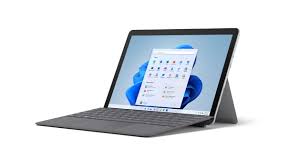
1. Surface Go 3 (what I use + current main machine)
Many people have strong opinions on the Surface Go series, calling it e-waste.
But from personal experience, the Surface Go 3 actually gives the best experience, even satisfying both the “screen” and “battery” requirements.
First the screen: the Surface series’ quality needs no explanation — top-tier color and accuracy. Of course the Surface Go screens aren’t full DC dimming; there’s flicker, but at high frequency, not low, so for most people it’s not a big deal.
On battery, though the Surface Go 3’s battery is small at only 28.8 Wh, from my observation, running most galgames the whole machine floats around 7W,
meaning expected battery life is roughly 4 hours.
You might think 4 hours isn’t long, but compared to similar devices with big batteries and high power draw also getting 4 hours, this device has better build, after-sales and screen. And there’s a sadder fact: most devices managing close to 4 hours of continuous gal play already count as good battery life.
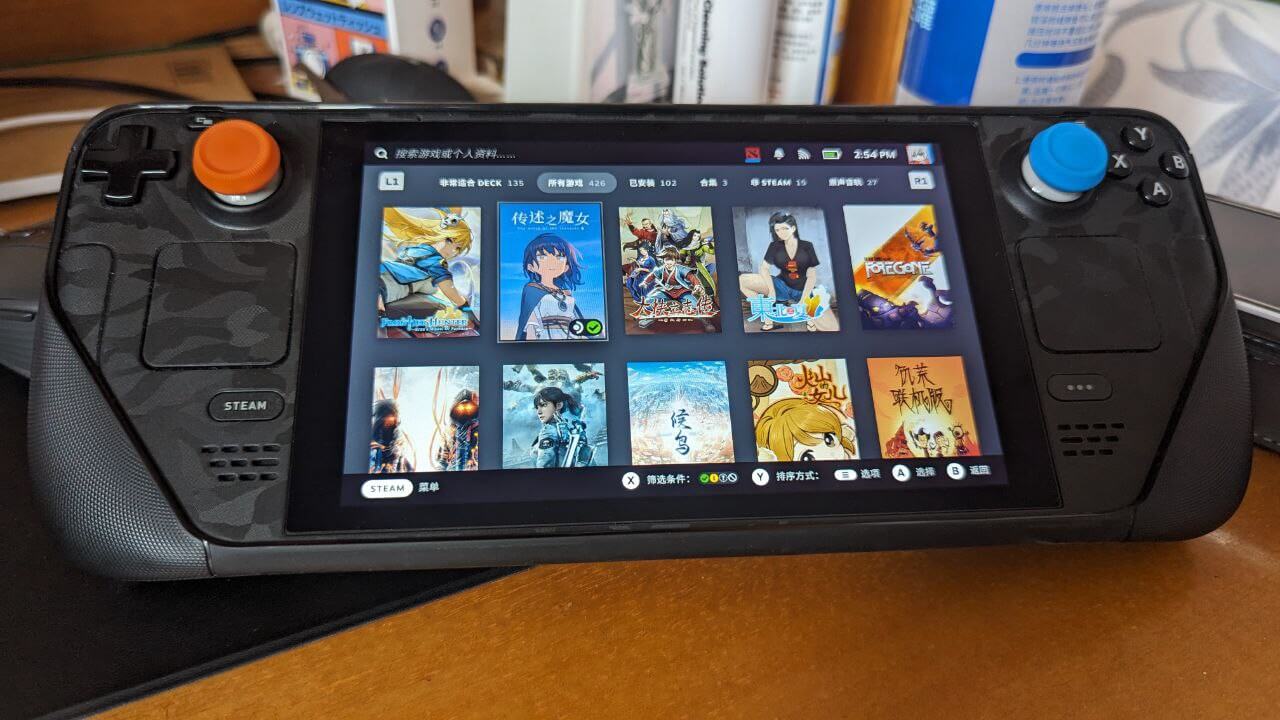
2. SteamDeck (in use)
If you need a device with long enough battery life for galgames, the SteamDeck is your best choice.
For most games running on it you can easily drop power to 4W or lower without the whole machine drawing much more. On this device with only a 40Wh battery, you can easily get 6-7 hours of galgame play.
But the premise is the game must be on the Steam store, meaning this approach suits “translation players” — Steam galgames rarely have new releases, mostly older works ported with official Chinese translations. Fortunately there are quite a few good games on Steam now; if you only play translated ones, I think non-hardcore players are already covered.
SteamDeck’s biggest advantage for galgames is the touchpads — controlling many games is far better than sticks and touchscreens. And it’s really cheap, cheaper than any comparable-performance Windows handheld.
SteamDeck’s screen might be an issue, but it’s warm-toned, not eye-destroying. I think it’s acceptable. The shortcoming is the resolution is a bit low; 1280x800 makes fonts slightly small in most games.
If you insist on using a SteamDeck for untranslated games and other titles, you can install Windows or manually add Proton support. But that falls under “tinkering,” and you’ll hit plenty of frustration along the way — it won’t let you just sit back and enjoy the game. We’ll set that aside for now.
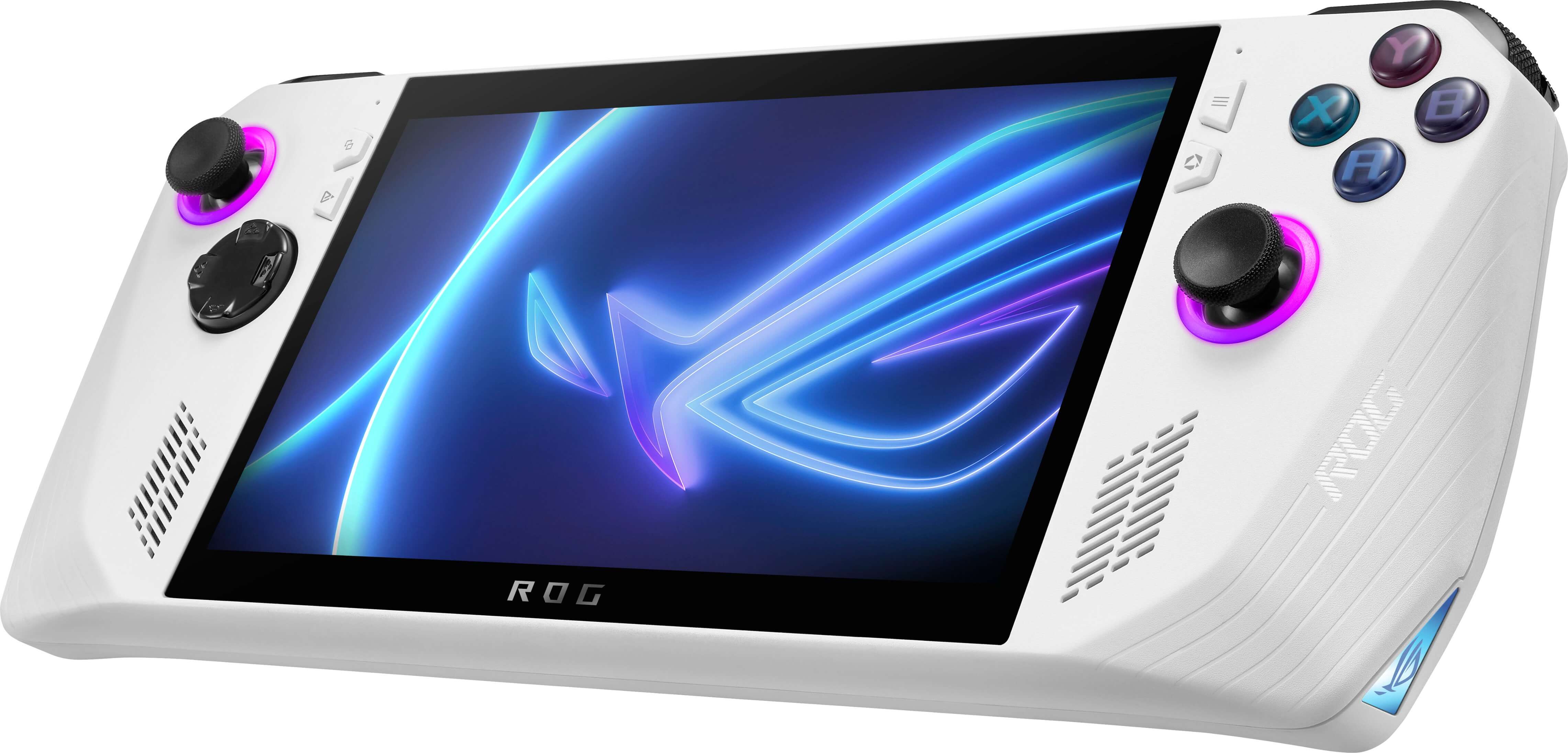
3. ROG Ally
If the SteamDeck limits your game selection because of its OS, the ROG Ally as a Windows handheld gives you much more freedom.
For the most part, the ROG Ally doesn’t have many advantages over other Chinese Windows handhelds — price is one, and “peripheral power draw control” is another. At ultra-low power, the ROG Ally can not only run various games smoothly but also push total system power down to around 7W.
With its 40Wh battery, the ROG Ally can deliver nearly 5+ hours of playtime.
And the ROG Ally’s screen quality needs no introduction — at the very least, it beats the no-name machines.
So the ROG Ally sounds pretty perfect… but its biggest problem is that it’s too bulky, still not as cheap as the SteamDeck, and it lacks a touchpad like the SteamDeck’s. Controlling things with the joystick and touchscreen is a real pain.
4. Ayaneo Air Plus series (used)
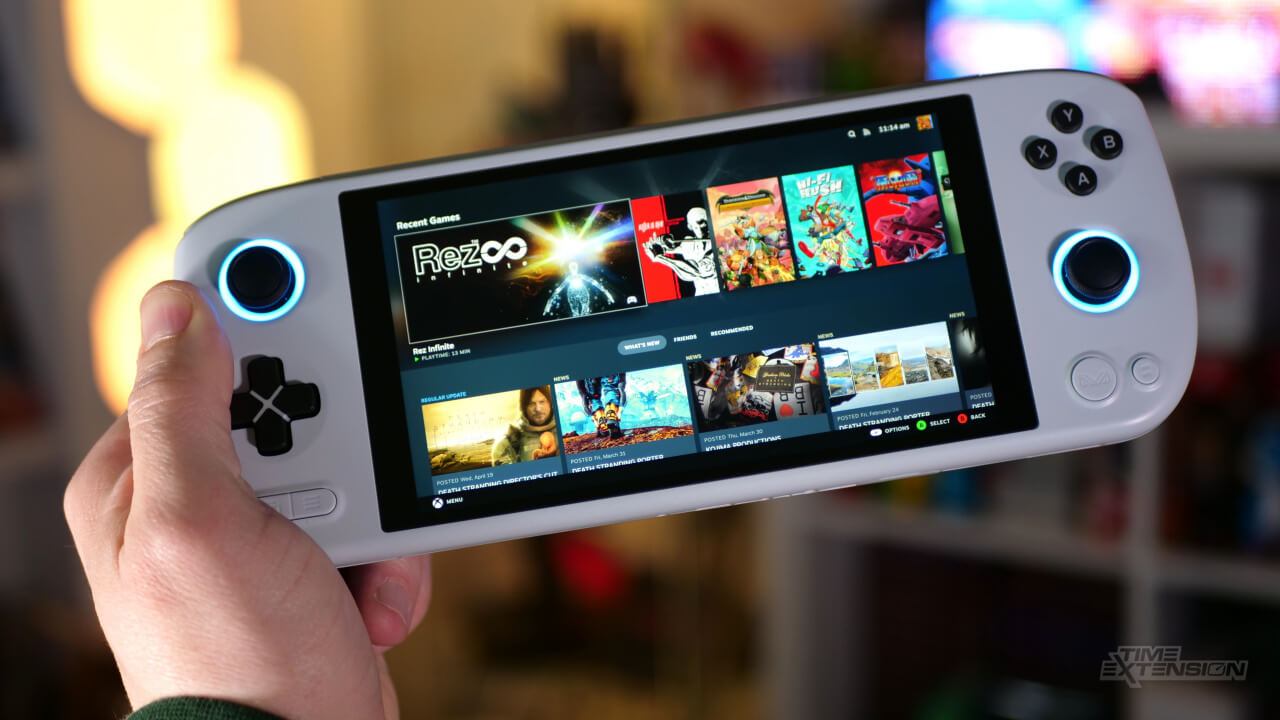
The Ayaneo Air Plus is aya’s 6-inch series. Actually, aya handhelds range from 5.5 inches to 7 inches and even 8 inches. Personally, I’d recommend this generation’s 6-inch model.
Three reasons: the machine is very compact, and they’ve crammed a 46Wh battery into that small body. It also has a passable color-calibrated screen (colors aren’t great, just passable), which addresses the two pain points of “screen” and “battery life.” As for performance, for a Windows handheld, performance was never an issue for Galgame.
But strictly speaking, this machine has many problems. System-level support is poor, Ayaspace looks good but is useless, the screen backlight adjustment range is too narrow, and although the machine is small, it’s surprisingly heavy and expensive. The cheapest 1215u version is basically unavailable officially — you can only find it on eBay — and the 1215u’s Intel peripheral power draw stays high. After various optimizations, I could only get it down to 10W, which combined with the battery capacity works out to about 4 hours.
Personally, I don’t see much advantage unless you need a handheld specifically for emulators.
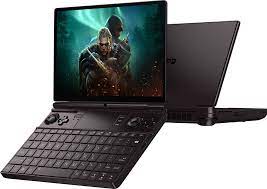
5. GPD Win Max 2
I haven’t bought this product, but I’m mentioning it because many people on Niconico talk about it, and a “well-known Chinese eroge producer” also said he uses it to play Galgame, so I think it’s worth bringing up.
On paper, aside from being a bit large and heavy, this machine should handle Galgame fine, and it can double as a laptop.
Let me get straight to the point: the main reason I’m not considering this machine is its terrible screen colors.
How bad? So bad that even the Up “Mai Xiang Niunai,” who used to speak well of GPD, couldn’t hype it up.
“The screen colors are pretty bad; even after calibration, there’s still severe color cast.”
According to feedback from 5ch users, this screen can make “shit yellow” look “green” when viewing the 5ch forum. That shows how bad this machine’s screen is.
If you don’t care about playing eroge and are fine with your wife in the game turning green-faced, then this machine is still worth considering. Actually, the biggest weakness of this machine is the screen. If the screen issue were fixed, it would be very competitive.
Unfortunately, GPD doesn’t care about screens at all — not now, not in the future. Because whatever screen GPD uses depends on what the supply chain has available to pick up. Even if they get something decent, they won’t do factory calibration.
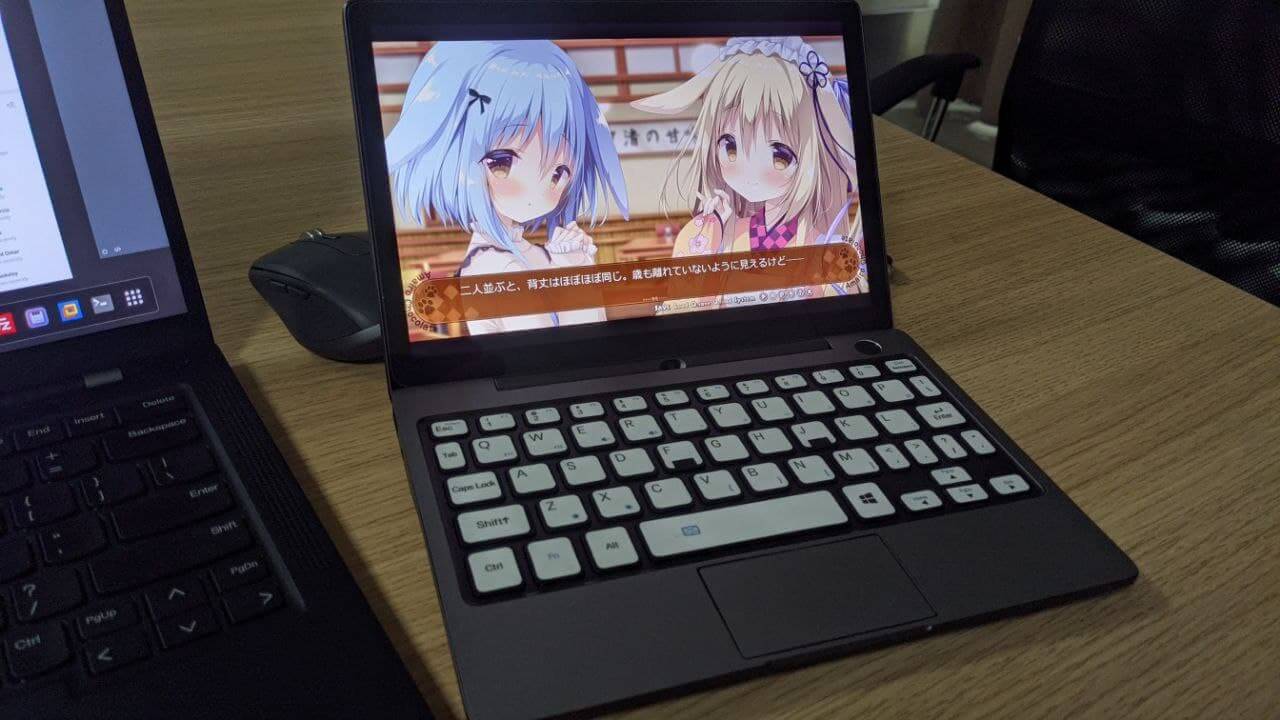
6. GPD Pocket 2 MAX (used)
I’ve talked about this machine before. Although the battery is okay, thanks to GPD’s aggressive performance tuning, playing eroge on this thing gives you only about 3 hours of battery life.
The keyboard has no backlight, no backlight, no backlight! I’m saying it three times because using it at night is really a hassle. The official solution was actually to use a glow-in-the-dark sticker — laughable.
The biggest advantage of this machine is that it uses what might be the best screen among all GPD devices — a wide-gamut JDI panel, probably pulled from some tablet. And it can perfectly run at 200% scaling, making fonts and games very clear.
But there are shortcomings: this screen has no factory calibration, so you need to calibrate it yourself. Of course, the effect will be diminished, but it’s not unacceptable — after all, for GPD, this is the peak of its screens.
Performance isn’t very strong either — only the N5000 and 8100Y versions. Driving this screen is a bit of a stretch, but it’s enough for Galgame.
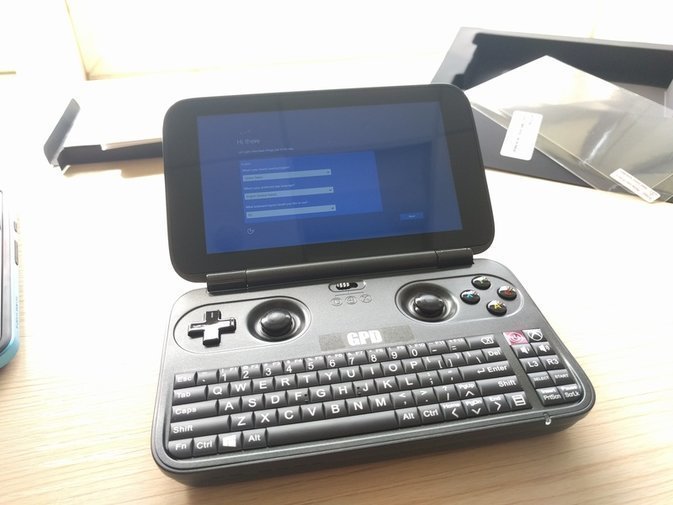
7. GPD Win 1 (used)
Not recommended at any price. Performance is mediocre, and the machine gets hot, hot, hot, hot.
Plus the screen is 5.5 inches at 720p, so many game interfaces are incomplete and will blind you. Not to mention it uses low-frequency PWM dimming.
I know it’s cheap on eBay, but I don’t recommend it.
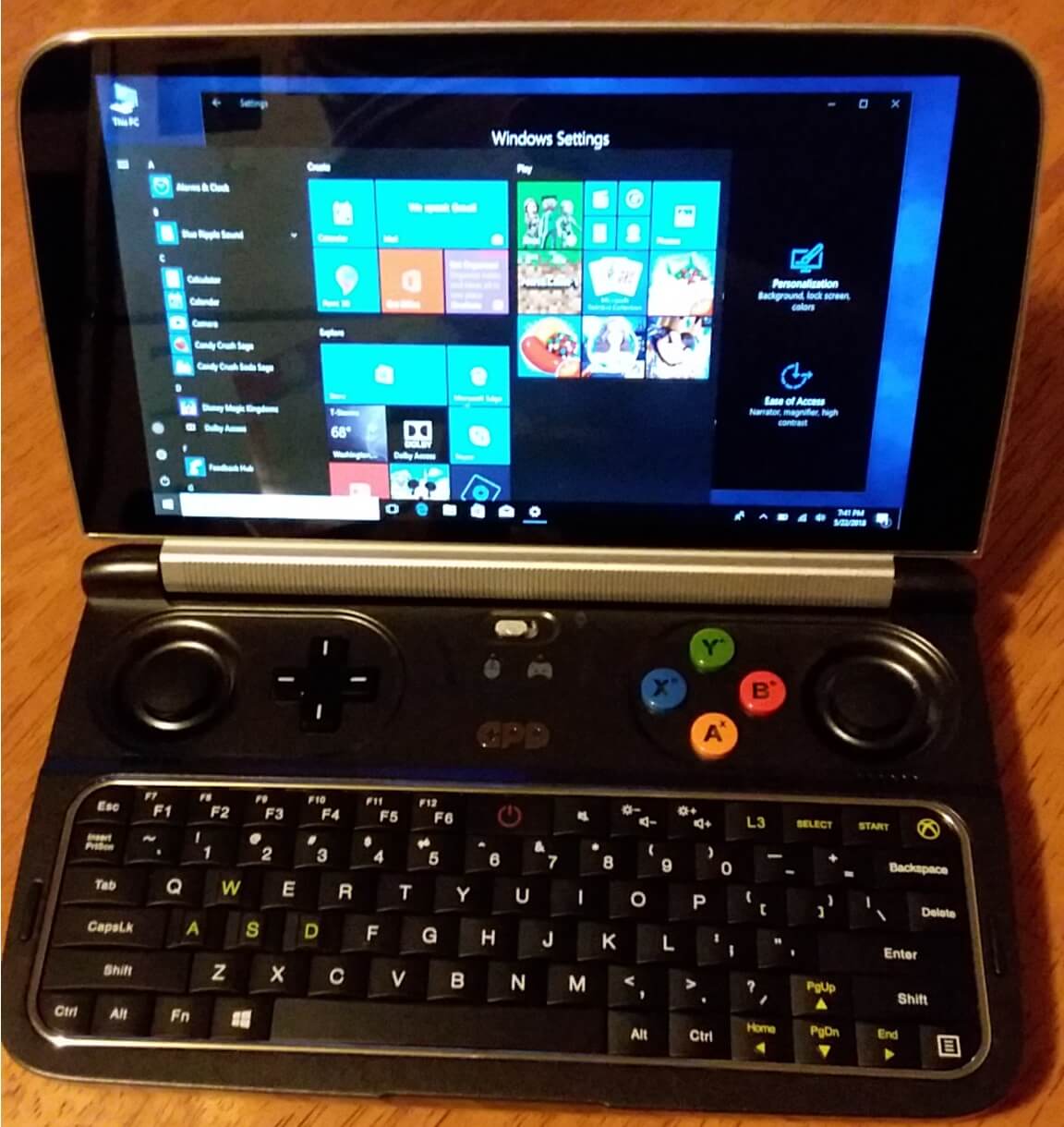
8. GPD Win 2
Screen colors are okay, but no factory calibration.
Without modifications, the machine gets very hot.
You can expand the storage yourself — eBay has plenty of tinkering accessories. You can add keyboard backlighting yourself, various mods, lots of playability, but the ceiling is just that.
6-inch 720p screen — barely enough for most games; you must play in fullscreen.
Prices aren’t cheap right now — still over 1400 on eBay, so not great value.
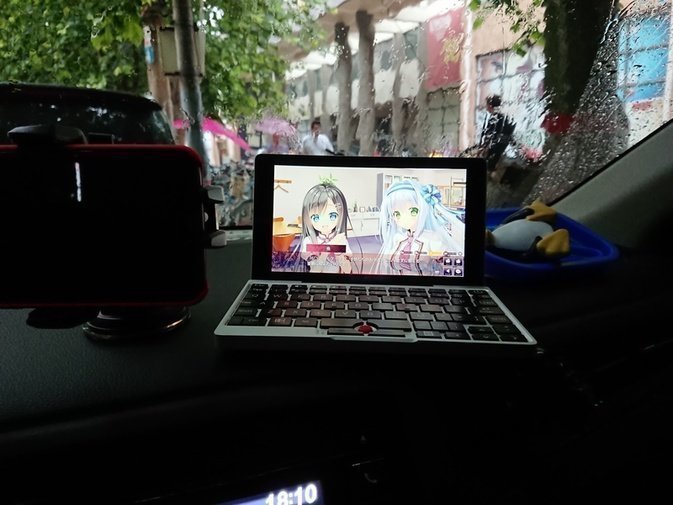
9. GPD Pocket 1 (used)
Screen colors are okay, but no factory calibration. 1200p, low-frequency PWM dimming.
Key layout is terrible to use, no backlight.
Performance is relatively low, and to meet demands they forcibly raised the TDP, resulting in very low overall battery life.
Not recommended unless you’re really short on cash.
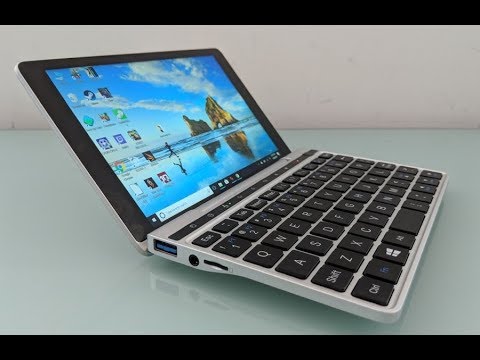
10. GPD Pocket 2
Screen colors are okay, but no factory calibration. Low-frequency PWM dimming.
The design for two-handed operation is nice, but the keyboard has no backlight.
You can’t expand the storage yourself.
Poor value second-hand — many units have faded top buttons, and even getting one in good condition isn’t cheap.
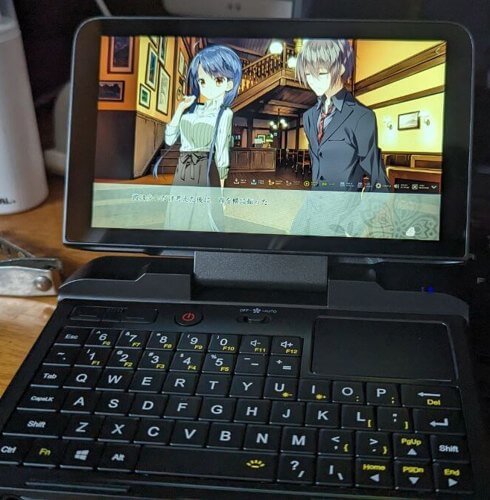
11. GPD Micro PC (currently using)
Same screen as the GPD Win 2, but no touch.
The two-handed operation feel is currently the best among small computers, and the keyboard has a backlight. It’s the only GPD product with excellent design, and it still doesn’t feel outdated.
Performance is relatively poor — n4100 or n4120 — and official new units aren’t cheap either.
Battery capacity isn’t large, 23.3Wh, but you can lower the TDP, and the peripheral power draw is surprisingly low too, so you can get decent battery life.
There are two obvious defects: the hinge breaks easily, and the battery dies easily.
Other than that, it’s good. You can pick one up second-hand for around 1200.
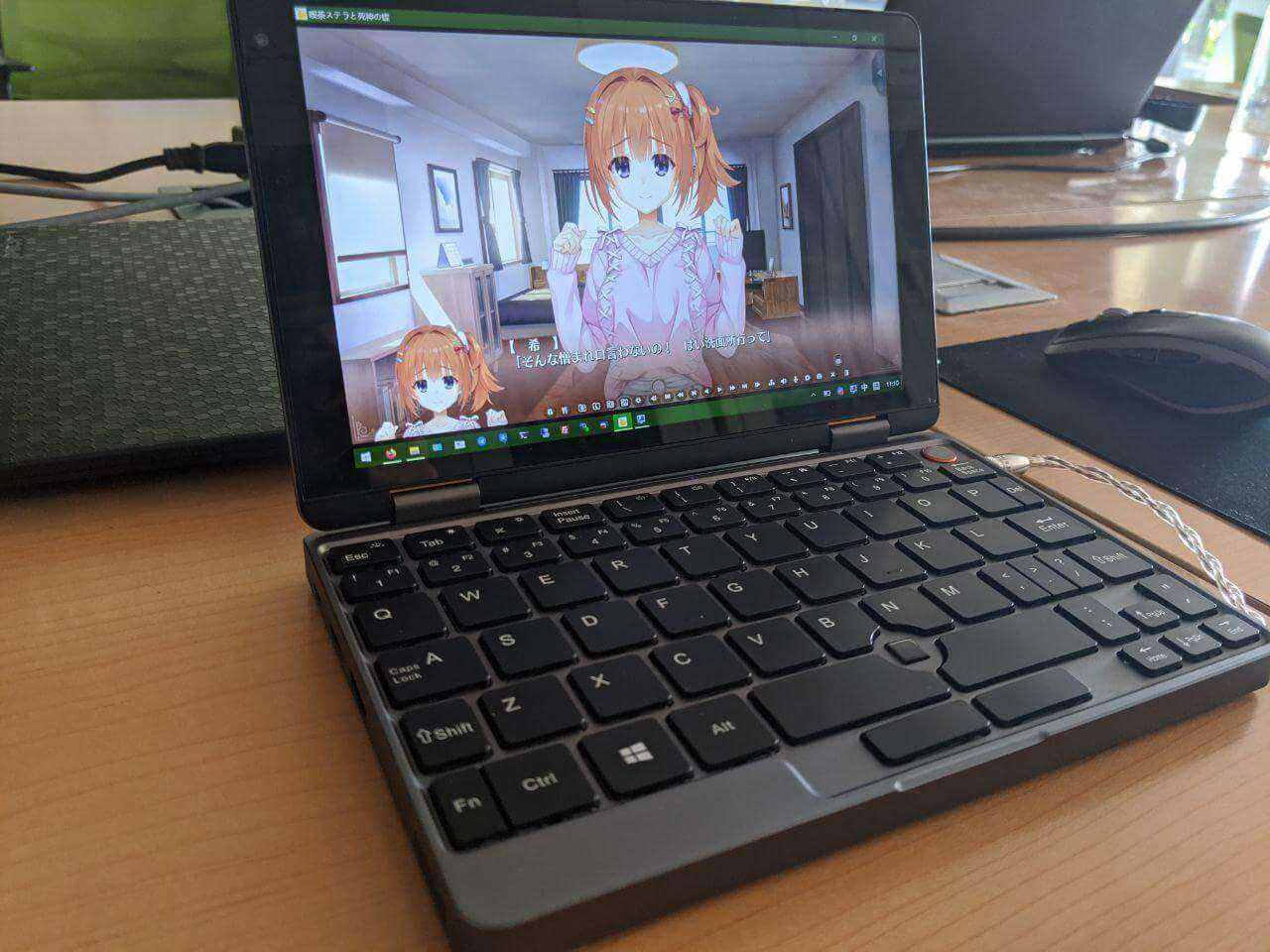
12. Chuwi Minibook (used)
Screen colors are okay, but no factory calibration. Low-frequency PWM dimming.
The flip design is a highlight, it’s relatively cheap, and you can add your own SSD.
The keyboard has a backlight and the typing feel is quite good — among the best in the 8-inch range.
Downsides: the fan is too noisy, it can’t enter S3 sleep, the battery capacity is too small, you can’t set the TDP yourself, and the battery chip has issues — the battery percentage is often inaccurate. The solution is to replace it with a third-party battery, ditching the official one.
The m8100y and 16GB RAM versions are already out of print; the new versions all use router CPUs, but that should be enough for playing eroge.
Quality control is a big issue. You can buy from the official store and be prepared to exchange it repeatedly, or buy a third-party battery on eBay and even mod it with a third-party fan.
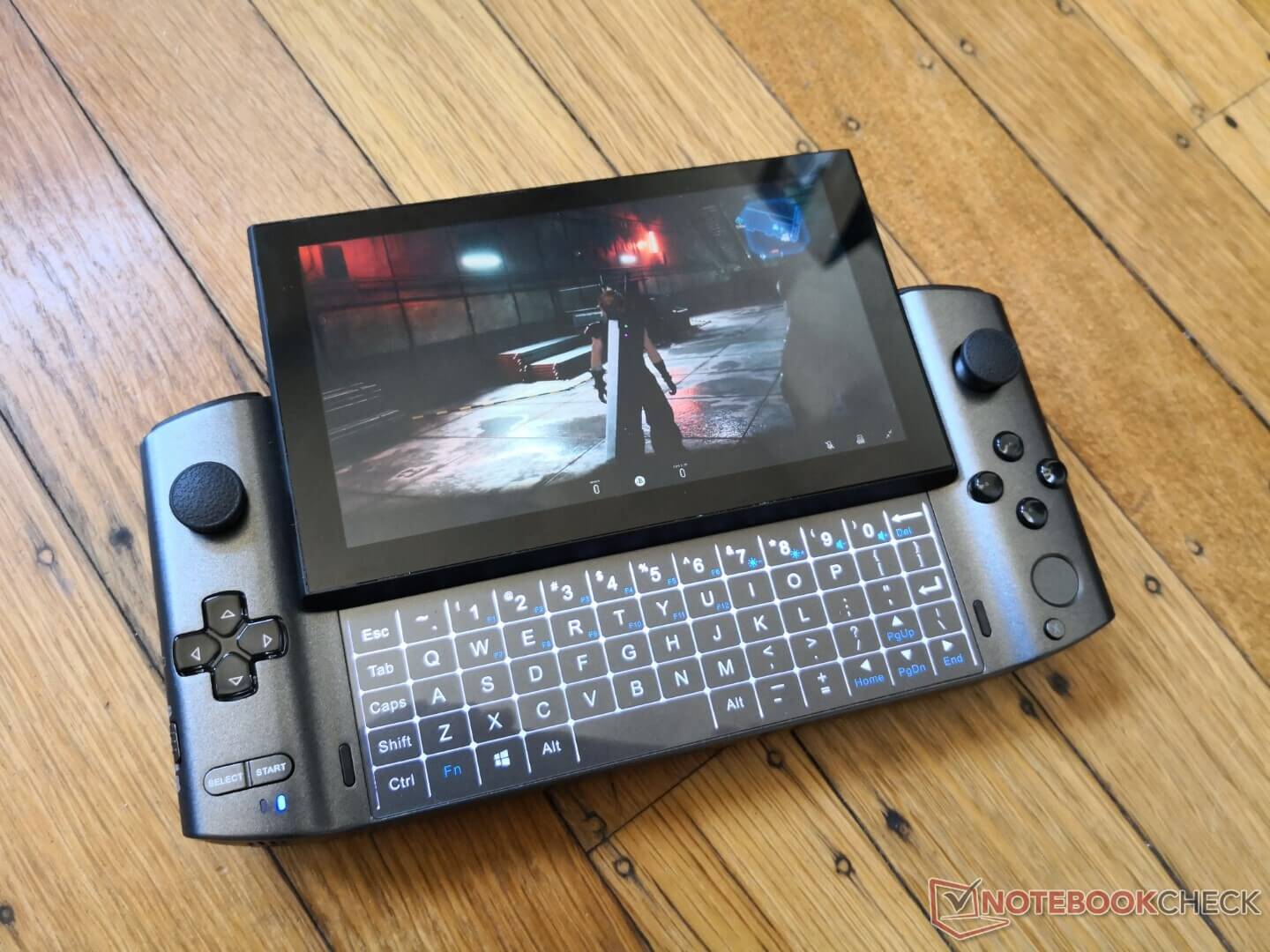
14. GPD Win 3
The screen is ultimate leftover junk — severe color cast, only 5.5 inches, and the resolution is Switch Lite level. For Galgame, it’s basically hard to read the text, and even when you can, the colors are off.
With such a low-quality screen, I wouldn’t recommend it even for playing other games.
Plus this machine has various problems, like sunken joysticks and buttons popping off. The chip is also Intel, with huge peripheral power draw, so battery life won’t be ideal either.
The only benefit is it might be decent as a NUC.
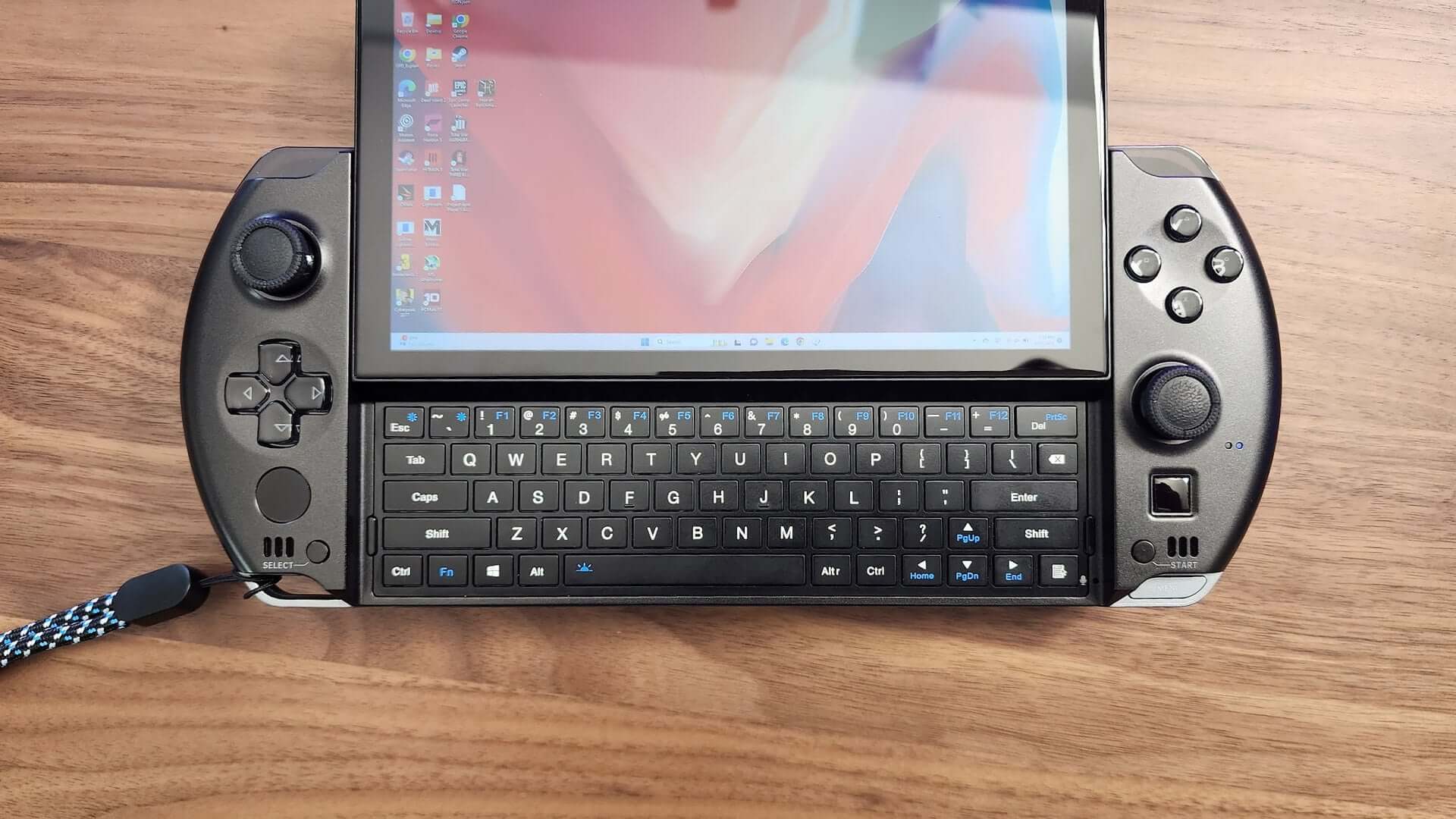
15. GPD Win 4
Better than the Win 3, but not by much.
The screen is still crap — the especially crappy kind, on par with the GPD Win Max 2’s quality.
The joystick still has the easy-to-sink design, and the sliding cover has major build quality issues. The good news is the screen is now 6 inches at 1080p, which is at least better for Galgame.
Another point is the CPU switched to AMD’s 6800u. Although energy efficiency is higher, overall power draw still can’t be considered low.
If the price is especially low, you don’t care about screen quality, you like the form factor, and you also want to play AAA games, then this is still worth buying.
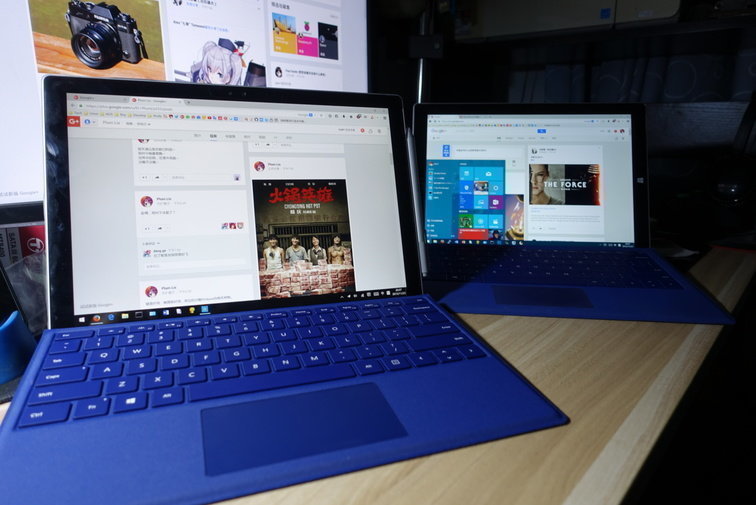
16. Surface Pro 4 / 5 / 6 / 7 (used some)
I used to use these. Aside from being too big and too heavy, there aren’t many drawbacks.
But now I wouldn’t recommend them because they’re too old and it’s hard to find a suitable unit.
Plus the Surface Pro 4 has a flickering screen issue. Unless you can get a second-hand one at a good price, I wouldn’t consider it.
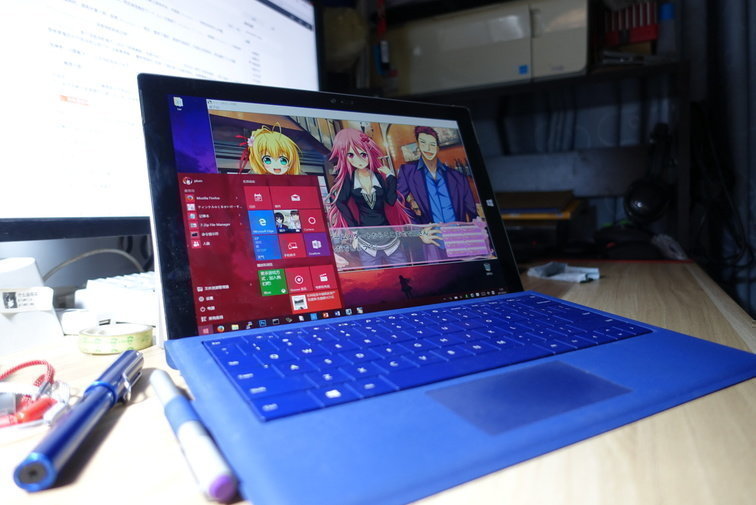
17. Surface Pro 3 (used)
I used to use it, but now I don’t recommend it.
Because it’s a step below the Surface Pro 4, and the screen is the early kind without 100% sRGB. It also has many design flaws.
Unless you find one for dirt cheap, I wouldn’t recommend it.
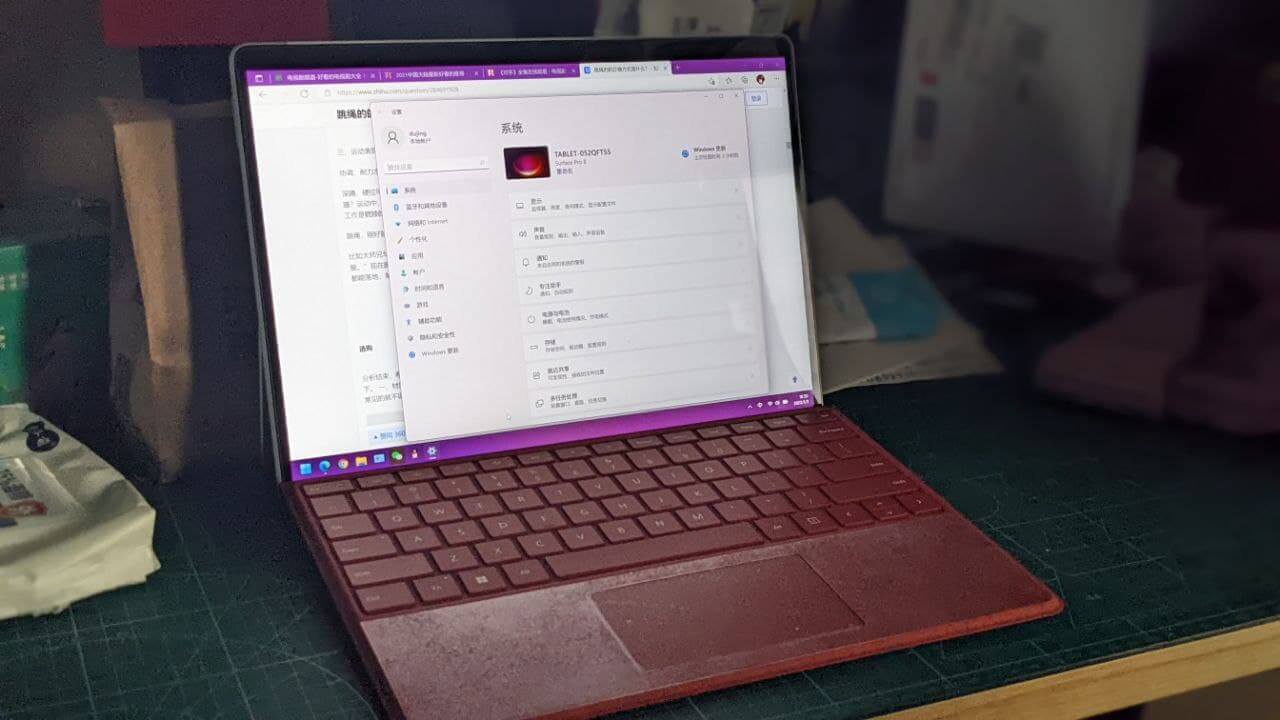
18. Surface Pro 8 / 9 (used some)
I used the Surface Pro 8. Strictly speaking, this machine is really good. The longest battery life in the series, plus a high refresh rate screen, narrow bezels, and a 3.5mm headphone jack.
The downside is it’s too heavy, and the Surface Pro 9 removed the headphone jack, so you can skip it.
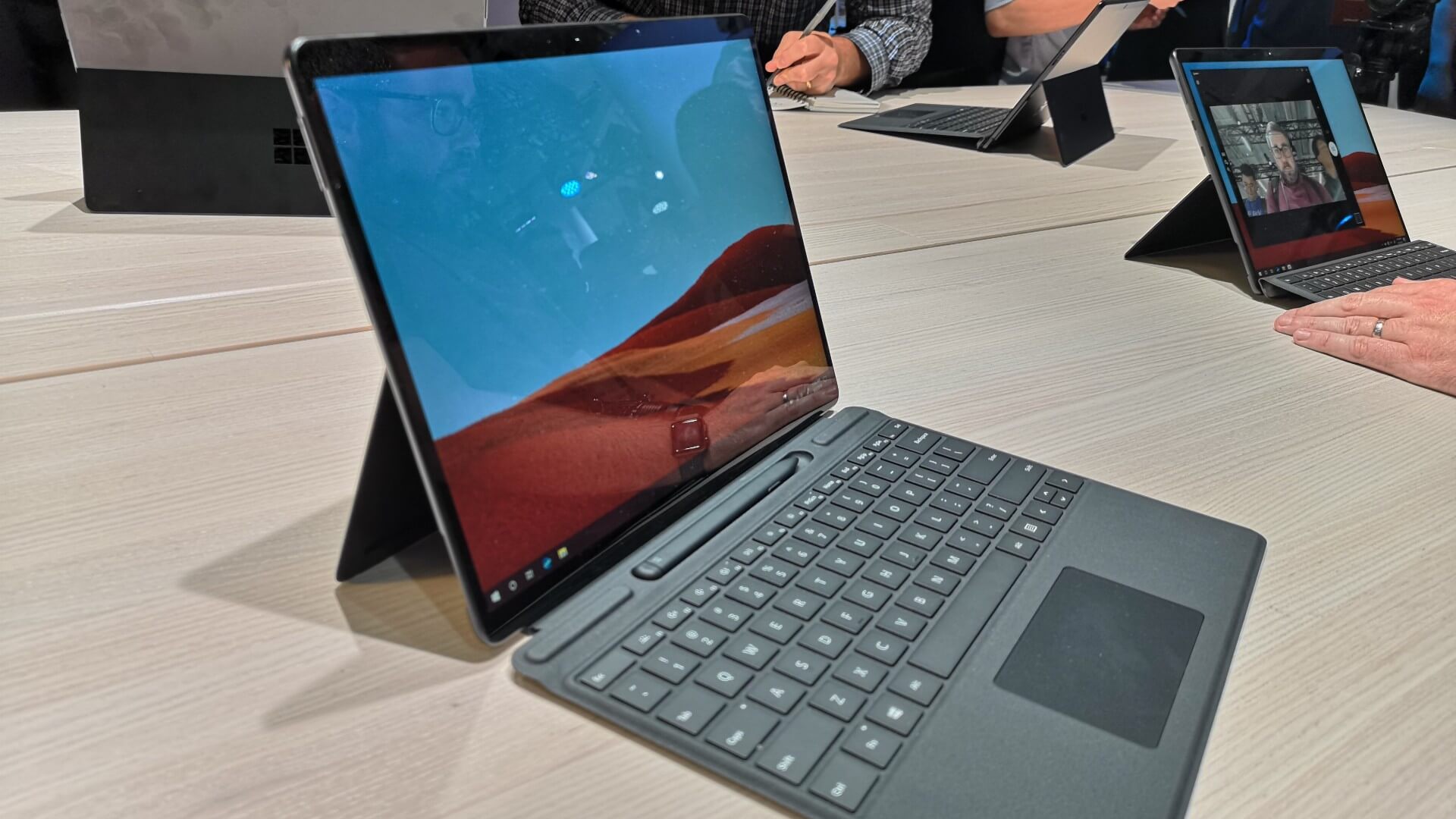
19. Surface Pro X
The budget version of the Surface Pro 8, but with a Qualcomm Arm processor.
If you’re patient, you can buy this to experiment with. After all, the Arm processor brings super-duper long battery life — something Intel’s junk can’t match.
The downside is compatibility. Although most people say 90% of Galgames can run, if you hit that 10%, it’s really annoying. I’d recommend it for translation-patch players, not for those playing original untranslated games.
By the way, the Surface Pro X screen uses PWM dimming (high frequency) and has no headphone jack.
Recently there’s been a batch of good-priced units on eBay — brave souls can give it a try.
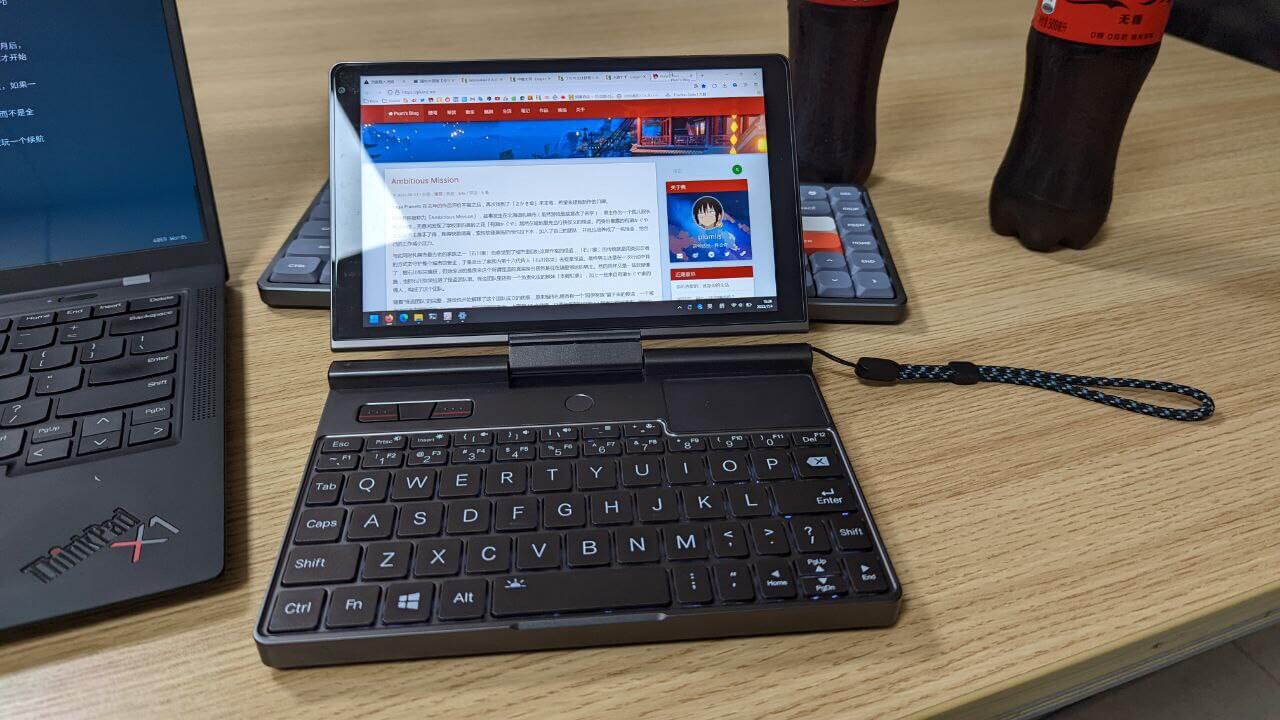
20. GPD Pocket 3 (used)
Strictly speaking, I don’t really recommend it. Although two-handed use is okay, the all-metal body is still too heavy.
Also, this machine’s screen colors are bad, the hinge and flip design are idiotic, and combined with the Intel chip and that ever-unsinkable overall power draw, I endured this product for a year before selling it.
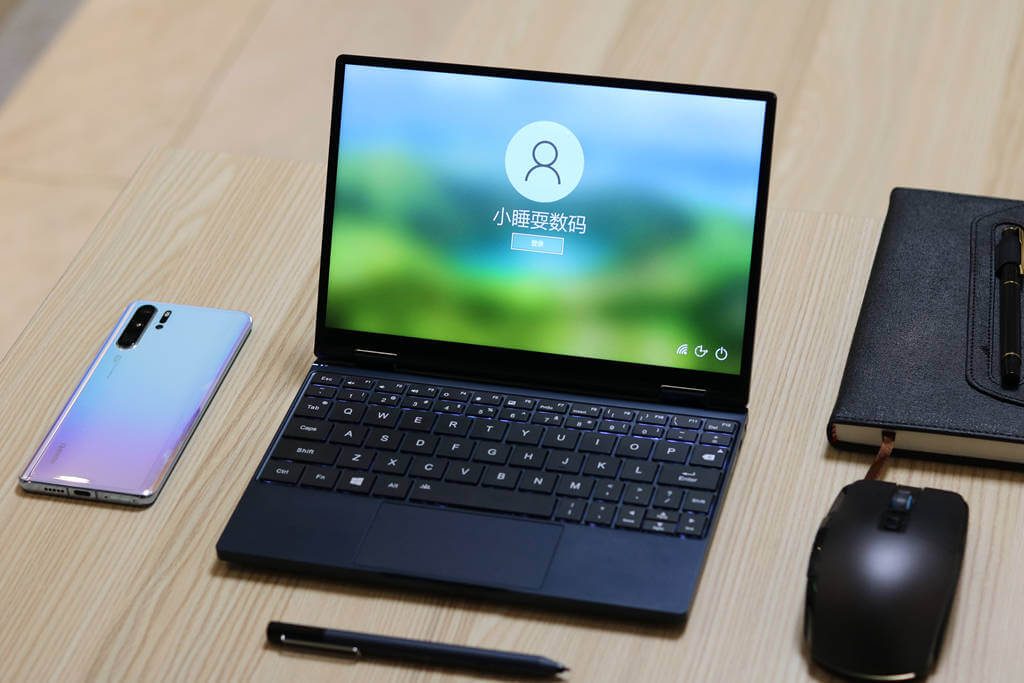
21. One-Netbook 4
Although the design is nice, the lousy screen colors and extremely poor performance tuning and battery life make this thing unqualified even as a normal small laptop, let alone for playing Galgame.
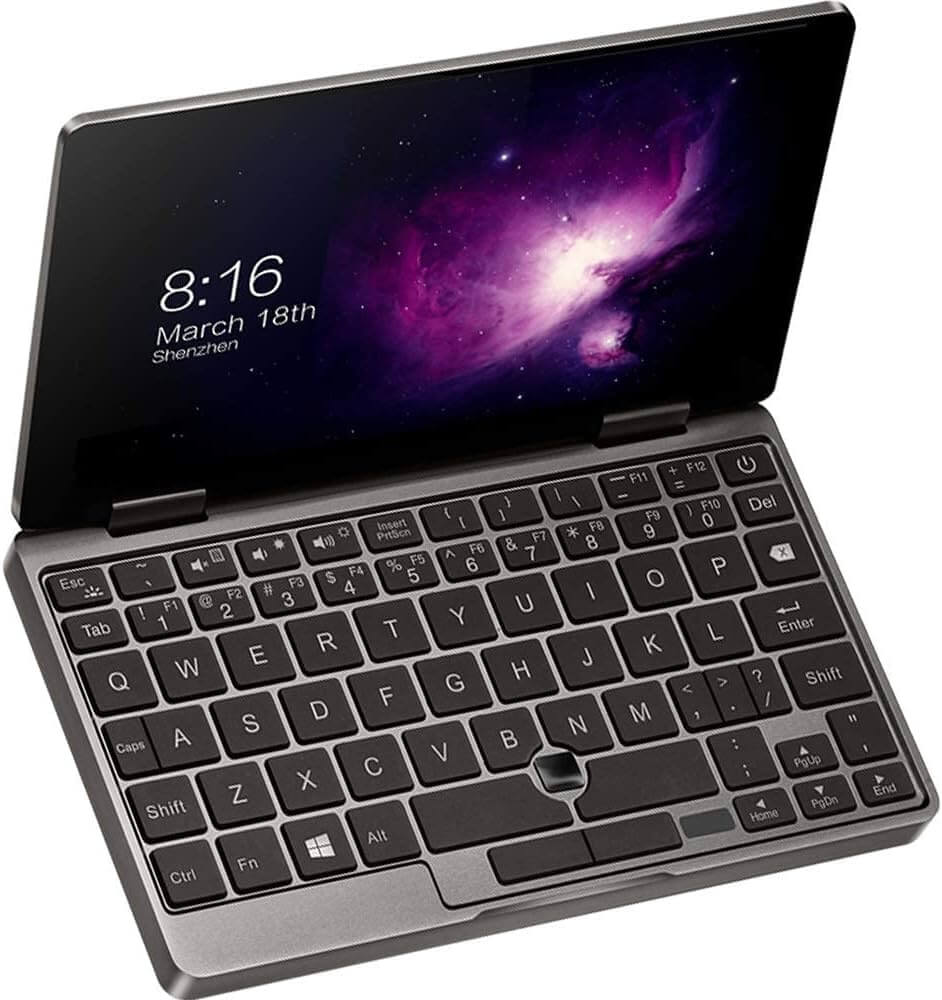
22. One-Netbook 1/2/3/3S
They’re basically low-spec, high-price versions of the GPD Pocket 2 or Pocket 1. Whether they’re worth buying is self-evident.
Unless you find one especially cheap second-hand, I wouldn’t recommend it.
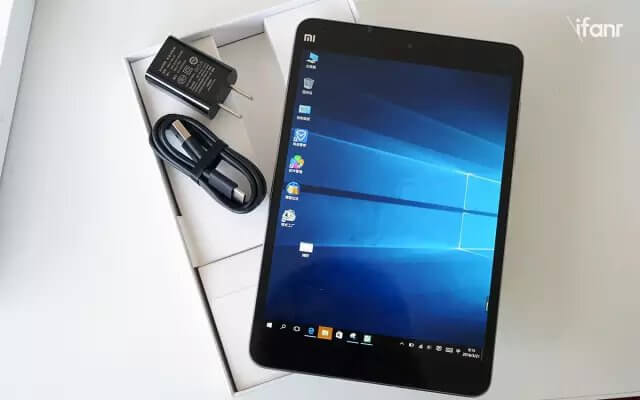
23. Various modded devices, like the Xiaomi Tablet 2, DIY products, old Atom processor products, etc.
Fine as toys, not recommended for long-term use. And after modding the Xiaomi Tablet 2, battery life is just average.
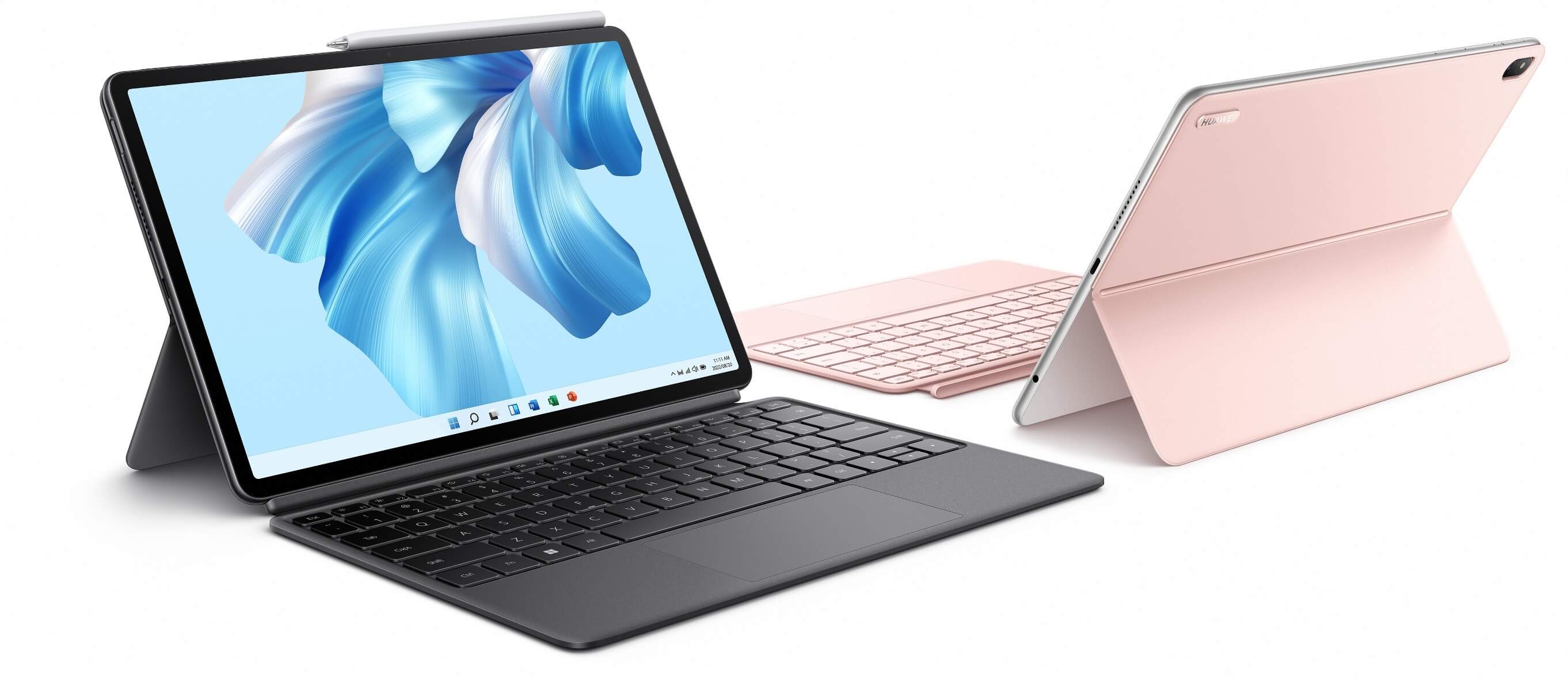
24. Huawei Matebook E Snapdragon series versions
Prices are indeed cheap, the screen is indeed good, battery life is relatively long, and it has a 3.5mm headphone jack.
Buying this is betting on the future of Windows on ARM for gaming. I’d suggest translation-patch players give it a try.
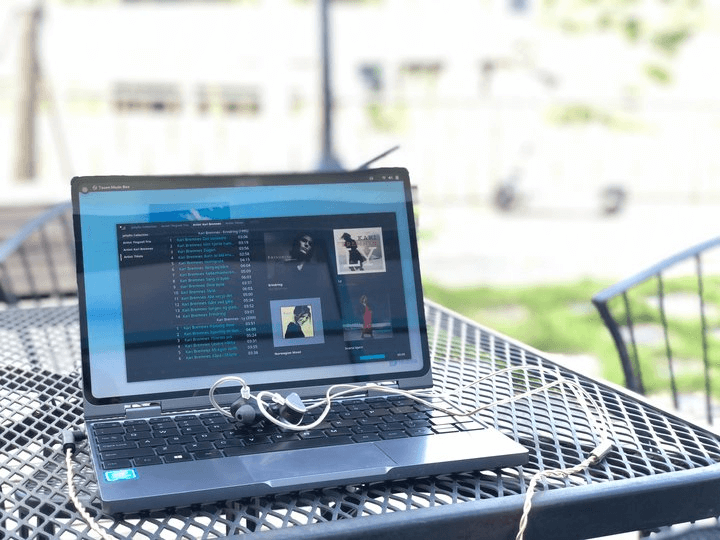
25. Chuwi Minibook X
This product has two generations. The first generation has a punch-hole screen, using Huawei’s tablet panel, and the quality is okay. But the downside is terrible battery life — it’s hard to understand why they used such a small battery in a ten-inch machine. And the funny thing is, even though there’s plenty of space for a cooling fan, they didn’t put one in, leaving a gap and calling it passive cooling. Really hilarious.
The second generation is even less recommended. The screen no longer has the punch-hole and has been replaced with an even worse one — colors and brightness are both bad, so I really don’t recommend buying it.
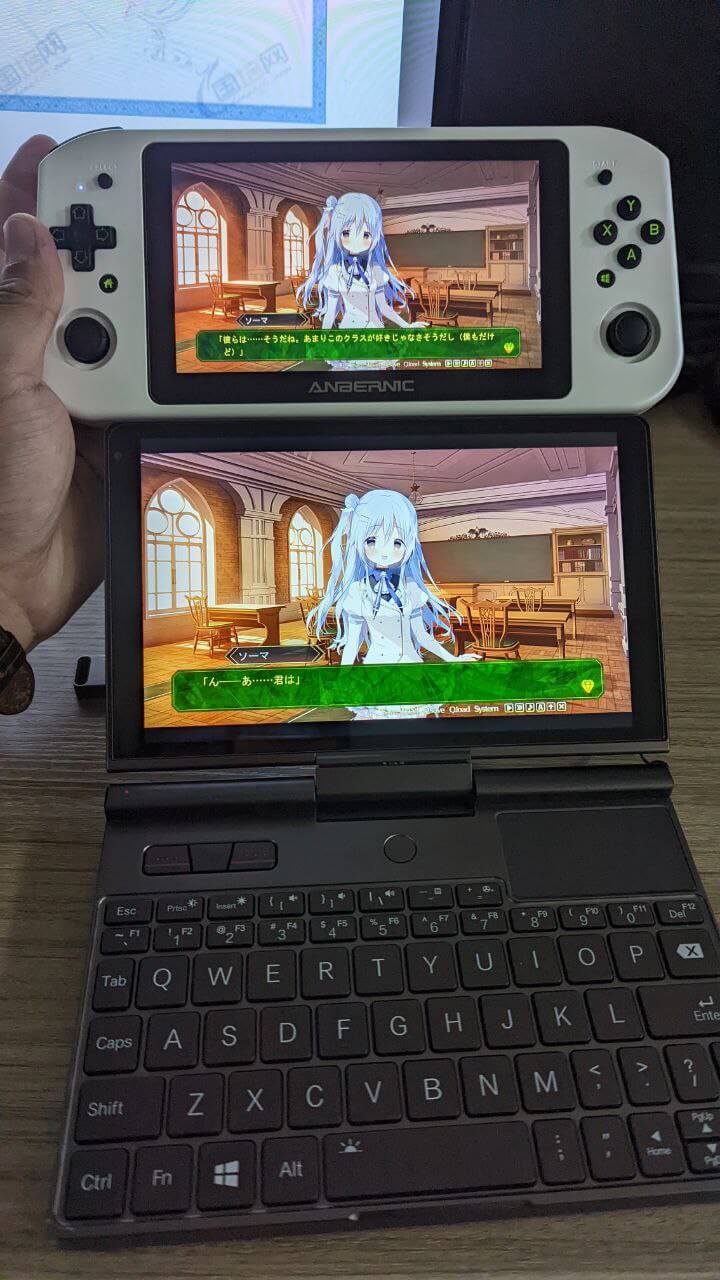
26. Anbernic Win600 (used)
The top one in the picture is the Win600, the bottom is the Pocket 3 — you can compare the sizes.
Actually, in some ways the Win600 is pretty good. The screen really has 100% sRGB, though not calibrated.
The battery is close to 40Wh, and the processor is a low-voltage APU, so battery life can be stretched quite long if you want. The machine is also cheap and supports DIY SSD expansion and disassembly.
But the problem is this machine is too big, and the joystick is terrible, making mouse control inconvenient.
Considering this series has been abandoned, I still wouldn’t recommend it unless you find one cheap.
Tail: Product Selection Philosophy
I’ve written about nearly 25 products, and there are many I haven’t mentioned, but actually you just need to follow the corresponding principles when choosing a machine.
Look at the product’s screen color gamut and color accuracy — is it a good screen? I recommend checking Notebookcheck reviews, as they evaluate screens in detail.
Look at the product’s battery capacity — how big a battery is crammed in.
Look at the product’s processor type and overall power draw, especially whether energy efficiency is high. You can refer to various Up hosts’ or YouTubers’ review videos to get the corresponding answers.
Look at some detail designs of the product, like whether it has a headphone jack, whether it’s convenient to hold, weight, etc.
Of course, it’s impossible to be top-tier in battery life, screen, and performance all at once. Simply put, you have to make trade-offs and choose the features you care about most when buying a device.
For example, translation-patch players can buy older devices and use Windows handhelds or Steam handhelds as gaming platforms — after all, most Chinese-localized works are now on Steam, and you can even try ARM platforms.
But original-language players should focus more on devices with independent Windows systems.
As for those who just play nukige and fap games, there’s no need to buy these things — just use a computer, since the game time is only a few minutes anyway.
Finally, I want to say: if you can’t play at least 50 Galgames a year like I do… then don’t bother considering a “dedicated device.”
Comments are hosted on the Chinese main site. This mirror is read-only.