Clockworkpi Devterm
Sleepless Nights Are Forever Pain: Clockworkpi Devterm Hands-On
The Devterm is a portable computer from Clockworkpi, modeled on the TRS-80, the first mass-produced personal computer in history. Not a 1:1 replica of course — a shrunk-down one.
The full specs are on the official site, go look for yourself.
Here’s a quick rundown of the config I bought: the A06 high-end core, which is really an RK3399 with 4G RAM and Bluetooth/Wi-Fi built in. As far as this device goes, that’s the top spec you can get.
By the way, the core slots in as a module over a DDR2-SODIMM 200-pin interface, which means you can swap in other compatible cores yourself. I asked the official folks whether things like a Banana Pi or Orange Pi would work. They didn’t say Yes and didn’t say No — just that they only provide system compatibility for official hardware. Which I read as “it might run, but if there are driver problems, that’s your problem.”
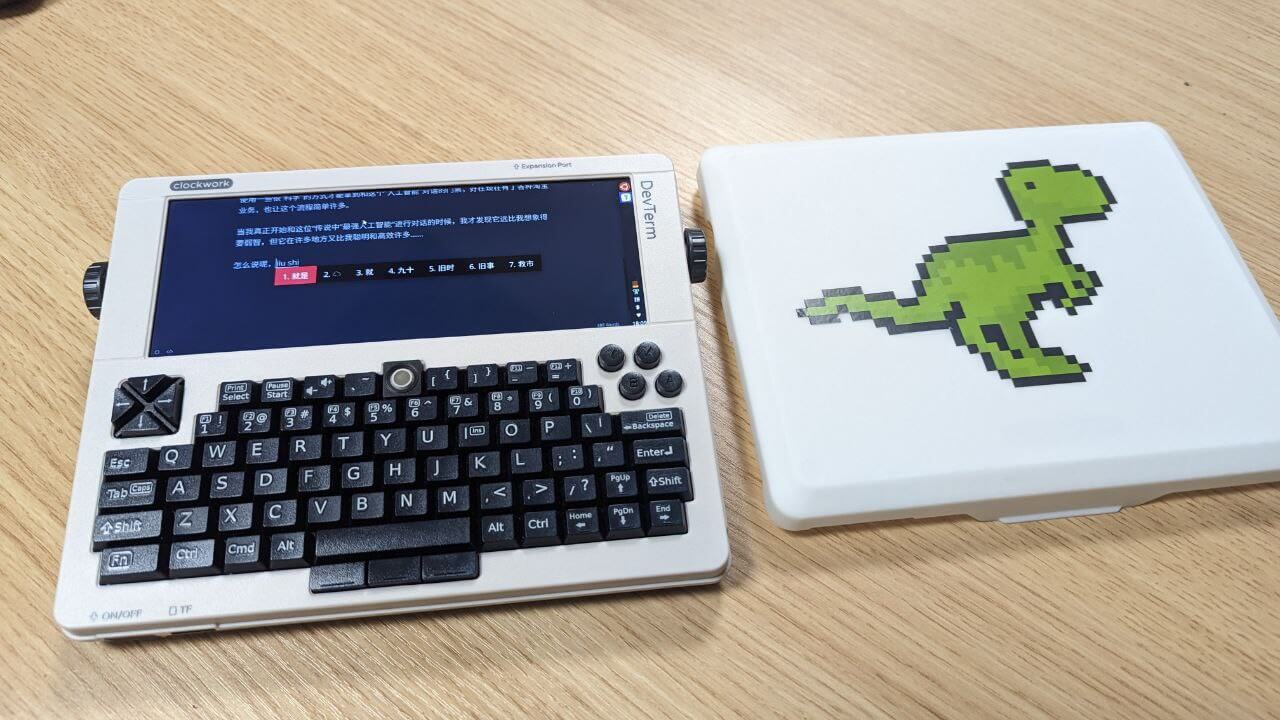
I bought this thing on impulse. I wanted a portable text-input device, ideally one you can hold with both hands. You might say plenty of mini Windows laptops can do that, but I don’t think they’re coool. Nothing is coooler than something like the Devterm, so on a whim I dropped 1600 on a top-spec, unopened unit on Xianyu.
It arrives as a kit you assemble yourself. Once it’s together the build quality is decent — all plastic, but it has that retro-machine feel.
It only boots from a TF card. The stock system is a modified Armbian with an xfce4 desktop and a lightdm login screen.
I’ve used it for a while and tried it as my main writing machine, banging out a few articles on it. Some quick thoughts:
1. Performance is much better than expected The stock Armbian masks two cores; you can enable them with the bundled GearBox. After testing, the performance is actually fine — way better than I expected. Firefox, Telegram, no problems. It can even run Windows software through Box64 emulation. I tried StarCraft 1 and it ran smoothly. It also supports video input, so it can serve as a temporary backup computer.
2. The keyboard is tolerable If you’re typing, you can’t avoid the keyboard feel. Lots of people say the Devterm keyboard is garbage, but after using it I found it’s not great, yet not completely unacceptable. Even two-thumb typing works. The main issue isn’t really the small keys — it’s the weird rebound — but that’s adaptable. At least I adapted.
The stock trackball is genuinely odd. You need to download a firmware update from the official site, which improves it a lot. The trackball is the same part as the one in BlackBerry phones, so you can buy a replacement on Taobao and swap it in for a big improvement.
The machine runs on a battery and supports USB-C charging, but not PD charging — that can push the keyboard into debug mode, and you’ll have to boot the system and reflash the keyboard firmware to recover.
3. The long screen and thermal printer The Devterm’s screen ratio is weird, but if you’re doing terminal work and text input, that’s actually an advantage. This aspect ratio suits text display and terminal input, and once you tune the fonts it’s very comfortable. The ratio also has that “homage” to old machines. You can game on it too, though the black bars on both sides are pretty wide.
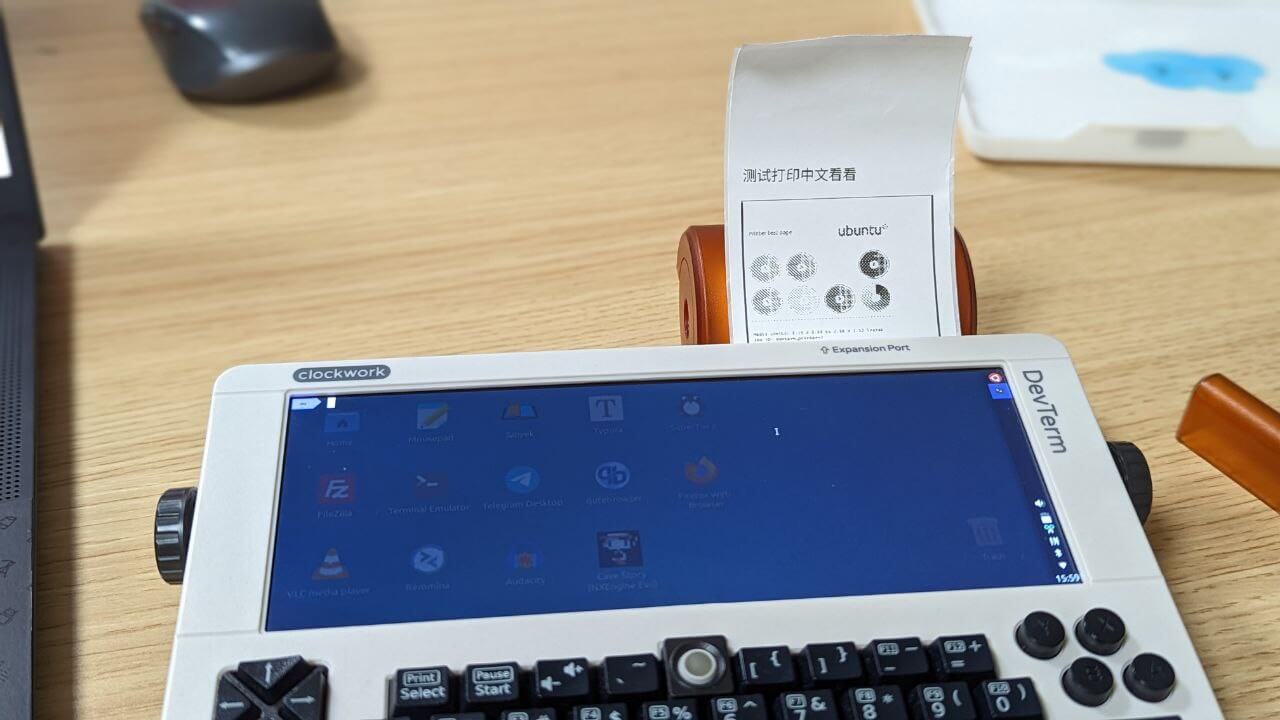
The Devterm has a built-in thermal printer that works, and you can buy various paper on JD. That’s one of the fun parts of this machine.
4. The biggest flaw: no suspend Honestly I had no complaints while using it — typing was smooth. But the main thing that stopped me from using it was the lack of suspend. The RK3399 supports suspend in various Android devices, but that’s implemented in closed-source firmware. Under Linux there’s no proper open-source support, and that’s been true from the Pinebook Pro to the Devterm now — nobody’s fully solved it.
There’s a Raspberry Pi 4 core you can swap in, but unfortunately the Pi itself doesn’t support sleep at all. Maybe the Pi 5 improves things, but it’s too early to say.
Without suspend, you can’t use the Devterm like a tablet or phone — pull it out, type, put it away. Every session means a full shutdown and boot. Even after optimizing the boot time down to nearly 20 seconds, it’s still not as convenient as suspend, and that’s what made me give up on the Devterm.
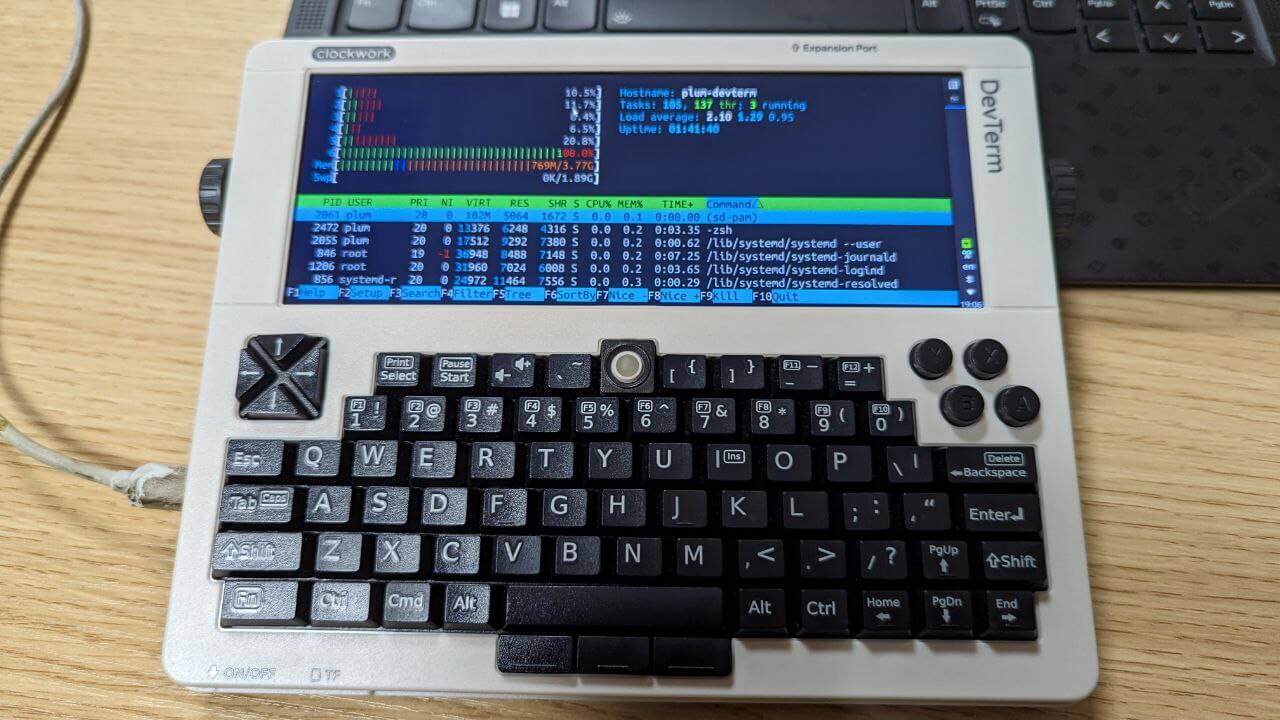
Summary: I actually like the Devterm a lot. Good looks, high expandability, and very coool. I even bought thermal paper just for it and had a 3D-printed protective panel made. But the lack of suspend shrinks its use cases enormously, and turned this thing from a practical “portable computer” into a “toy.”
I’ve seen many ARM portable computer projects like the Devterm, and most don’t care about standby or suspend. I don’t know if it’s cost or technical limits, but I hope future projects take this seriously. The Devterm is cool, but for now it’s just a figure and a toy.
Comments are hosted on the Chinese main site. This mirror is read-only.