A Few Days with Remarkable
It's Paper, Not a Book: Remarkable Impressions
Last year, I think, Qingzhou Xiaoxiong—the online seller most respectful of electronic waste—listed a batch of e-ink devices: the first-generation Remarkable, at a very lovely price, probably under 600 yuan, brand new. I got excited and grabbed one, and I’ve been using it on and off as a reading and e-paper device ever since. Here are some quick thoughts.
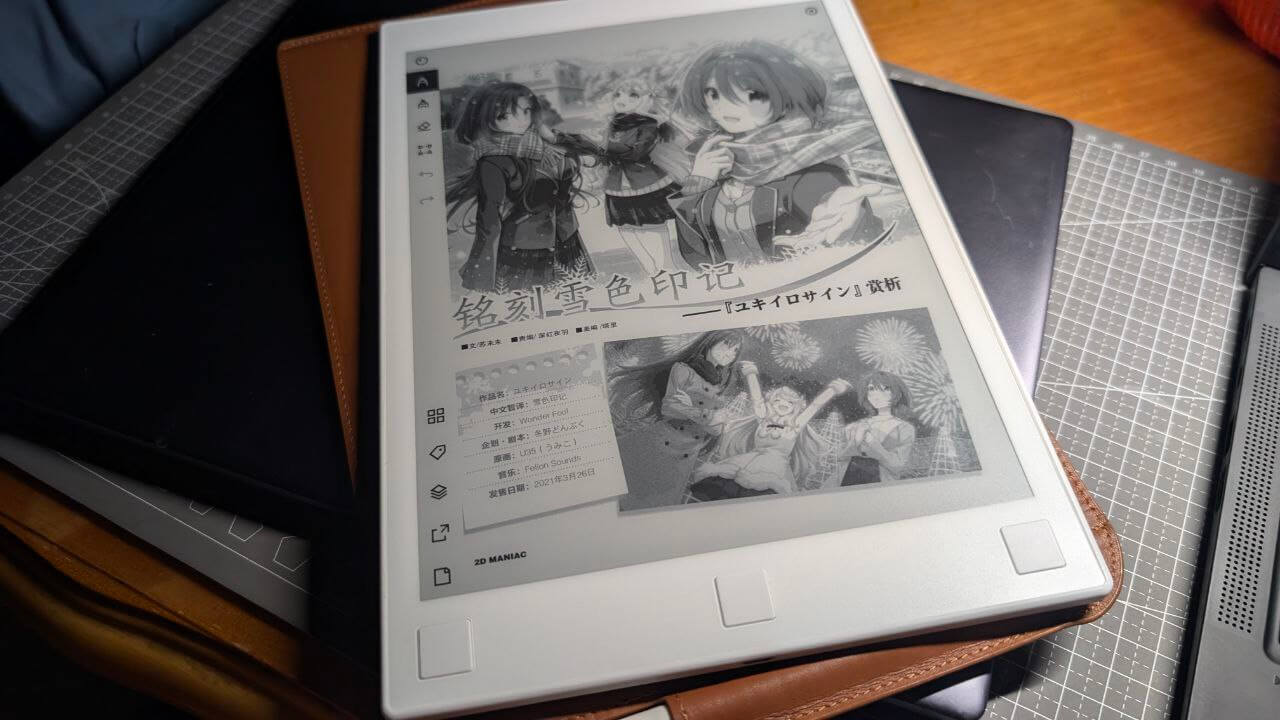
When it arrived, it really was almost brand new. It felt premium from the moment I picked it up—the build quality and hand feel are stunning. The back is actually made of an alloy, and with rubber feet it sits stable on a desk. The bundled stylus is also very comfortable to hold, genuinely giving that “pencil” feeling.
The whole device is pure white—the kind of white of a blank sheet of paper—and the matte finish reinforces that impression. The screen display needs no elaboration; it’s just like the slogan says: “an experience like paper.” Since it’s the first-gen product, there are three physical buttons at the bottom, and the port is the outdated MicroUSB. The biggest changes in the second generation are a Type-C port and the removal of physical buttons.
The system is very distinctive… should I say that? “Bare-bones” is more accurate. It’s essentially Linux running a front-end interface. You can see the default root password in the Help menu—remember it well, because once you forget it, you’ll never get it back.
You can log in to the device via root ssh, and by default it doesn’t support Chinese. Fortunately, since it’s Linux, you can drop your favorite Chinese font into ~/.local/fonts in the Home directory, and after a reboot the device will display Chinese. The system doesn’t support font selection; you can only put one Chinese font, more won’t work. I tried fontconfig to see if there was a miracle, but there wasn’t.
Remarkable’s system is so bare-bones that it only has three simple modules: “Read,” “Write,” and “Manage.” File transfer relies on the official “cloud service,” which of course doesn’t work in mainland China. That’s the bad news. The good news is that even outside mainland China, without the Great Firewall, the service still doesn’t work well.
Remarkable’s idea is to manage files via Sync: what you write on the tablet syncs to your PC, and PDFs you want to read on your PC sync to the tablet. The problem is that this sync function often glitches—not just network glitches but local ones too. For example, a PDF you upload from your desktop might fail to resume syncing on the tablet due to a broken transfer, and you’ll have to manually ssh in and delete those “half-finished” files before it can continue. This happens quite frequently—wrong time, special filenames, etc., all cause sync failures, and once one failure gets stuck, subsequent syncs stop working altogether.
Even more absurd: Remarkable’s sync service has been reverse-engineered into a server, and you can even set up your own sync server—it works better than the official one…
Fortunately, Remarkable currently only has two devices, gen 1 and gen 2, and system upgrades have always been “true-blooded”—meaning both generations can enjoy official system updates without interruption. Mine even upgraded all the way to the latest Beta, with a brand-new UI and new features compared to the old system. That’s genuinely generous.
This thing has always been marketed as “electronic paper” rather than an e-book, so its pros and cons revolve around that. Remarkable only supports PDF files well; even though the official specs say it supports epub, the experience is still poor. So if you want to read books, you’d better choose scanned PDFs.
The other main selling point—the “writing” experience—because of the matte screen, really does feel like a “pencil.” As for latency… let’s just say it’s less noticeable under the cover of e-ink. Since the entire screen is “flush,” writing doesn’t have dead zones like early Onyx Boox products. The tablet offers various backgrounds, templates, and pen strokes for writing, really ensuring your writing experience feels like “on paper.”
Remarkable is a very “unique” product. Its reading experience isn’t great—no backlight, only PDF and Epub support, and internal storage is just 8GB with no way to expand. For non-full-color scanned PDFs, you can’t store many. And the writing experience seems good, but the frequently glitchy sync is infuriating—you not only need a VPN but also have to pray the official website doesn’t crash. Still, I really like this unique tablet—not just because it was cheap and feels like great value, but more because its system is pure enough. In this modern age where “e-books” are deeply tied to various services, I don’t want to open the interface and see ads and so-called “bookstores” that can’t be deleted or blocked. I just want to use the most old-school method: copy a PDF, open it, and read it. Or use a stylus to scribble notes on the PDF. I can’t be bothered to manage too many books, and I have no interest in online bookstores. To sum it up with a rather vulgar word: “minimalism.”
Yes, Remarkable is a “minimalist” device. Just as its introduction says, it’s a piece of “electronic paper”—you can write and draw on it, and you can also use this paper to read scanned PDF “e-books.” As “paper” it’s pretty good, but beyond that its functions are pitifully few. If you accept this way of using it, Remarkable is quite nice. I use it to read scanned materials for professional title exam prep, and the experience is quite good.
I even have thoughts of buying a Remarkable 2.
Comments are hosted on the Chinese main site. This mirror is read-only.