A Very Painful but Meaningful Server Deployment
Foreword: Around the end of last year, I got handed a weird task: deploy a server with a specific function, using an old decommissioned machine from work. What I didn’t expect was that this one task would drag on for half a year, on and off. It wasn’t urgent—more of a “nice to have, whatever if not” situation—so it didn’t really affect my actual job. But the deployment hit a ton of potholes, ran into what looked like hardware failure, got some unexpected “expert guidance,” and the solution went through more twists than a soap opera. I wanted to give up multiple times, but for some reason I kept going. I don’t even know why. So I figured I’d write it down—maybe it’ll help someone with a similar experience.
Let me get the disclaimers out of the way first, so the smartasses don’t come jumping in:
- Don’t ask me if this kind of server is even worth it.
- Don’t say “just throw more money at XXX and be done with it.”
- Don’t say “stop messing with e-waste.”
- Don’t say “this setup isn’t secure.”
I know all this better than you. Just treat it as me having fun.
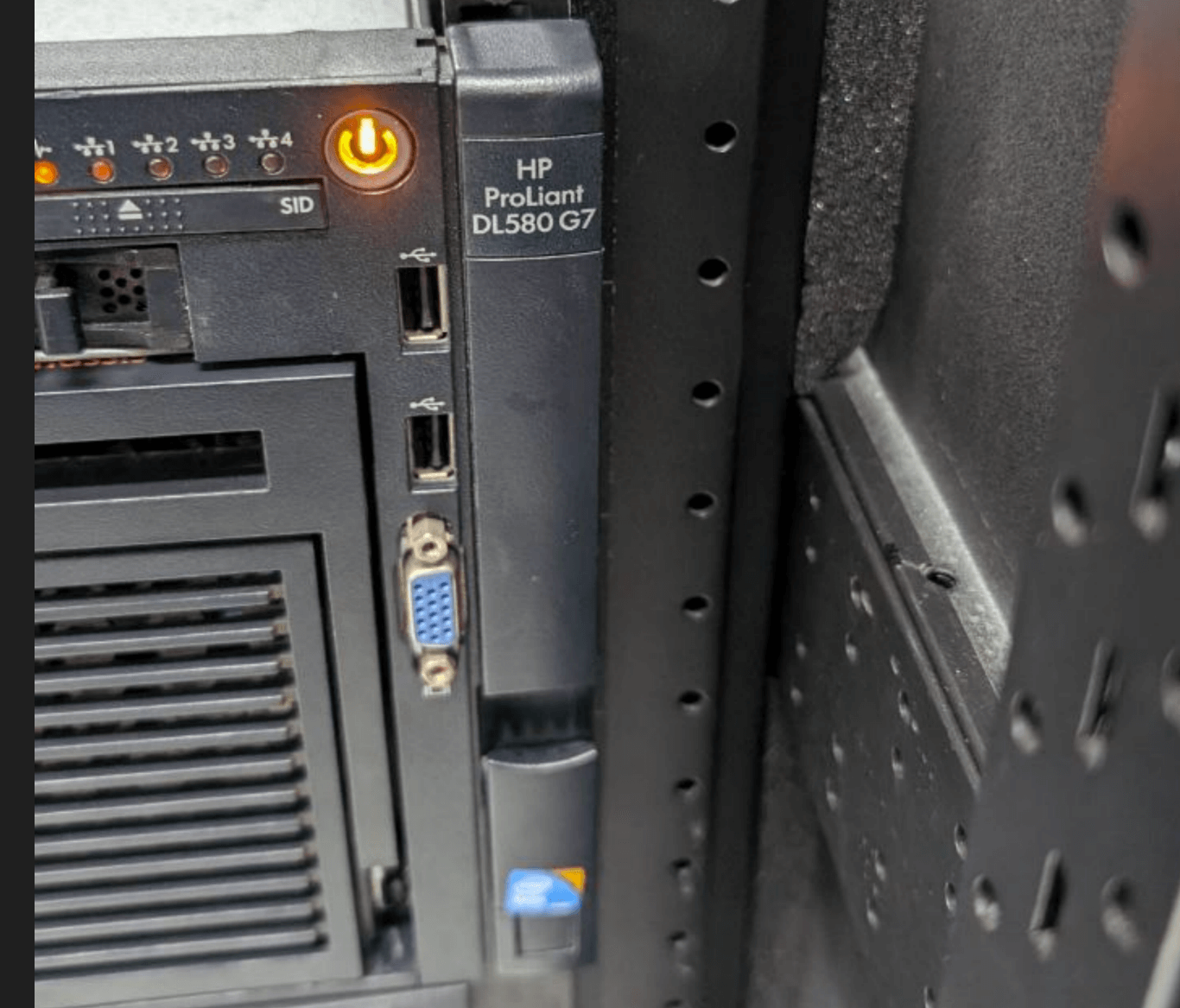
The Assignment: A Special “Jump Server”
My workplace separates internal and external networks for security. Business systems run on an isolated intranet, physically separate from the internet-facing network.
But that creates a problem: some outsourced engineers need to remote-maintain servers, and there’s no reliable way to do it. The old method was to grab a few dual-NIC PCs, install Sunlogin (向日葵) on them, and when needed, boot them up, read out the code, and let the other side connect and work.
Then recent years brought stricter enforcement of the “six shutdowns”—computers must be powered off after hours—and those dual-NIC machines were too few. A whole crowd fighting over one machine was routine.
So a big boss asked me: can we get a high-memory server, virtualize it into a bunch of small systems, and just run something like Sunlogin on them for remote jump access? Nothing else needed…
My first thought: isn’t that just virtualization? But how do we solve the dual-NIC issue? Give the server dual NICs? After some discussion, we did a mapping at the network layer: mapped the intranet bastion host’s web login to an external IP, and bound it to specific IPs. Only machines using that IP could open the bastion web interface, log in, and then access the intranet for data maintenance.
Later the boss asked if I could pull this off, preferably with scheduled management—like these virtual machines only usable during certain hours, unreachable otherwise…
I thought: with a virtualization platform, that’s stupidly easy. Scheduled management is just scheduled power on/off. And I’d been wanting to play with a virtualization server anyway, so I got interested. The boss said no rush—people were still queuing for the dual-NIC machines, just a bit of hassle. If I could do it, great; if not, no big deal; worst case, throw money at professional gear (if it passes approval).
Honestly, I didn’t think this was a good solution. A proper bastion host with a network gap and account management would be better. But I wanted to play with virtualization, so I took the task.
Log 1: No Video Signal, Out of Display Range
After taking the task, I started picking a server. The boss said “repurpose”—use decommissioned old hardware as much as possible, with minor upgrades if needed. For a junk hoarder like me, that somehow felt weirdly “hyped.” After digging around, only 4 servers met the spec. Three were IBM-era stuff; the newest was an HP DL580 G7. This thing had a whopping 64GB of RAM and was fully populated with four CPUs, each 6 cores/12 threads, totaling 24 cores—basically the perfect virtualization box.
For storage, five 600GB drives with a built-in P410i RAID card. Not much, but enough for virtualization.
So I downloaded Proxmox VE 8.1 and started installing.
And immediately hit a big problem: after booting from the Proxmox installer, the screen went black with “No signal, out of display range.”
That message wrecked me. Last time I saw it was as a kid connecting a CRT monitor and accidentally setting the refresh rate to 85Hz or higher.
So I searched and quickly found the issue:
https://forum.proxmox.com/threads/out-of-range-issue-on-hp-servers.111086/
Basically, the GPU is too old to initialize its driver properly. The fix is simple: at the GRUB screen, press E and add nomodeset.
Log 2: RAID Card Doesn’t Support HBA, and the Motherboard Only Does MBR
During installation, I found I couldn’t install GRUB because the RAID 5 volume couldn’t be used as a boot disk.
With five drives all on the P410i RAID card, I thought: why not switch it to HBA mode, let Proxmox VE manage all disks, maybe even set up ZFS. But this RAID card doesn’t support HBA passthrough. There are guides online using modified Linux kernels, but that’s too much hassle.
After researching, to install the OS you need to carve out a separate drive, create a single-disk RAID0, set it as the boot disk in RAID settings, and install the system there.
The remaining four drives in RAID 5… too small, can’t hold many images. I thought about striping them. No dice: the resulting RAID volume exceeds 2TB, which the system can’t recognize. You can force it, but you lose the extra 2TB.
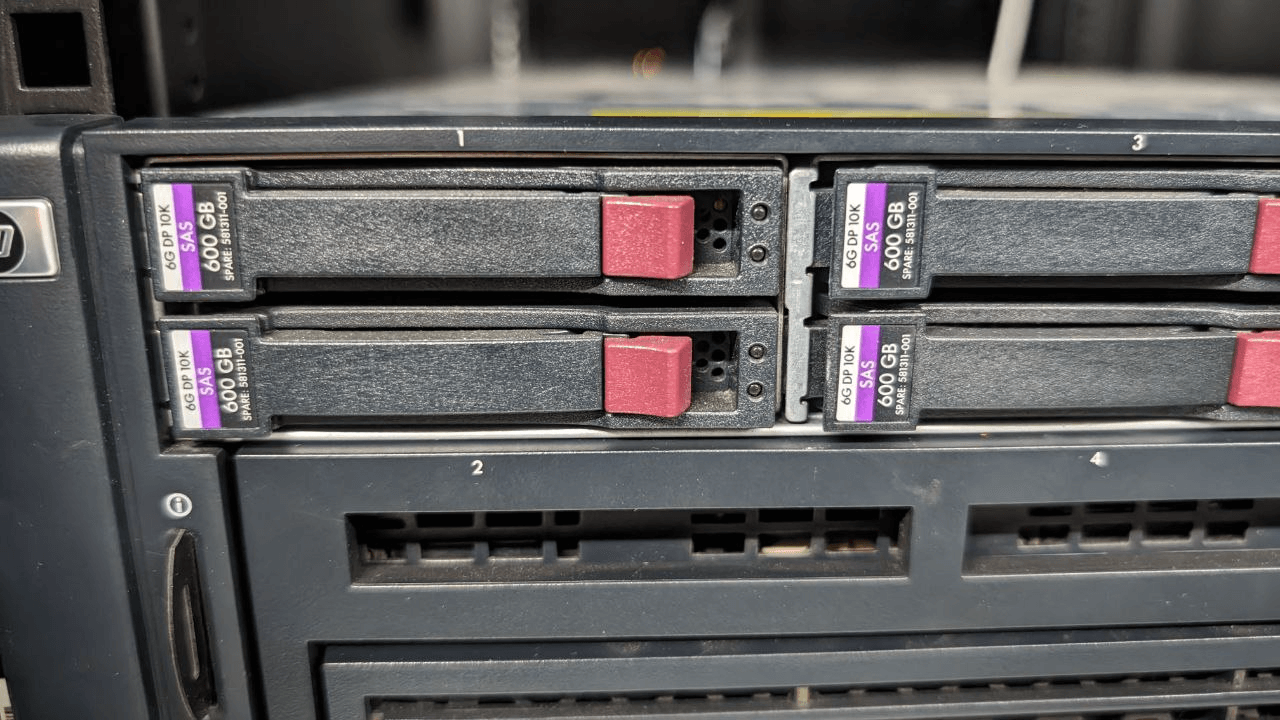
Now let’s talk about this server’s motherboard: no UEFI support at all. That means goodbye to GPT disks—only MBR boot, and MBR maxes out at 2TB. Drives over 2TB are unrecognizable… Since it’s a repurposed server, I didn’t want hardware RAID, so I thought: let Proxmox VE take over disk management and do software RAID.
But as mentioned, the P410i doesn’t do HBA on this board. What to do? Same trick: create a single-disk RAID0 for each drive to fake HBA. You lose SMART info, but who cares on a fossil like this?
Log 3: Lots of Cores, Low Power
Finally got the system installed. Proxmox VE installs fast—it’s a Debian remix after all. Set up ZFS partitions, and disk performance wasn’t great. Tried a simple Win10 LTSC VM: unbearably slow. Virtual disk I/O and CPU usage both sky-high…
Then I noticed the crucial detail: the CPUs are E7-4807, 6C/12T, but base clock only 1.86GHz, no Turbo Boost. That clock is just too low—no idea what VMs it can run. If I remember right, even an Atom X5 8550 has a higher clock, no?
At first I tried giving VMs more cores, disabling tons of Win10 effects, slimming services—barely helped. The CPU is just too weak… especially graphics performance, which is abysmal. Proxmox VE’s Windows support is KVM-based, and there’s still no good GPU driver. There’s one in development, but still unusable: https://github.com/virtio-win/kvm-guest-drivers-windows/pull/943
I still don’t know what this server config was designed for: so many cores, so much RAM, but no clock speed. I asked around—it used to run a “knowledge database.” Looked up the original person in charge and holy shit, it was me. I don’t even remember. I just remember their engineers came twice to upgrade the data, then the company ran off.
So I started thinking: how to improve virtualization on this box? Since we’re running Windows, maybe Windows Server is the optimal choice?
Log 4: There Is No Choice but “It”
Installing Windows Server on this machine was a nightmare, starting with drivers.
First, the machine originally ran Windows Server 2003—32-bit, for fuck’s sake. Calling that an antique is an insult to antiques. Tried Windows Server 2008: no Hyper-V. To run virtualization you need at least Windows Server 2012 or newer.
But here’s the thing: for this ancient HP DL580 G7, the last official driver support seems to be for 2008, and maybe 32-bit at that. Windows Server 2012? No drivers at all.
I tried forcing the install; the cost was that even the motherboard chipset wouldn’t drive—you couldn’t even see core count in Task Manager.
No choice but to hunt down drivers one by one online using hardware IDs from Device Manager. Surprisingly, I found them all; most things worked… except a weird ATI graphics card.
ATI. Ah, what a nostalgic name. Reminds me of my elementary school Rage 128. Yeah, it’s AMD now, but after all these years I’m trapped by this shit again. Without the GPU driver, Hyper-V is completely unusable. I was after graphics performance—no GPU driver means no GPU, period.
I originally thought if Hyper-V failed, I’d use VirtualBox or VMware. But this stupid GPU driver crushed all of that.
Searching around, the problem is unsolvable. In 2024, the only thing that supports this GPU is Linux. I considered slapping in a PCI-E GPU, but finding a bracket for this server is a pain, so forget it.
Linux can run VirtualBox, but remote management is lacking. There’s a project called phpvirtualbox, but it’s been dead for ages. Someone forked it with limited support for newer versions; every minor VirtualBox update requires recompiling, and many features are unstable…
So after all that, the only usable option is still Proxmox VE.
Or rather, I have no choice but Proxmox VE.
Log 5: The Xianyu Gambit and the Final Proxmox VE
After all that, I wasn’t willing to give up. There are many ways to fix poor single-core performance. If software won’t do it, go hardware. So I chose the Xianyu method.
I found four E7-4860 CPUs on Xianyu for under 70 yuan each—10 cores/20 threads, and finally a higher clock: 2.26 GHz base, 2.67 GHz Turbo. Single-core performance improved significantly. The annoying part: the CPUs were cheap, but shipping was a huge fraction of the cost.
When they arrived, I immediately tore open the server. HP servers have online manuals and diagrams on the chassis; easy to disassemble. I replaced all four CPUs, reapplied thermal paste, and improved cooling.
Powered on first try, reinstalled Proxmox VE 8.1, ran VMs again. Still not blazing fast, but way better than before. As for graphics, just use QXL—drop all 3D, 2D acceleration only. Enough to run Sunlogin as a jump box.
Then I configured NAT networking in Proxmox VE: https://blog.einverne.info/post/2021/10/proxmox-ve-config-nat-vm-use-same-public-ip.html
Set ZFS max memory usage: https://www.cnblogs.com/surplus/p/14055003.html
Switched to domestic mirrors: https://mirrors.tuna.tsinghua.edu.cn/help/proxmox/
And used scheduled tasks to auto start/stop the VMs.
Thus, this “virtualization platform server” entered internal testing. I got a few users to try it; seemed to run fine. Until one day, two months later…
Log 6: Upgrading for Performance Went Horribly Wrong
This “rustbucket virtual server” ran for about two months in “internal test” phase with 3-4 users. Feedback was okay—no more queuing for machines. But as uptime grew, the server’s response slowed down.
Maybe because I’m OCD about Linux, I felt it could be optimized further, so I tweaked swap and kernel scheduling. Some effect, but marginal.
Then Proxmox VE 8.2 dropped. I read the changelog and saw many useful new features:
- New 6.8 kernel
- New ZFS module, possibly performance improvements
- New QEMU, also performance improvements
I’m not exactly reckless, but the server was already on 8.1, and I figured 8.1 to 8.2 wasn’t a “major version upgrade”—should be fine…
So to squeeze more performance, I upgraded. For safety, I took ZFS snapshots and backups—painfully slow, but done.
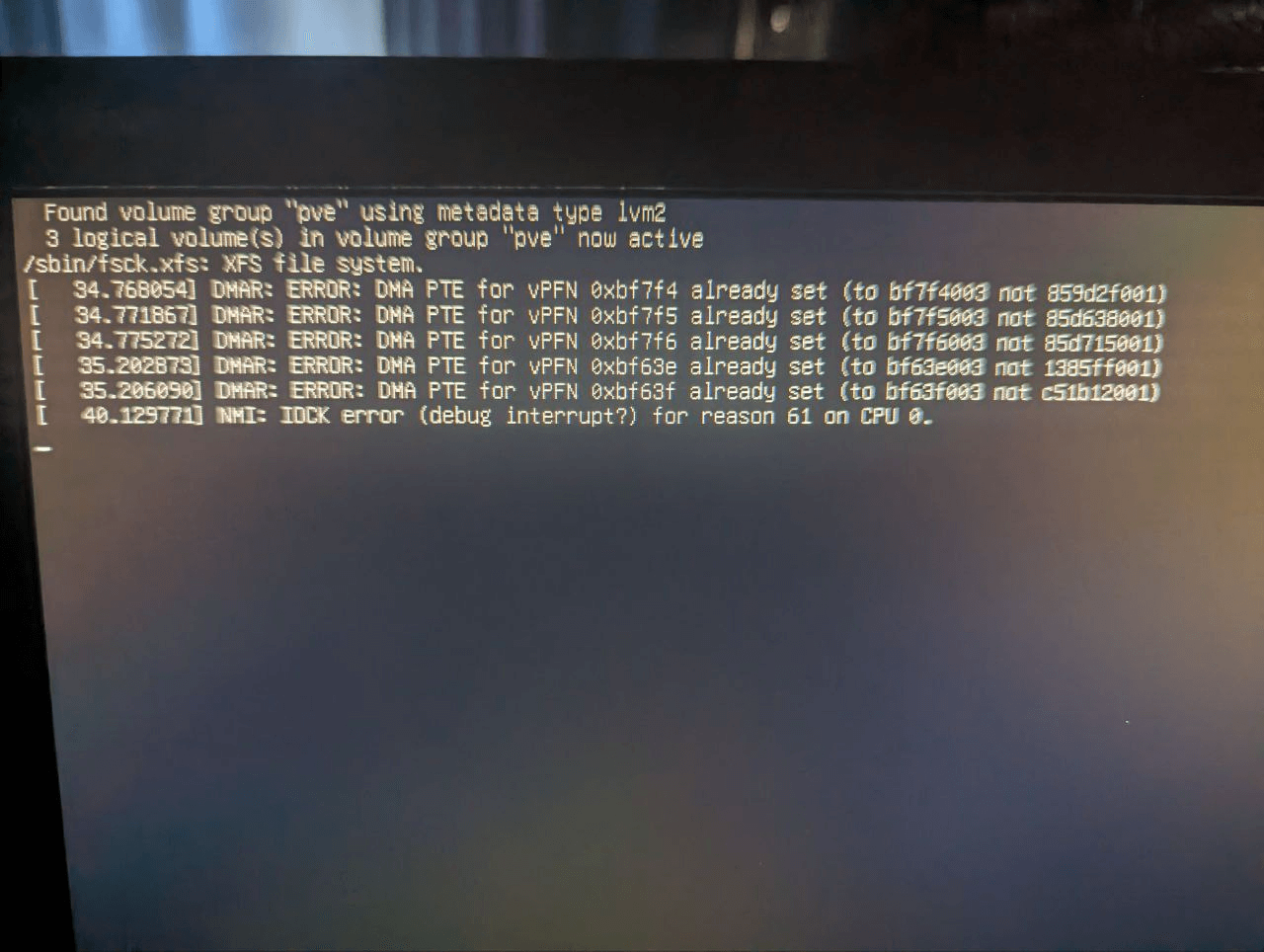
The upgrade went smoothly enough via the Proxmox VE web UI, but halfway through, things went wrong: the system started freezing, showing I/O errors. I knew it was bad. Tried many things, couldn’t save it, had to reboot.
After reboot, the system was completely fucked. rootfs wouldn’t mount, and after several reboots, ZFS mount errors.
I thought: oh shit, did the drives die?
Used an Ubuntu Live CD to repair the ZFS headers; after reboot it mounted again. But soon after, I/O errors returned.
By then I’d basically given up on the data—there wasn’t much anyway, just jump boxes; the backup was to avoid reconfiguring. So I told the 3 test users, grabbed a 16GB RAM PC, installed Proxmox VE fresh, set up three VMs for temporary use. Notably, I installed Proxmox VE 8.2 and it worked perfectly.
Then, with a “start over, let’s see if this dead horse can be revived” attitude, I began repairing the server I’d “upgraded to death.”
Log 5: Is It the Drives or the CPU?
The symptom was I/O errors—any normal person would first suspect the drives. Even a fresh Proxmox VE 8.2 install barely worked; it would freeze halfway. Looked exactly like a drive problem.
But the server’s drive LEDs were all normal. I even ran an Ubuntu Live CD to check each drive—all healthy.
But drives are tricky; maybe hidden defects? Then I saw another fucked-up log entry:
NMI: IOCK error (debug interrupt?) for reason 61 on CPU 0
That left me stunned. Could the CPU be bad? Did I get scammed by a Xianyu seller? But no—I’ve lived long enough, and this is the first time I’ve seen a CPU fail without physical damage. Last time I saw a dead CPU was an AMD Duron smoking back in the day.
I tore down the machine, kept only one CPU, and installed Proxmox VE 8.2—worked perfectly.
So it really was the CPU?
After some basic config, 20 minutes later the system hung again, with the familiar I/O errors.
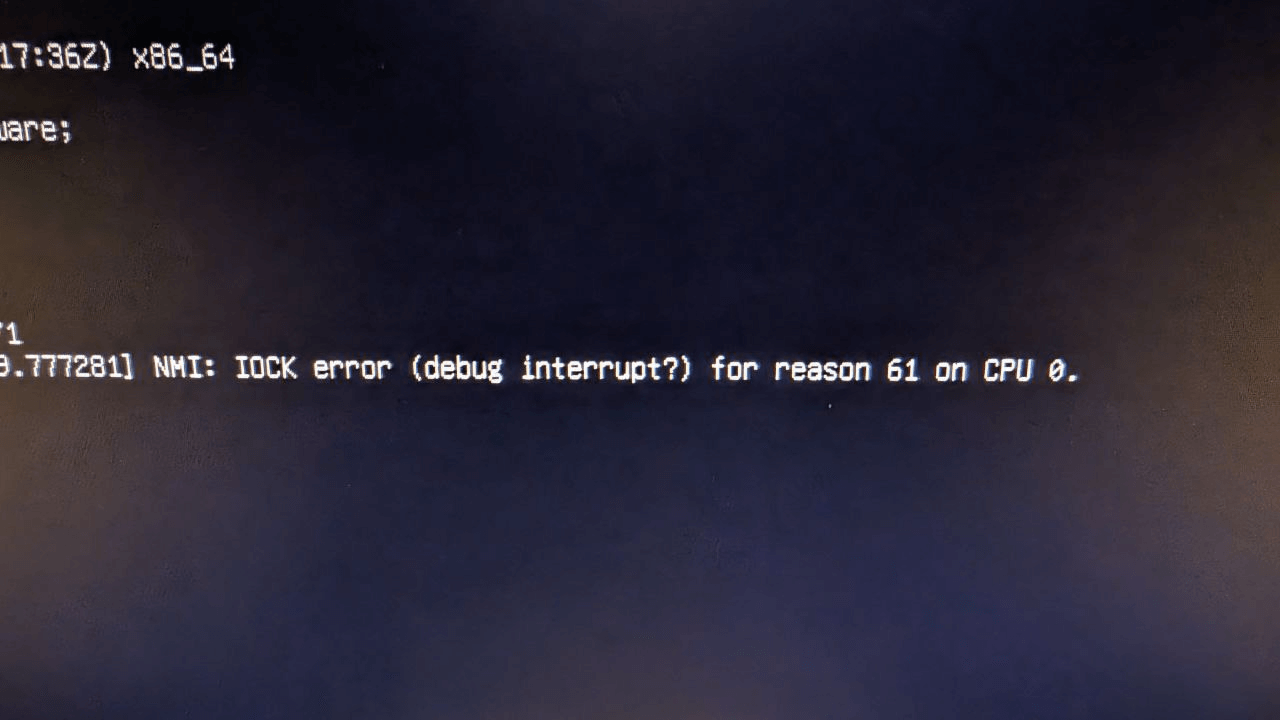
Fuck! Is it the CPU or the drives?
I started elimination tests and got these results:
- Drives: no matter how tested, all showed fine.
- Fewer CPUs installed = higher stability; with all four, Proxmox VE 8.2 wouldn’t even finish installing.
- No matter how Proxmox VE 8.2 was installed, after ~20 minutes of runtime, I/O errors always appeared.
- No matter which single CPU was kept for the install, I/O errors reliably showed up.
I was confused. If it’s the CPU, all four failing at once? Too improbable. If it’s the drives, why do they test fine?
If forced to choose, I’d lean toward the drives. Then I saw new errors from the motherboard RAID card: P410i said the RAID battery was dead, cache read/write disabled, and sometimes it couldn’t read RAID info. That strengthened my belief in a drive issue, so I decided to tackle that.
Log 6: Lü Bu Rides a Dog—Rustbucket Gets a New SSD
After about half a week, I still couldn’t determine CPU vs. drives. I even suspected RAM, tested by reseating, but it was unrelated. The problem remained unsolved, so I shelved it.
Several months later, my team lead asked about the server. I explained. They said try swapping the drives, and pulled a new drive from the warehouse—turned out to be a server-grade SSD. Putting that in this ancient box was literally “Lü Bu riding a dog.”
Well, let’s try it. Installed the SSD, immediately started Proxmox VE 8.2 installation—it went smoothly, no need to disable CPU cores, no freezing. Could it really be the drives?
But after half an hour, I/O errors again.
…
So not the drives. Then where? I saw the RAID card error at boot and remembered…
Could the P410i itself be faulty?
I opened the machine and found the P410i is fully removable, with other modules on it. Searched online—yes, RAID card failure can cause similar issues. So… maybe swap the P410i?
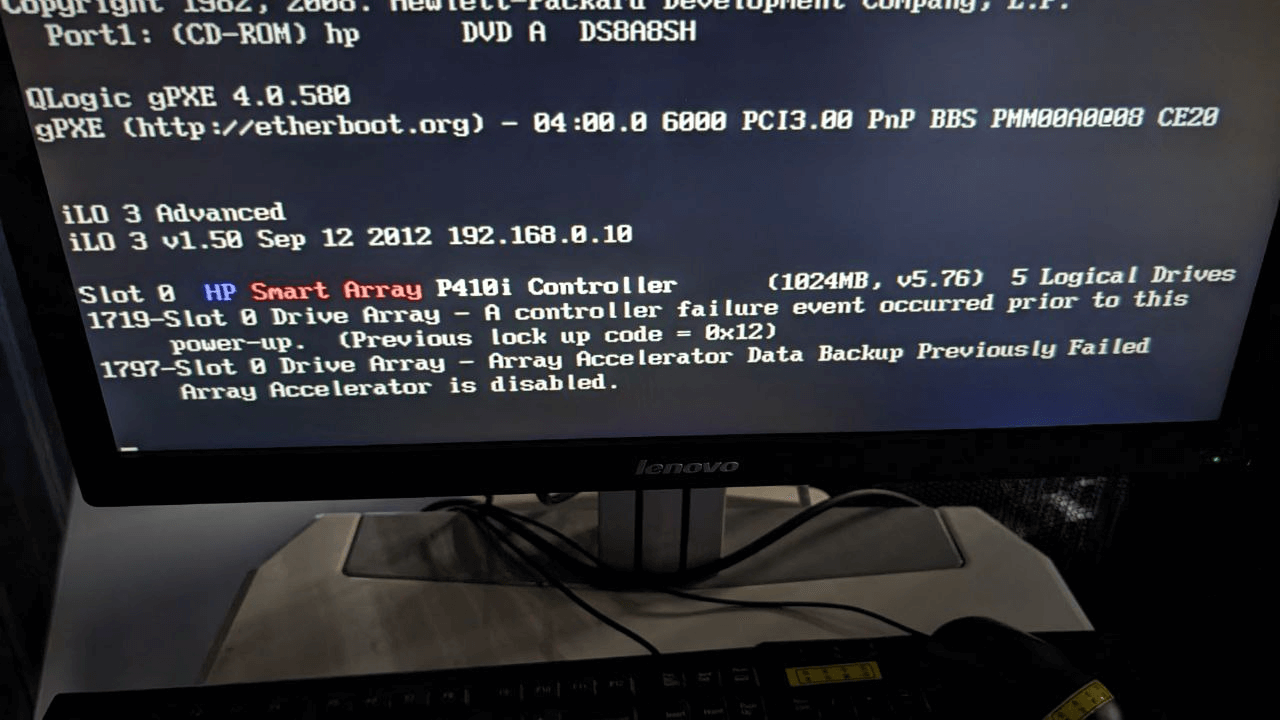
But I searched the datacenter warehouse and couldn’t find similar gear or spares. All those old HP servers had vanished…
Then I remembered Xianyu. Searched and found the board for only 80 yuan. After all this折腾, I didn’t want to give up. Might as well swap it?
Log 7: Encounter with a Master
The Xianyu seller was from Hainan. Seeing I wanted to buy, he gave a discount, threw in a RAID battery and the cache module. The board arrived in excellent condition—probably rare stock. The bro even gave me a detailed installation manual. Installed it, booted successfully.
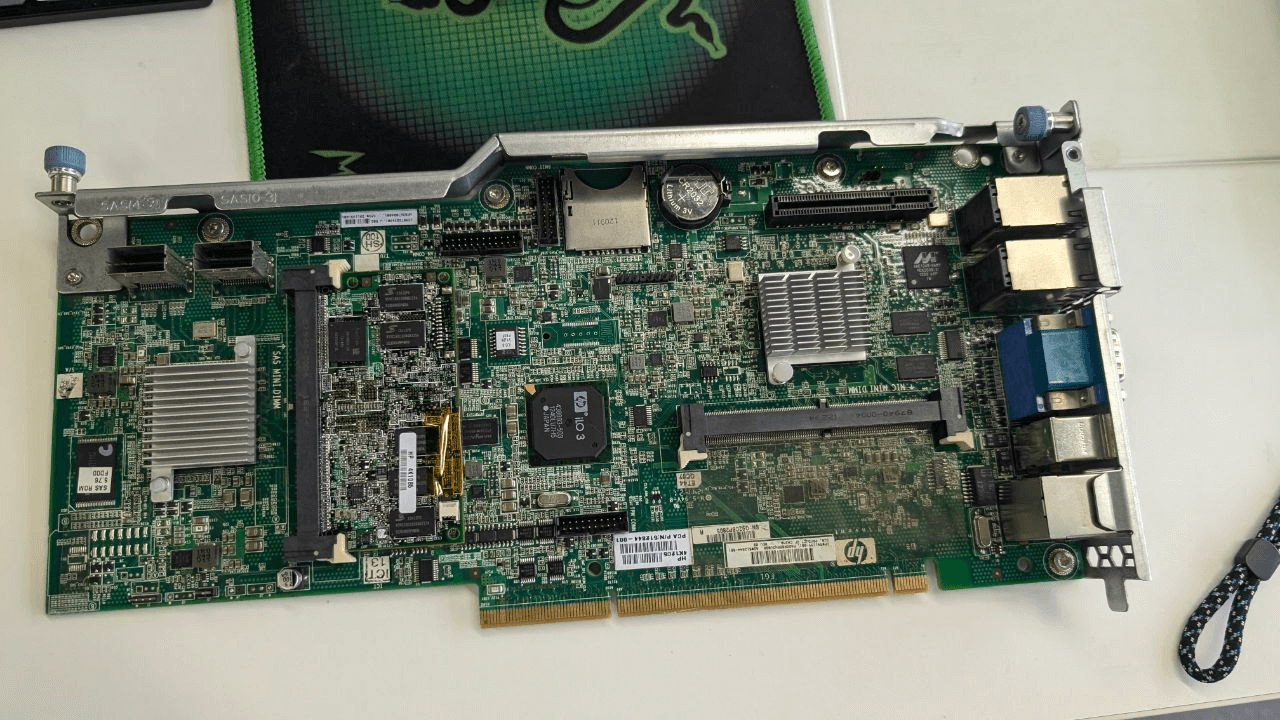
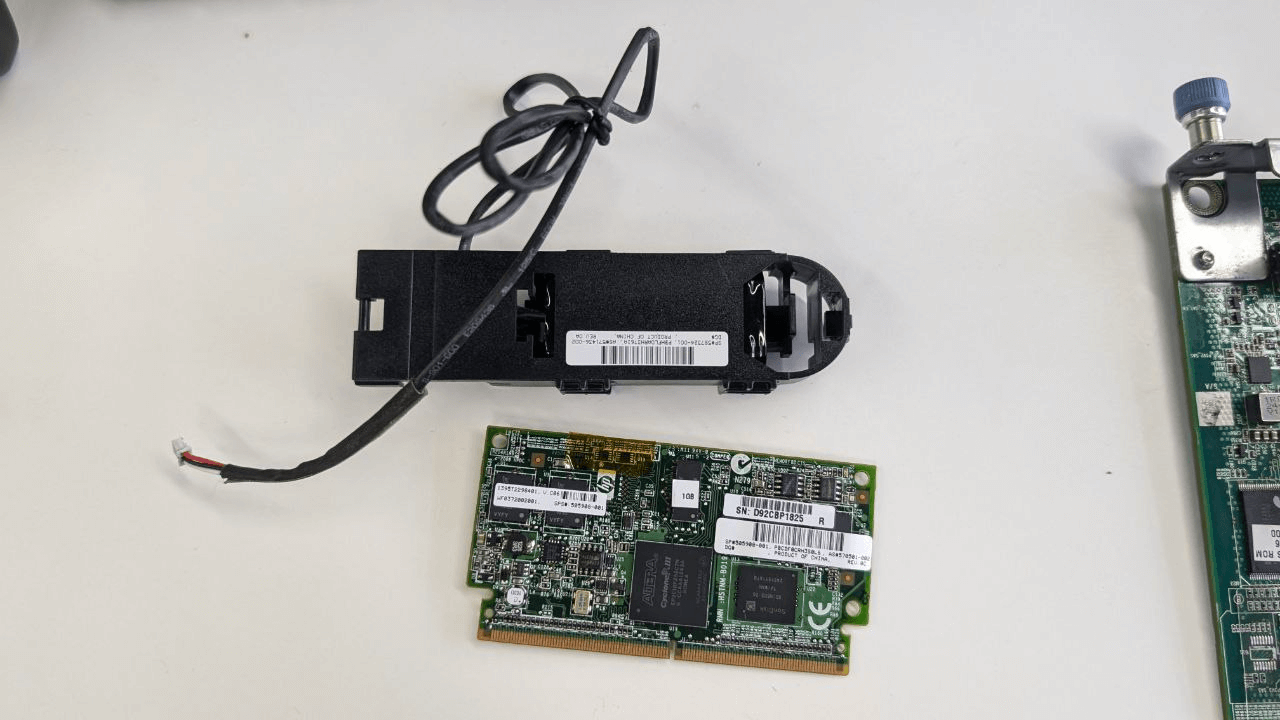
All RAID errors gone, system install worked fine.
Looked like the problem was finally solved—just wait 30 minutes to see if I/O errors return.
20 minutes passed, still fine.
30 minutes: errors arrived on schedule…
At this point I was ready to give up. Everything replaceable had been replaced, everything testable had been tested. Was I supposed to swap the motherboard? You can buy these machines on Xianyu for 200 yuan, but is it really worth it?
The Xianyu bro eagerly asked if I’d solved it. I told him the truth.
Then he got excited and started giving suggestions: boot into HP’s diagnostic mode and test all hardware. He knew everything—every HP server setting. With his help, I ran a full hardware check and got a confusing conclusion:
All hardware is fine.
I asked him curiously: why do you know so much? For a reseller, that’s a bit unusual.
He answered meaningfully: “I used to be an HP Gold Engineer. Quit. Now I sell spare parts stuck in inventory.”
He also mentioned that COVID cut his income, then a pay cut, so he left HP, did projects for small companies, got stiffed, and still hasn’t been paid a lot of money…
Imagine meeting a Gold Engineer on Xianyu… This server’s been out of warranty for years; even if you called HP and paid, they might not give a damn.
The guy finally told me he was almost certain the hardware was fine. The only real problem was probably the dead battery on the old RAID card, which had been disabling the cache and tanking disk performance. Now that the battery was replaced, disk performance should go way up, and there was no reason for disk errors anymore.
“I think you should look for the cause on the software side.”
That was the advice left behind by the “former HP gold engineer.”
Record 8: The Ignored Error
What that engineer bro said confused me even more. Software problem? What could possibly be wrong with the software?
I just upgraded from 8.1 to 8.2, got a new kernel, new QEMU, new ZFS. What could be wrong? If something were wrong, it should have failed to mount from the start, not thrown an error at exactly the half-hour mark.
And if something were wrong, why would disabling some CPUs let the install work, and why would it change when the problem showed up?
After going over it again, I realized the problem appeared when upgrading from 8.1 to 8.2. If it really was a software issue, it had to be something between those two.
So I looked carefully, and found the blind spot: https://pve.proxmox.com/wiki/Roadmap#Proxmox_VE_8.2
It contained this line:
#### Kernel: `intel_iommu` now defaults to on

The `intel_iommu` parameter defaults to `on` in the kernel 6.8 series. Enabling IOMMU can cause problems with older  hardware, or systems with not up to date BIOS, due to bugs in the BIOS.

The issue can be fixed by explicitly disabling `intel_iommu` on the kernel commandline (`intel_iommu=off`) [following the reference documentation](https://pve.proxmox.com/pve-docs/chapter-sysadmin.html#sysboot_edit_kernel_cmdline).
Then I searched for the relationship between “intel_iommu” and the “NMI: IOCK error” error, and found this ancient kernel mailing list post:
https://lore.kernel.org/linux-iommu/20191206072453.5jjwrjedqbjimx45@cantor/t/
It looks like the “intel_iommu” parameter can cause hangs on some old HP servers, and Proxmox VE has enabled it by default since 8.2, while the previous kernel had it off.
So, just to try it, I disabled the parameter in the kernel args in grub: “intel_iommu=off”…
After rebooting, the problem never came back. Everything was normal again.
I wasn’t quite convinced at first, so I ran a simple test for about half a week, and the server never hung or threw I/O errors again. Only now could I confirm the problem was really fixed.
Four months on and off, and the cause was that simple. I really felt like swearing at someone. I told the guy on eBay about it, and he said the problem really is rare. Probably because “intel_iommu” is mainly used for GPU passthrough, which most people have to enable manually, and very few kernels turn it on by default. And for my platform, GPU passthrough is completely pointless — as long as it runs, it’s fine.
Record 9: Full Postmortem
So let’s do a full postmortem:
First, when I took over this junk server, it had no hardware problems as far as I could tell. Aside from the CPU being a bit slow, which I upgraded via eBay.
But the RAID card battery on the server was severely depleted, though it still barely worked. So I installed the system, ran it for two months, and everything was fine.
During those “two months,” the battery on the RAID card died completely and wouldn’t charge, causing a serious drop in disk performance, dragging down overall machine and VM performance, which caught my attention and made me start optimizing.
I optimized a bunch of stuff, and there was some effect, but not much. Then Proxmox VE 8.2 came out, and seeing the new kernel and new ZFS, I figured I could get a performance boost by upgrading, so I did. Little did I know the new version enabled the “intel_iommu” parameter by default, which causes hangs on old machines — specifically, “causes hangs and other stability issues on old HP servers.”
I started troubleshooting hardware, from CPU and RAM to disks, and finally the RAID card, ignoring the software itself. After all, I had an old 16 GB desktop running Proxmox VE 8.2 perfectly fine.
The root cause was really the “intel_iommu” parameter. Turning it off solved everything. And the upgrade wasn’t meaningless either — at least I got a new RAID card battery, completely fixing the low disk performance.
Record 10: Mission Accomplished
Once I knew the root cause, I reinstalled the system and deployed it. Compared to before, there’s an extra SSD for the system, the RAID card battery was replaced, and disk performance improved a lot. The standard 64 GB of RAM can run a dozen or so VMs, and ZFS snapshots work properly now. This old relic of a server finally got a new lease on life.
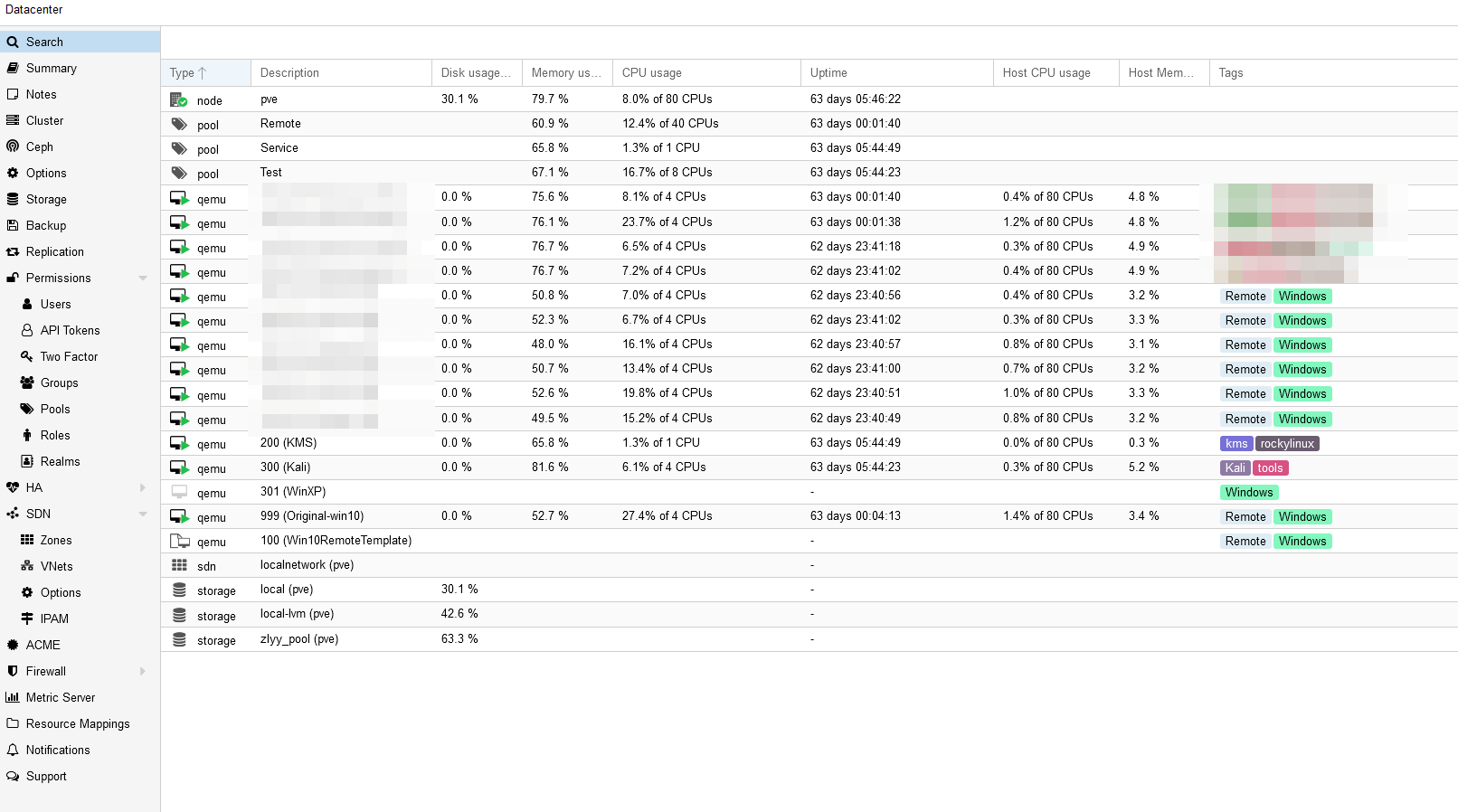
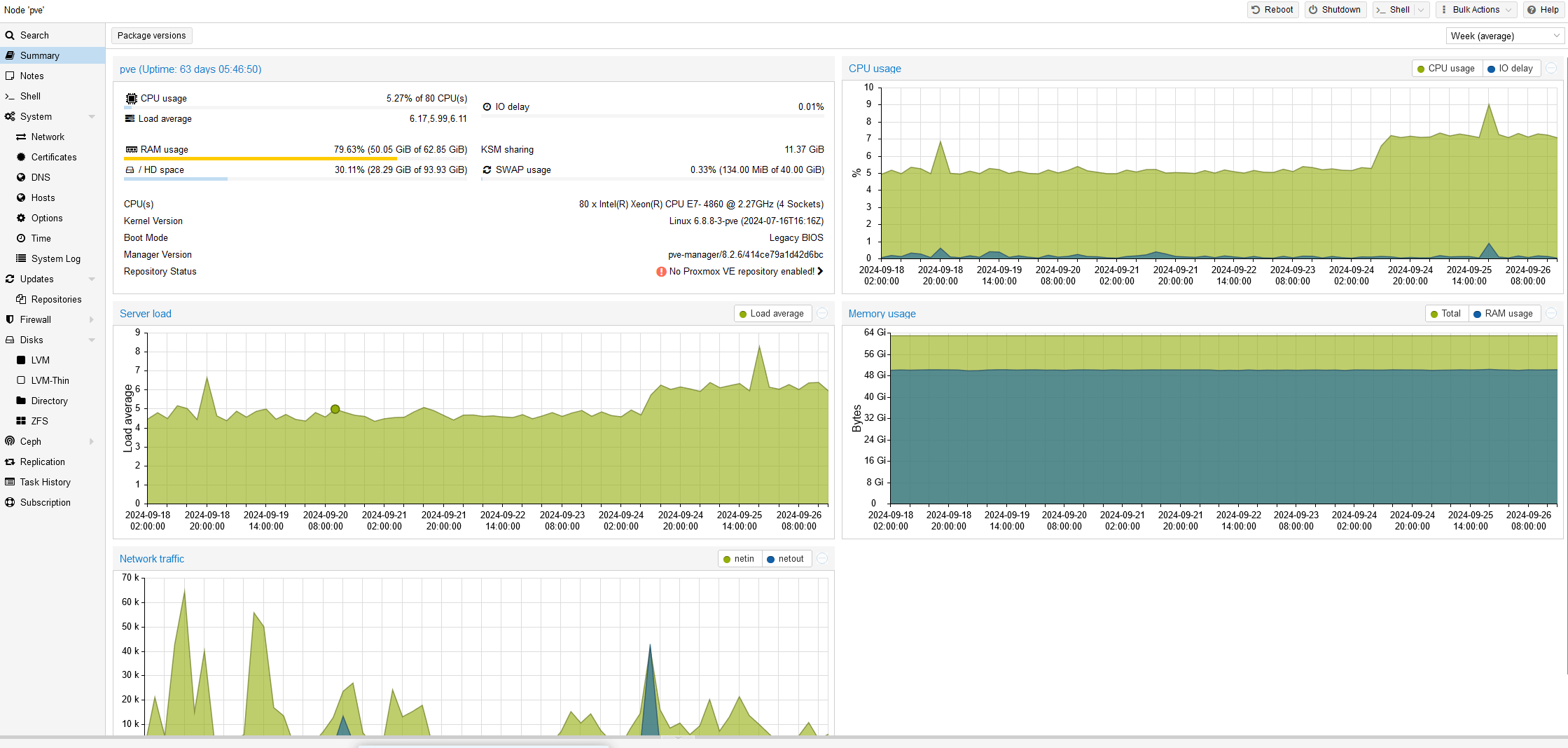
All the systems on it are running stable now, fully meeting the original requirements — honestly, performance is much better than expected.
Record 11: Replacing a Disk in RaidZ1
This is an addendum. Not long after, one disk in the RaidZ1 had a problem, but I successfully repaired it. /archives/13911/
Conclusion: Painful, But at Least There Were Gains
After all this fiddling, I can’t call it “pointless messing around” — at least it was meaningful and rewarding:
Proxmox VE installed on an old server won’t display, so you need to add nomodeset to the kernel
Proxmox VE has enabled “intel_iommu” in the kernel since 8.2, which causes stability issues on old HP servers and needs to be disabled manually
Building a RAID0 array from multiple independent disks can achieve an HBA-like effect
Servers without UEFI support can’t handle large disks
Satisfied my inner “junk hoarder” tinkering urges
Learned how to disassemble, assemble, and maintain HP server hardware
Monitor the RAID card battery at all times — an aging battery may stop charging entirely, disabling the RAID card cache and seriously hurting disk performance
If you run into problems maintaining an old server, check eBay — you might run into plenty of “gold engineers” who quit or got laid off, and it’s way more reliable and efficient than calling support.
Comments are hosted on the Chinese main site. This mirror is read-only.