Replacing the ThinkPad X250 Touchpad
So one day I accidentally dumped a bottle of Oriental Leaf tea right onto the touchpad area of my ThinkPad X250…
After that the buttons started acting up for no discernible reason, and after thinking it over I decided to replace the touchpad.
They sell them on eBay, though most buyers are probably X240 owners. When I went to buy one as an X250 user the seller was actually surprised — he thought I had an X240 and kept stressing that the screw positions on this thing are slightly off from the X240’s.
There aren’t many guides online for swapping this thing, and most of the ones that exist are long-winded and unclear. After doing it myself, I found it’s stupidly simple…
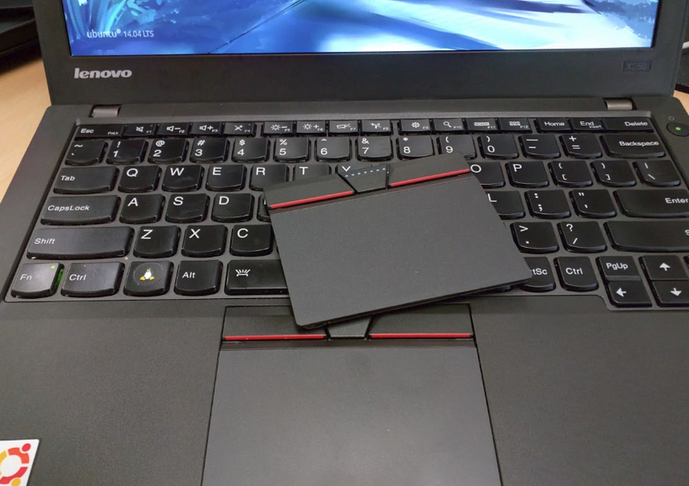
Most online guides for replacing the touchpad have you remove the bottom cover first, then the battery, then the keyboard, and then the palmrest.
In reality you only need to remove the bottom cover and the battery. Peel back the black tape under the internal battery and you’ll see the touchpad’s connector cable — right next to it are two screws that hold the touchpad in place.
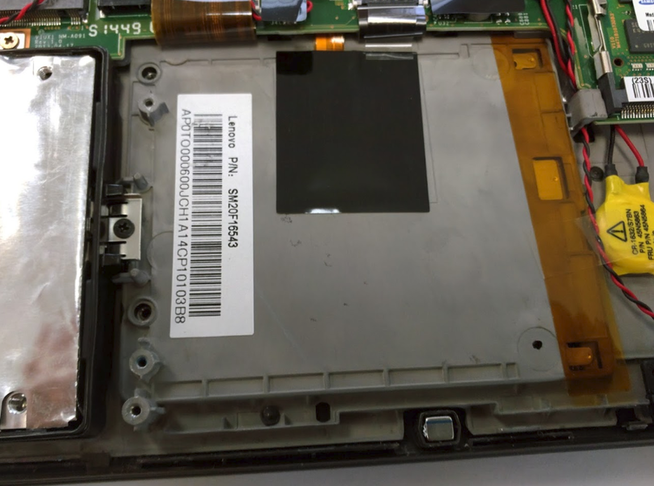
Disconnecting the cable is kind of nasty because my hands are too big… it wasn’t easy…
Though if you have proper tweezers that’s another story.
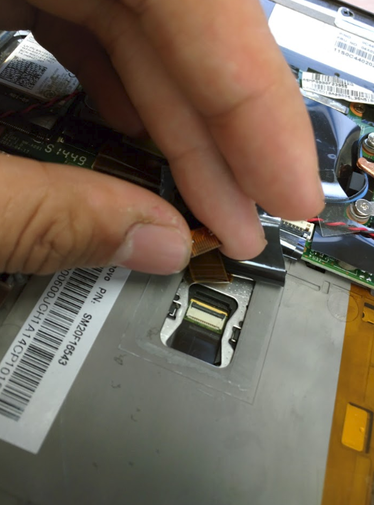
After the swap the problem was gone.
And the dumbest part: the touchpad I’d pulled out because of the spill — one day I was bored, wiped it down carefully, put it back in, and the problem was gone too…
Comments are hosted on the Chinese main site. This mirror is read-only.