Replacing a Failed Drive in a PVE ZFS Array
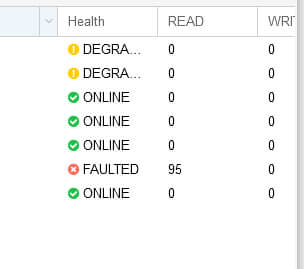
Same abstract PVE server I set up before. Recently I noticed the default ZFS pool had gone Degraded.
You can see pretty clearly that one drive is toast.
Since I built it as RaidZ1, one drive failure is survivable, so in theory I just swap the drive.
I checked the docs and other people’s experiences. The basic procedure is:
- Take the old drive offline first
- Then plug in the new drive
- Use zpool replace to swap it in
- Rebuild the data onto the new drive
- Done
Since the drive is already Degraded, which behaves the same as Offline, I don’t need to run offline. If a drive merely has errors and hasn’t fully degraded, you do need to manually offline it first.
zpool offline poolname XXXXXXXX
Priority one was getting a new drive. This PVE server is an ancient relic, and the drive part number is 581311-001. Easy to find plenty of sellers on eBay—mostly server tear-down resellers. My requirements aren’t high; it just needs to hold out for a while. Talked one down and got it for 30 yuan.
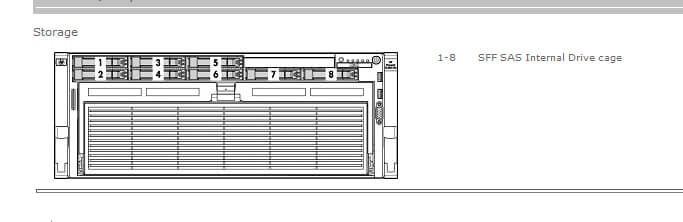
Next problem: finding which physical slot the dead drive is in. I created each drive as its own Raid0 to fake an HBA, so reading the serial number from the command line the usual way doesn’t work. Better to shut down and go into the RAID card interface. Match the RAID number order to the numbering in PVE—this one is the fifth drive in PVE and the fifth on the RAID card. Look up the server’s slot to locate the fifth position, then swap the drive.
After swapping, reboot into the system. It’ll be detected—create the Raid0, go into PVE, wipe the old drive, and then you can zpool replace. Generally you only need to enter the original disk-id.
zpool replace poolname XXXXXXXX NEWXXXXXXX
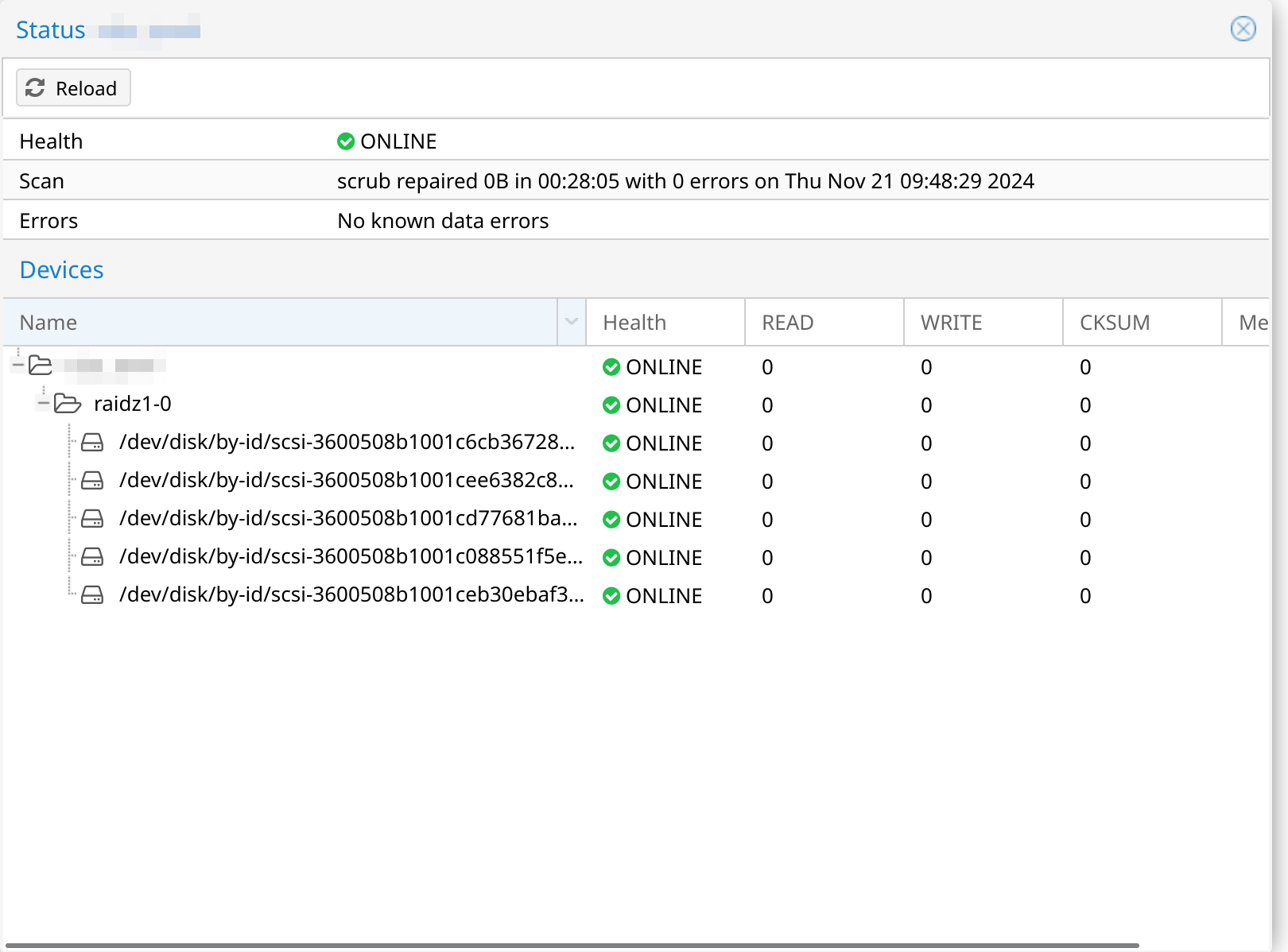
After replace you can watch the rebuild progress. It can be slow, though mine got faster as it went. Finished in about 10 hours.
Drive replacement done.
One last thing: RaidZ1 is risky. It tolerates one dead drive, but the moment you see a drive acting up, deal with it fast. Don’t drag it out. Otherwise while you’re replacing and rebuilding—which can take a long time, sometimes days—another drive might happen to die too, and then you’re screwed.
References: https://www.rockylinux.cn/notes/diy-nas-series-32-zfs-storage-pool-failure-and-recovery.html https://tomjamescn.github.io/post/2019-06-13-zfs-replace-bad-disk/ https://pve.proxmox.com/wiki/ZFS:_Tips_and_Tricks#Replacing_a_failed_disk_in_the_root_pool
Comments are hosted on the Chinese main site. This mirror is read-only.