Impressions: Tianbei RX 7600 XT eGPU Dock
Tianbei RX 7600 XT eGPU Dock
Honestly, I’m not sure why I bought this thing. Maybe because I saw it on sale during Double 12. I did the math, and building an eGPU dock myself would have cost more than this. I’d also been wanting to play games again, and I wanted something that worked with my Linux laptop and my Windows handheld, with some room to spare. After looking around, this seemed to fit, so I bought it.
Anyway, I bought it. I mainly want to talk about my experience using it, because I think a lot of people are curious and there’s very little online about how this thing works under Linux. So I’ll share my impressions and give Linux users thinking about an eGPU dock some reference.
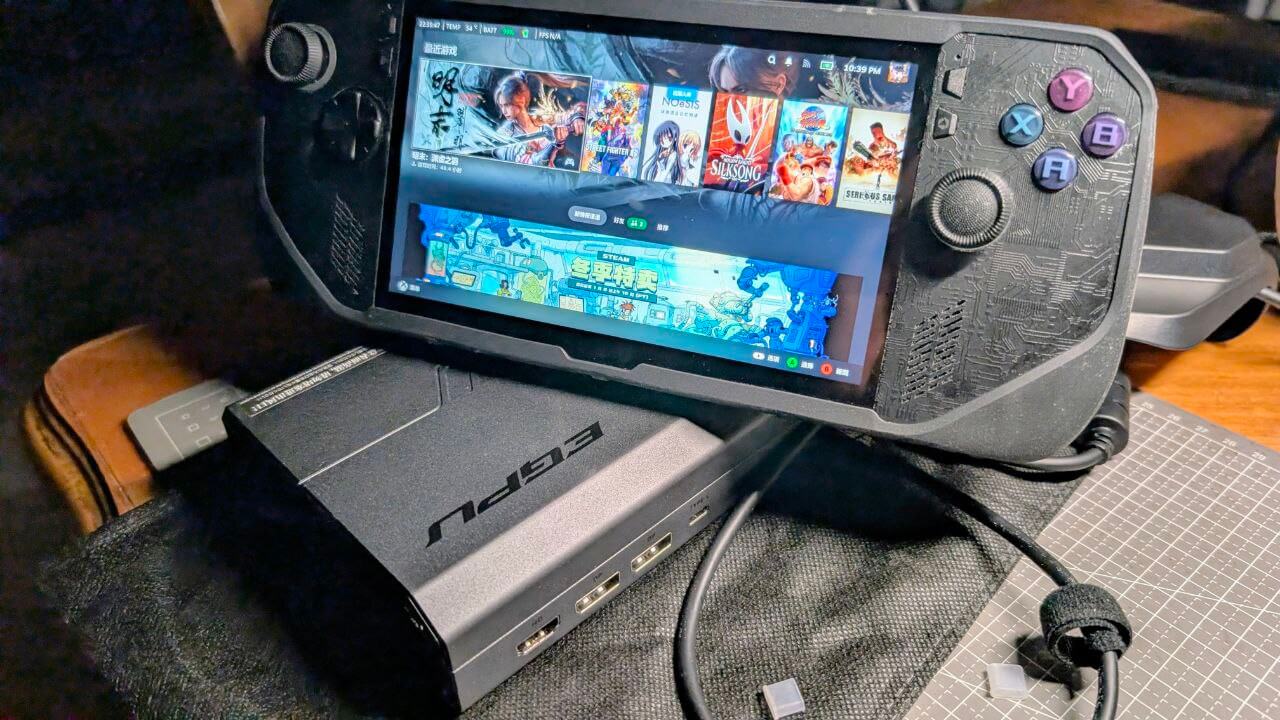
First, besides being discounted, one reason I chose this product is that it’s the only one on the market with a full-bandwidth USB4 interface, real PCIe 4.0 ×4, and a desktop-grade AMD RX 7600XT. The device itself supports both OCLink and Thunderbolt 4, so you can connect different devices depending on your needs. I know One-netbook also made an RX7800M external GPU dock, but first, it’s not desktop-grade, and second, its Thunderbolt 4 PCIe is 3x4, so it’s not full bandwidth.
Setting aside the really obscure brands nobody pays attention to, the other options on the market are Huawei’s Wiko dock, GPD’s G1, and One-netbook’s eGPU dock series. I did my research, so let me go through them one by one:
Huawei (Smart Selection): The cheapest. You can even find it around 1500. The trade-off is terrible cooling, the fan takes off (literally takes off), no power mode switching, performance can’t reach 90W and stabilizes around 80W. The good part is the small GaN charger with a built-in power supply, easy to carry.
GPD G1: Split into the 2023 version with hardware bugs and the improved 2024 version. The former is cheap but overheats, the display output signal drops, and the fan takes off. The latter is better but the fan still takes off, and the price takes off too—some people are selling it for over 2400. The power supply is fairly small, but the unit itself is big. Performance is average, seems to only hit 100W and not stably. If you can find it cheap at 1999, it’s okay; over 2300 I don’t think it’s worth it.
One-netbook eGPU dock: Huge power supply, decent performance, but the absurd price makes it not worth buying.
Tianbei eGPU dock: Fan noise is well controlled, cooling is solid, and it’s a full-bandwidth chip. It’s a bit big, but at least you won’t hit small bugs when using it. I think you either buy the cheapest Huawei one or a good one with full performance—anything in between is awkward. I haven’t played anything especially heavy on this. Street Fighter 6 draws the full 150W, temperature stays around 60, and the fan isn’t too loud, which is acceptable.
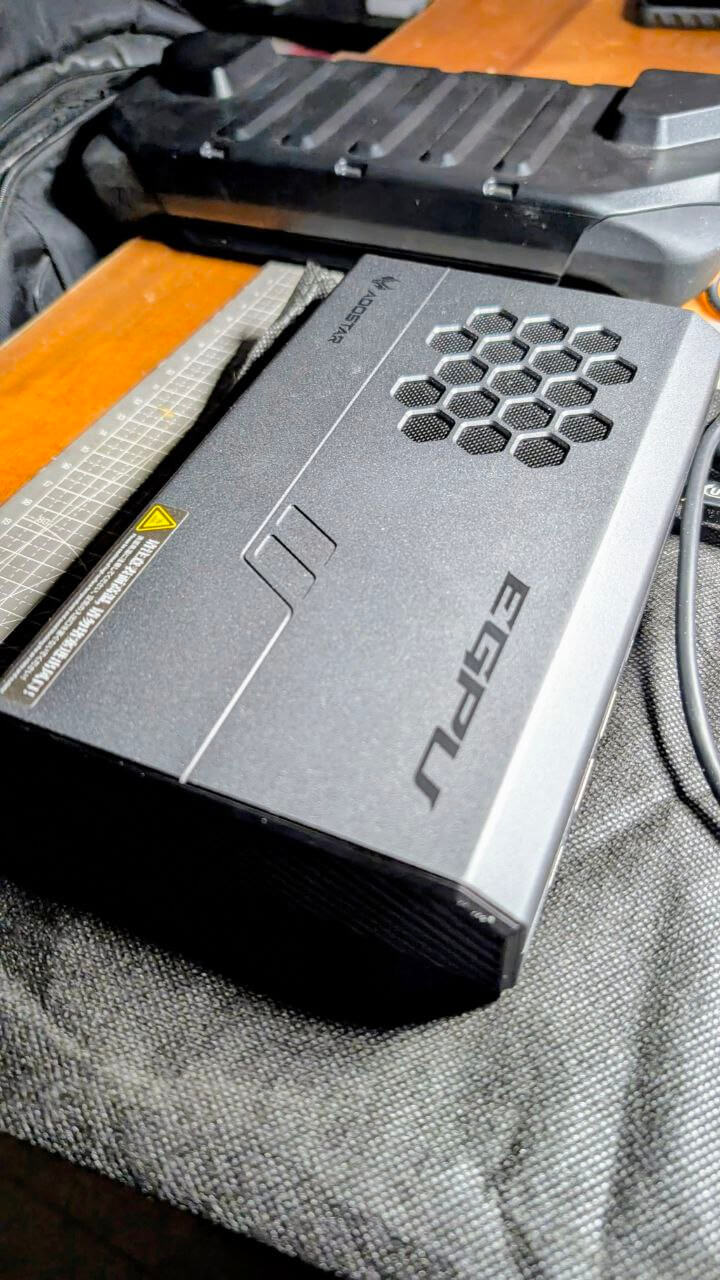
The included power supply is a 330W GaN unit. It looks like it’s meant to be portable, but… it’s not really that portable. A 330W GaN is still pretty huge, though much better than dragging around a big brick. And I have to say, just this power supply alone is worth over 400.
Next, some Linux testing. First, my environment and devices:
Laptop: ThinkPad T14P Gen 3 integrated graphics version U285H + 64G
OS: Fedora 43 64Bit Gnome (Wayland)
Port: Thunderbolt 4
Here’s a screenshot:
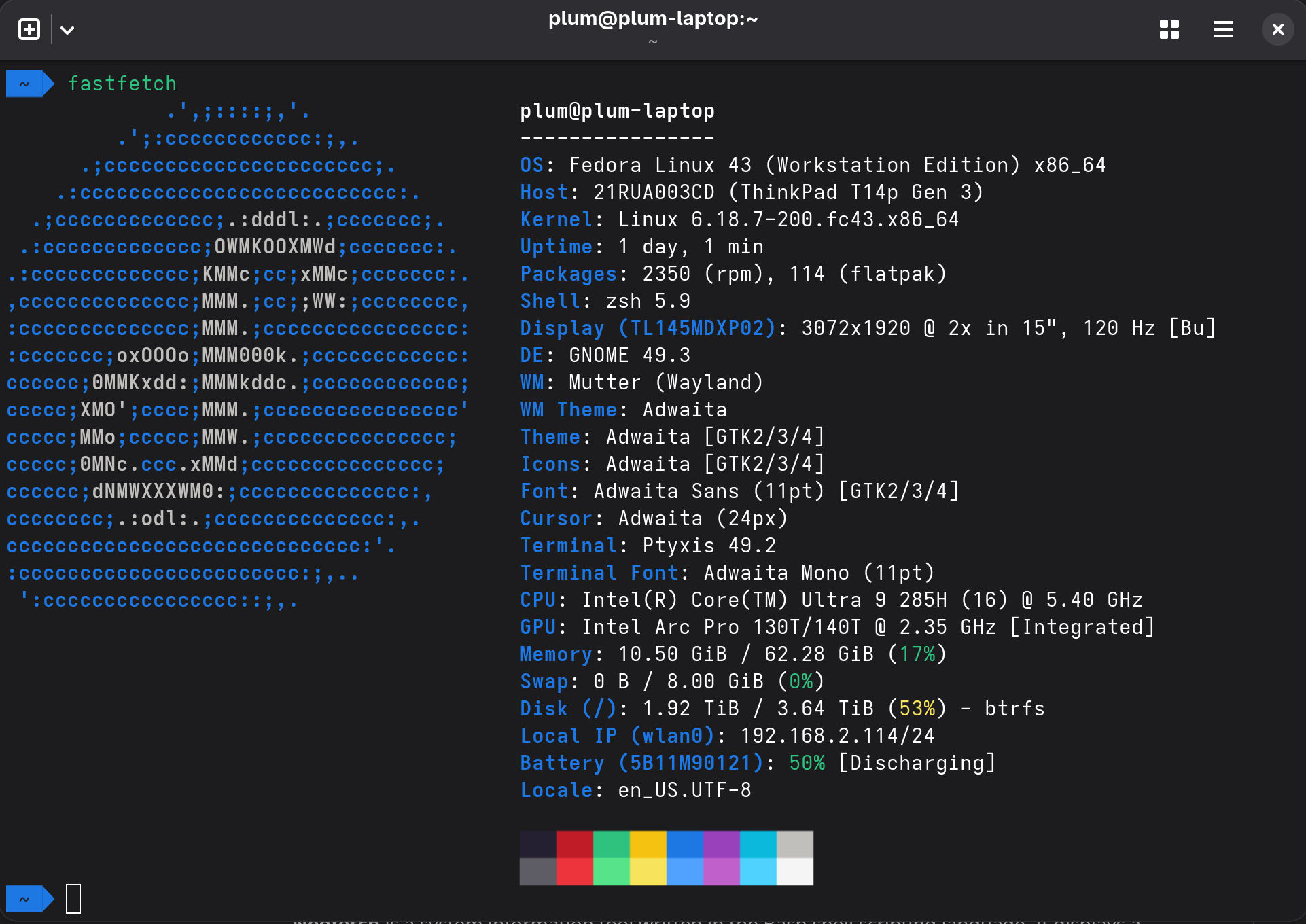
Before buying this eGPU dock, I was curious whether, in 2026, GNOME + Wayland could do true plug-and-play eGPU. Actually, it surprised me—my laptop supports hot-plugging this dock. Even with Steam running, if I plug it in and then start a game, it uses the discrete GPU first. Of course, you still can’t just yank the dock out while gaming, but hot-plug support alone already makes this far better than Windows.
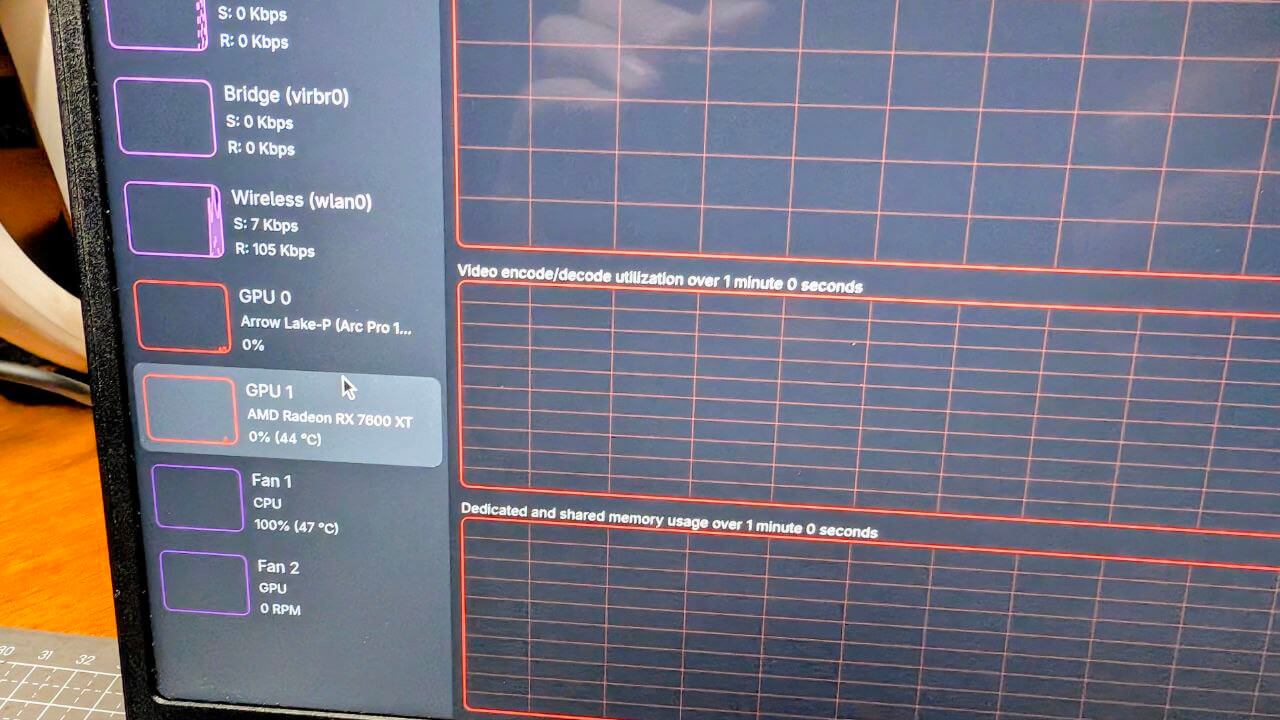
I also want to emphasize the advantage of choosing an AMD external GPU: no drivers needed on Linux. AMD works closely with the kernel devs, so you plug it in and the GPU is recognized, and gaming performance is actually decent. With an N card, you not only need to install drivers, but if you use Flatpak, you have to install the drivers again inside Flatpak. Absurd.
Running large models on this GPU is also supported. I still recommend Docker: download the container, map the display device, and any ROCm-specific LLM container works. The downside is this external GPU only has 8GB of VRAM, so probably only good for image generation and the like.
Finally, the external loss on this GPU. Because it’s Thunderbolt 4, the theoretical maximum bandwidth is 3.94 GB/s. Even if the GPU supports PCIe 4X4, in the end it’s roughly PCIe 3X4 performance. But if your device supports OCLink, there’s no bandwidth loss—though OCLink doesn’t support hot-plugging.
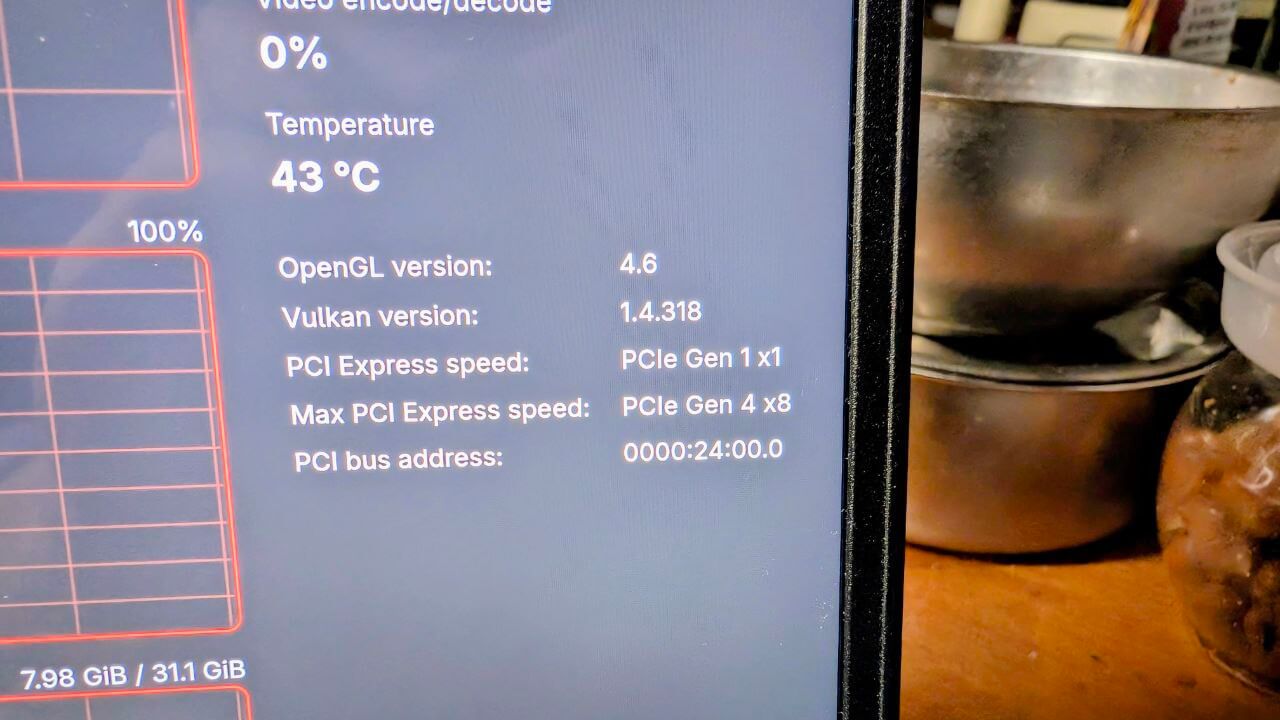
Also, I’m using this dock through the internal screen, which causes a second loss: data has to go to the GPU, then back to the screen, using bandwidth again and dropping performance further. Still, the improvement over the original integrated graphics is huge.
If you want to minimize performance loss on the internal screen, there’s only one direction: lower the game frame rate. Keeping it between 45FPS and 60FPS is best. You can do this by raising the graphics settings or by capping the frame rate (I recommend the former). The higher your frame rate, especially at 90FPS, the bigger the loss. Or use an external monitor like a portable display, which also solves the problem.
In my own testing, with a stable 60FPS target, performance is about equal to or even a bit better than a 4060, and the image can even look better than a 4060 since you’re capping frames. My goal is 1080P 60FPS, with FSR allowed, so this external GPU basically meets my needs.
This GPU also has OCLink, a complete external output, and full performance, so in the future I can pair it with a desktop that has OCLink and use it as a discrete GPU. It keeps future options open—you could even cobble together a DIY Steam Machine.
Final summary:
In 2026, with the latest kernel and Wayland+GNOME, Thunderbolt 4 external GPUs (AMD) on Linux can be plug-and-play.
As for Windows handheld support, that’s even less of an issue. Either way, my future gaming platform is covered. The next-gen eGPU dock seems to be the 9070, but Thunderbolt 5 isn’t widespread yet. Compared to the convenience of Thunderbolt 4, I don’t think that performance bump means much for an eGPU dock—it all gets lost anyway.
Comments are hosted on the Chinese main site. This mirror is read-only.