Impressions: ThinkPad T14P Gen3
Gains and Losses: Six Months with the ThinkPad T14p Gen 3
As a longtime ThinkPad user, I’d always stuck with the X1 Carbon series, and I’d always felt the Carbon deserved its flagship status. But as time went on and the nature of my work changed, my demands for performance kept climbing.
The thing is, the X1 Carbon is fundamentally a thin-and-light, so its performance ceiling is very limited — and, absurdly, the battery capacity isn’t great either. That eternal 57Wh (I hear they bumped it to 58Wh in 2026) means that aside from being light and thin, both battery life and performance are pretty mediocre. It just wasn’t meeting my needs anymore.
So after watching and waiting for nearly a year, I finally saw off the absurd MTL architecture and welcomed the TSMC-powered ARL-H. I picked up the ThinkPad T14p Gen 3 with integrated graphics — the so-called “China-exclusive pocket rocket” — in the U285H + 6400 high-frequency DDR5 64G memory configuration. I ran the numbers and buying the RAM myself would actually cost more than paying the upgrade premium, so I just went all the way.
I’ve been using the machine for nearly a year now. Feels like if I don’t say something soon, Panther Lake will be out. So let me just jot down some impressions here.
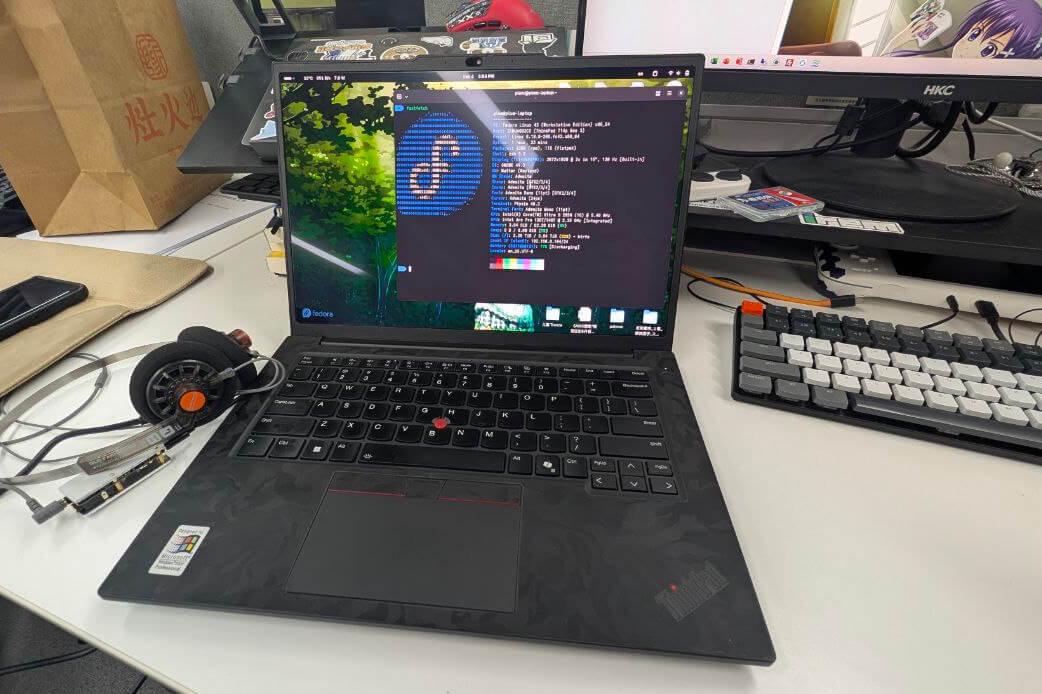
First off, the performance release really is a huge step up. The T14p isn’t chasing the extreme performance of high-end gaming laptops, but for someone who’s used X1 Carbons for years, it’s more than satisfying. You never know how astonishing it is to see a 55W TDP until it’s yours. Whether it’s running multiple VMs, containers, even large models, or some light gaming, this performance is enough to satisfy me. Meanwhile the standard 75Wh battery, combined with ARL-H’s efficiency, delivers extremely long runtime — I even cap charging at 80% most of the time, and the battery life is still plenty.
On the screen side, the 14.5-inch 3K panel at 200% scaling in GNOME Shell is extremely readable. No more of that awkward eye strain from the X1 Carbon’s absurd 4K screen even after scaling. Despite being a China-exclusive model, Linux support is fully in place, and key travel hasn’t noticeably shrunk — the feel even evokes old ThinkPads. At this point I really have to sigh: what the hell does the Yamato Lab in Japan know about ThinkPads? They should have let the ThinkBook team handle this long ago.
The machine even has two NVMe SSD slots. That feeling of excess leaves me kind of at a loss — I’ve only got one 4T Samsung SSD in there, and I don’t even use the stock 1T SSD, keeping it for a Windows dual-boot to update the BIOS.
All in all, in terms of functionality and performance release, this machine really gives me that “everything I wanted is here” satisfaction — and it’s even cheaper than the X1 Carbon. I bought it in the first half of 2025 with the national subsidy, so just over 9000 yuan was enough. Completely unimaginable.
Next, the machine’s shortcomings. You might be wondering: can such an awesome machine with no weak spots really have shortcomings? Yes, and it was through using this machine that I discovered the X1 Carbon — which I’d always considered an IQ tax — actually has its merits.
First, the T14p Gen 3’s materials look premium: the A and D covers are magnesium-aluminum alloy, while B and C are plastic — supposedly PPS, not sure if there’s glass fiber. The X1 Carbon has always had carbon fiber in its shell, but I’d always felt it was essentially plastic; real carbon fiber would never be used on a laptop.
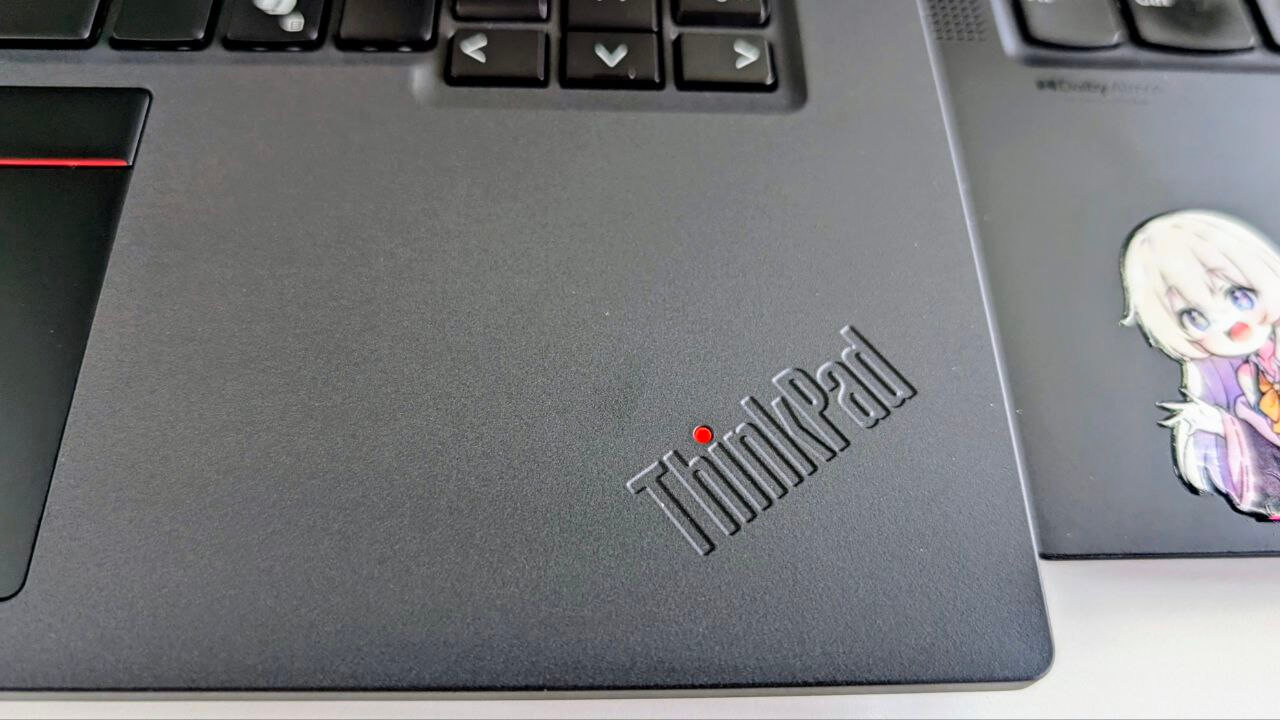
That got slapped down quickly. Not long after I got the machine, it fell off a dining table corner-first while inside a sleeve. At first I didn’t care — I’d dropped my X1 Carbons plenty of times, sometimes without even a sleeve, and the corners were fine, with no visible marks unless you looked closely…
Then the T14p Gen 3 took one fall and the corner shattered.
Yes, shattered. The plastic at the corner broke off, the metal screen housing on the A cover warped, and the whole machine wouldn’t close flat anymore.
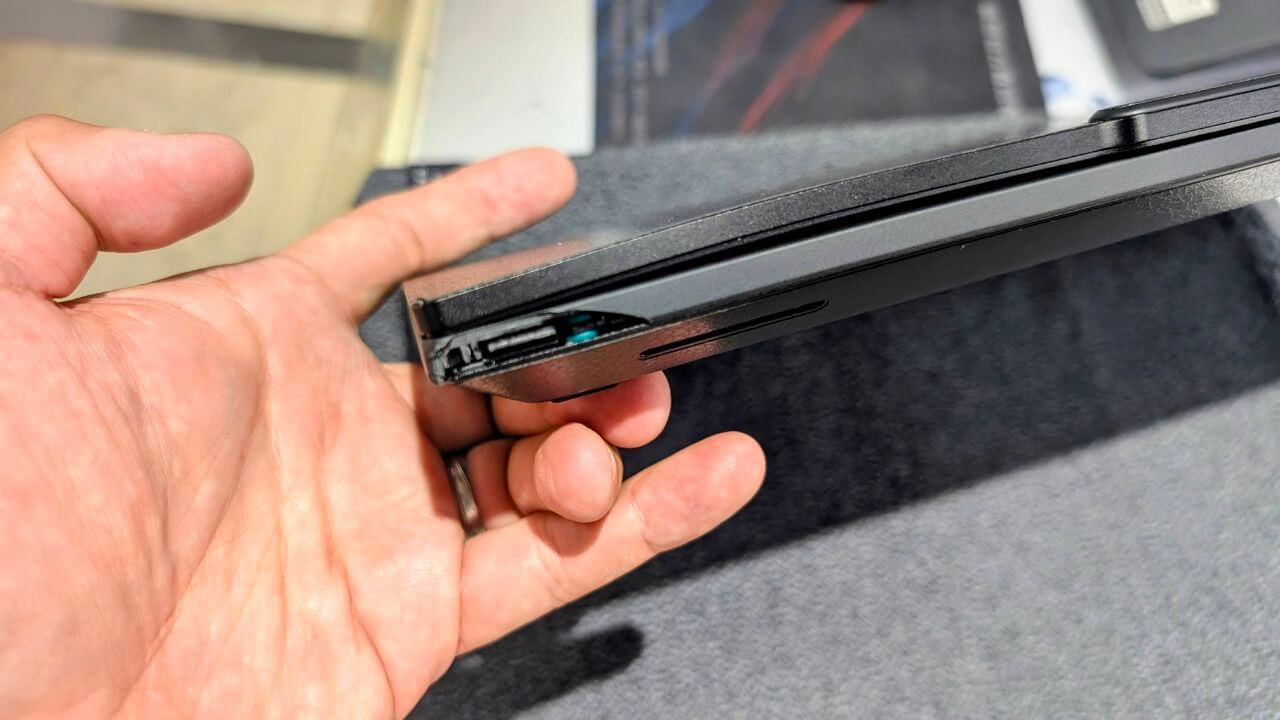
That’s when I realized a few things. First, the T14p Gen 3 is crammed with so much stuff that it’s heavy — a full 1.5 kg — and the so-called metal covers on A and D aren’t as friendly as they look. Metal seems sturdy, but one drop and it’s permanently deformed. And the PPS plastic B cover simply isn’t strong enough for that much weight, so cracking on impact is only natural.
So from this angle, the X1 Carbon’s carbon fiber shell isn’t useless after all — it’s genuinely durable in some ways. At least after several drops, no deformation, no obvious damage, just some small dings and scratches. And the T14p Gen 3’s cheap price comes at a cost: no glass fiber, replaced by PPS plastic.
Also, while the T14p Gen 3’s screen panel supports VRR, it loses HDR. Fortunately HDR use cases are rare right now — my most common one is on the SteamDeck OLED — so this feature loss isn’t a big deal for me. Of course, the cheap price doesn’t just mean cheaper materials; build quality and many other aspects have been cut, including but not limited to:
No standard accidental damage protection (you can buy it yourself, probably cheaper on eBay)
The D cover tends to snap its clips during assembly, causing the machine to sit crooked when laid flat
The PPS plastic shell isn’t strong enough — the so-called matte anti-sweat design quickly wears and gets shiny
Because the machine is heavy and the chassis material isn’t sturdy enough, the left side of the keyboard bulges slightly (the second SSD bay inside presses it up), and the C cover plastic gets marked by the lid closing
If all the above “crooked” tolerances are present, the classic keyboard imprints on the display will still appear
The touchpad is still Mylar — looks like glass, actually plastic, and the coating peels off before long
These issues have been complained about before — see this Quora post, which even directly calls out certain well-known TP shills — and who should answer but that idiot Lawrence, the weathervane who jumps on whatever’s trending (I blocked him ages ago and he’s still annoying).
Some say this China-exclusive T14p, descended from the former Neo 14, is essentially an E series with the internal codename E14 Pro. I somewhat believe it, but the performance is good, the expansion is maxed out, and the price is low. You gain some, you lose some — can’t have everything.
I’d love to buy a “true high-end pocket rocket T14 Pro,” but Lenovo doesn’t make one. The damn Yamato Lab is still designing all sorts of crap, so what can I do.
So if you asked me to choose now, I still wouldn’t pick the X1 Carbon — but I’d be less critical of ThinkPad’s high-end series (the X1C and the much-maligned X9). High-end products really do use more premium materials; they’re not purely an IQ tax. For people who don’t demand much performance and just want something portable, high-end products may have some shortcomings, but overall they’re better, whether in accidental damage protection or materials.
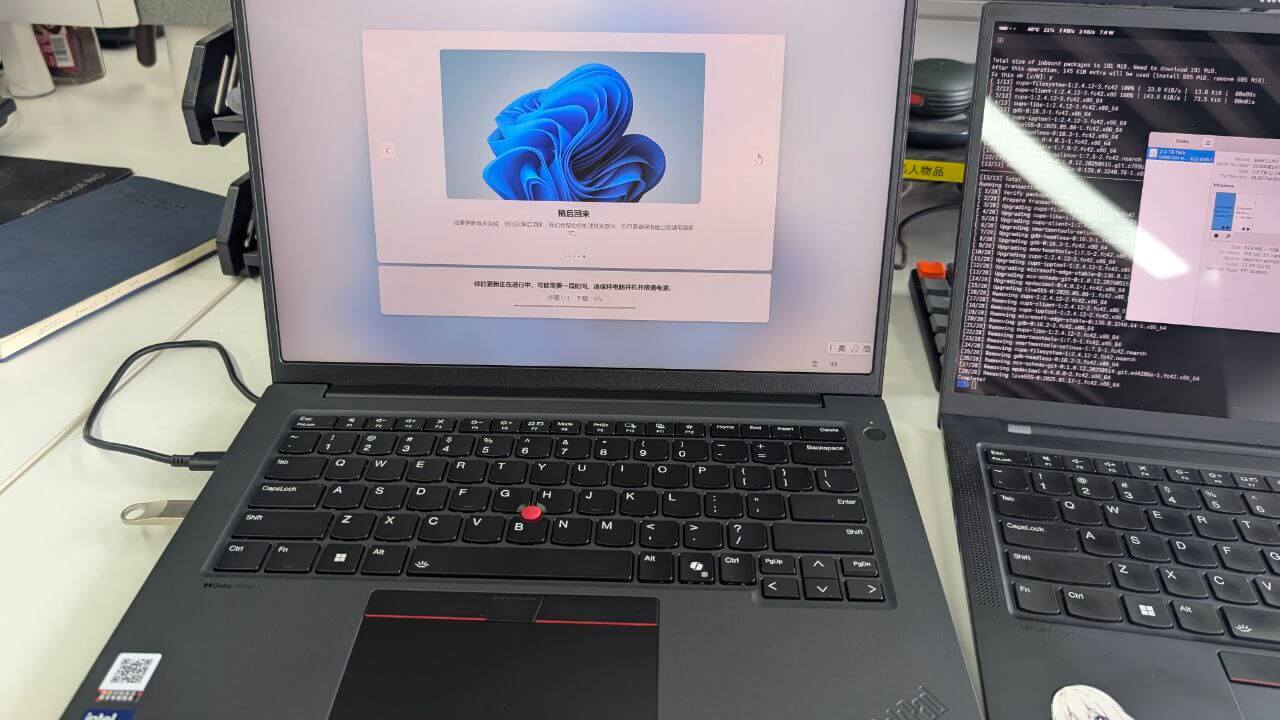
As for the problems above, there are solutions. I went with the following:
Opened up the machine, realigned the screen hinge, the D cover wedge, and adjusted various screws. After that, everything basically fits flush.
The A cover metal is too soft to avoid dents, but you can put a sticker on it and they disappear.
Same for the C cover — sticker it and wear is gone.
There’s actually a touchpad protector on eBay. The absurd part is it also has a coating, exactly like the original. Apply it and you can’t tell, but when it wears out you can replace it losslessly.
Accidental damage protection can be bought on eBay. I still recommend that for any Lenovo laptop, if it doesn’t come with ADP, buy it on eBay right after you get it, high-end or not. It really is worth it.
Because the machine is heavy and drops still cause obvious damage, I bought a sturdier leather sleeve to use with a backpack (with the X1 Carbon I used to just toss it bare into a shoulder bag).
Overall I’m fairly satisfied with the machine for now — at least the performance is good. Intel has now released Panther Lake, and it looks like CPU efficiency gains are modest, mostly GPU improvements. But I already have a Thunderbolt 4 eGPU, and even after the performance loss, gaming beats the pants off whatever B390 can do. Even if a PTL-upgraded T14p comes out this year, given Intel’s memory frequency requirements, it likely won’t have replaceable RAM — while mine can be upgraded to 128G, not to mention the keyboard, shell, and battery are all easy to replace with parts you buy yourself.
And most importantly, when I bought this machine it came standard with two 32G Micron high-frequency DDR5 sticks. Compared to the old 32G low-frequency version, the price difference was only 900 yuan. Then I looked at RAM prices and had a good laugh.
Comments are hosted on the Chinese main site. This mirror is read-only.