Living with H3C MegaBook
Impressions: H3C MegaBook
Getting my hands on this machine was a bit of a fluke. I’d been messing around with running LLMs on Intel hardware, using the Xe Linux graphics driver, and every time I filed a bug with Intel I got the same sneering response: “The Xe driver is for LNL and BMG. We don’t care about your ARL integrated graphics.”
Truth is, plenty of Xe driver bugs have nothing to do with LNL or BMG—they’re just bugs. And cards from the Arc 140T / A770 era benefit hugely from the Xe driver too; the performance gains are real, and using them makes far more sense than clinging to TGL-era stuff. Getting unceremoniously dumped by Intel pissed me off, so I vented:
“Should I buy a Lunar Lake laptop just so I can complain about Intel?”
And then this Lunar Lake device showed up for testing. Special thanks to Cat Dad—here’s his blog, packed with good stuff, go check it out.
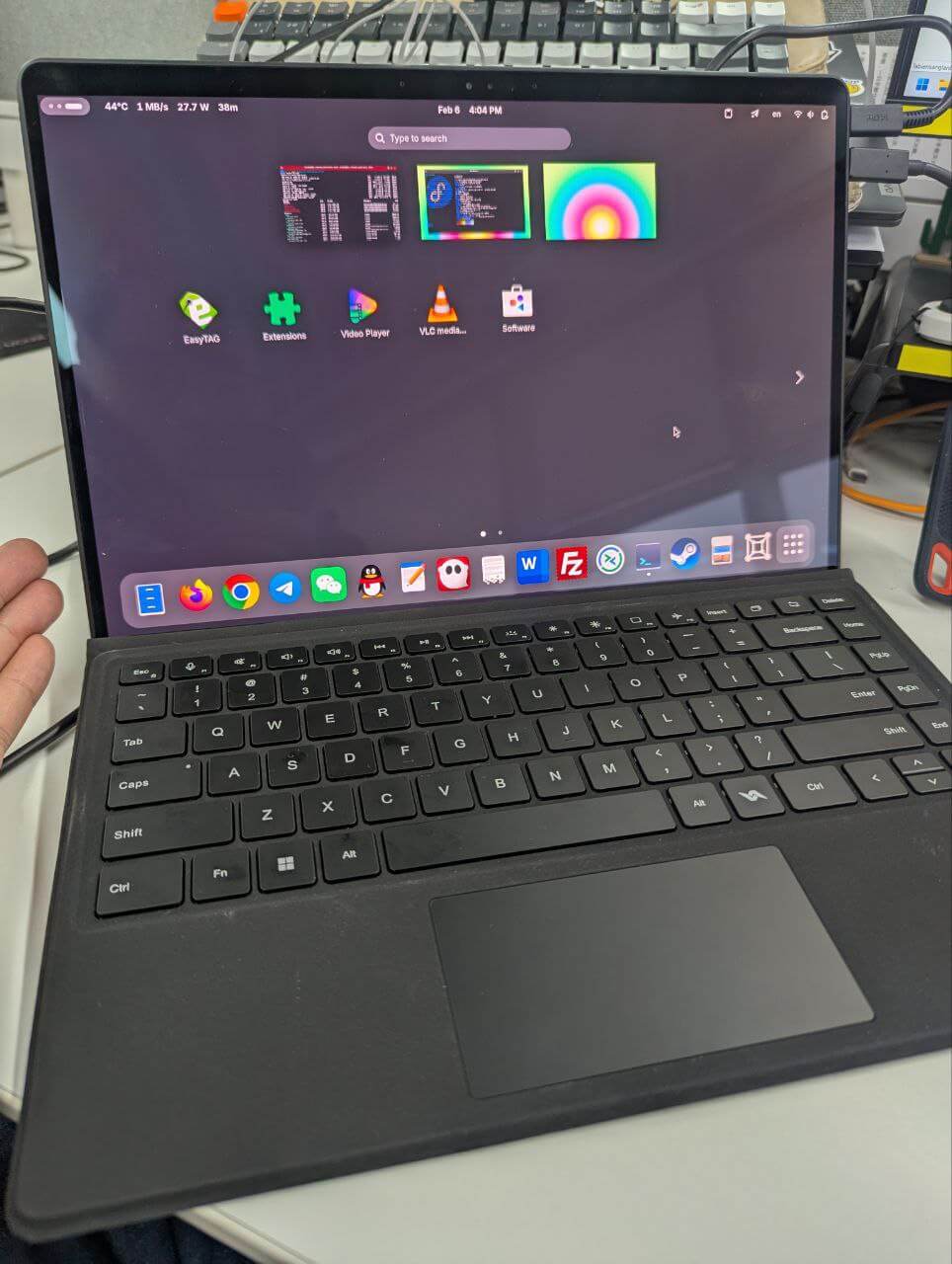
What I got is the H3C MegaBook, the “cheapest Lunar Lake 2-in-1 laptop” that was all the rage a while back, from New H3C. Unlike the Bilibili grade-schoolers who are shocked that H3C makes laptops, I’ve actually been using an H3C laptop for over a year. Work issued it to me, billed as the “highest performance” laptop they could get. Turned out to be an H3C Book Pro 14 with an Intel i7 1370P space heater, 32GB DDR5, integrated graphics, and a mediocre 1080p low-refresh screen. All-metal body felt nice, everything else was thoroughly ordinary. Officially it claimed to support domestic Linux, but most components had no Linux drivers. It quickly got demoted to a PowerPoint player (though in hindsight the RAM is probably the most valuable part now).
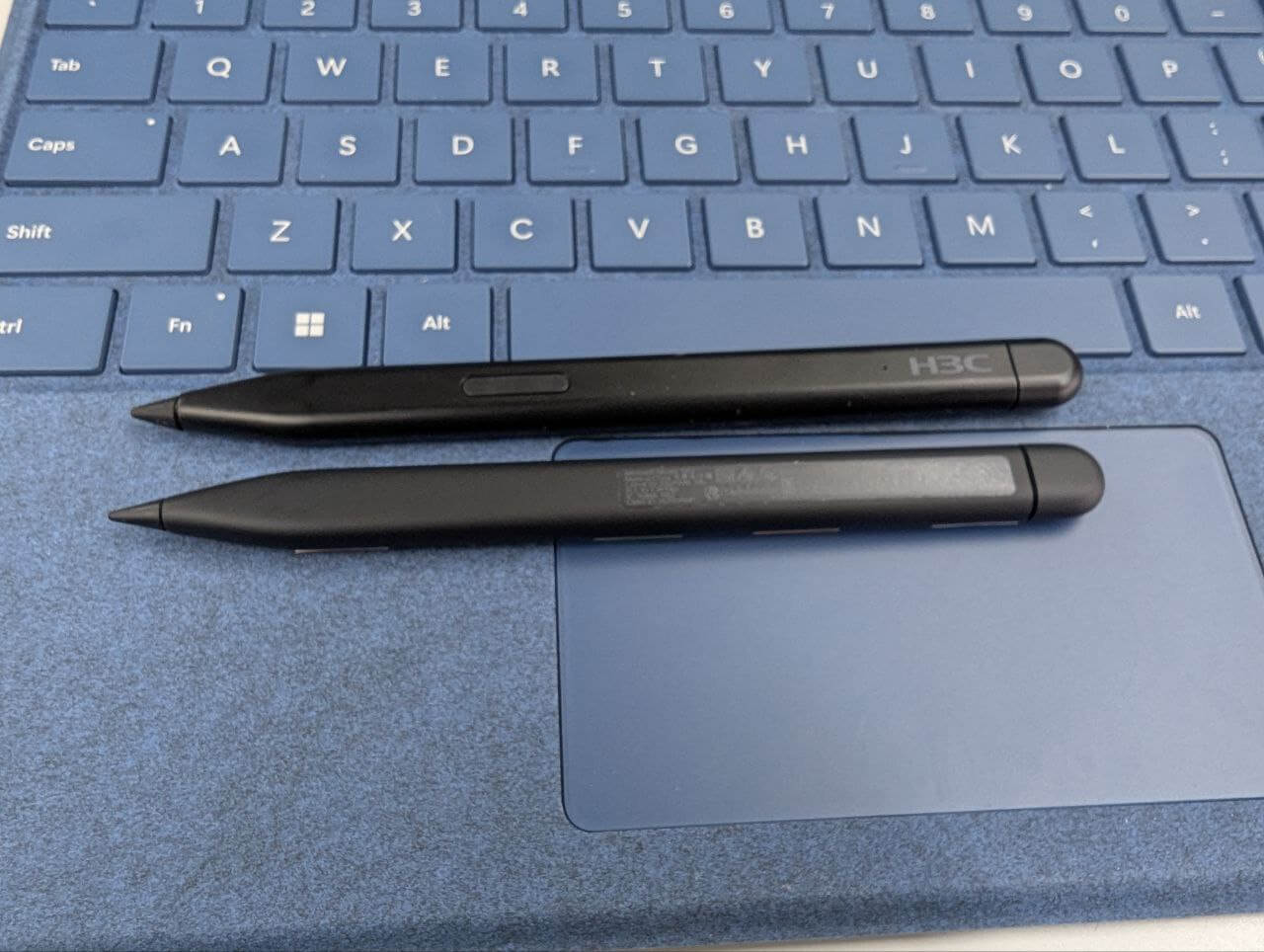
The H3C MegaBook’s build quality looks considerably better than that H3C Book Pro 14. Sure, the whole thing plus keyboard is alarmingly heavy, but it’s a 14-inch 2-in-1—you can’t expect it to be featherweight. The keyboard design is a high-effort “homage” to the Surface Pro series; even the stylus looks similar. The machine has two USB-C ports, presumably Thunderbolt 4, no 3.5mm headphone jack, and that’s it for ports. The keyboard connects via pogo pins and supports two-stage magnetic attachment.
I looked up pricing. With the national subsidy it supposedly dropped to around 4,500 RMB. Mine is the 32GB version, probably in the 6,000–7,000 range, and that includes the keyboard and pen. The comparable Surface Pro (Snapdragon) costs more before you even add a pen, and the Lunar Lake Surface Pro is astronomically priced. So it’s excellent value—that’s exactly why it got so popular.
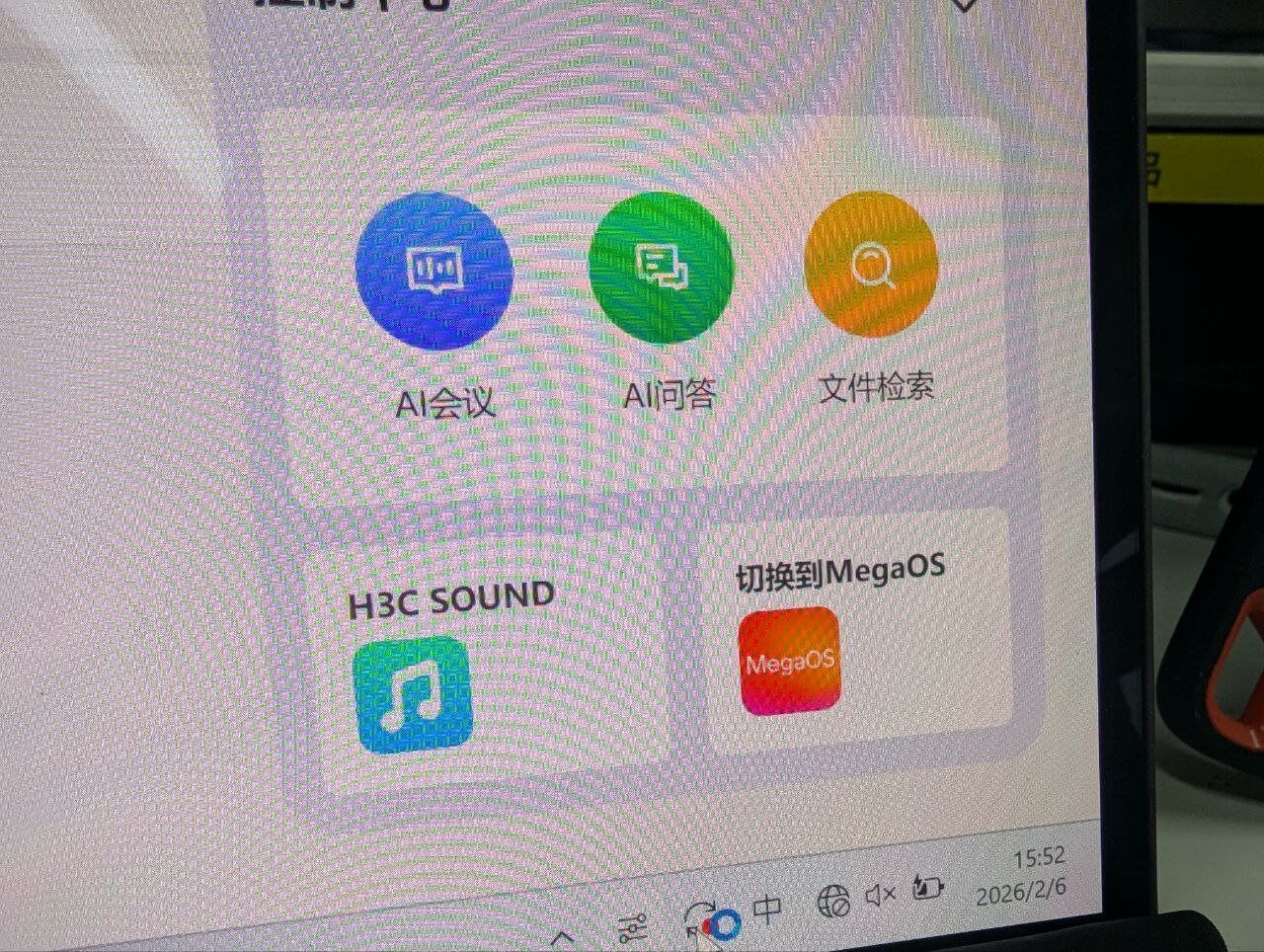
The tablet is also a “dual-system” device: besides the built-in Win11, there’s an Android system you can switch to via the bundled software. So if Windows touch feels too abstract, Android has your back.
So think about it: a 14-inch high-res high-refresh 2-in-1, with the processor that was billed as “the savior of x86 power efficiency, perfect for mobile devices, can go toe-to-toe with Apple’s M4”—Lunar Lake. Stylus support, detachable keyboard, Thunderbolt expandability, dual systems, and dirt cheap with the keyboard. Doesn’t that perfectly hit the Bilibili grade-schoolers’ “I want everything” pain point? Isn’t this the legendary perfect choice that beats all the IQ-tax products?
Of course, everything has a price, and many perfect fantasies shatter once the actual unit arrives. Conveniently, I happen to have a direct competitor on hand: a Surface Pro 11 base model—the LCD Snapdragon X Plus 64100 + 16GB one. Good for comparison, and a good way to directly roast the MegaBook’s many hard-to-swallow flaws:
First, the screen’s grid touch layer, the infamous “screendoor screen.” At first I figured it wouldn’t be that noticeable, just don’t look at it. But once I got it, on white backgrounds it’s really hard to ignore. Compared to the clean,通透 look of your phone or tablet, that white screendoor effect makes the screen feel lower-res than it is. Yes, this excellent OLED panel has good color accuracy, super-high resolution, and high refresh, but the screendoor screen does a great job of canceling those advantages and making it feel like a cheap panel. I know this is unavoidable for touch-enabled OLED due to cost constraints—even expensive Microsoft did the same; the Surface Pro 11’s premium OLED screen is also a screendoor screen…
But… the Surface Pro 11 I’m comparing is the base model, it’s LCD, it doesn’t have this problem (lol). For most normal people this probably doesn’t matter—it’s already so cheap, and you’re not always staring at pure white pages. But for the nitpicky Bilibili grade-schoolers it might be unacceptable; consider carefully.
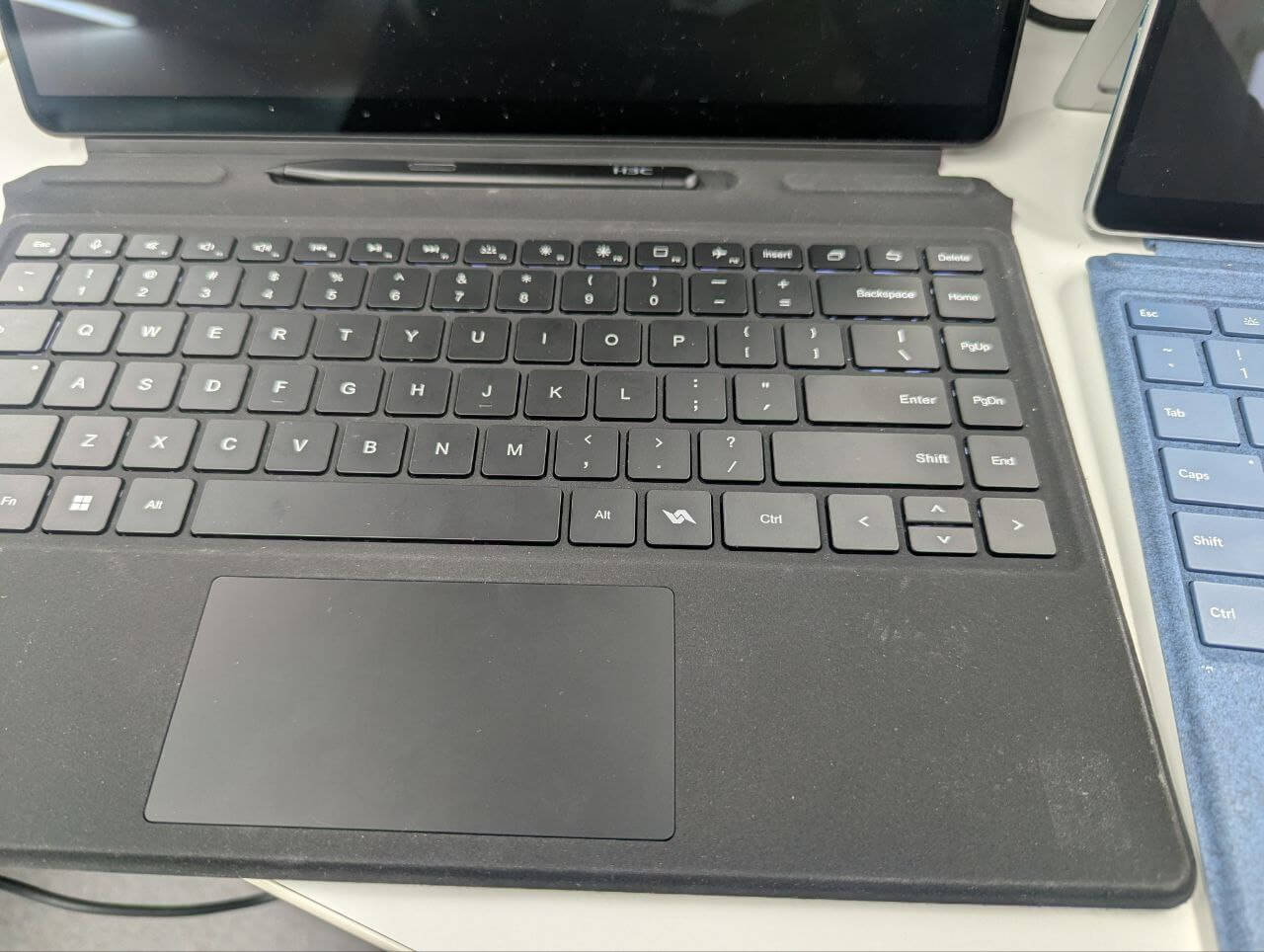
Next is the keyboard. It looks like a new Surface Pro-inspired design, supports two-stage magnetic attachment, seems to have everything, but using it is a real ordeal. First, in the two-stage magnetic position the keyboard wobbles noticeably. Comparing with Surface, it’s a double whammy of pure material and design deficiencies—basically unusable in the two-stage position, you have to lay it flat. Then there’s the stylus. I hardly used it, but its magnetic grip is clearly weaker than Surface’s—the kind that falls off easily. The Surface’s flat stylus, if you place it the wrong way, gets flipped around and snapped back by the strong magnet; this one can’t do that. The keyboard layout is the standard Shenzhen OEM “extra column on the right” layout. If you’re used to traditional laptop layouts, you’ll mistype easily. Key travel and rebound are mediocre…
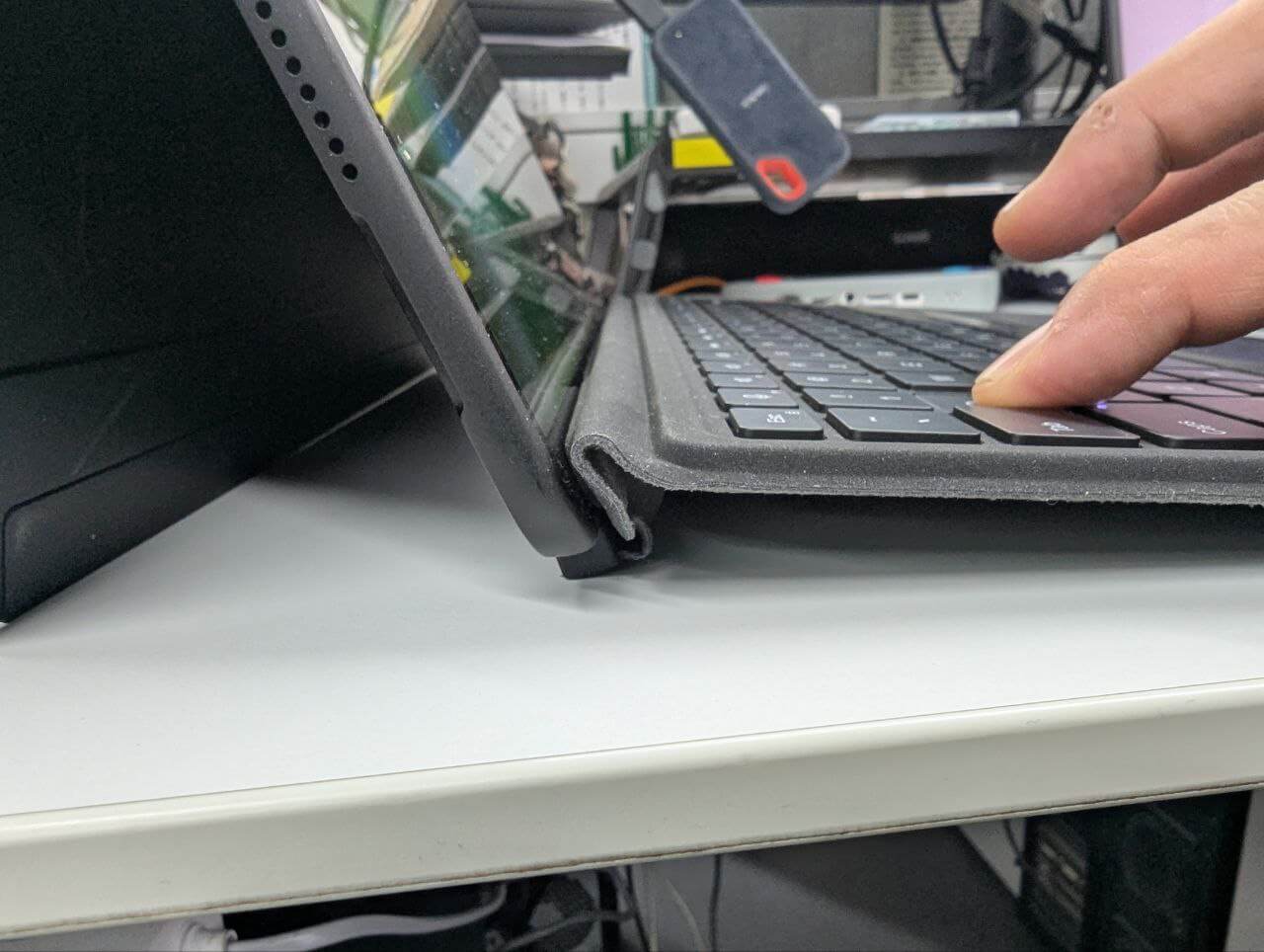
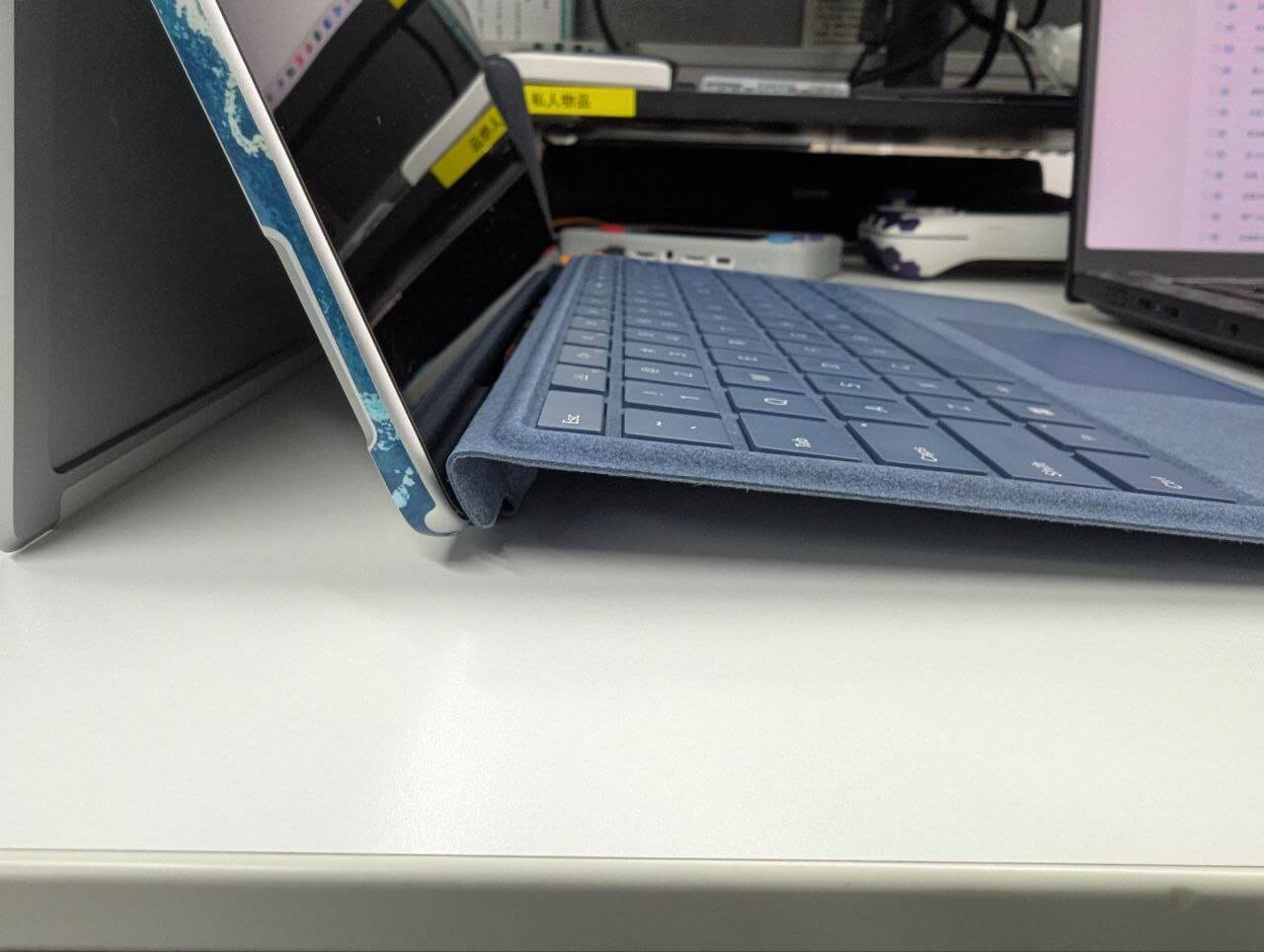
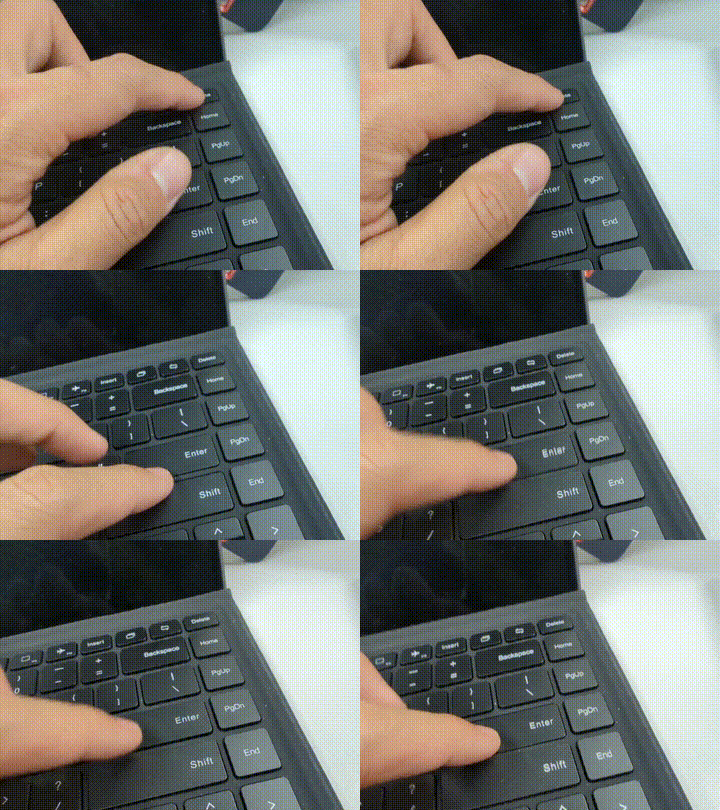
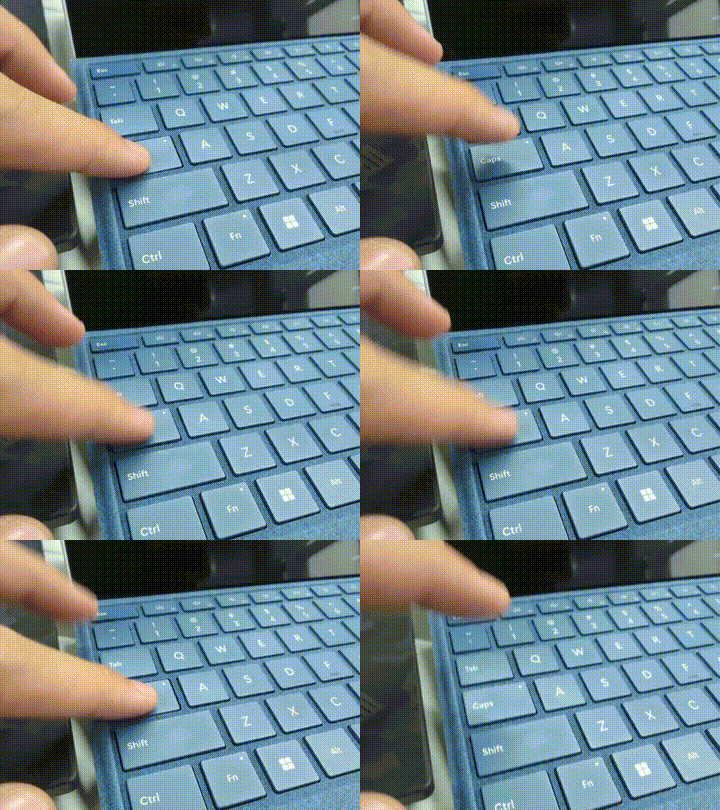
In short, this seemingly perfect 2-in-1 delivers a “looks good, useless in practice” experience. During testing I couldn’t stand the keyboard and switched to an external Bluetooth one.
Since the 2-in-1 dream is dead, how about the machine’s biggest selling point, Lunar Lake?
Considering both Windows and Linux, first off, light-use power draw is indeed very low. Even with a bunch of browser tabs, chat apps, and video playing, total system power stays around 5W. That’s the craziest part. With the 50Wh battery, 10 hours of light-to-moderate use is no problem; lower brightness and lighter load can stretch it further. But in real use, battery life doesn’t feel that great. Do anything heavier and total system power jumps to 13W or more, and runtime becomes just soso—no different from a traditional 4–5 hours. Of course many will say LNL’s low-power performance is excellent, the legendary “performance per watt”…
But this machine is fanless, pure passive cooling, which directly limits performance. I never saw total system power exceed 20W on this thing; it looks capped at 15W, and under sustained load the TDP holds around 12W. Whether gaming, running VMs, or even LLMs, you’re throttled by overheating. Even with a decent iGPU, LNL has nowhere to shine at low power. And although it’s LNL, the CPU is an Ultra 5 228V, not the 258V used in handhelds—it’s a low-power part, so don’t expect much performance.
So now it’s… awkward. Can’t do high performance, low load is 5W, but processors like the N200 aren’t far off at low load either. So the biggest selling-point chip is itself hamstrung.
Even funnier, the tablet’s power-use experience is about the same as the Surface Pro 11, or even far worse. Qualcomm’s CPU running Windows is abstract, and high loads draw plenty of power, but standby power is genuinely low. I often hit standby, come back half a month later, and there’s still lots of battery. The MegaBook’s biggest advantage over the Surface Pro 11 is just x86 software compatibility.
Oh right, many people mention the Android mode. First, you have to enter it through software under Windows. Then the Android system is also x86. Using x86 Android is like using Arm Windows—compatibility is a big problem… And the x86 Android software ecosystem is far worse than WinArm: one is getting better, the other is ignored. If some special app isn’t packaged for your architecture, you might have no software at all, and there’s no compatibility layer to save you.
Worth noting, the MegaBook has four large speakers, claimed to support stereo, but the experience watching video… let’s just say Microsoft Surface Pro’s heritage still stands. The speaker count is there, but volume and sound quality aren’t. No idea which supplier’s speakers these are.
Looking at this LNL’s abstract performance, I wasn’t ready to give up. I ran some game comparisons to see if this x86 LNL couldn’t even beat the abstract Qualcomm. Results were a bit… meh. Too lazy to post scores, roughly like this:
Low-demand games: MegaBook runs, Surface Pro 11 runs.
Games with ARM support: MegaBook runs, Surface Pro 11 runs, Surface Pro 11 performs better.
Games with poor ARM support: MegaBook runs, Surface Pro 11 runs, Surface Pro 11 has obvious screen tearing and texture errors while MegaBook doesn’t, but even so Surface Pro 11 is still smoother than MegaBook.
Games with no ARM support: MegaBook runs, Surface Pro 11 can’t. MegaBook finally wins.
So there’s not much to say—passive cooling ruins everything.
That covers the Windows side. Back to the main topic: Linux and the Xe driver.
Installing Linux on the MegaBook isn’t hard. Not wanting to break the built-in dual-system setup, I installed to a SanDisk USB SSD. Disk read/write was fine, installation was fine, booting was fine—Fedora 43 went on easily.
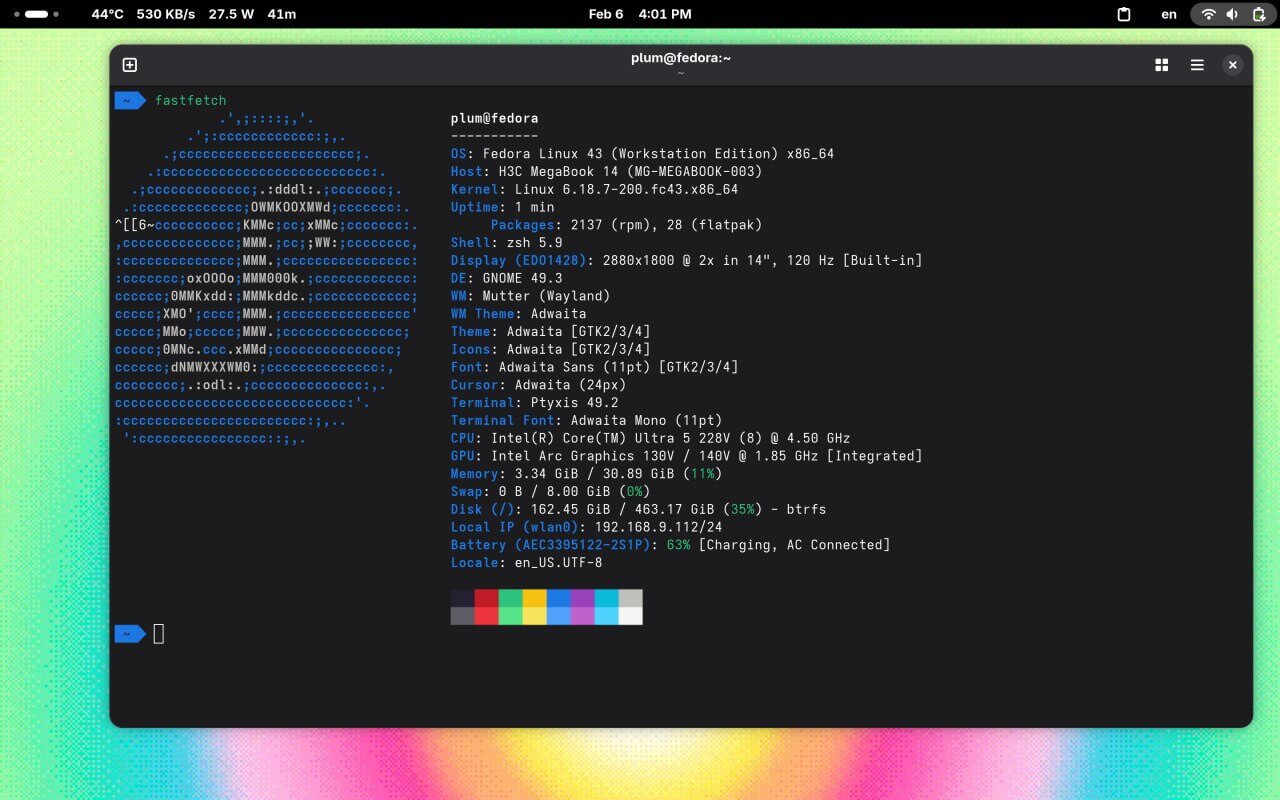
Most drivers were recognized out of the box. Only the keyboard backlight shortcut and light/gravity sensors weren’t natively recognized by Gnome; everything else was OK. I also recommend upgrading the kernel to the latest, which at least fixes the notorious Lunar Lake 400MHz lock bug. And under Linux the device actually recognized all four speakers natively, with surround sound available—an option I’d honestly never seen before. If only those four speakers didn’t sound so bad.
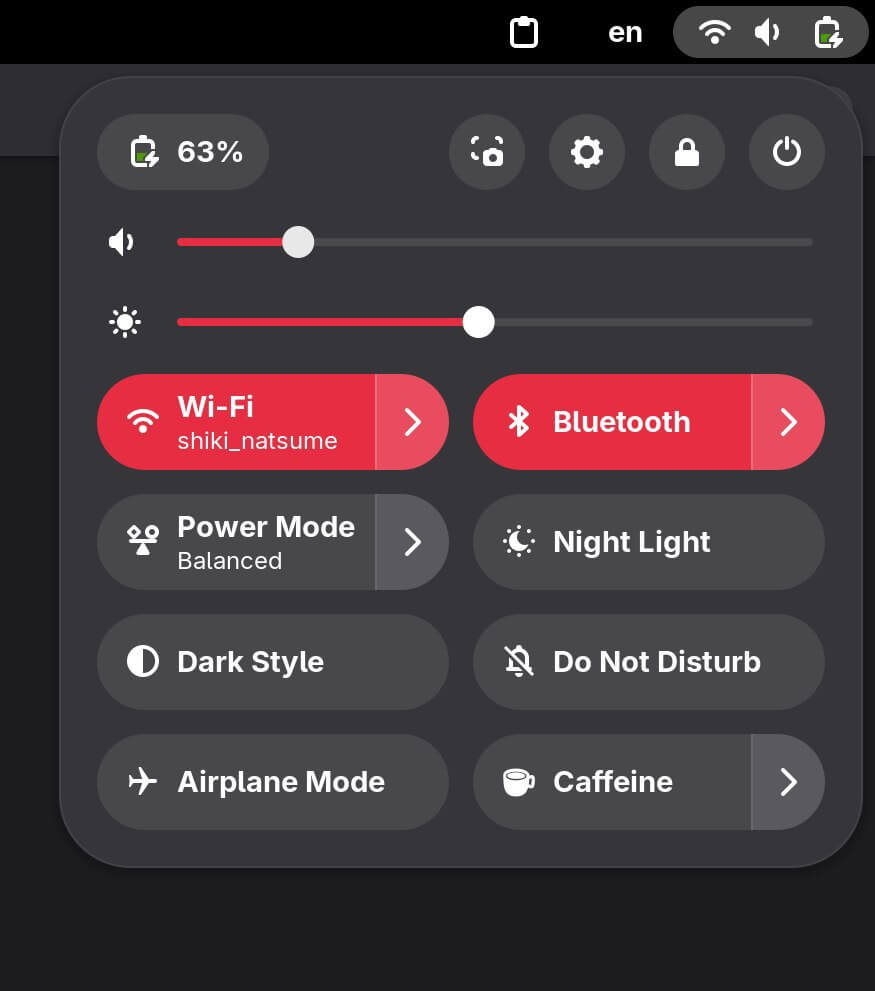
As expected, LNL uses the Xe driver by default under Linux. As a fellow Xe user—but with an Arc 140T—the Xe driver issues I’ve hit are mainly two:
- LLMs won’t run under 6.18.
- Running some Capcom RE Engine games via Proton (e.g., Street Fighter 6, Resident Evil 4) causes severe texture errors.
The first was fixed by Intel starting with 6.18.7. For the second, I tested launching Steam with Mesa-Git, and rendering was completely normal.
So it seems Xe driver bugs are indeed fewer on LNL and later platforms. The tragedy is that if you have an A770 and want to game on Linux, you’ll have to live with those texture errors.
Honestly I don’t know if this is something Mesa can fix, Proton can fix, or Intel’s own Xe driver. Intel at least won’t admit fault, and from their testing they have reason not to care—their main LNL and BMG platforms are fine. For old users (A770 generation), to game smoothly on Linux and avoid compatibility issues, you face a tough choice: Xe driver for performance but lose some compatibility, or i915 for compatibility but lose performance.
From observation, Arc 140T and A770-type Intel cards show texture errors when:
- Using the Xe kernel GPU driver
- The game forces DX12; DX11 is fine. For example, Resident Evil 4 Remake lets you choose DX11 or DX12; Street Fighter 6 has no choice but DX11.
So I suspect Mesa is partly involved—other games are fine, and future fixes are possible.
I tried running LLMs in the MegaBook’s Linux environment, but with only 32GB RAM, options are limited. 30B is a stretch, 7B is boring; mostly good for image generation. Power draw under Linux is about the same as Windows: light loads are fine as always, heavy loads get throttled and become a crutch.
One Linux issue I found—not sure if it’s related to the system being on an external drive—plugging in certain PD chargers makes the machine go black and never wake up, completely dead. Logs showed nothing meaningful.
In short, after some time with it, I found this so-called “most cost-effective, no-compromise H3C MegaBook” is actually a deeply abstract device to use:
It has a good screen, but the screendoor effect ruins the viewing experience.
It has four speakers, but the sound quality is poor.
It has a detachable 2-in-1 keyboard, but the typing feel is bad, it’s unstable, and the stylus falls off.
It has dual systems, but x86 Android itself is no good.
It has Lunar Lake, but no active cooling, so the whole thing is locked to around 12W TDP—crippled.
This reminds me of the recent Minisforum V3, a failure many criticized as “making products by listening to users”—also a classic of wanting everything. I’d say this MegaBook is worse than the V3 tablet; at least that one actually releases performance.
Even the Bilibili grade-schoolers’ favorite “cheap price” isn’t an advantage. My Surface Pro 11 base model was bought during last year’s 618 with the national subsidy: 5,000 for the machine, 500 for a new keyboard off Taobao, so about the same as this thing, and the Surface Pro 11 lets you expand storage yourself.
More importantly, aside from Win ARM’s compatibility gaps, the Surface Pro 11 can at least be used normally when there are no compatibility issues (avoid special software), and can even do work well. The MegaBook is a bit of a joke—I have to use an external keyboard just to type, and I wouldn’t use it as a tablet either. I don’t know what its real purpose is.
Unless you really need a Lunar Lake device, don’t want to spend much, or your budget is around 5,000 and you absolutely can’t stand WinARM compatibility, I don’t think you need to choose it.
I’d even rather pick the Minisforum V3/SE; at least it has performance release as a strength, while this has nothing. Just like those Bilibili videos complaining about this device: “I bought it with my own money, but I wouldn’t recommend it to you.”
Comments are hosted on the Chinese main site. This mirror is read-only.