Manually Upgrading Kobo Aura HD Firmware
Kobo Aura HD is a pretty ahead-of-its-time E Ink reader.
“Ahead of its time” because its specs used to be cutting-edge, and now it doesn’t have much of an edge left. Still, if you like ePub or just like tinkering, this thing is more fun than a Kindle.
Back in the day, Kobo Aura HD firmware updates could be done over Wi-Fi. These days… not happening.
Why? Because it needs a VPN, you know how it is.
So thank goodness that when the world builds a wall around us, it doesn’t forget to give us some breathing room. Try the manual update method…
Theoretically this works for all Kobo models. Download the firmware here:
http://www.mobileread.com/forums/showthread.php?t=185660
It downloads as an archive, and we only need one file from it.
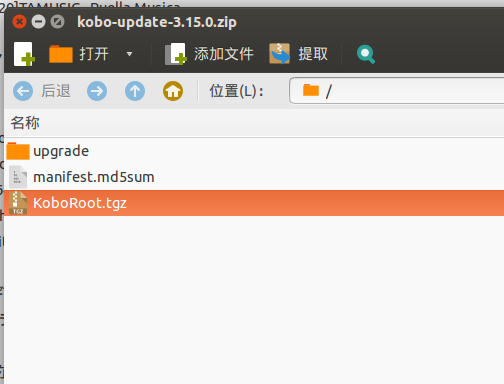
Yep, KoboRoot.tgz. Connect the Kobo to your computer, wait for it to show up as storage, then copy this file into the .kobo directory. That directory is hidden on *nix systems, so remember to unhide it.
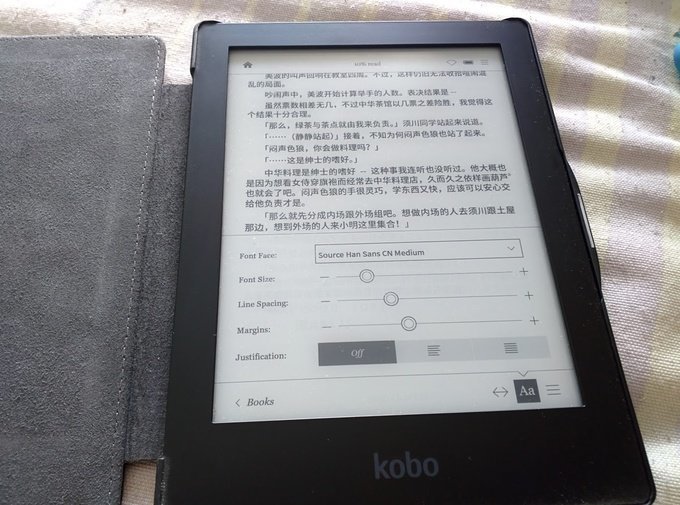
Once it’s copied, unplug the cable and it’ll update automatically. Your existing fonts won’t be lost, but if you’ve hacked the menu font you’ll have to redo it.
Comments are hosted on the Chinese main site. This mirror is read-only.