Elegant Face Unlock on Linux with Gaze
If you’ve used Windows, especially on a Surface, you probably remember that built-in face unlock fondly. Later it got even better on ThinkPads — the screen only lights up when you’re sitting in front of it, and the laptop locks itself once you walk away…
So what about the Linux world? Is there anything that pulls off the same trick?
Just like the endless supply of excellent yuri fanfic out there, Linux has similar solutions. The old standby was a project called Howdy. It used a fairly traditional IR-based recognition method, essentially requiring an IR camera, and the whole thing was written on top of Python. Old, slow, and you’d frequently crack open the lid and then sit there waiting several seconds for it to react. I did actually run it back in the day on a 5th-gen ThinkPad X1 Carbon. Barely usable is the best I can say — so bad I couldn’t even be bothered to write about it.
Times change, though. There’s a new solution now: Gaze, which is what I want to talk about here.
Unlike the aging Howdy, Gaze is written in Rust and uses a dedicated vision model for recognition, so the performance jump is on another level entirely.
Installation is covered in detail in the official docs, though I’d still recommend the official one-line command.
https://gaze.gundulabs.com/guide/getting-started.html
Gaze integrates tightly with the system, embedding itself deeply through systemd services — and the GNOME Shell integration is even better, with a dedicated extension. The camera doesn’t strictly have to be IR either. A regular one works, it’s just less secure. You can also grab a 50-yuan camera off Pinduoduo and stick it on your monitor like I did. Cheap, and no more typing passwords.
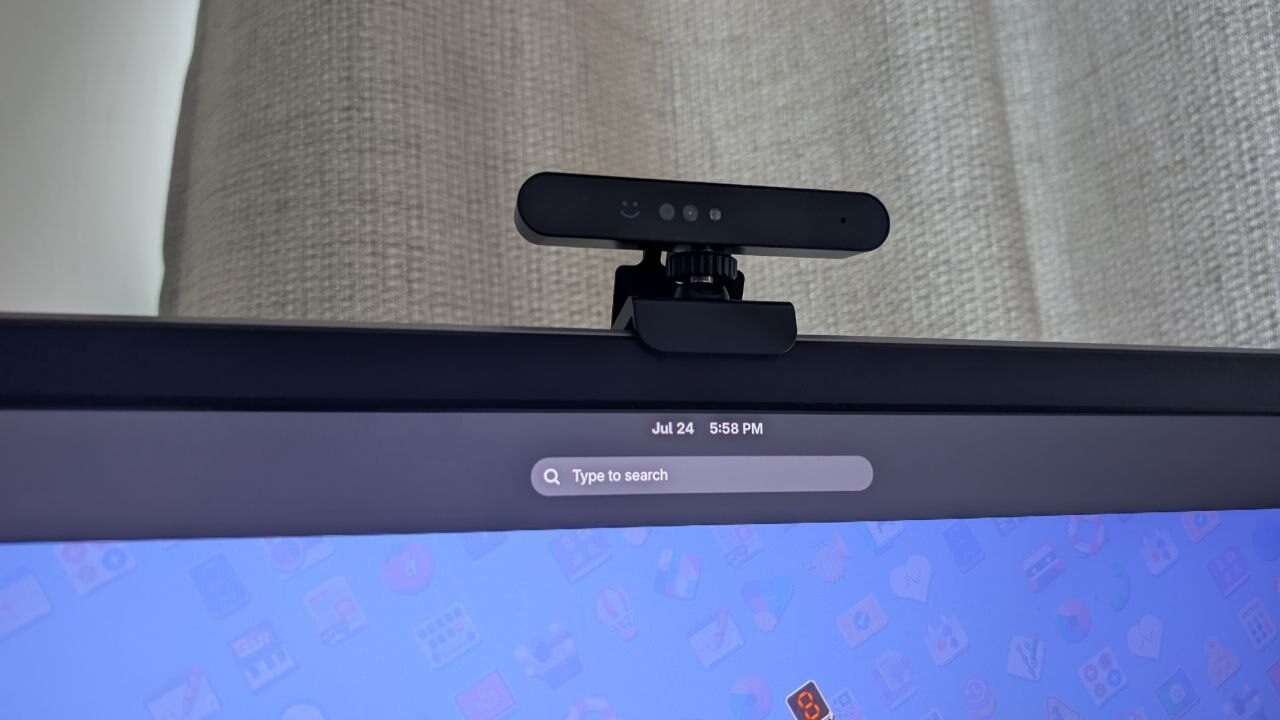
The extension and settings are both dead simple — so intuitive I honestly think it should be a default GNOME module.
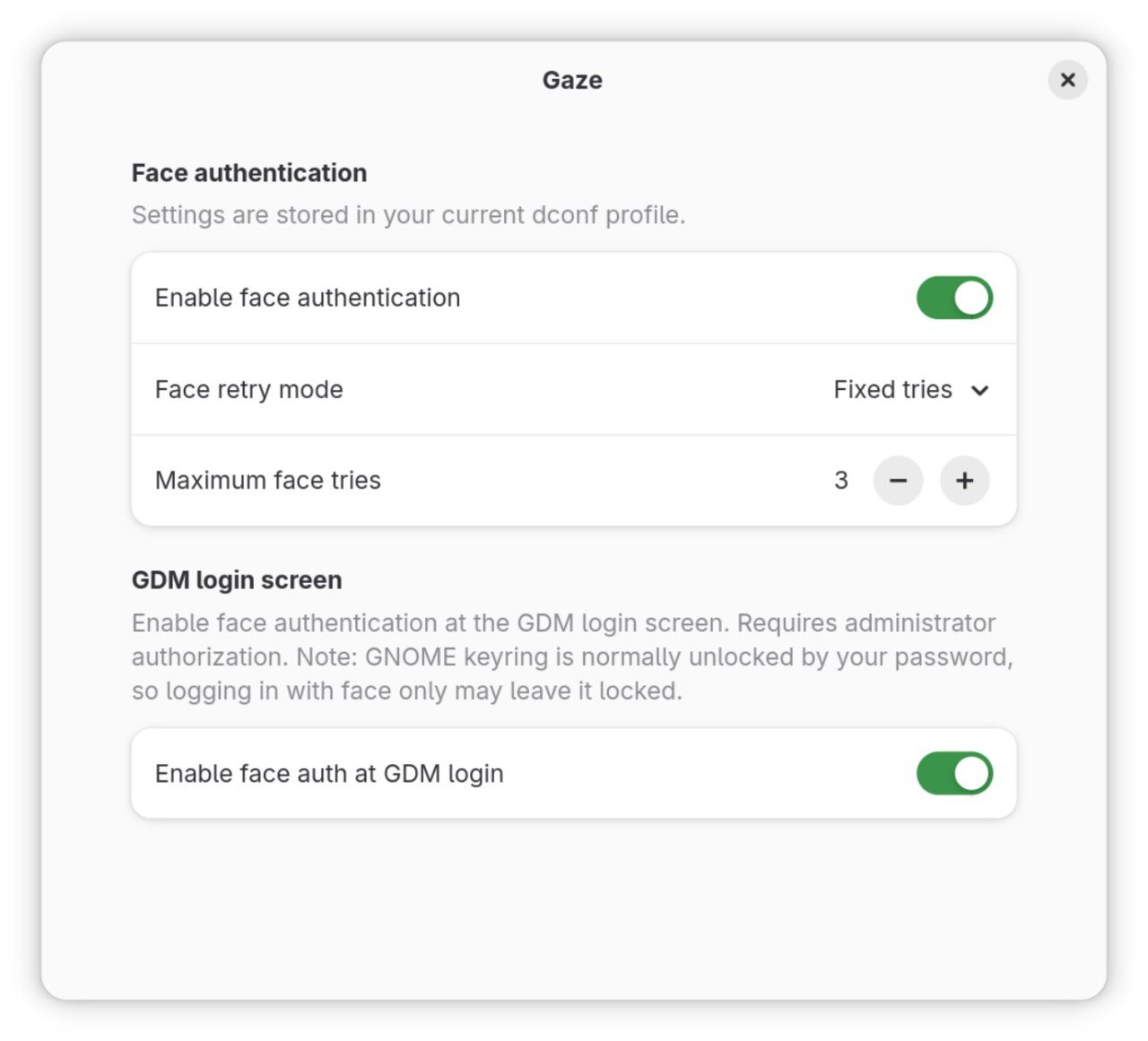

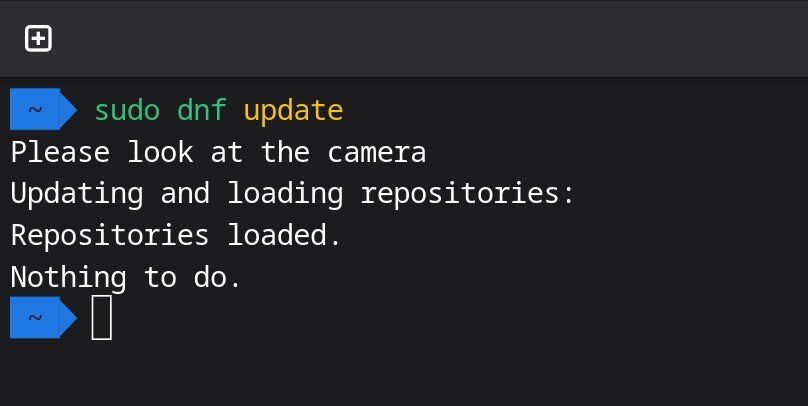
That said, I do need to pour a little cold water on anyone interested and sound a warning: Gaze is great, but it’s also dangerous.
For example, I once tried installing Gaze on my Surface Go 2 tablet — I was just too lazy to keep typing my unlock password. Installation went fine, but after rebooting, GDM crashed and I couldn’t log in. I barely managed to get in through tty, only to find sudo didn’t work.
That’s when I realized: Gaze hijacks sudo authentication. Every sudo call has to go through Gaze first — and of course, Gaze happened to coredump and crash the moment it ran…
So I was stuck in a dead loop. To uninstall Gaze I needed sudo. To get sudo I needed to pass Gaze authentication. And Gaze crashed on authentication, so authentication failed, so I couldn’t get sudo, so I couldn’t uninstall Gaze.
That ate an entire afternoon. I eventually killed Gaze with a LiveUSB and a Btrfs snapshot rollback. The root cause turned out to be that after some kernel update, the Surface Go 2’s built-in camera stopped working — any call to it errored out, which crashed Gaze outright, and Gaze uses various systemd services to hijack your sudo authentication…
I’m telling you all this because the convenience Gaze offers rests on it running reliably. If your device’s camera is… likely to be unstable, think twice before installing Gaze. I did leave a message for the Gaze developer about this, and he said he’d fix it and make Gaze sturdier. But when I checked a newer version a while back, it still seemed to be hijacking sudo…
Anyway, your call.
Comments are hosted on the Chinese main site. This mirror is read-only.