First Taste of Omarchy
The hottest Linux distro lately is obviously Omarchy, hand-built by DHH, the guy behind Ruby on Rails.
You can tell from the name: it’s an Arch Linux-based distro with that Omakase, personal-customization flavor. The author built a setup to his own taste, and you’re expected to try to understand and accept it. If it resonates with your own experience, great…
In short, this thing is “picky about people.”
And yet this picky thing is everywhere right now. Industry big shots keep hyping it up, and it’s even pulling in real donations. Some companies have stopped donating to Flathub and are giving Omarchy their support instead. Its userbase keeps growing, and everyone who’s tried it talks like they joined a cult — “Omarchy is the future, it fully replaces MacOS.” That made me more curious: what is this thing? It looks like an ordinary preconfigured tiling-desktop Arch Linux, so how is it supposedly beating Microsoft and kicking Apple?
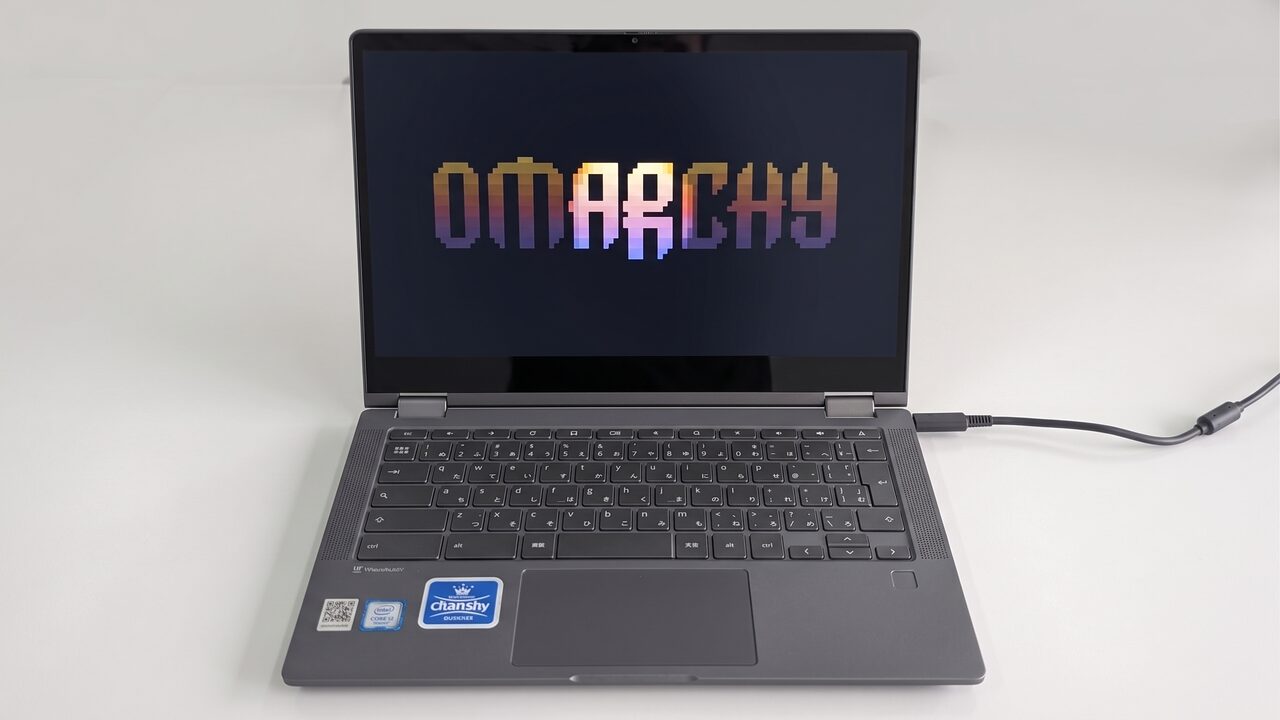
So I grabbed an unused machine, installed Omarchy, and started a shallow trial run.
Installation and Configuration
The machine I used for Omarchy is that low-spec Chromebook from before: a Lenovo Chromebook Flex5. Let’s recap its specs:
| Part | Spec |
|---|---|
| CPU | Intel Celeron 6305 |
| RAM | 4GB |
| SSD | 256GB NVME |
| Screen | 1080P with touchscreen |
Pretty pathetic specs, especially that tiny bit of RAM.
Still, after making the Omarchy install drive, installation on hardware this weak was fast — done in under 2 minutes. Some people say Omarchy doesn’t support dual-boot, but it does let you partition yourself; at least the version I installed does. Still, they recommend just wiping a single drive, and official guidance also suggests enabling encryption.
After installation the system is purple-toned with a very clean interface — nothing on the desktop except a top bar.
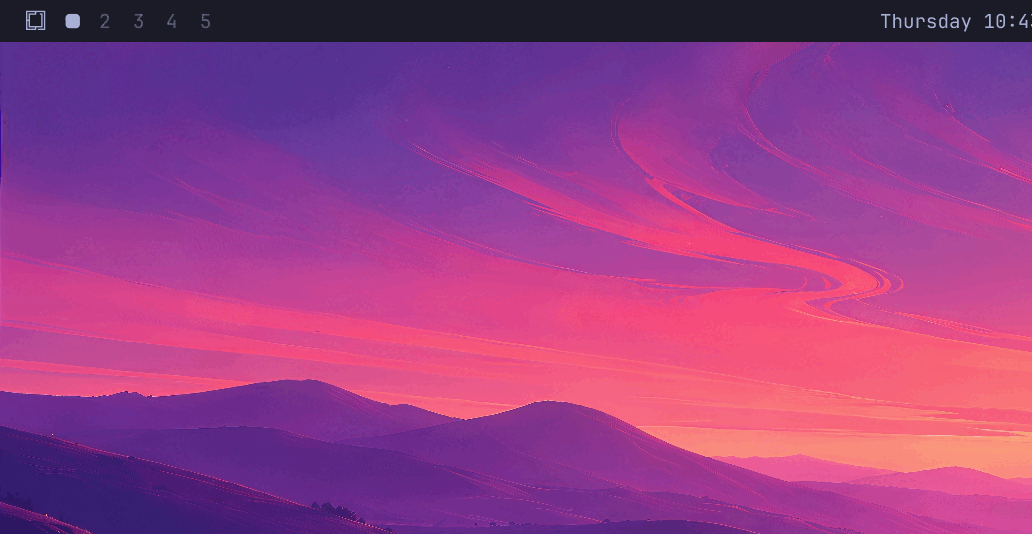
What stuck with me during installation was the art design. Yeah, the system’s design language is very “geek,” or maybe… “hacker.” The character animations are gorgeous and cool, and it’s not just effect-piling — it’s genuine design and aesthetic sense. I hadn’t even finished installing or entered the system, but on design alone Omarchy already earned a good review from me.
Basic System Operations
Once you’re in, Omarchy asks you some basic setup questions: WiFi, updates, and even… AI Agent accounts.
Worth mentioning here: Omarchy calls itself an “AI-driven” system with built-in support for mainstream AI Agents, so you can have AI help manage the system. I wasn’t interested, and not logging into any AI Agent doesn’t affect using the system.
After entering the desktop you have to adapt to the system’s way of doing things from scratch. If you’ve used a tiling desktop before you’ll probably pick it up fast, but as someone who doesn’t like tiling desktops, I could only grit my teeth and keep going.
Omarchy does provide a quick reference manual. Press Super+Space (Super is the Win key) to open the menu fast, find “Learn” in it, and quickly learn the system shortcuts.
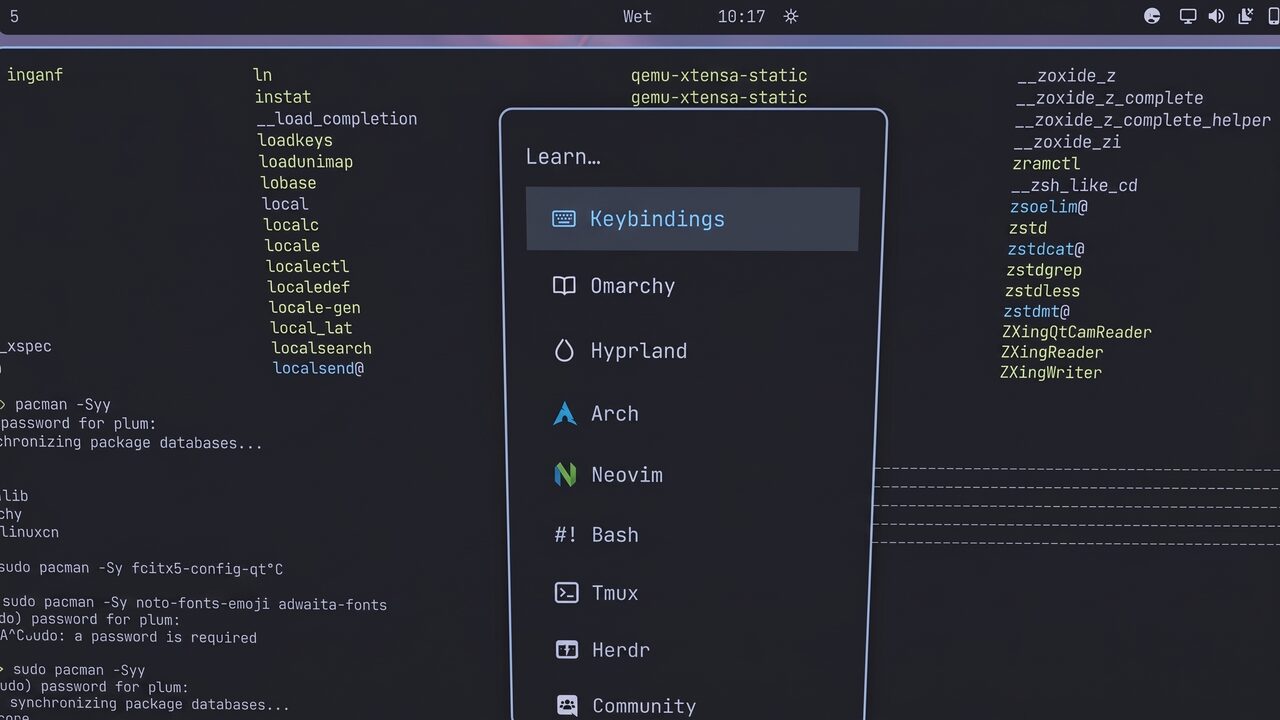
A tiling desktop doesn’t have a traditional launcher. You have to type commands to launch things quickly, or dig through the Super+Space menu yourself. The menu has some preset apps, but interestingly they aren’t preinstalled — when you select one, it automatically opens the Foot terminal emulator to install it.
Window management also requires keyboard shortcuts. Most core combos start with Super: fullscreen, split screen, splitting into multiple workspaces. There’s a learning curve.
System settings are basically all GUI-less. They just open a config file for you to edit yourself, which feels very unfriendly. Package updates work the same as Arch Linux — you can even swap in the Archlinuxcn repos, use the AUR, and so on, basically the Arch way. But Omarchy does bundle most of the small features a “laptop user” might need: power profile switching, volume, screenshots, screen recording, dark mode, notifications, weather, and so on.
So… Omarchy looks like a beautified Arch Linux with a preinstalled “tiling desktop manager”? In a sense, yes.
The So-Called “Simple Configuration”
In many articles hyping Omarchy as comparable to Apple, a lot of them say the system is easy to set up. In my personal experience, customization is not easy at all — it’s downright hardcore. I don’t think every newcomer can open a vim-like interface to adjust system parameters. Sure, the top title bar has some simple font and brightness adjustments, but that’s way too little. For example, I’m used to “natural scrolling” on the touchpad, but Omarchy defaults to regular scrolling (the scroll direction doesn’t even match MacOS, and they claim to be MacOS-comparable). I had no idea how to set that at first.
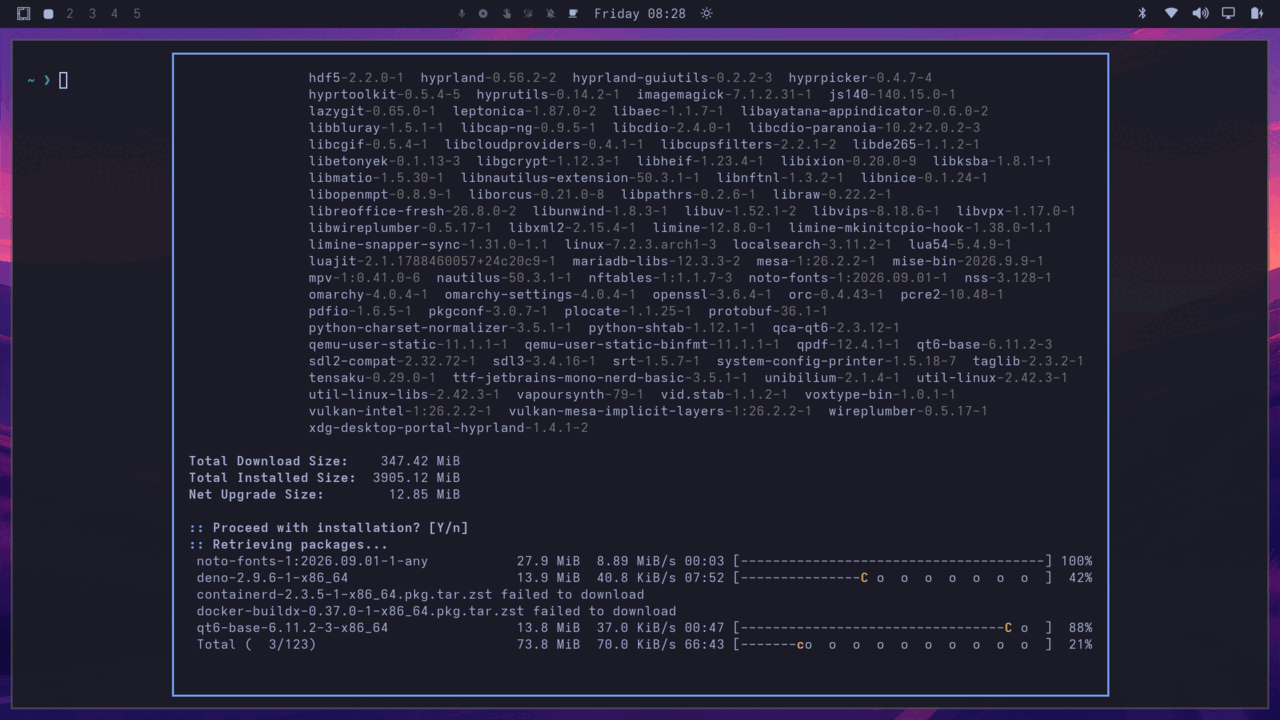
Then I watched a video showing how to quickly set Omarchy up to your liking. The method was unexpected and also entirely reasonable…
Yes: use an AI Agent. That’s exactly why Omarchy insists on having you log into your AI Agent account at the start. This is a system that can be operated and managed by AI. If you want to change config, or change multi-finger swipe behavior, you don’t edit config files yourself — you just tell your AI and let it fix it for you.
It really is fast, convenient, even idiot-proof — a genuine “TNT” feeling. People say “install such-and-such software,” “change such-and-such font,” and you can delegate it all to your AI. After all, your system config is all config files, and AI can quickly understand and modify them.
If this is Omarchy’s innovation… then it’s genuinely surprising. Someone used to traditional operating systems suddenly encountering an Omarchy that “understands human language” would easily feel like shouting “insane.”
But friend, at what cost?
The cost is you need to pay API money for your AI account. But this is 2026 — which developer doesn’t have a pile of tokens, who doesn’t use AI? So for that crowd, the experience really is smooth. Some Chinese users have even provided API access to domestic Chinese AI models, so you can conveniently use Deepseek’s big fat fish to operate your computer.
But for users like me who don’t want to hand system control to AI, this system is painful to use. Even adjusting scroll direction requires editing config files. The system has almost no GUI at all, making my mouse and touchpad feel almost superfluous. I don’t know if those tiling-desktop nerds all use computers this way, but I can’t stand it. Constantly cross-referencing documentation, I installed Chinese support, Chinese fonts, Fcitx5, and a bunch of other software via terminal. Honestly, I think this is just an Arch-based derivative distro with a default tiling desktop — everything else works the same as ordinary Linux, you just have to learn the Super combos for window management…
Hardware Compatibility
Let’s also talk hardware compatibility. Although Omarchy is a standard Arch Linux derivative (I heard it was originally Ubuntu-based, but that’s too long ago to mention), the latest version is starting to use its own kernel. They claim their custom kernel is awesome:
The Omarchy kernel is tuned to keep the desktop responsive and multitasking smooth, even under heavy load or memory pressure. It improves gaming compatibility, enables smoother gaming on supported AMD HDMI displays, speeds up common Btrfs file operations, and refines power management. It also fixes everyday hardware frustrations, including missing audio, unresponsive touchpads, display freezes, and slow startup or resume on affected machines.
To me, though, it’s probably just a few third-party patches, especially optimized for Mac users. Whether it’s more aggressive than CachyOS’s kernel remains to be seen.
But Omarchy’s hardware compatibility feels average to me. For example, my Chromebook’s touchscreen doesn’t work (I don’t know if it’s the system or the driver), and the built-in Hibernate feature doesn’t work either. I thought Omarchy was so amazing it had solved Linux’s big problem of being unable to hibernate with Secure Boot enabled?
Hardware support still rides on Linux’s own advantages; compatibility isn’t especially great. But I suspect DHH deliberately optimizes for Omarchy’s target audience (like Mac bois), giving the impression of great performance and compatibility. And Omarchy does the same aggressive “snapshot boot” as CachyOS to ensure system-level automatic rollback, which makes the system feel very stable.
As for performance optimization — Omarchy’s desktop is already minimal with low load, so being fast is only natural. And I think… the people using this are mostly programmers, right? Nobody actually games on it, surely? If you hit a Steam Proton issue, can delegating to an AI Agent fix that too?
Why the Praise
So at this point, I think Omarchy is just an Arch Linux derivative with a preconfigured tiling desktop, AI Agent support, and a bunch of snapshot and encryption features. Nothing else different. I wonder if I could kill this tiling desktop and swap in Gnome and GDM — theoretically possible, but I didn’t do it.
And Omarchy’s proud tiling operations can all be set up in other modern desktops. Gnome-shell has extensions, KDE has shortcut config, even Windows 11 has Powertoys. If you really like keyboard-controlled desktops and multiple virtual desktops, you don’t need Omarchy — configure it yourself and you don’t have to learn as much. By the way, Gnome-shell alone supports multiple shortcut operations for virtual desktops, and they can even map one-to-one to Omarchy’s shortcuts. If you want, just don’t click those GUI things and use shortcuts for the same efficiency — maybe even higher. Even AI Agents aren’t exclusive to Omarchy; other distros can use them too, especially DEs that rely on config files for modification.
So why did a distro that looks “just okay” make such a splash? I think it precisely hit the pain points of the loudest people on the internet: users who normally use Apple, and internet “brain-upgrade people” who pump AI, go all-in on AI, and follow AI. They aren’t hardcore users, they don’t have the energy to tinker, but they love advanced, cutting-edge, “cool” things. Omarchy, an OS deeply bound to AI with especially distinctive art design, easily makes them shout “insane” like they’ve discovered a new world. But look closely and you’ll find these people just grabbed some old computer, installed it, and started hyping. Like those who write “Android Daily Observations” — Apple is still their life. After all, such a hardcore system isn’t for everyone.
Ironically, Microsoft has long wanted to integrate AI Agents into the system, and Apple wants to push it too, but every time they hype AI they get buried in hate. Meanwhile Omarchy, which literally throws your system config at AI — and is actually more troublesome without AI modification — gets a pile of praise, called the future, said to beat Microsoft and Apple. Honestly, kind of funny.
Who Omarchy Is For
Setting aside the bandwagon hypesters, the people who genuinely fit Omarchy fall into a few groups. First, those who truly love “tiling desktops” but are too lazy to configure and adjust things themselves. Omarchy basically achieves “works out of the box” in the English-language sense. Your own setup might look ugly as hell and take half a day of tinkering; Omarchy is up and running in 2 minutes.
Another group is CLI programmers who love full-keyboard operation. Working through multiple CLI coding setups is genuinely efficient under Omarchy, and the built-in AI Agent is a plus for vibecoding. Getting work done fast and saving time is the biggest advantage. Not to mention the system has snapshot backups, ensuring your computer won’t die from an update and can roll back anytime. For people with no time to tinker, that’s the biggest “stability.”
Finally, those who love Omarchy’s “aesthetics.” Not joking — Omarchy’s whole color scheme, wallpapers, and even screensaver are fashionability-maxed, fitting current cutting-edge aesthetics with a bit of a vaporwave style. Add a cup of coffee and some Lo-Fi BGM and you quickly feel your computer is full of magic.
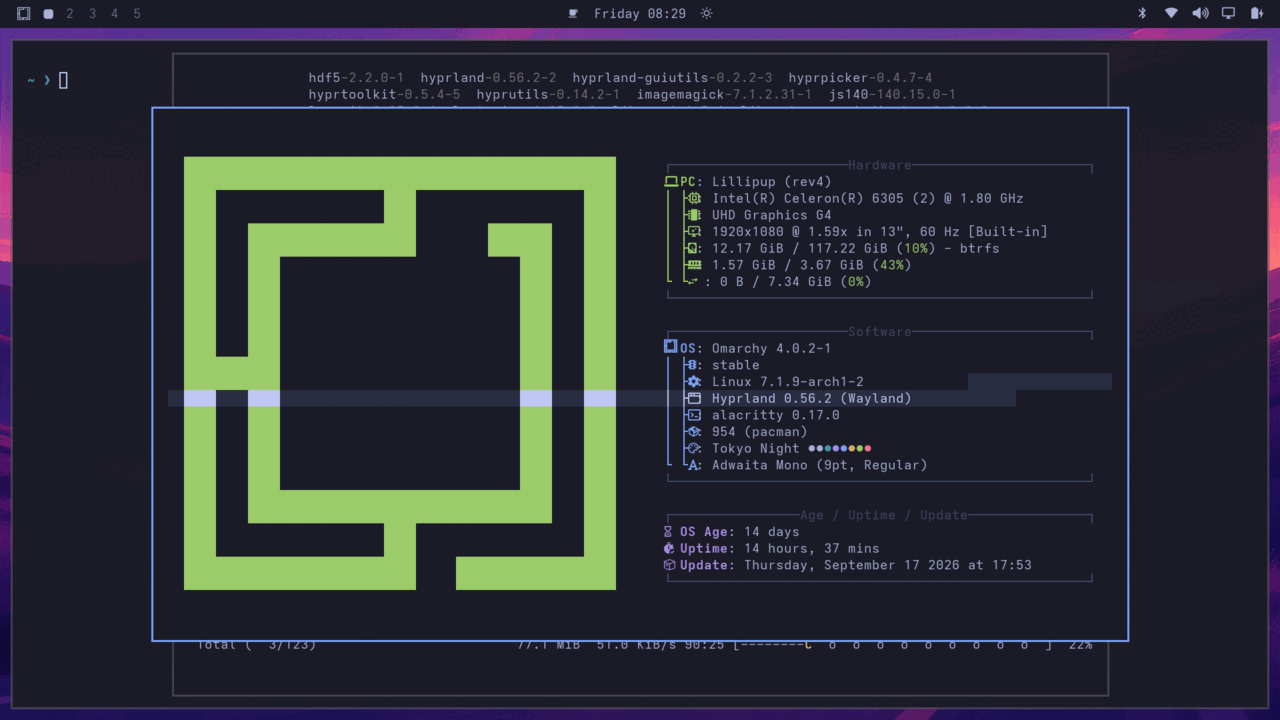
As an ordinary daily Linux main user, I personally won’t use Omarchy, but I can understand why it’s hot and why it’s so loud on the internet. But honestly, Omarchy has no magic; it’s just an integrator. Its most unique part is the color scheme and wallpapers. Theoretically it can’t truly go mainstream, let alone kill Apple. Pushing pure keyboard operation in a GUI-dominated era is fundamentally a step backward historically, and its proud AI Agent is being done by everyone else too — and theirs have GUIs, way easier to use than yours. For example, I often see people hyping Omarchy while furiously adding Omarchy Vibe plugins, then adding docks, sidebars, and windows until it literally looks like KDE — which proves from the side that tiling desktops aren’t for everyone.
Of course, if Omarchy, after getting a pile of funding, is willing to contribute some of its core optimizations back upstream — like actually fixing hibernate, fixing some Wayland performance issues, and other things — maybe it can shed its current “Jiahao” impression.
Comments are hosted on the Chinese main site. This mirror is read-only.