Making Things Work: The Search for a Distro
After I fixed up my Loongson 3A6000 laptop last time, I started thinking about how to actually “put the thing to use.”
Performance-wise the 3A6000 isn’t weak, at least not compared to those low-voltage netbook CPUs. It hits roughly the level of a normal all-rounder laptop. The real problem with “using it normally” isn’t the LoongArch software ecosystem — it’s that godawful GPU.
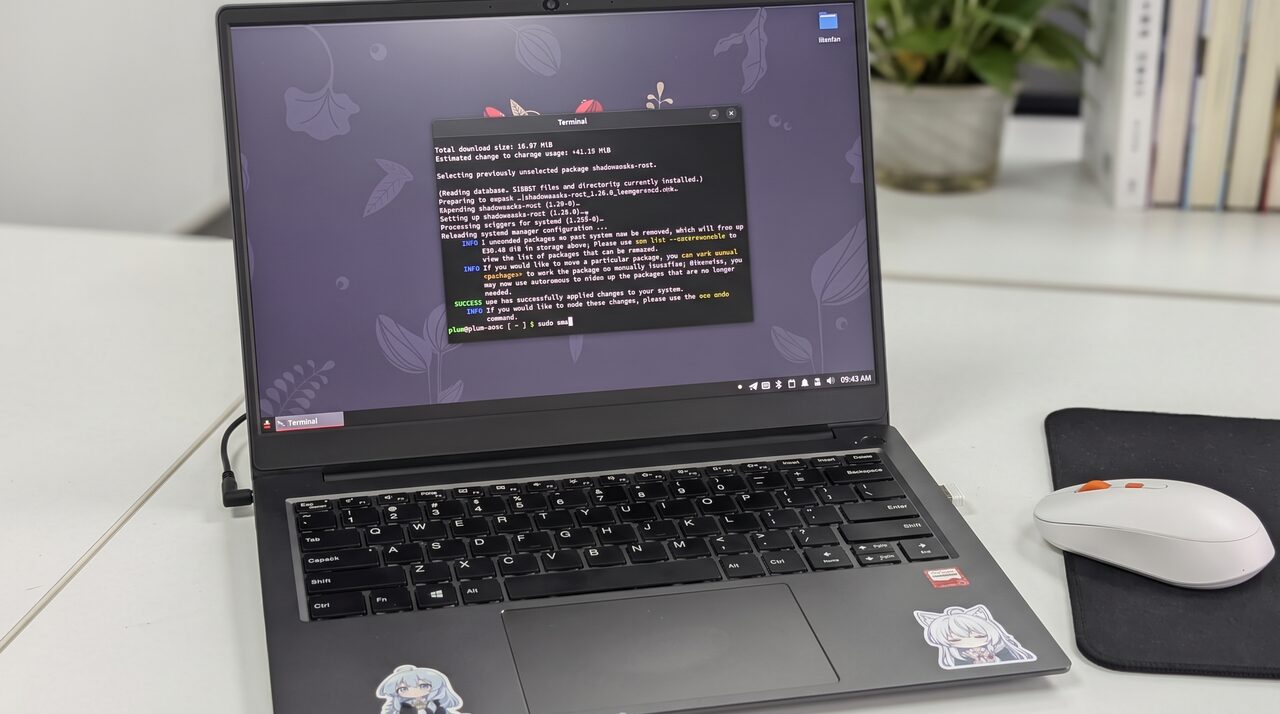
Yeah, just like I said before: this GPU performs like it basically doesn’t exist. Even with the official New World drivers released and optimized several times over, its performance just running a desktop environment reminds me of the first time I booted Win98 as a kid — windows leave trails when you drag them, and you have to right-click → Refresh over and over.
For “New World” vs “Old World,” see the explanation on the official-adjacent site:
https://areweloongyet.com/docs/old-and-new-worlds
Right now I’m on AOSC. It ships KDE by default with no other preinstalled DE branch as an option. I don’t really get that choice — I’m a GNOME user and I hate KDE, but on a platform whose GPU is already this bad, defaulting to KDE with all its fancy effects feels like asking for too much.
So I started trying other desktop environments and distros, hunting for something that would give this 3A6000 laptop at least a basically smooth desktop experience.
GNOME Shell
First thing I thought of was switching to GNOME Shell. Not joking. GNOME Shell’s GPU requirements aren’t actually that high.
Installing the whole GNOME Shell stack on AOSC isn’t a hassle — just grab the GNOME meta package.
Of course, going from KDE to GNOME Shell means changing the DE in SDDM and logging out.
Honestly, GNOME Shell felt pretty good. Not smooth exactly, but it had a “very stable stutter” — like KDE is a game that runs at 60 fps sometimes and 20 fps other times, while GNOME Shell locks you to 30 fps and stays there. That does wonders for responsiveness; the desktop feels several orders of magnitude better.
And I was surprised to find this was all pure CPU rendering, because GNOME Shell forces Wayland, and the 3A6000’s garbage LG110 GPU doesn’t support it, so it falls back to the CPU.
Anyway, the experience was acceptable. Just as I was thinking it wasn’t so bad and planning to stay on GNOME Shell, a new problem appeared: I couldn’t fully remove KDE and replace it with GNOME — SDDM especially — and the reason was Wayland again. GNOME has fully embraced Wayland and ripped out the X11 code, and AOSC’s packaging doesn’t add X11 back the way Fedora does (most distros don’t, including the LoongArch builds of Arch and Debian). GDM forces Wayland so hard you can’t even log in.
So if you want GNOME Shell, you have to assemble a loose collection of packages yourself and personally deal with Wayland problems everywhere in GNOME…
After a full round of that, I gave up.
Xfce
If GNOME won’t work, the DE that comes to mind for saving resources is inevitably XFCE. So I planned to install a set of XFCE starting from Base.
AOSC offers a minimal install mode, so setting up Base then installing LightDM + Xfce4 is fine, and there are meta packages too — though some of them are obviously long-abandoned and outdated. Whatever.
After installing, the system genuinely felt smooth. Almost no effects, so pure CPU rendering is fine. A bit bare-bones but OK. Then I used it for a while and problems showed up…
First, screen tearing. Without GPU compositing you get serious tearing. Second, the “smooth operation” only holds when the desktop has nothing open. Open a few things and system responsiveness falls off a cliff.
In short, after all that I hadn’t gotten the smooth experience I wanted, and I’d lost a bunch of things a normal laptop needs — lock screen, power management, wallpaper prettification, more advanced file management. A lose-lose.
I decided to keep looking.
Deepin / UOS
This time I wasn’t going to keep banging my head against AOSC, the New World distro. I’d try other domestic standard distros — after all, this laptop is billed as government/enterprise grade, and a lot of them ship preinstalled with these systems. Surely one of them works.
First I tried UOS, which I’d used before. It’s paid, but let’s see how it goes. Turns out it’s Old World. Can you use it? Sure, it’s a bit smoother (but not by much), but forget the software ecosystem. Don’t get me wrong — for government/enterprise users who just run WeChat and WPS, Old World really is enough. Anything else, forget it.
Then I tried Deepin, the free UOS-alike. The latest 25 is a New World build. And Deepin’s marketing has picked up that gross domestic-internet-company smell, which is probably why the founder ran off (and the founder who ran off is now some AI-brain-upgraded crank with a dad-blog vibe). Downloaded it, booted it, black screen…
Checking later, Deepin officially admitted the latest LoongArch image is broken and would be fixed quickly and rolled into the next ISO. As of now that ISO still hasn’t shipped. I have to wonder: do you not test before releasing? Or is this the classic case of “we don’t use the stuff we ship”? And if you’re going to fix it, update the ISO — do that many users have to download an old ISO and upgrade?
I tried booting and installing/upgrading from the old ISO. The old 23 build didn’t include the latest New World GPU driver, and it was unbearably laggy. And Deepin’s “GPU acceleration” after upgrading, combined with its already flashy effects, isn’t much better than KDE. Plus it lacks the tools I use daily. I bailed.
Loongnix 25
Next I tried Loongnix, billed as the “official Loongson” recommended distro. I remember using it long ago when it was Fedora-based; at some point it became Debian-based. It’s kind of a back-alley distro — it released a stable version so quietly that nobody mentioned it, just a line buried in an official announcement.
Installation went fine, but booting didn’t. First boot took forever and I don’t know why — just extremely slow.
Once in the desktop it was normal. KDE 6, newer than AOSC’s KDE 5.
It claims to integrate the latest LG110 GPU driver, but performance was the same as AOSC. Add the abstract font rendering, an unconfigured preset, and a software source setup that makes no sense, and it was painful to use. A lot of people on Niconico post about running this system — maybe they can live with it, but I can’t. Next.
Kylin V11
By this point I’d realized a smooth desktop experience probably isn’t possible. In principle every distro is the same kernel plus the same New World drivers, so it should be equally laggy. Even if some DE gets smooth by disabling every effect, you still have to use a browser, right? Eventually the truth comes out. I briefly tried Arch remixes and Debian and wasn’t satisfied with any of them.
Just when I’d given up hope, I tried Kylin V11, the domestic OS billed as “extremely optimized,” which specifically emphasized Loongson optimization at launch. Downside: it’s paid, though at least it gives you a trial period with no clear limit.
Install went fine, boot went fine, and in the desktop the DE is called UKUI. Feels like a modded KDE (or maybe Mate), but not quite either. Reminds me of the old “Ubuntu Kylin,” and there is indeed a connection. Doesn’t matter. What matters is this desktop experience was clearly smooth.
Yes, clearly smooth. Not up to modern mainstream laptop standards, but compared to everything before it, it went from totally unusable to “usable.” I could hardly believe it — I even opened a browser and scrolled through this blog and there was no tearing.
I don’t know how they did it. The kernel is 6.6, so presumably New World; the GPU driver doesn’t seem special; the desktop even runs on Wayland. How did they get this abstract GPU driver to run Wayland?
Of course I didn’t stick with Kylin V11 — the ecosystem isn’t open enough and it costs money. But at least it proved this thing can be optimized to a usable level through some means.
How to solve it
In the end I went back to AOSC and KDE. Mainly because it’s the only distro that’s closest to mainstream while also being the most active — it feels more connected to the world. And only AOSC provides a full set of LoongArch support and workarounds, especially proactive driver packaging, even if they’re clearly short-staffed.
AOSC recently updated to KDE 6. The 5 → 6 upgrade was fairly smooth (though we got the classic episode of Wayland crashing the LG110 along the way), but we’re finally on KDE 6. And under KDE 6 this abstract GPU frequently throws weird errors even in 2D rendering, like these pink blocks — I think it’s related to unsupported OpenGL or Vulkan effects.
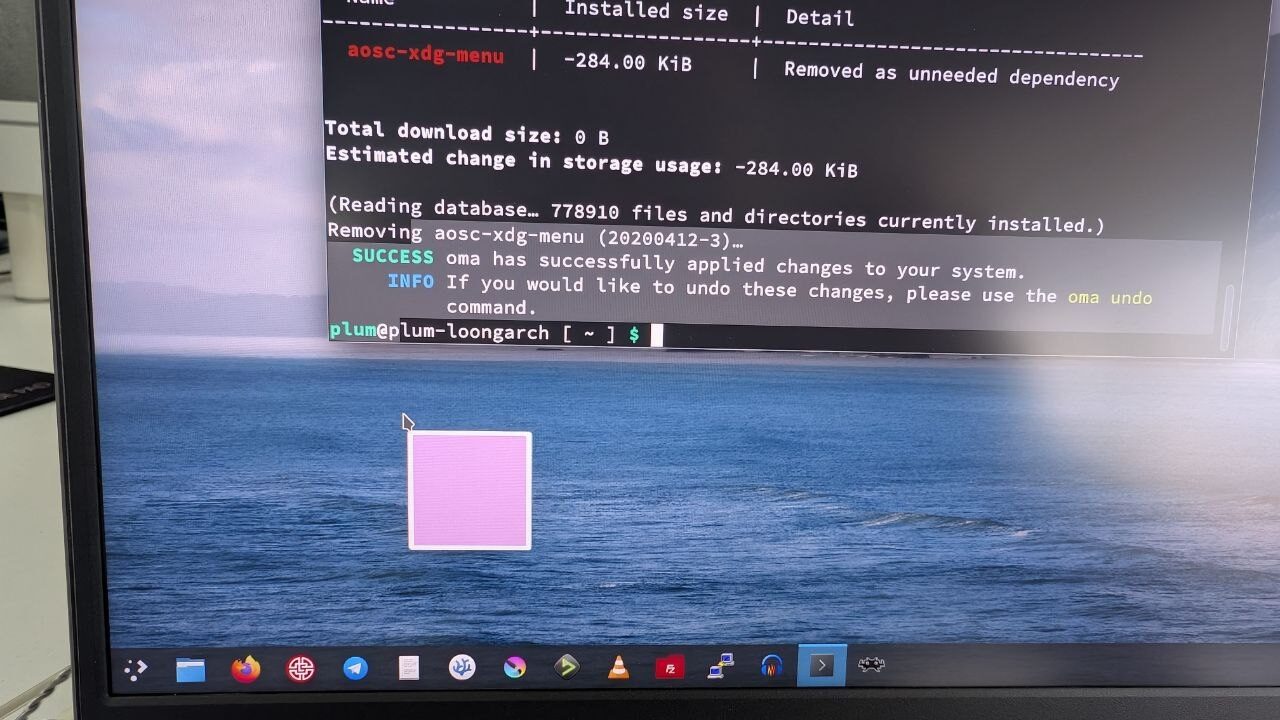
If you turn off all the effects that need turning off, the desktop isn’t completely unusable. Browsers — even that “Loongson Browser” — still stutter when scrolling complex pages. I wanted to use it as a typing machine, but the ecosystem won’t allow it: no Typora because of Electron, Flatpak has no LoongArch packages, not even FocusWriter. I ended up making do with Kwriter.
Someone told me that because of its crippled GPU driver, this laptop is more like “a dev board with a screen and battery.” I agree, though it’s worse than a dev board — I’ve used an RK3588 laptop and it’s far more usable than this.
While searching for ways to make the LG110 less laggy, I ran into a lot of interesting things. The Loongson community has several attitudes toward this.
First, the official side. They clearly state they’re going New World, yet they’re completely apathetic about advancing the New World GPU driver. Many explain it’s stuck on closed source and IP, and needs more time. I don’t get it: if it’s in-house and closed source, why not keep pushing? If you can’t do it yourself, why not open source it, or “partially open source” it, so the GPU at least becomes useful? Or is this thing not in-house at all, and Loongson’s own people don’t understand it?
Then there are the fanatics — plenty on Niconico. They mindlessly hype the Loongson ecosystem, always declaring victory. When you say the GPU is bad and has no driver, they pop up with benchmarks from who-knows-where to refute you, saying you just don’t know how to use it — but they never tell you how they did it. You search forever and find out they plugged in a discrete GPU.
Then the doomers. Chief among them the “hey guys, I’m a professional garbage picker…” guy and the lunatic behind “play Genshin on a fully domestic platform.” No need to elaborate.
Finally, some of the community devs. When you ask how to fix the driver, most respond with teasing and sarcasm: “performance is basically nonexistent,” “just add a discrete GPU”…
I know everyone has their reasons, and the GPU’s current state being stuck is an objective fact, but… the problem still has to be solved, right? Isn’t that what being pragmatic means? That’s what I admire about Fcitx5’s developer Wengqing — he’s willing to solve problems pragmatically in all sorts of ways, rather than just saying “not my problem” or “doesn’t meet spec” and shelving it. Though he says that a lot too, and sulks and says he’s done plenty of times, but always comes back to fix things in the end. Of course there are people trying to pragmatically solve the Loongson GPU driver — recently someone tried using AI to reverse-engineer the driver and find the answer, spending a lot of money with no result. But looking at it, the essence is that the last closed-source part still isn’t public. No matter how good AI is, it can’t single-handedly let an outsider fully interpret and reverse-engineer a driver. You’re not Arashi Linux.
This is the question I want answered:
Does this LG110 “discrete GPU” have any hope at all, in the New World, of at least guaranteeing a basically smooth desktop experience?
The community tells you to give up. The fanboys scream invincibility. The officials are busy shipping new products, as if this old thing has been abandoned. Otherwise just announce the driver can’t be done and only the next generation will barely work — honestly admit your capability gap, and do a deep DE optimization for old devices with a pure-CPU-rendering “low-spec” effects style. That wouldn’t be so bad; at least people could use the thing. But no. New products ship fast every day. I figure they’ve sold quite a few 3A6000s — old customers deserve some follow-up updates, don’t they?
That’s the problem. No clear answer from officials or community — not even a death sentence.
So how do I “make this laptop useful”? I’m still thinking. Maybe as a terminal-only machine? Could that be the answer? More exploration to come.
Comments are hosted on the Chinese main site. This mirror is read-only.