Review: Feedme F9 Pro
Xinchuang Notes: It's a Turd, but It Works
Today’s Xinchuang story is a side chapter, about a laptop with another “domestic CPU.” By pure chance I got my hands on a machine running a Zhaoxin KX-6640MA, labeled as a Feedme F9 Pro. I bought it dirt cheap, and it even came standard with 16GB of RAM. Zhaoxin’s bad reputation precedes it, but you can’t tell a horse from a donkey without racing it — I had to feel this thing out myself.
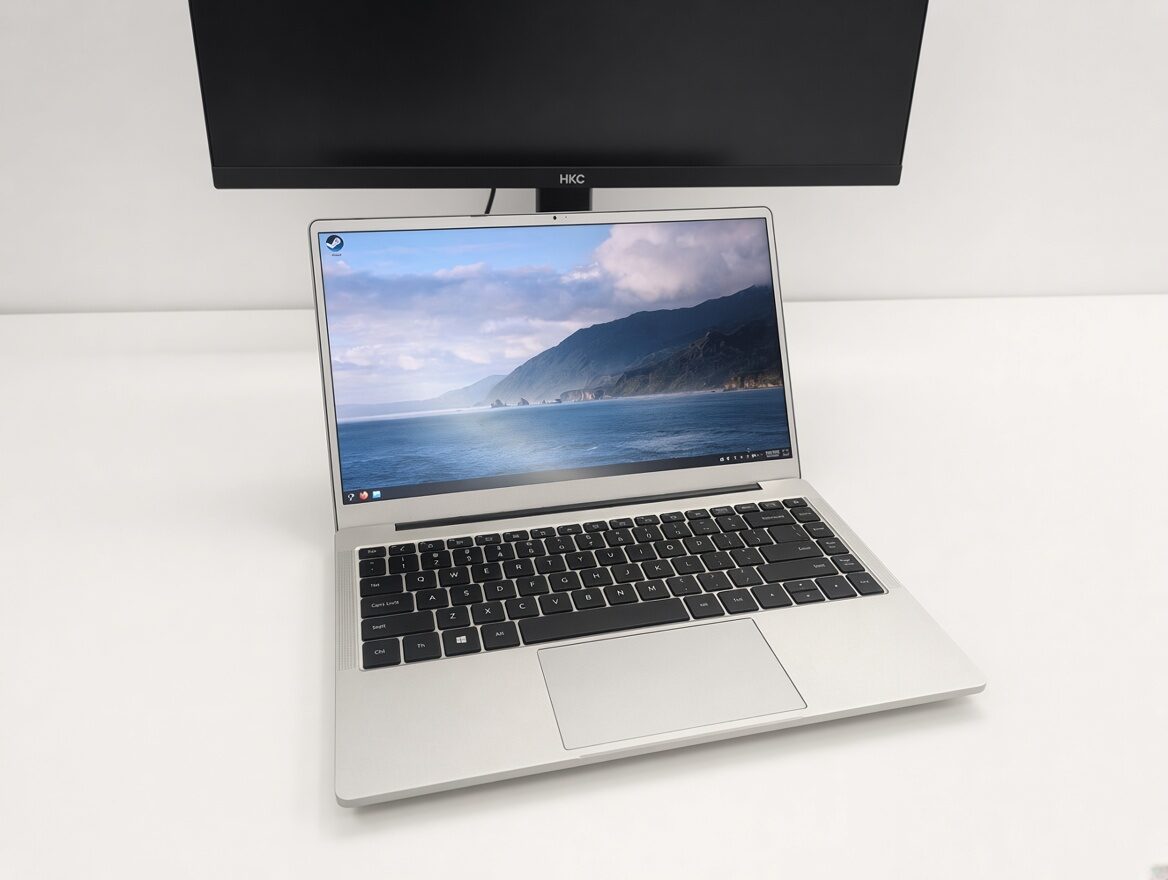
Looks and specs
This laptop has the same generic public-mold look as those random brands like IPASON — the 14-inch scheme, a standard 1080p screen, and although it gives you a DC power jack, USB-C charging works too.
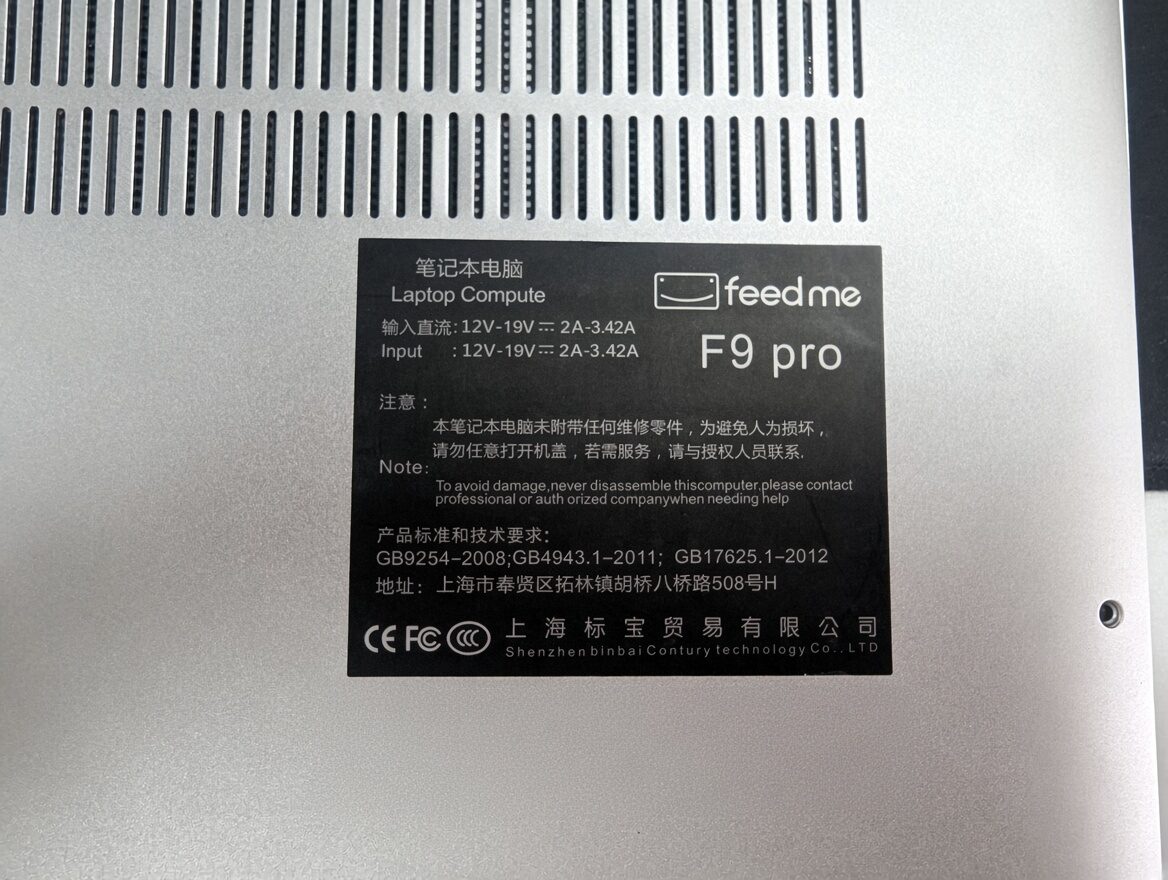
After cracking it open I found dual RAM slots, user-expandable, and the same for the SSD. Expandability is plenty.
Of course, the stock screen has decent brightness but the color gamut is a bit hard to look at — the standard “big blue screen,” “whitish,” a little eye-searing.
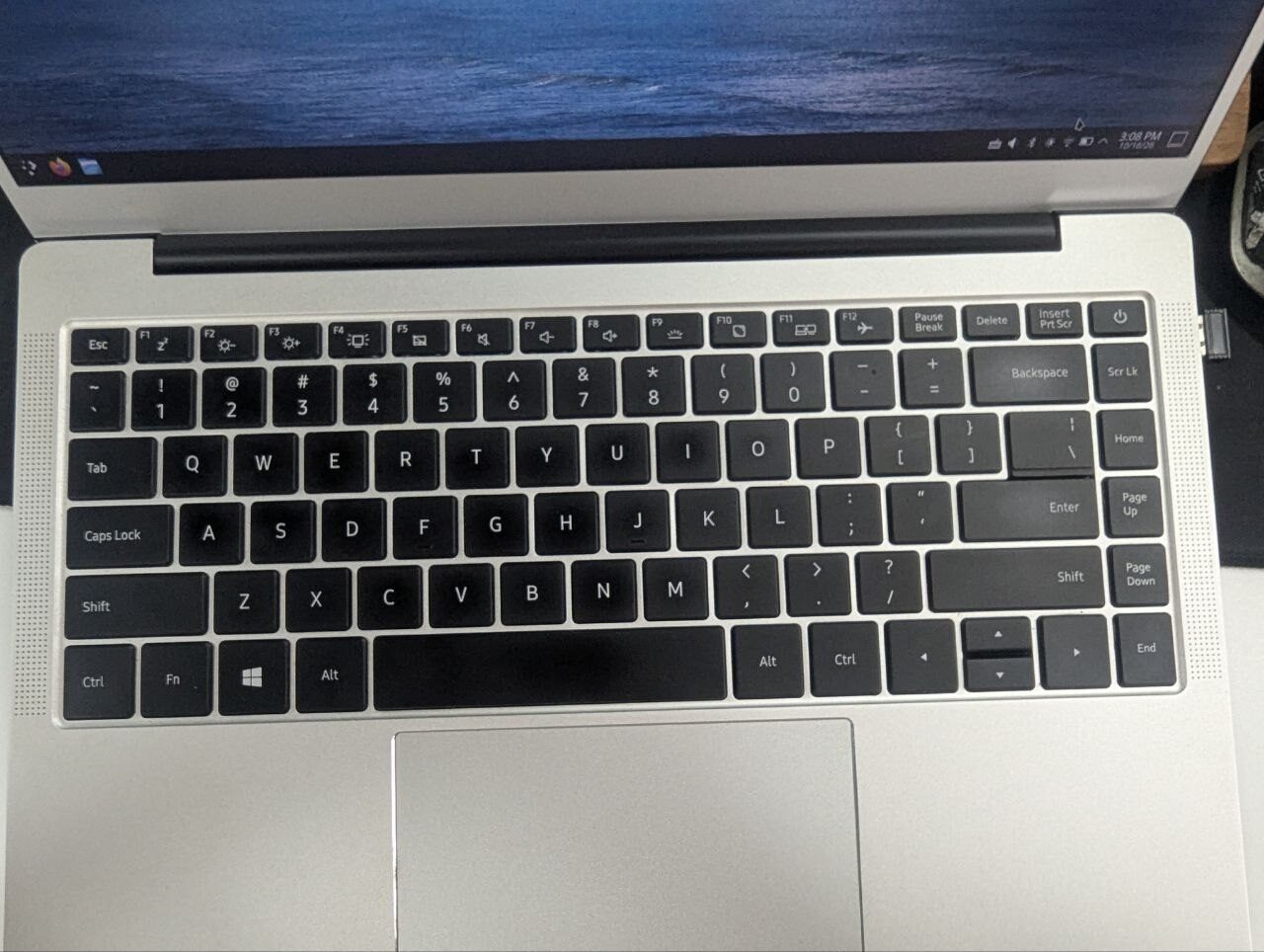
The keyboard feel is average, but the touchpad position is completely unscientific. If your OS doesn’t have some built-in palm rejection, typing on this is agony — constant accidental touches drive you insane.
Nothing else worth mentioning, really. It’s a shared mold, so let’s just look at performance.
X86 and Windows
The biggest advantage of this Zhaoxin CPU is X86 compatibility, which means you can easily install Windows and run your Windows software. Check both “domestic” and “Windows” boxes at once — the most wonderful compatibility experience a Xinchuang project could ask for.
I tried installing Win10 LTSC, and honestly the experience was pretty good. Browsing the web or using Office ran fairly smoothly. If you didn’t tell me, I wouldn’t even know this was a Zhaoxin CPU. Run something slightly “heavier” and the performance shortfall becomes obvious, but as someone who used an N4100 and a low-spec Surface Go for years, I can accept this.
The problem showed up when I tried to check out this thing’s “gaming performance.”
Installing Steam and downloading games went fine, but launching them was awkward. Some slightly newer games naturally wouldn’t start, and some ancient games wouldn’t start either. Only the most mainstream, high-popularity retro games would run.
Like… CS 1.6, for instance…
And even in 2026, this machine can’t run CS 1.6 smoothly. Yes, it actually drops frames — only 30-40 FPS, lower with more players. I knew Zhaoxin performance was bad, but this still shocked me. I remember around 2003, a Celeron 900 + GeForce 2 MX of mine should have run CS 1.6 at a higher frame rate than this.
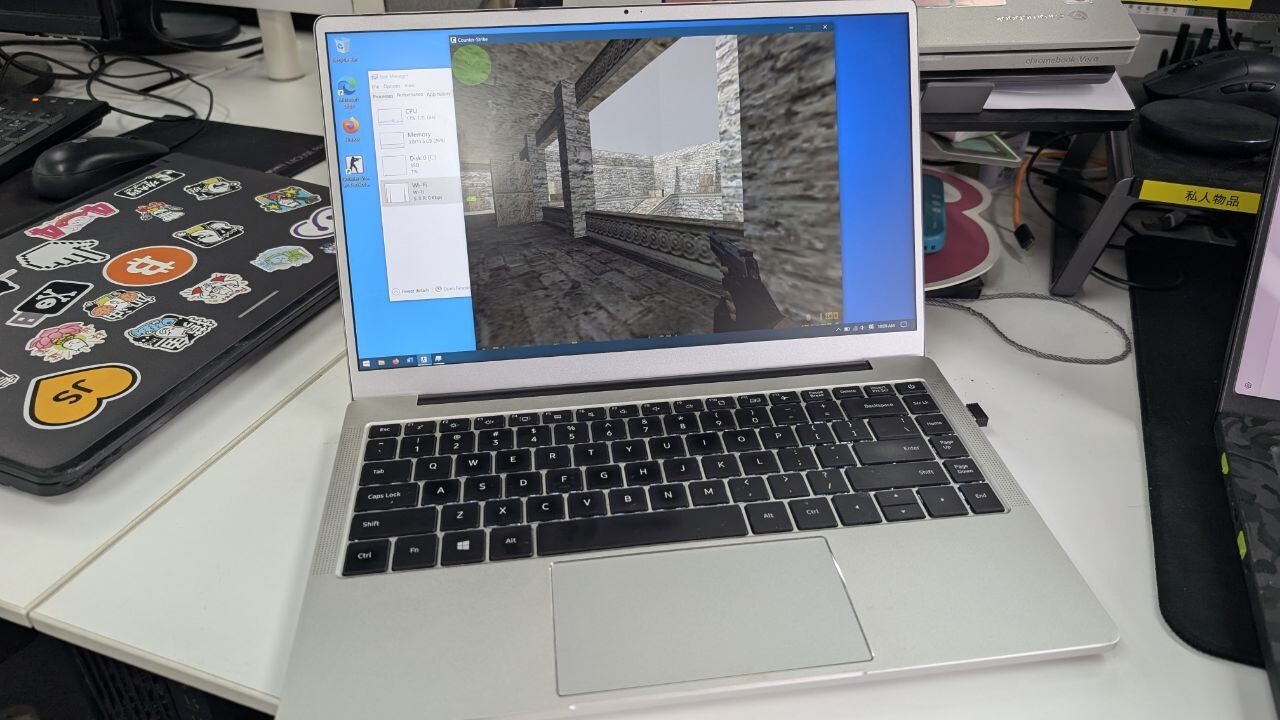
After fiddling with it for a while, I’m basically certain this Zhaoxin laptop’s performance only qualifies it as a “document machine.” If it’s just typing, browsing, chatting, basic office work, it’s genuinely enough. You can’t ask more of it — even outside games, anything slightly heavy already leaves it panting.
What about Linux?
Zhaoxin is an X86 CPU, so installing Linux shouldn’t be especially difficult — I even expected it to be “better” and “faster.”
But reality smashed that dream fast. Installing Linux on Zhaoxin is not simple, and the reason is that abstract GPU again.
Zhaoxin’s GPU inherits from the ancient S3 series. I don’t know if kids today have heard of the S3 Savage… which also means this driver can never enter the Linux mainline kernel; you have to install it manually. Zhaoxin officially provides Linux drivers, but most target UOS, Kylin, and the like. The most mainstream one is for Ubuntu 22.04. But man, Ubuntu 26.10 is already out — this driver was obsolete at birth.
So if you try installing any modern Linux, like Fedora 44/45, you face a serious driver challenge. You have to personally get that official driver package installed. I know in the AI era this isn’t especially hard, but you can’t guarantee it won’t break after an update. Don’t forget that Nvidia’s closed-source drivers were once a prime culprit for black screens and unbootable systems after Linux updates.
If you want to use standard Linux, don’t want to touch those “Xinchuang systems” (Deepin/UOS/Kylin themselves, etc.), and still want peace of mind, then bring out the great savior of domestic Xinchuang Linux: AOSC OS, aka Anthon. It saved LoongArch, and it saves Zhaoxin too.
Installing AOSC on a Zhaoxin machine is very smooth. You can choose your GPU, the corresponding driver support is preinstalled, and follow-up maintenance support is guaranteed. After installation it boots and there shouldn’t be later issues. I see it supports not just Loongson and Zhaoxin but also other architectures’ Xinchuang GPUs — truly the great savior of Xinchuang Linux.
You need to install the X86 version of AOSC. Once installed you can use it like a normal Linux distro. Personally I think the package selection isn’t as big as Fedora or traditional Debian, but OMA is easy to use, and borrowing from Ubuntu and Debian isn’t impossible either.
On Linux it performs basically the same as on Windows. CPU performance is lame, but everyone has an SSD now, disk performance is enough, and browsing and typing are no problem.
I tried running games, but the CPU performance is so lame that with translation layers the efficiency gets even worse — basically unplayable. So for the GPU side, system effects not stuttering is already a passing grade.
Performance is a turd, but it works
For this Zhaoxin CPU, a lot of the mockery out there outweighs the encouragement — mocking lame performance, no in-house design, all acquisitions. But from what I know of Xinchuang buildouts around me, most people would rather choose Zhaoxin.
Because Zhaoxin solved the biggest migration problem: compatibility.
Zhaoxin’s performance is garbage, especially this KX-6640MA, the GPU is garbage too, driver support looks so-so, on par with those abstract stock GPU drivers on LoongArch. But it at least does two things:
- It can install Windows, and your old software still works
- It can’t game, but at least it works as a document typewriter
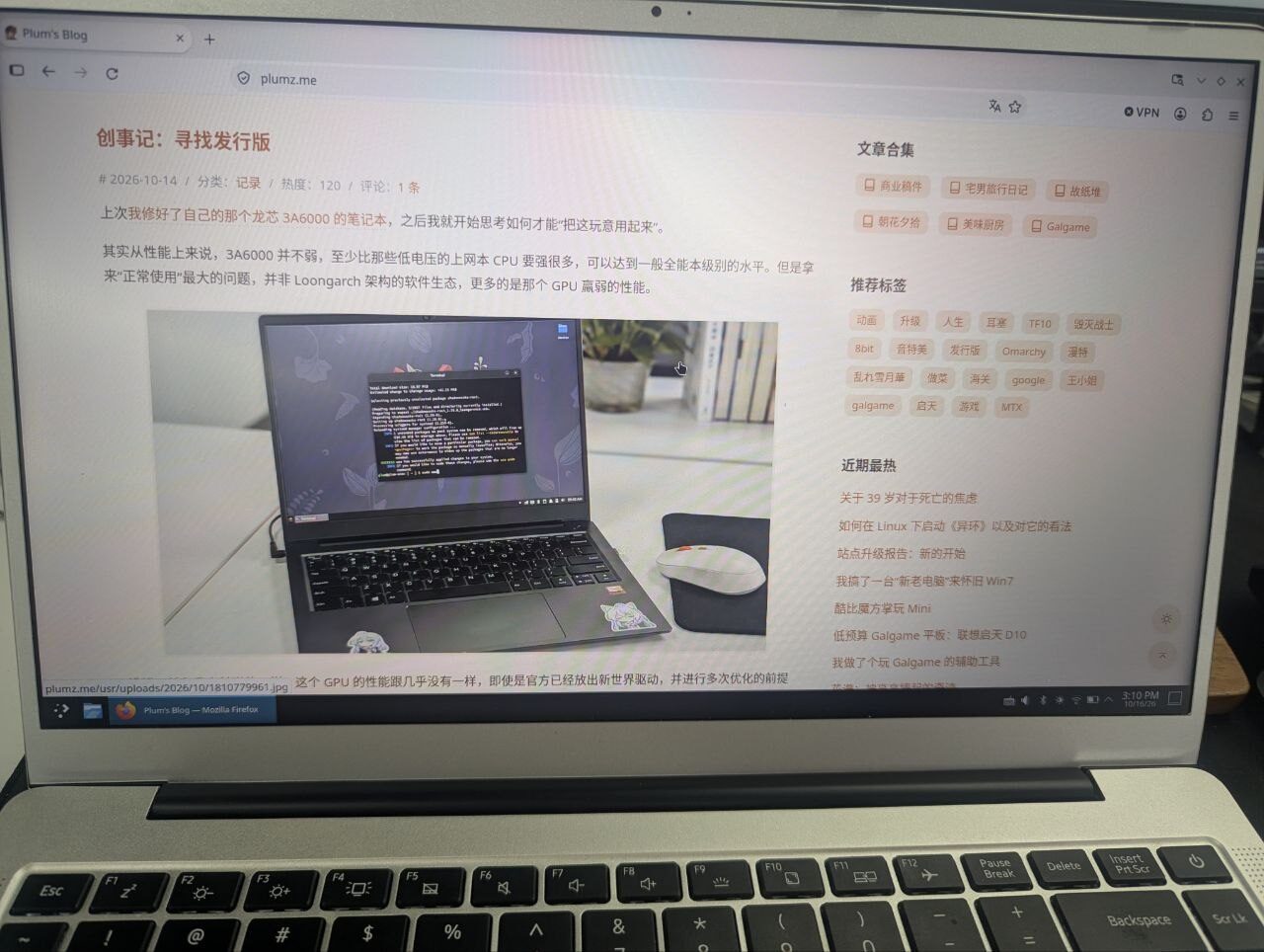
You can brag about how powerful Loongson 3A6000 is, add a 7600XT and run Black Myth: Wukong, but with multiple translation layers the configuration hassle isn’t something ordinary people can handle. And LoongArch’s ecosystem is still a real problem — not to mention many old-world software still relies on translation layers to launch. You can’t even persuade old-world WeChat and WPS to move to the new world quickly. Ecosystem building has a long way to go.
Zhaoxin solves the problem simply and realistically: make sure old software works when brought over, and satisfy basic browser netbook functions. I think that’s already a pretty good starting point.
In other words, I can carry a Zhaoxin laptop and use it to finish a series of tasks — SSH, writing, simple document processing, online communication. With that previous Loongson 3A6000, most of that was impossible; I even had to degrade to a full terminal character-interface workflow.
So this Zhaoxin thing — performance across the board is a turd, but at least it works.
Comments are hosted on the Chinese main site. This mirror is read-only.