Impressions: Loongson 3B6000M Laptop
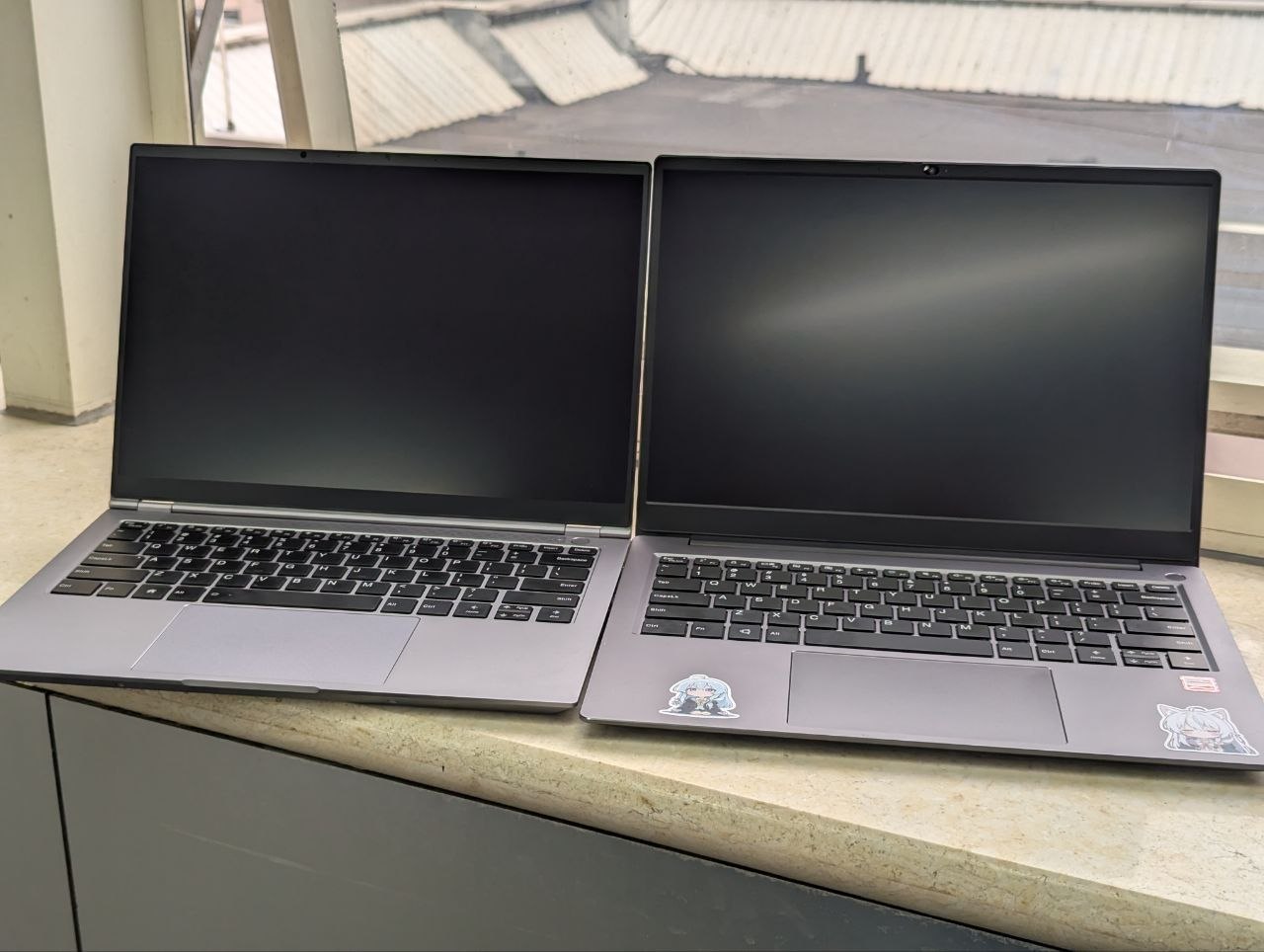
After my last rant about the Loongson 3A6000 laptop, I somehow ended up with a more “advanced” unit to test. The model number says NL60R, and it should be a refresh of the old NL38L chassis. Advanced because it’s on the Loongson 3B6000M platform, which brings better efficiency for laptop use and a more powerful integrated GPU… (though they still seem to call it a discrete GPU).
I spent a while with this thing, tried to get some work done on it, wrote about two blog posts, and came away with mixed feelings. As the title says, it’s a good laptop, but a very limited one, and at the same time one that’s at least “usable.”
Let’s go through it.
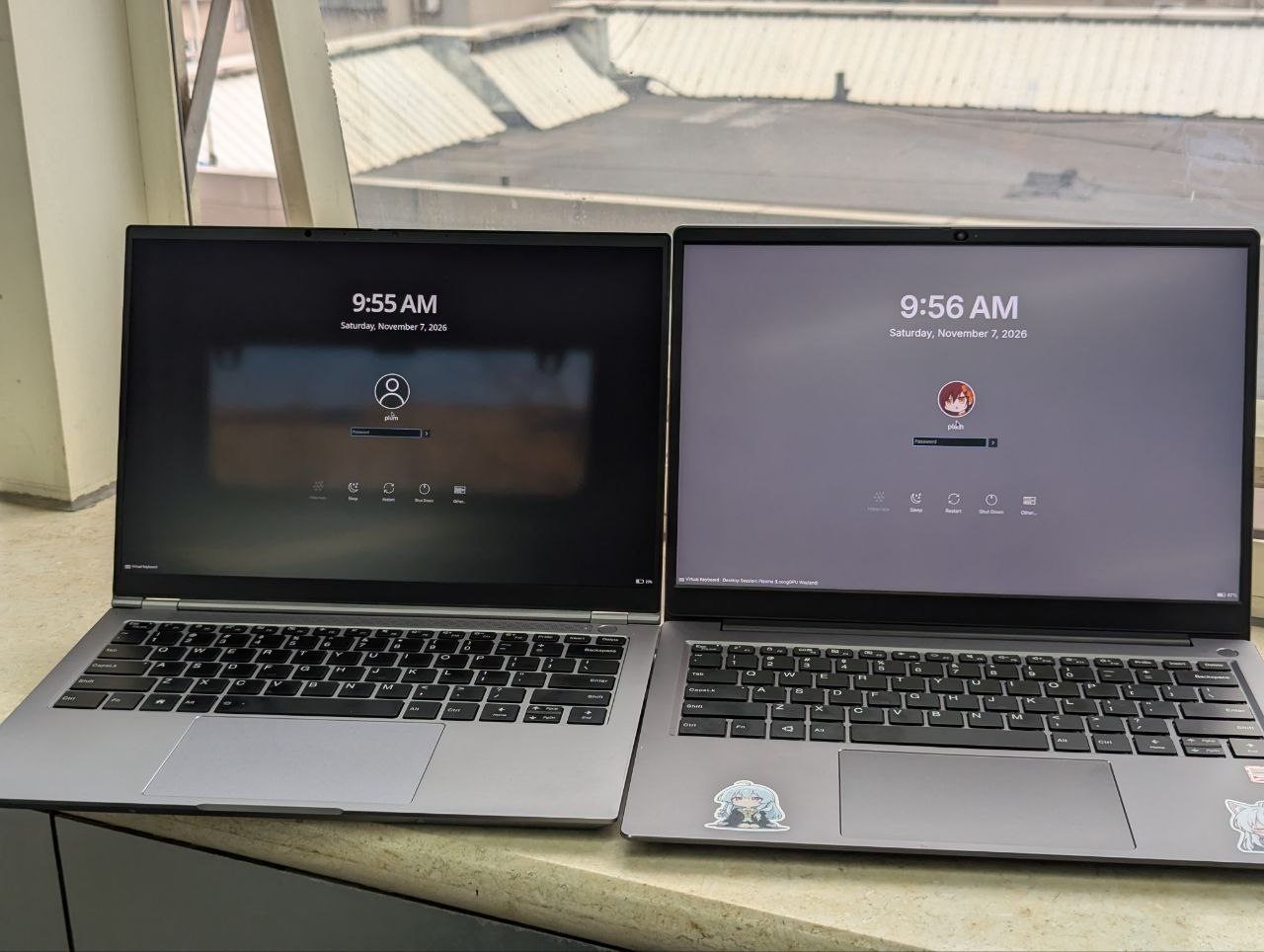
Sexy, powerful looks
My first impression when I got it was “small.” It’s a 14-inch machine, but it’s a size smaller than the previous 3A6000 Kaitian unit, and it’s thin and light. The weight and the overall feel are all easy on the eyes.
If I had to pick one word for the impression it gives, it might be “sexy.”
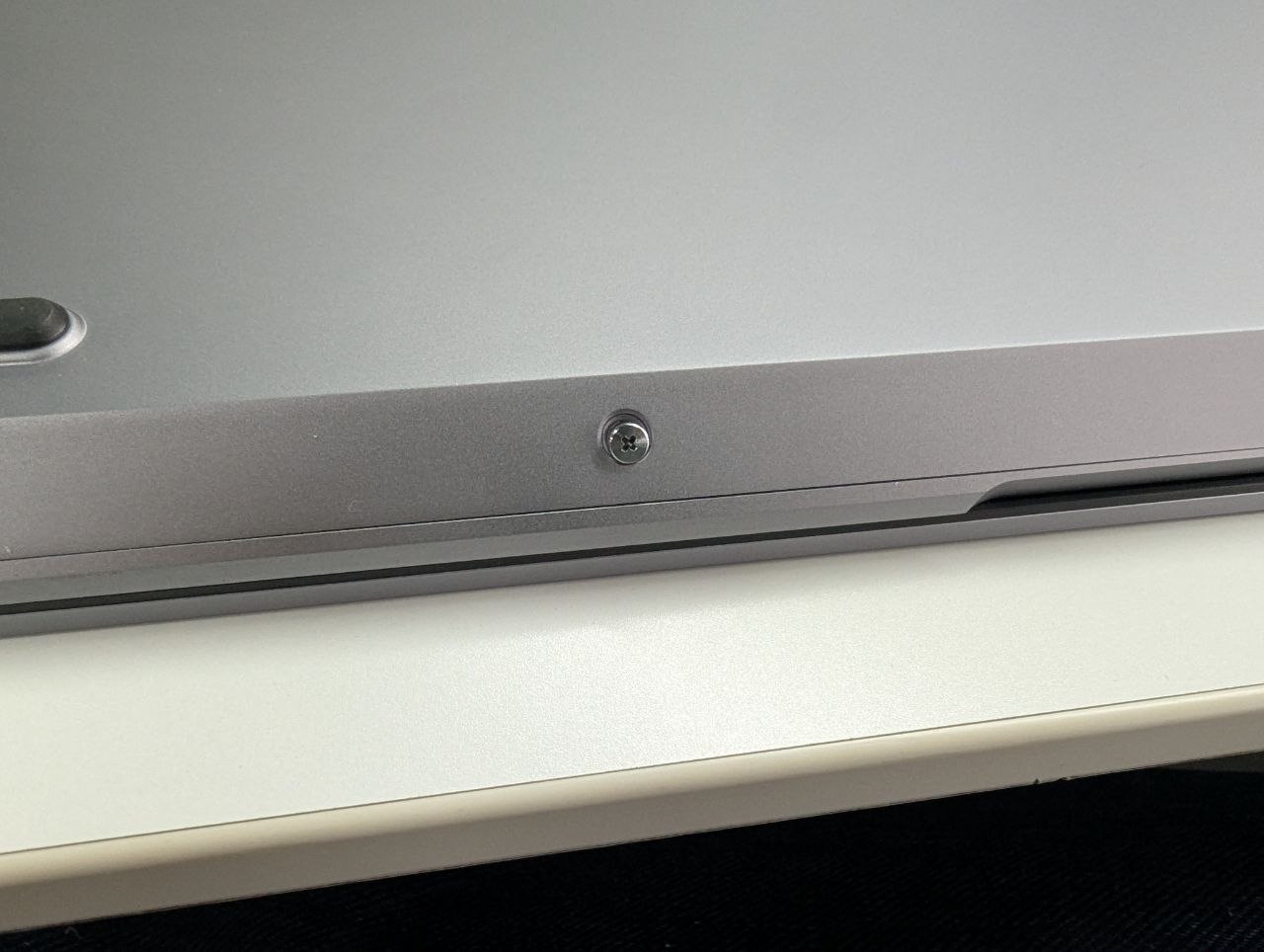
The chassis fits together tightly, it opens with one hand, the screen bezels are narrow, and the bottom cover looks like it has plenty of screws holding it down — not the slapdash “four screws and you’re in” feel of a typical ultrabook. I later looked it up and MECHREVO has some products with a similar design, so it’s probably an ODM / reference chassis. MECHREVO isn’t that much of a “shanzhai” brand these days anyway, and either way the jump in build quality is huge.
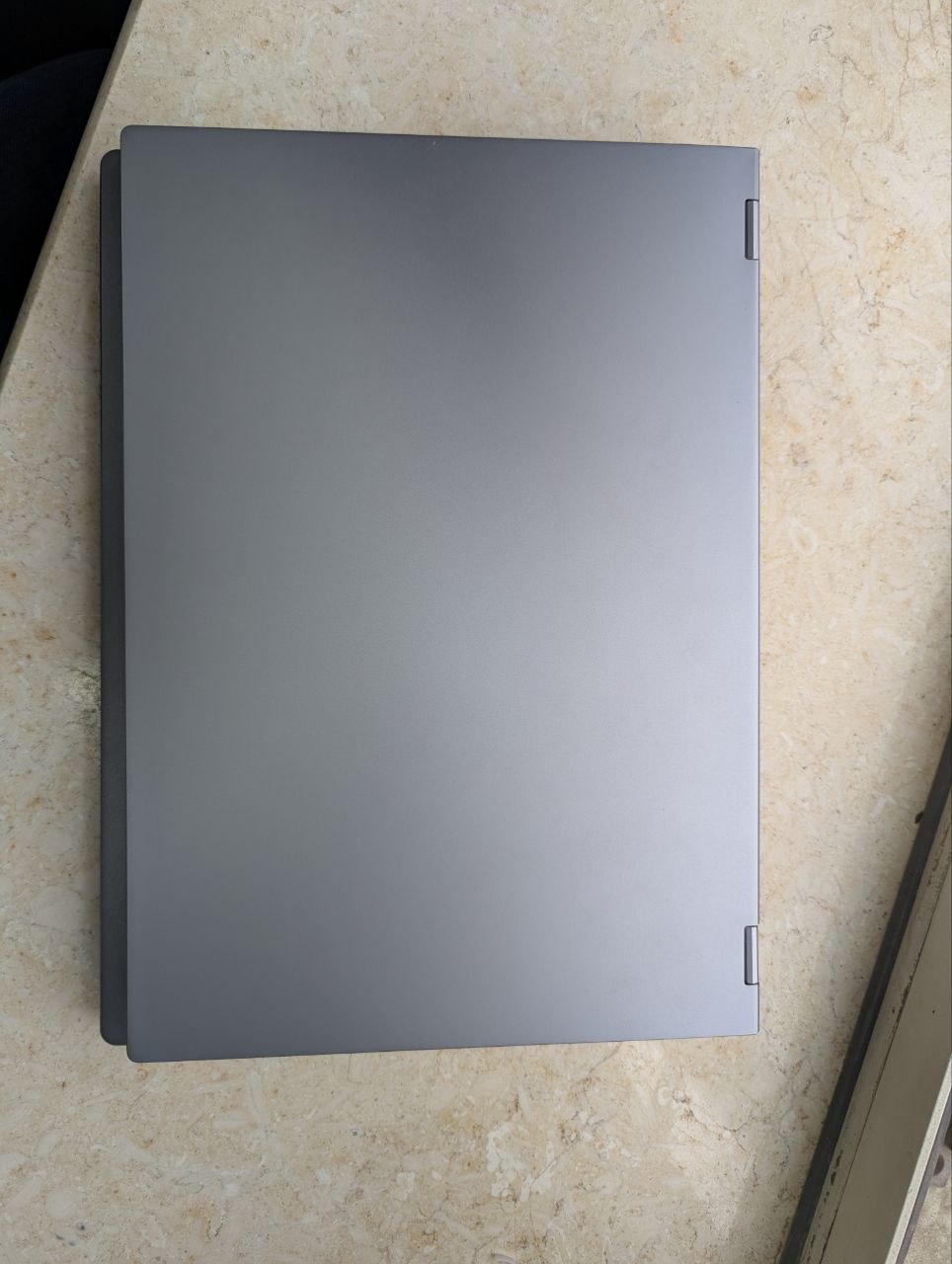
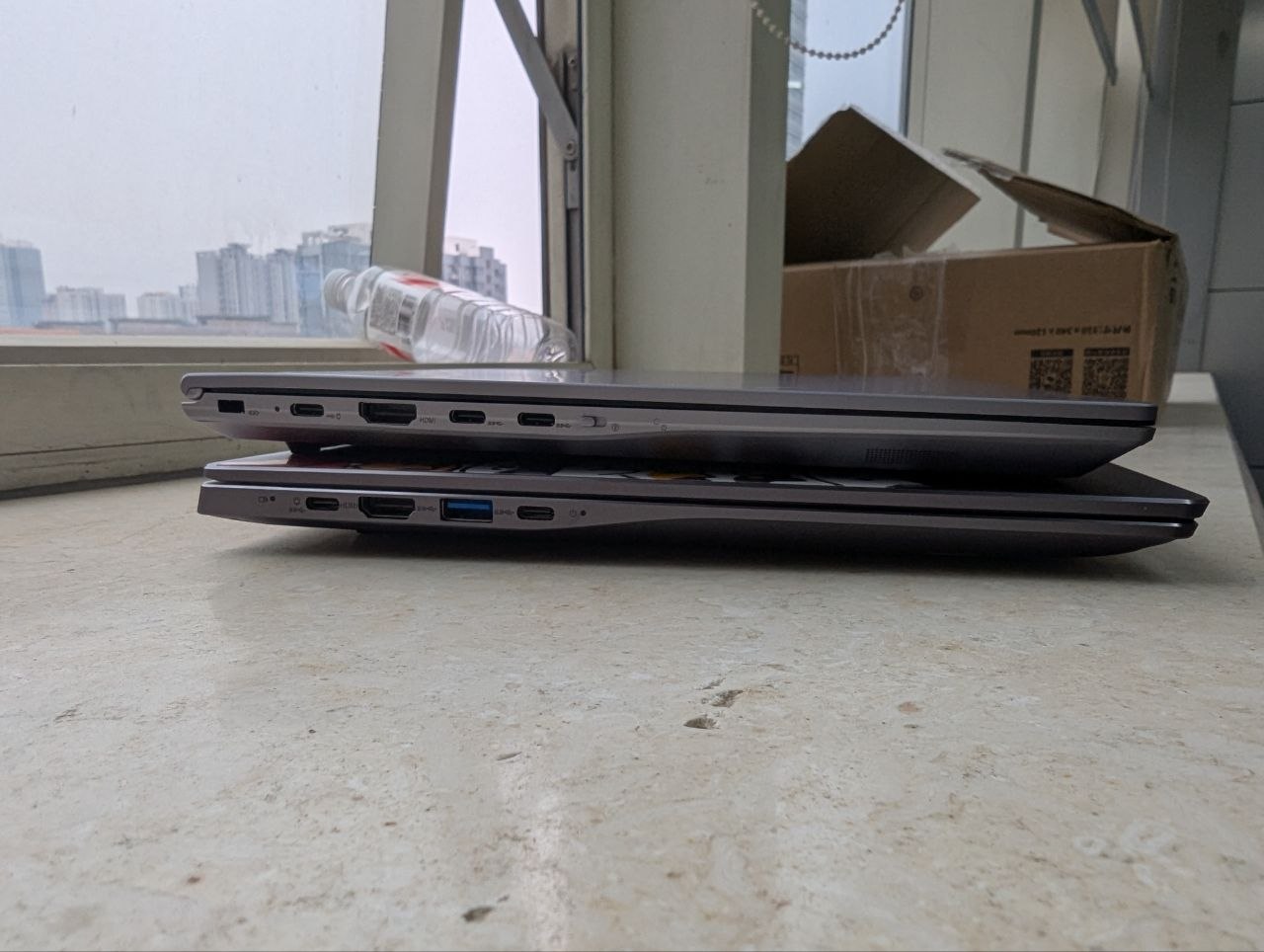
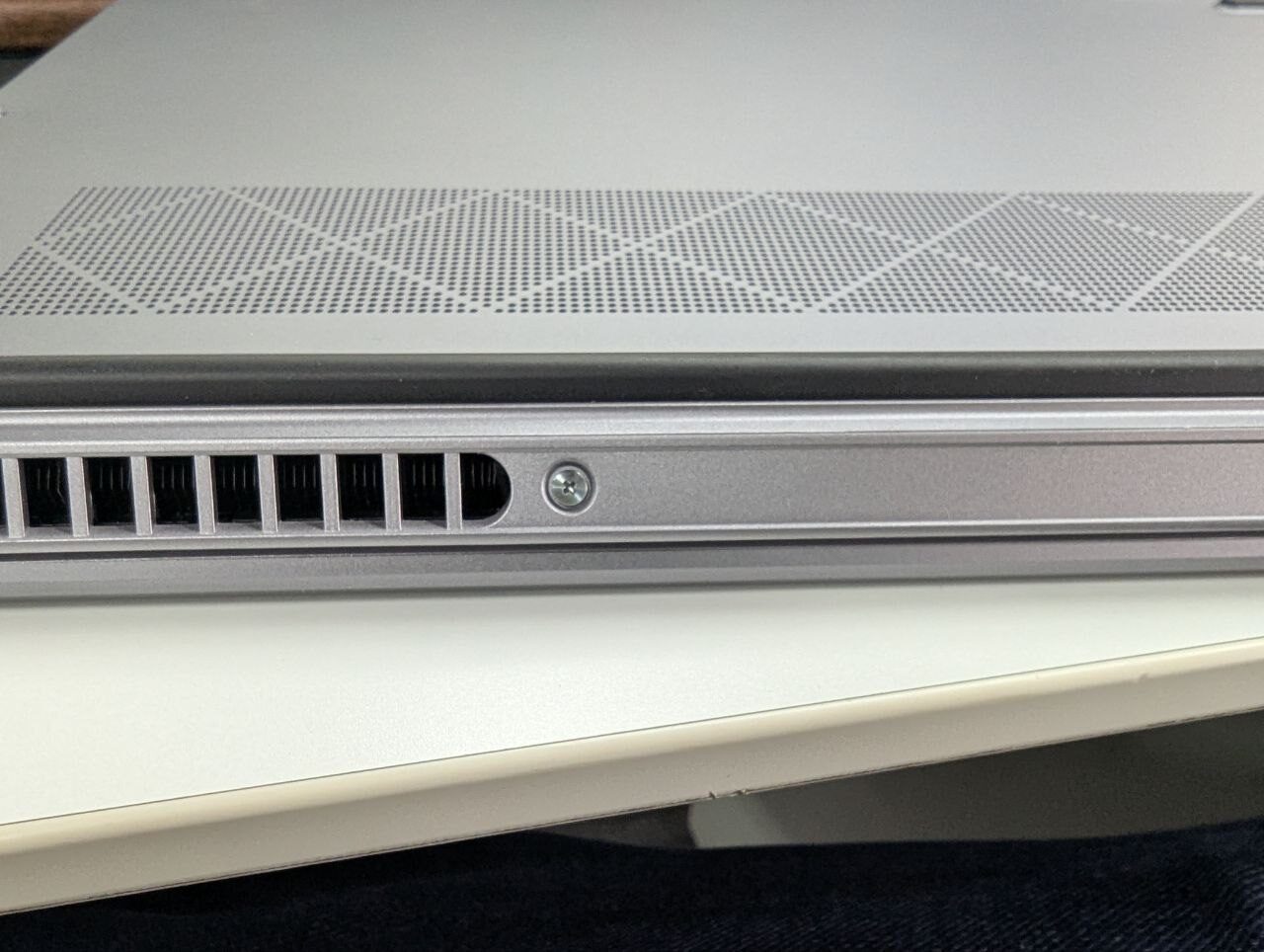
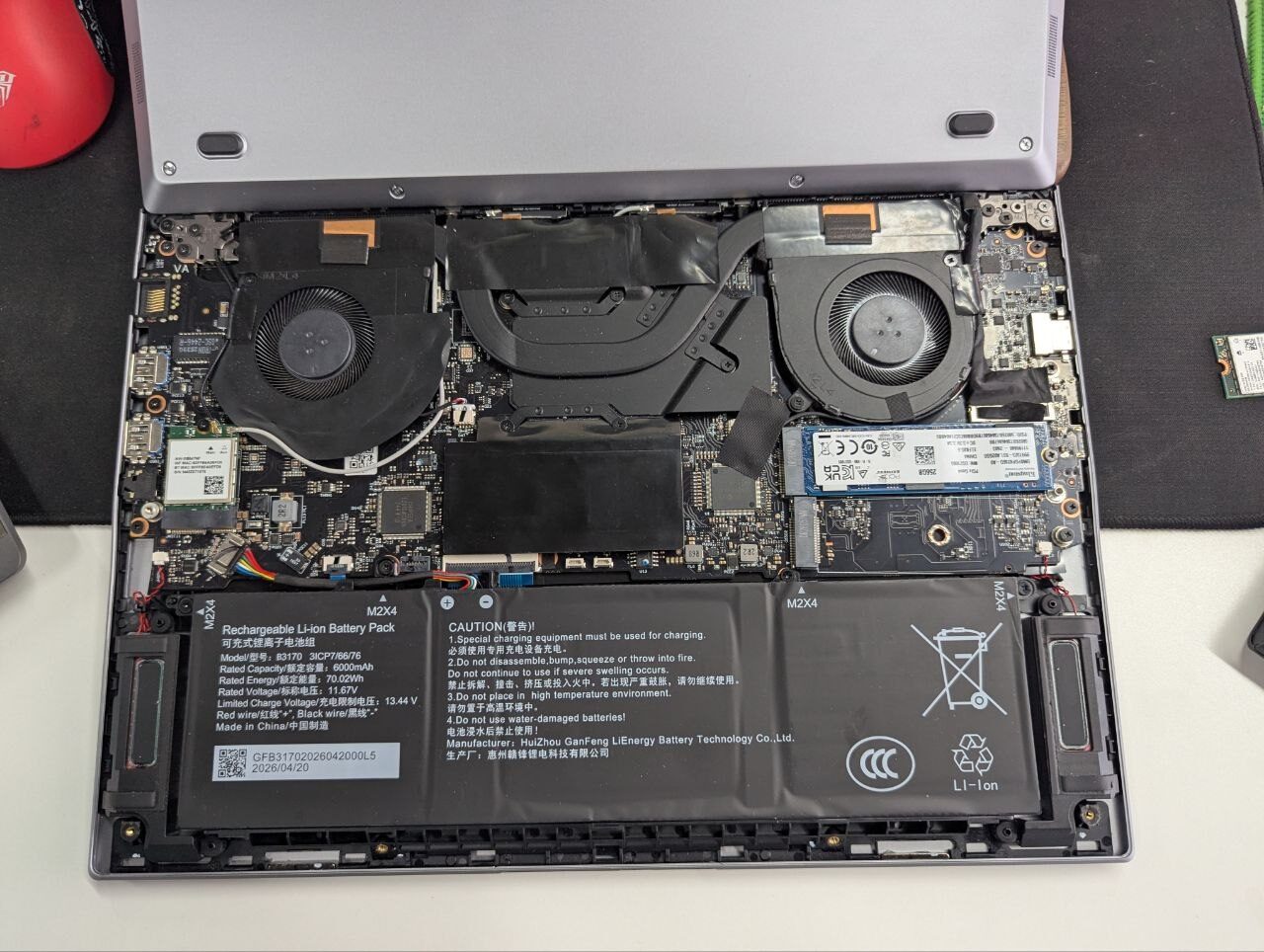
The screws are captive, and once you get the back off you find a single RAM slot, two SSD slots (I assume both are NVMe), and a replaceable Wi-Fi card. The card inside is an Intel BE200, which surprised me a bit. And whether it’s a system issue or a router compatibility issue, I couldn’t get the BE200 to connect to my Wi-Fi 7 router at home — the log said the handshake failed. Wi-Fi 6E at the office was fine. I swapped it for an AX201 and the AP at home connected normally.
After a once-over of the exterior, it was time to boot it up.
A passable experience
The machine came with AOSC preinstalled, but I reinstalled it myself anyway — might as well start from zero. The community folks who sent it said the bundled SSD had performance issues. I checked and yeah, writes are slow, reads are fine, and it’s tolerable. That’s when I noticed it has a single 32 GB stick of RAM. Kind of scary.
Installing the system was the same as before — AOSC is still that convenient. After installation it defaults to KDE 6 now, since last month they voted to push the new version to testing and stable.
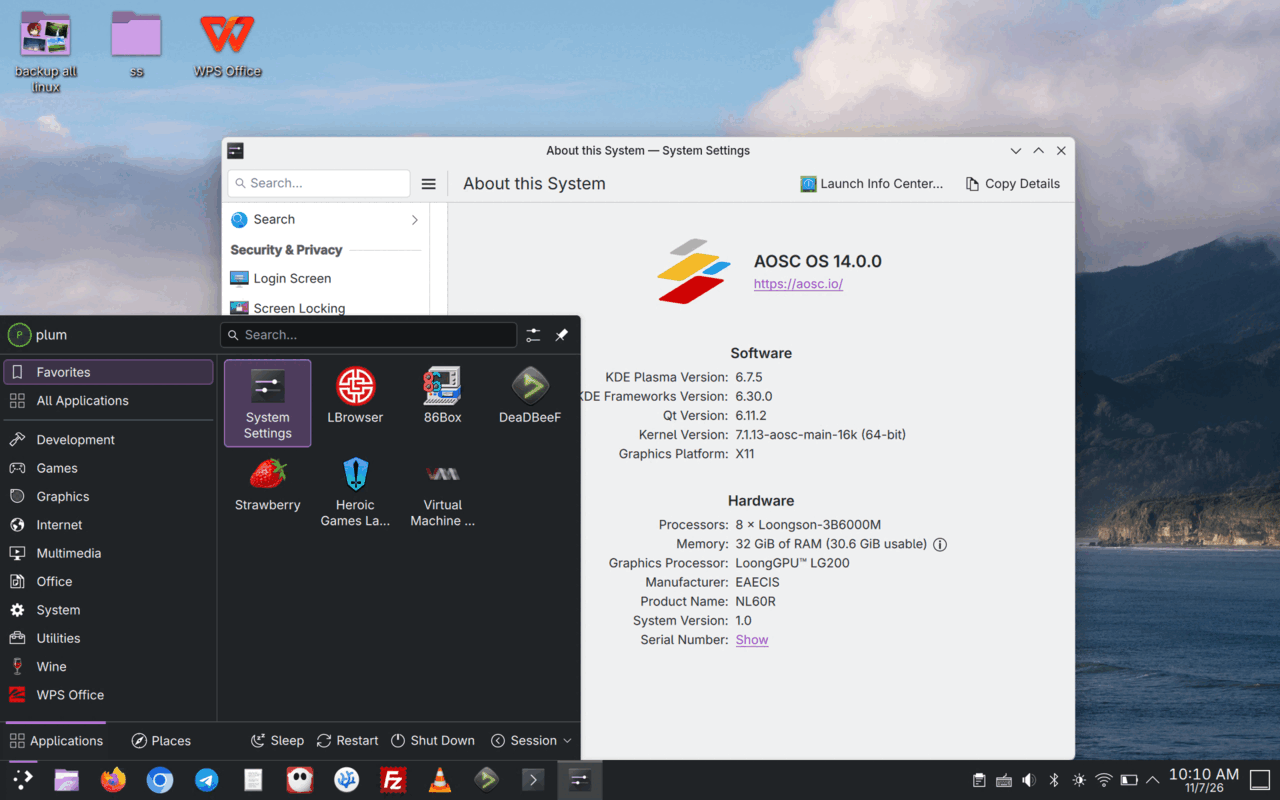
Once I was in the system, the biggest thing I noticed was that it’s “a bit smoother.”
Uh… yeah. Not butter-smooth, not painfully laggy, but somewhere in between: “a bit smoother.”
The 3B6000M doesn’t have much of an absolute performance advantage over the 3A6000 — it seems to be more cores for better multi-core performance, plus the star of the show this time: the LG200 GPU.
On paper the LG200 is clearly stronger than the LG110, with a performance bump and support for a lot of modern features, which noticeably improves the KDE 6 desktop experience. Window dragging no longer stutters, the browser is clearly smoother, and you can even watch a Bilibili livestream in the browser without obvious slowdown.

How should I put it — it suddenly feels usable. You can even open TuxKart and have a go at a different kind of kart race. I tried a Quake 3 port and it actually ran.
Apart from that, the system feels about the same to me as the 3A6000, including the battery life and power draw the 3B6000M is supposed to have optimized. The machine isn’t more power-efficient. But the GPU alone is enough to make it a night-and-day difference.
Now for some cold water: when I say “huge leap” for this GPU, I mean entirely relative to the old LG110. LG200 vs. LG110 is a massive jump in experience. Compared to mainstream laptops? The gap still feels huge. The desktop still isn’t smooth enough, it still stutters where it stutters, it still drops frames where it drops frames. I didn’t try switching to GNOME this time because I wasn’t sure LG200 can run under Wayland, so I based everything on X11.
Practical use
To get a better feel for the laptop and what LG200 brings, I tried to get some work done on it — writing drafts, managing machines over SSH in a terminal, moving files with Filezilla, that sort of thing.
Overall the tasks got done well. The GUI being relatively smooth is the big deal: the machine went from “the graphical interface is unusable” on the 3A6000 to “tolerable if you put up with it.”
While typing, though, I noticed the keyboard doesn’t feel great. It’s a clear step down from the 3A6000 unit. Given the machine got thinner and lighter, I can only read it as a compromise. I wouldn’t recommend long typing sessions on it. The touchpad’s palm rejection is also poor — the cursor frequently flies around while you’re typing.
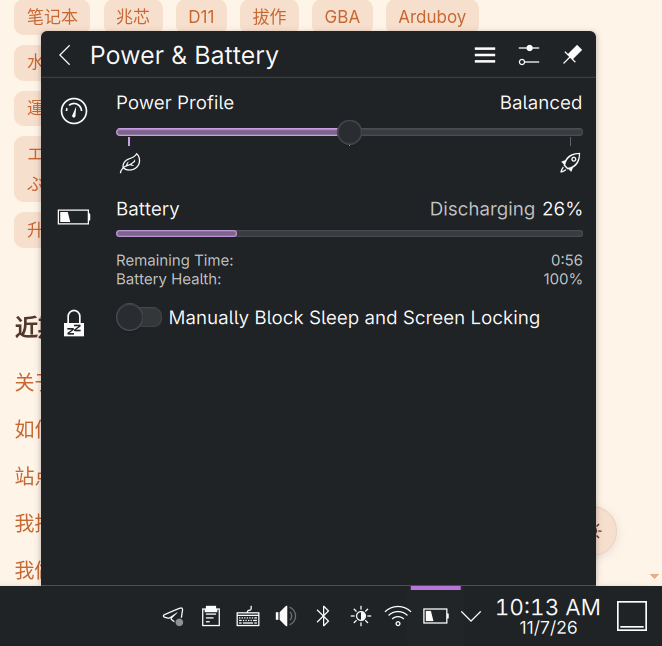
On battery and power management: the default PPD is unusable, but you can manually install Tuned’s PPD and get some Powertop-based power-saving settings. It felt useful to me. You can’t change the CPU’s dynamic frequency scaling, but you can optimize the peripherals.
As for battery life, like I said earlier, it still bottoms out around 3 hours. This new chassis has a 70 Wh battery and should last longer, but it doesn’t. Disappointing. I do think there’s room for optimization — frequency scaling and power control can be improved through BIOS and OS updates over time. One thing worth noting: while runtime is mediocre, standby is genuinely good. I’ve left it asleep for over two days and it still had charge when I opened it.
Summary and hopes
Honestly, the best thing about this laptop is the good-looking chassis — most of what makes it feel premium is on the outside. At the system level there isn’t much to say; it’s basically on par with the previous 3A6000 laptop. The difference is that this one has better GPU performance, so it doesn’t stutter blindly and you can actually get work done, or watch a livestream. That fits the 3B6000M’s positioning. Maybe the 3B6600 down the line will be the generation with a full leap?
If I had to give this NL60R a blunt review, it’d be: first-rate chassis, second-rate performance, third-rate experience.
It has mainstream-laptop-grade build quality and chassis, clearly better than all the cheap shanzhai netbooks, but slightly behind mainstream first-tier x86 processors in performance. And the experience isn’t smooth, but at least barely usable — enough to get some work done. I think that about nails it.
Sometimes I think the reason Loongson’s ecosystem develops as healthily as it does has a lot to do with AOSC and the community built around it. I’ve used 信创 (domestic tech) products before, and most are strictly tied to a few operating systems — UOS, Kylin, that sort of thing. I even took part in the UOS beta, and it didn’t feel like a team seriously building a product — more like an insurance salesman. The only one that seemed relatively solid at the time was Deepin, UOS’s free version, but that community is also weird. A lot of the technical support and discussion doesn’t talk like a human being, and the experience is poor. Even if you go through the trouble of installing Deepin or whatever on a 信创 device, you’re still stuck in its software ecosystem and can’t plug into the usual Linux environment, which is just boring. Contact the technical staff and you get a “very polite parrot” — a response that isn’t actually trying to solve your problem. I’ve complained about this before and gotten answers like “it’s not for you,” “this is enterprise-only,” “individual users should go use individual-user products.” I’ll quote what I wrote two years ago about the domestic 信创 environment:
But what I don’t understand is the attitude behind how “信创” is being developed — there are barriers at every turn. A platform that desperately needs growth and more users participating should keep an open mind, welcome users, and attract more people — especially students — to get involved so everyone can improve the ecosystem together. That’s how you get a better environment, and that makes promotion easier too.
AOSC is the only option I’ve seen that’s rooted in a campus community and makes domestic 信创 hardware feel like a genuinely free Linux system. oma is great to use, driver support is solid across the board, and it’s truly ready out of the box. You can freely mix in the open-source components you want and things from the Debian ecosystem, which turns the device into a real tool for traditional Linux users. I’d encourage anyone with resources to support the AOSC community, participate if you can, and if you don’t have time, buying merch is fine too — the merch design is honestly pretty good.
But honestly, compared to AOSC’s enthusiastic support, the Loongson ecosystem — which I’d say is already decent on desktops — is still awkward on laptops, where the audience is broader. The root cause is the integrated GPU and power draw. You can brute-force power draw with a big battery, but the integrated GPU that still can’t deliver a smooth OS UI is the real reason most people who’d be most willing to try Linux get scared off.
I think there are plenty of people like me who, even with a product like the 3B6000M, would try using it as a “semi-main work machine” if it could provide Zhaoxin-level desktop GPU rendering. Once more people start using an architecture and platform for real work, it gains faster development and potential.
Of course, LG200 has already evolved a lot from LG110, but it’s not enough. I hear there’ll be a minor revision of LG200, and then an LG300 that keeps evolving. Making Loongson genuinely usable on mobile, maybe even good, might not be a pipe dream. Until then, though, I hope Loongson and the community can put together something like a stopgap: a dedicated DE or forked WM optimized for LG110/LG200, a recommended list of common apps that run smoothly on LG110/LG200, and quick-start guides to get a 3A6000 or whatever you have lying around up and running — at least to get people through the dark before dawn. I saw recently that someone got Wayland and Vulkan running on LG110. The implementation doesn’t mean much, but the willingness to try solutions is genuinely commendable.
Here’s hoping Loongson and the related communities keep getting better. I’m not one for grand narratives. I just want a third option outside the traditional architectures, because that’s what makes things interesting.
Comments are hosted on the Chinese main site. This mirror is read-only.