Acer Chromebook C720 and My Ubuntu Install Adventure
The Acer Chromebook C720 is a Chromebook, and as the name suggests, it runs Chrome OS.
Chrome OS isn’t actually bad, but for one thing I’m a Firefox user, and for another, Chrome OS needs to be online to activate on first boot.
Activation works like ChromeCast: you need some circumvention. I tried a VPN and it promptly locked my Google account, claiming an abnormal login IP. Fine, whatever — I couldn’t be bothered to deal with it, so I just wiped the thing and installed Linux.
Putting full-blown Linux on a Chromebook isn’t news. Some people use Chroot to switch between the whole system and Chrome OS, others like me just kill Chrome OS and start fresh. The former isn’t much different from the latter in practice; I’m just fussy about it.
The Arch Linux Wiki has a detailed write-up on installing Linux on the C720. First enable developer mode, then at the developer-mode shell, turn on Legacy BIOS support:
# crossystem dev_boot_usb=1 dev_boot_legacy=1
Once that’s on, every time you boot you can press Ctrl + L to enter the BIOS and choose to boot from the SSD or a USB stick. That’s also how you install the OS: make a boot drive, boot it, install.
The stock C720 only has 16 GB of storage, but you can easily pop the machine open and swap in an mSATA SSD. Grab a cheap 64 GB one from eBay (or wherever) and you’re set. There are teardown videos all over YouTube — just follow along.
I tried Elementary OS, Fedora and Debian. Elementary wasn’t bad, but I couldn’t get used to the window manager. Fedora was genuinely unstable — GNOME Shell would freeze for close to a minute for no reason, probably due to limited performance. Debian was a hassle: every driver had to be done from scratch, and after installing it I found it still ran GNOME Hell, no different from Fedora. In the end I went back to Ubuntu; Unity makes pretty good use of a small screen.
Installing Ubuntu Linux is no different from a regular laptop. With a 4.0+ kernel, everything should be driven out of the box, but you’ll find the touchpad is really unpleasant, the screen washed out, and volume control a bit off.
First, the touchpad driver. Chrome OS is Linux underneath, but it doesn’t use the Synaptics driver — it has its own. So someone extracted the Chrome OS touchpad driver and recompiled it for regular Linux distros, making the touchpad as slick as it is under Chrome OS.
The project lives at https://github.com/hugegreenbug/xf86-input-cmt, and there’s a PPA at the bottom of the page. But installing from the PPA alone won’t work — you need to patch the kernel.
For the kernel patch you can follow the docs on GitHub, or use someone’s ready-made script. That script also needs circumvention to download. If you’re on Ubuntu Linux, make sure your release isn’t LTS 14.04.2, because the kernel there is named something like kernel 3.19-utopic, and the script doesn’t have that UT codename suffix, so bash will fail to match the directory name, CD won’t run, and you’ll have to fix each path by hand to get the build to succeed.
The script:
wget http://goo.gl/kz917j
bash kz917j
Then create the config file at /usr/share/X11/xorg.conf.d/50-cros-touchpad.conf:
Section "InputClass"
    Identifier      "touchpad peppy cyapa"
    MatchIsTouchpad "on"
    MatchDevicePath "/dev/input/event*"
    MatchProduct    "cyapa"
    Option          "FingerLow" "15"
    Option          "FingerHigh" "15"
EndSection
The detailed setup is here:
https://www.reddit.com/r/chrubuntu/comments/20b7np/acer_c720_trackpad_with_ported_chrome_driver/
That gets the touchpad working. There’s also a Reddit thread with fixes for various issues — none of them hard, just tedious:
http://www.reddit.com/r/chrubuntu/comments/1rsxkd/list_of_fixes_for_xubuntu_1310_on_the_acer_c720
Since everyone’s time is precious, nobody wants to deal with this. A wizard called hugegreenbug (hugegreenbug) has built idiot-proof Linux images for the C720, so you can skip most of the patching and just install. Give the man a round of applause:
Ubuntu 14.04: https://www.distroshare.com/distros/get/12 Xubuntu 14.04: https://www.distroshare.com/distros/get/14 Lubuntu 14.04: https://www.distroshare.com/distros/get/16
If that’s not enough, there’s more here: https://www.distroshare.com/distros/category/16/
All images are 64-bit. You might object that the C720 only has 2 GB of RAM, but according to the Ubuntu Wiki:
Unless you have specific reasons to choose 32-bit, we recommend 64-bit to utilise the full capacity of your hardware.
The C720’s CPU is a Celeron, but it’s not slow, and it supports 64-bit.
As the Ubuntu Wiki says, unless you have a real hardware/driver reason, 64-bit is fine — at least for Linux.
I installed Ubuntu Linux 14.04, which ships with the 3.19 kernel by default. After adding the Chinese language pack it was fine, but there’s still one thing that seriously hurts the experience: the screen.
The Acer C720 uses a 1366×768 TN panel. Its NTSC gamut is only 43%, but it’s at least in the same league as the 11-inch MacBook Air. If the MBA is passable, the C720 shouldn’t be terrible, so I went looking for a color profile.
Someone made an ICC file with their Spyder colorimeter, and after applying it the colors felt much easier on the eyes.
https://github.com/jquagga/AcerC720/blob/master/N116BGE.icc
With everything more or less sorted, the C720 has been satisfying. Battery easily lasts 7 hours, it’s thin and light, the screen isn’t too painful, and you can open it up and upgrade it. The keyboard feel is close to a MacBook Air, which is nice — except the top-right has no Del key, only power. Oh, and the C720’s Wi-Fi is dual-band but still garbage: downloads often stall, though web browsing is unaffected. Weird.
The breathing LED works properly when the lid is closed, which surprised me.
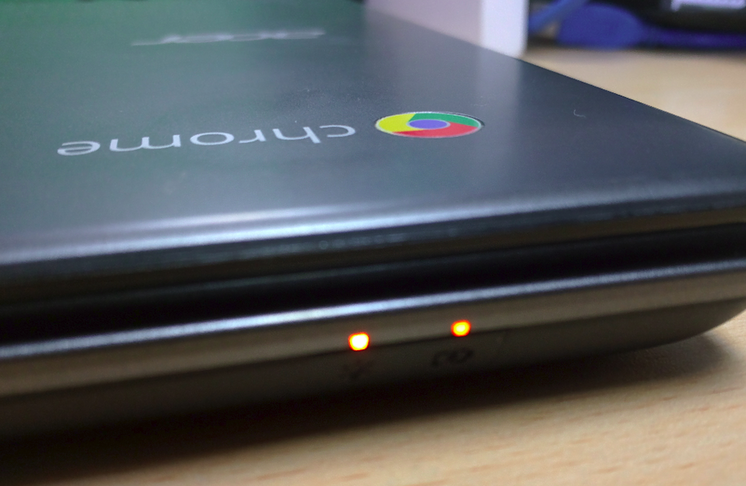
So this is a 600-yuan laptop I picked up to serve as a portable Linux terminal, and I’m mostly happy with it — at least it’s way cheaper than an 11-inch MBA or an NMB (New MacBook).
Comments are hosted on the Chinese main site. This mirror is read-only.