Fixing the Broken Control Panel in Ubuntu 14.04.3
After upgrading to Ubuntu 14.04.3 I ran into something weird.
First off, the “Users” section in “System Settings” wouldn’t open. Click it and it loops forever while CPU usage spikes.
My first instinct was to run unity-control-center from the terminal and see what it spat out.
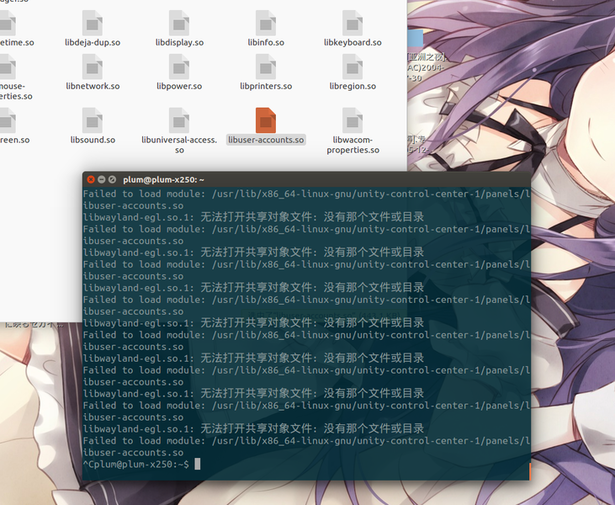
The file it can’t open actually exists, so the problem seems to come from libwayland-egl.so.1. But I don’t even use Wayland…
So I figured, did some package I upgraded the other day break this?
Might as well open Ubuntu Software Center and check the history.
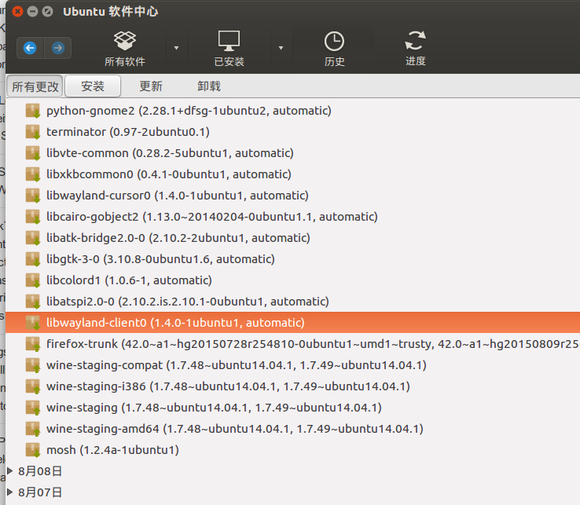
Sure enough, there it is — but it came from an official package…
Wait, is the problem from the official repo?
And that’s when I finally found the bug report here:
https://bugs.launchpad.net/ubuntu/+source/kde-workspace/+bug/1206371
The answer is to install libwayland-egl1. Turns out after upgrading to 14.04.3 you do need to install it separately.
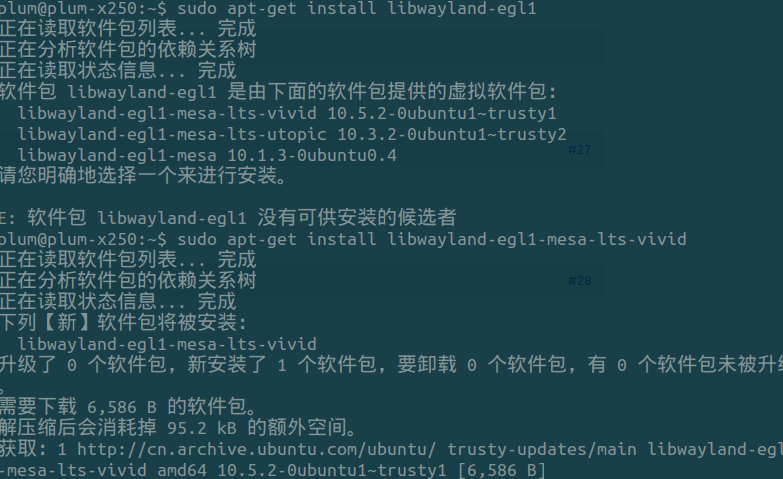
sudo apt-get install libwayland-egl1-mesa-lts-vivid
After installing, the effect was immediate — problem solved on the spot.
Comments are hosted on the Chinese main site. This mirror is read-only.