Fully Enabling Firefox YouTube Hardware Acceleration
First, check whether your Firefox is even showing acceleration.
about:support
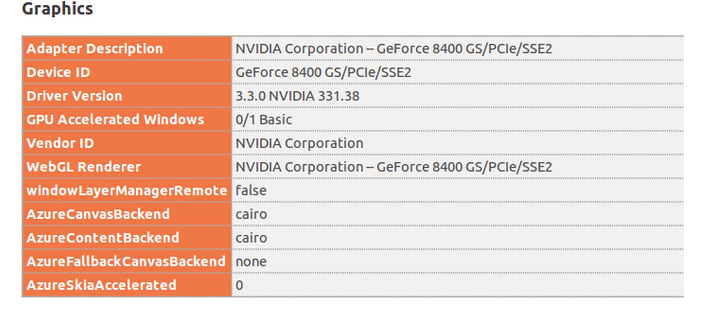
If it says
0/1 Basic
then you basically don’t have it, and you’ll need to do something to turn it on.
Enabling GPU acceleration comes down to two paths, Windows and Linux:
On Windows:
Open about:config
gfx.font_rendering.directwrite.enabled
Set it to True
Also, right-click and create a new integer pref named “mozilla.widget.render-mode” and set it to 6
On Linux:
Open about:config
layers.acceleration.force-enabled
layers.offmainthreadcomposition.enabled
Set both to True
After that you can confirm GPU support is good to go
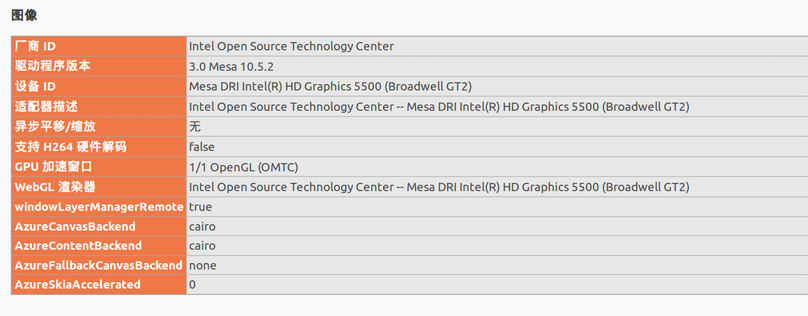
Next, enable Firefox’s full hardware support for YouTube
Open about:config
media.mediasource.enabled
media.mediasource.webm.enabled
media.mediasource.mp4.enabled
media.fragmented-mp4.exposed
media.fragmented-mp4.ffmpeg.enabled
All True
media.fragmented-mp4.use-blank-decoder
False
Right-click and create a new boolean, media.mediasource.ignore_codecs, set it to True
Restart Firefox, then open https://www.youtube.com/html5 to see whether everything is supported:

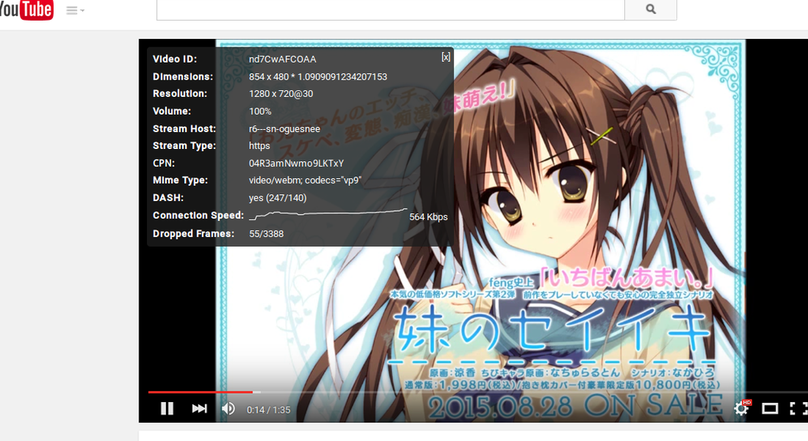
Now you can go play a video on YouTube and hardware acceleration will kick in, and some higher resolutions will show up too. Of course, this thing is for watching stuff like Linus Tech blinding you with rich people’s gear; most nukige-type videos are all 720p, sadly…
Addendum:
media.fragmented-mp4.gmp.enable
make absolutely sure this is false
Comments are hosted on the Chinese main site. This mirror is read-only.