Connecting devices with BlueZ5 on Ubuntu 14.04
I bought a Microsoft Designer Bluetooth Mouse a while back, but as I said, it won’t connect on Ubuntu 14.04 — it doesn’t support Bluetooth 4.0 Low Energy.
Actually the thing is supported in BlueZ 5.0, but Ubuntu 14.04 still ships BlueZ 4.X.
So here’s a way to enable BlueZ 5 and Bluetooth 4.0 / LE support. There are sacrifices.
After the upgrade GNOME’s Bluetooth management is completely dead and you have to let Blueman take over.
If you don’t care, keep reading.
Add the PPAs
sudo add-apt-repository ppa:vidplace7/bluez5
sudo apt-add-repository ppa:blueman/ppa
sudo apt-get update
sudo apt-get install blueman
sudo apt-get install bluez
On that last step, installing BlueZ 5, the terminal will hang. Open a new terminal and kill it.
sudo killall apt-get
sudo rm /var/lib/dpkg/lock
Then fix the install
sudo dpkg --configure -a
After that, restart the Blueman manager. If you had it running before, kill it first — manually or with a command, doesn’t matter.
killall blueman-manager
blueman-applet &
Add the Designer Mouse again and it works.
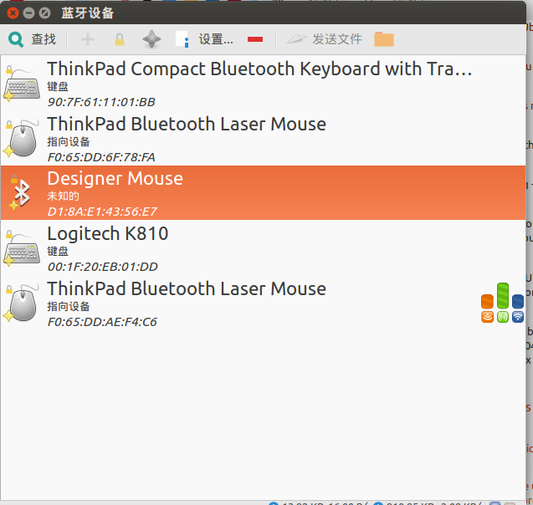
Problems I ran into:
1. On Ubuntu 14.04 it won’t shut down. If you’re like me and just close the lid and walk away, probably not a big deal. 2. Bluetooth is off by default after every boot. Probably something in the startup scripts. Again, if you close the lid and walk away, not a big deal. 3. Some places that enable Bluetooth still use the old GNOME Bluetooth management, which no longer works. 4. Ubuntu 15.10 already ships BlueZ5, so I’d suggest waiting until Ubuntu 16.04 LTS lands.
References: http://askubuntu.com/questions/646433/microsoft-designer-mouse-bluetooth-4-0-on-ubuntu-14-04-lts http://markrages.tumblr.com/post/124253167608/set-up-the-varmilo-vb87m-bluetooth-4-keyboard-in
Comments are hosted on the Chinese main site. This mirror is read-only.