Flashing a Sony Z1 with Flashtool on Ubuntu
Yeah, so the Z1 — Sony’s pride and joy — got its 4.4 push today. Ever since I ditched my Nexus 3 I’ve been missing how dead simple Fastboot made flashing. Sony, of course, can’t be bothered…
I wasn’t about to sit around waiting for the OTA, so manual flash it is. I looked up the Flashtool guide and — ugh. What a pain. Just installing the Windows drivers alone means two reboots. I’m lazy. Then I noticed Flashtool has a Linux build, so obviously I went with the version that doesn’t need drivers at all.
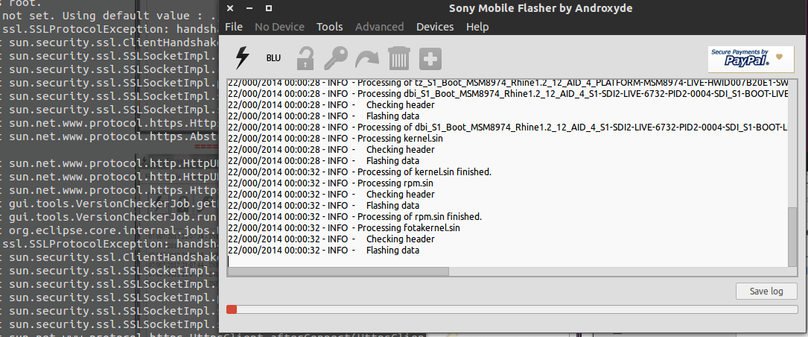
First, grab the latest Linux package of Flashtool — Google it. If you’re flashing 4.4, use the newest 0.95 release.
Enough talk, here are the commands…
sudo cp /etc/udev/rules.d/70-persistent-net.rules /etc/udev/rules.d/80-persistent-usb.rules
Then edit the copied file
sudo gedit /etc/udev/rules.d/80-persistent-usb.rules
Don’t worry about whatever’s already in there — just append the new line at the end
SUBSYSTEM==“usb”, ACTION==“add”, SYSFS{idVendor}==“0fce”, SYSFS{idProduct}=="*", MODE=“0777” Finally, make sure you’ve got the 32-bit compatibility stuff installed, ia32-libs. I know it got killed off in Ubuntu 13.10, and some people say you don’t need it, but if you actually care — and you’re lazy like me — just open the Ubuntu Software Center and install Skype. It’ll drag in a whole pile of 32-bit libs for you…
Last step: cd into your Flashtool directory. Oh, and drop the .tft firmware you downloaded into the Firmware folder.
sudo su
Comments are hosted on the Chinese main site. This mirror is read-only.