Ubuntu 14.04 Final Beta Notes
Yeah, I know. Sticking with Ubuntu is uncool, not open-source enough, not geeky enough, and honestly kind of dumb.
But I’m not here to argue about that. Just some problems I hit after installing Ubuntu 14.04 Final Beta, and how I fixed them.
14.04 is an LTS release. LTS means long-term support, and I’ve always told Linux users to stay on LTS because the other releases have a terrifying number of bugs. The LTS tradition is that things are already stable from the alpha stage, like 12.04 back in the day.
Same goes for 14.04 now. Apart from a few missing PPAs, stability is fine, though there are still some small issues.
1. The default Chinese font changed to DroidSans Fallback Starting with 13.04, Ubuntu dropped WenQuanYi Micro Hei as the default and went with Zen Hei, then by the 14.04 alpha stage they completely gave up and switched to Kai, and even Ubuntu Touch uses Kai as the default Chinese font, which is unbearable. Now that it’s an LTS, they seem to have gotten a bit more serious and changed the default to DroidSans Fallback, the default Chinese font on Android.
Actually the font config file still lists WenQuanYi Zen Hei first, it’s just that Zen Hei isn’t installed by default anymore. Either way, it looks way better than Kai.
But DroidSans Fallback has its own problems. Kaomoji are really hard to read with it. Dealing with those annoying people who put kaomoji in every single message is a pain—who knows if they’re teasing you or mocking you, all you see is blank space…
So I installed WenQuanYi again and set Micro Hei as the default font.
sudo apt-get install wqy-*
To set the default font:
http://forum.ubuntu.org.cn/viewtopic.php?f=48&t=422887
2. sunpinyin can’t type “囧” I was chatting someone up on empathy and suddenly realized the IME couldn’t type “囧” anymore. That’s pretty 囧 itself. At first I thought it was fcitx’s fault, then found out it was sunpinyin. I was about to curse C-Series when I saw it was a Debian packaging issue.
Bug report here
https://bugs.debian.org/cgi-bin/bugreport.cgi?bug=730821
The fix is simple: grab a newer sunpinyin-data from Debian’s Sid repo and install it…
http://ftp.hk.debian.org/debian/pool/main/o/open-gram/sunpinyin-data_0.1.22+20131212-1_amd64.deb
3. Ubuntu Software Center can’t install third-party debs Another bug, but Launchpad is already in an uproar. The devs say they’ll fix it before the final release. Whatever, until they do, just install gdebi in the Software Center and make do…
4. Numix theme black bars The Numix theme is a big reason I stick with Unity—otherwise I’d have switched to xfce4 long ago. It worked fine on 13.10, but on 14.04 it has all sorts of black bar bugs.
Found a bug report someone filed
https://github.com/shimmerproject/Numix/issues/51
Turns out it’s caused by Ubuntu’s overlay scrollbars. Disabling that feature fixes it, but I didn’t want to disable it, I wanted to keep both. So I left a comment asking the dev if there’s a new patch for 14.04.
The Indian guy told me: nope, because if they change that, Numix breaks on other environments.
Oh fuck…
So I said screw it, grabbed the shimmer-theme deb from the 13.10 repo, extracted it and overwrote the current path. Problem fixed.
Even though the Indian guy also told me this would definitely cause issues.
But I haven’t run into any problems so far. It’s just a theme—worst case I roll back to the default.
5. Solaar PPA not updated I’ll be honest, I was being an idiot here.
At first I kept waiting for the 14.04 PPA updates for TLP and Solaar. TLP eventually showed up, Solaar didn’t.
So I was about to compile it myself, went to the homepage, and found it has almost no dependencies… just a few Python things that are already installed by default.
So just pull the deb from 13.10 and install it, works fine… Same for flowblade, and deadbeef.
As for TLP, if you don’t like PPAs you can just use the install script—it’s literally a script…
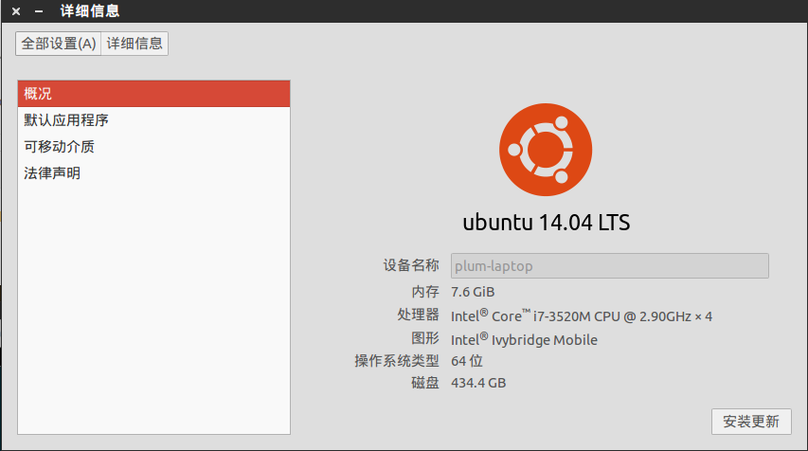
Anyway, I’m now running Ubuntu 14.04 on both my laptop and desktop, and it feels good. The laptop especially—battery life improved a lot. Not sure if it’s because of the screen replacement or something else. Anyway, I’m staying on LTS this time, no more jumping on every release. I hear the next version switches to Unity8 desktop, and my gut tells me it’ll be absolutely unstable… so I’m not moving.
Comments are hosted on the Chinese main site. This mirror is read-only.