Home Router Upgrade
For the longest time I ran TP-Link routers, until I got sick of rebooting them all the time and bought a Linksys E4200 in 2011, paired with an RE1000 to cover the house.
Then came four-plus years of peace. Honestly, apart from power outages, I basically never touched either of them, and they almost never froze up — the only thing I ever did was reseat the WAN port a few times when it came loose.
But a few days ago I found out the router was finally done for. First the ports wouldn’t come up, then the config wouldn’t save, and a reset didn’t fix it either. Flashing firmware threw an error. That’s when it hit me: this thing might be kaput.
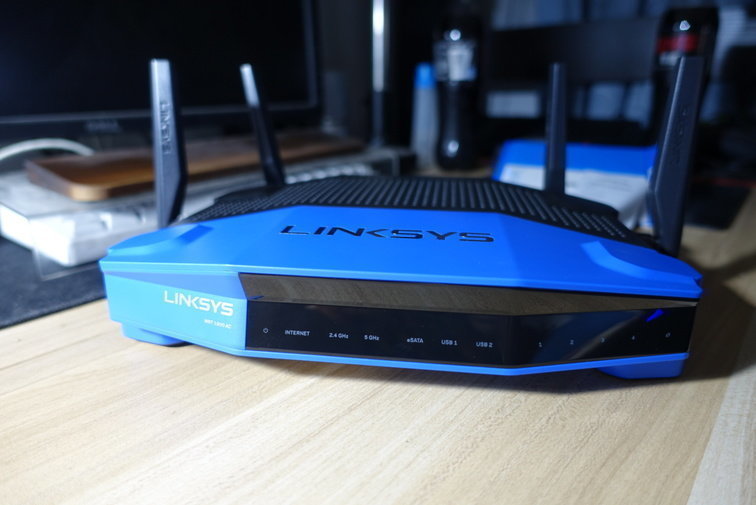
If it’s dead, it’s dead. Linksys hasn’t been part of Cisco for years now, but I still had a good impression of them, so I picked up a Linksys WRT1900AC + RE4000w combo to replace the E4200 + RE1000.
Shipping was fast, and the WRT1900AC honestly looks pretty damn good.
The RE4000w is different from the RE1000 — it’s white. As a repeater, though, color doesn’t matter.
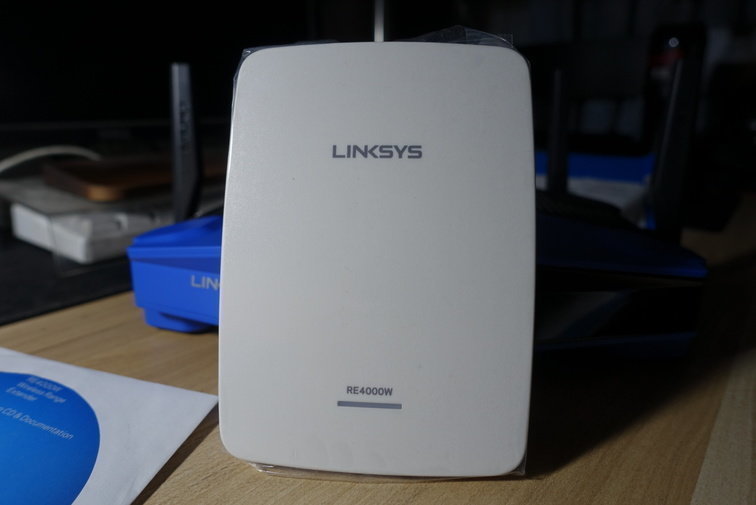
I’ll skip the setup talk. It’s a router. That said, I didn’t fully retire the RE1000 — I left it in another corner of the house as a repeater to widen coverage, especially the bathroom. Now I can use my tablet in there without worrying about a weak signal failing to send images.
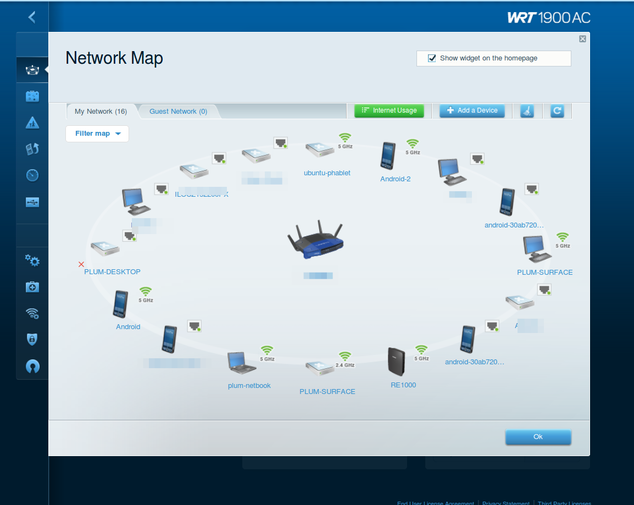
The firmware UI on the Linksys WRT1900AC is very different from the old Linksys. Honestly, though, aside from being flashy it doesn’t have much in the way of useful features — some stuff is actually harder to find now…
That network topology view, of course… (seems about right) is pretty cool.
Last thing: after I set up the router, I noticed the PPPoE dial-up was getting handed a private IP instead of the public IP I had before. So I called Henan Unicom to complain. The rep asked what I needed, and I told them I manage a server room at work and can’t connect remotely without a public IP. Unicom was surprisingly chill about it — they just enabled the permission and told me to reboot and redial.
Sure enough, the public IP came back.
And with that, the home network router upgrade is done.
Comments are hosted on the Chinese main site. This mirror is read-only.