Upgrading the ThinkPad X250 to 16 GB of RAM
When I got the X250, there was one letdown: supposedly the thing maxed out at 8 GB of RAM.
But then things turned around. In April a BIOS update landed that added support for a single 16 GB stick. The only problem was that RAM was expensive as hell.
Prices have come down now, but Taobao is out of stock everywhere. There are some cheap ~600 RMB single 16 GB DDR4 sticks floating around, but the X250 can’t use them — it’s DDR3 only.
Good thing overseas shopping exists. US Amazon had a decent deal, so I grabbed a single 16 GB Micron DDR3 stick. Global shipping isn’t actually that fast, for the record.
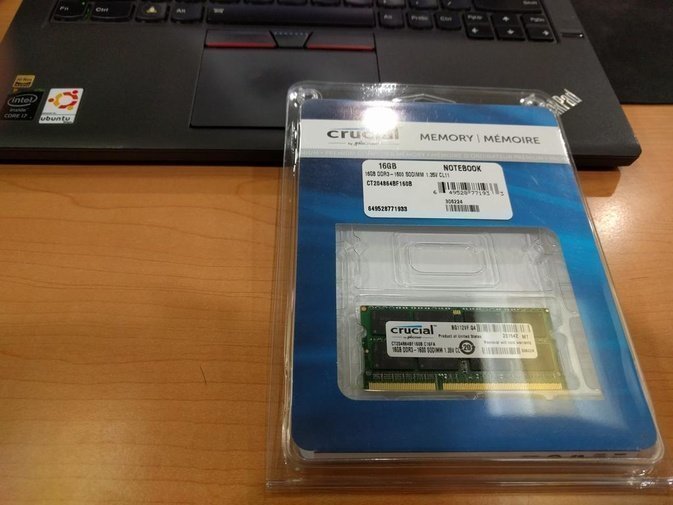
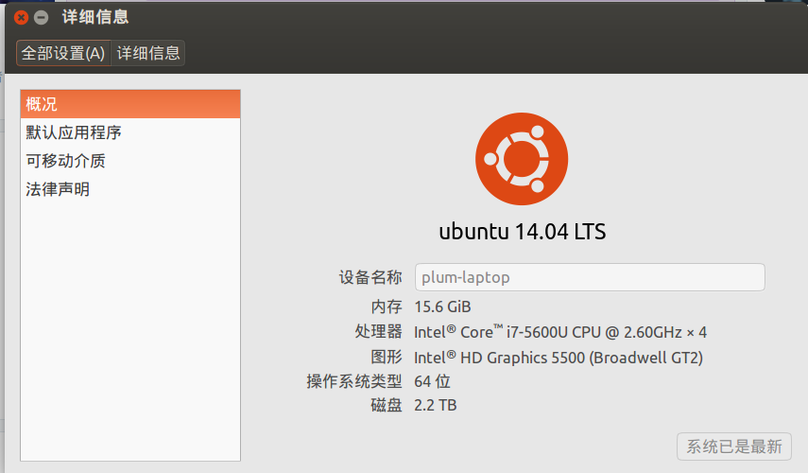
Swapping the RAM is dead simple. Cut power in the BIOS, pop the bottom cover, disconnect the internal battery, slot in the RAM, put it back together, done. Recognized it perfectly on the first try.
Incidentally, on the eve of CES 2016 today, Lenovo dropped info on the next-gen ThinkPad X260. Basically identical to the X250, just on the new Skylake architecture, with the built-in VGA swapped for HDMI and one extra USB port.
Not much to get excited about, honestly.
Comments are hosted on the Chinese main site. This mirror is read-only.