A Few Days with Dual-Bay External Hard Drive Enclosure
First Impressions of a Dual-Bay External Hard Drive Enclosure
I’ve got a few too many laptop hard drives lying around. Up to now I’ve been using all sorts of different enclosures, so I got to wondering—do dual-bay external enclosures exist?
Turns out they do. One is the much pricier kind with Thunderbolt and USB Type-C, clearly aimed at Mac people. The other is the one I bought: cheap, plain USB 3.0. The Taobao reviews looked decent enough, so I figured I’d grab one and see.
It’s basically the same as any ordinary external enclosure, just with a two-story layout so you can stuff in two drives. The shell is brushed metal—looks the nicest and is worth the least. Inside there’s a switch for picking how the two drives work together.

Being a brave soul, I went with RAID 0.
Plugged it into the PC and it showed up as a single 2TB drive. I put in two 5400rpm 1TB laptop drives.
Formatted it, then gave the speed a try…
Write…
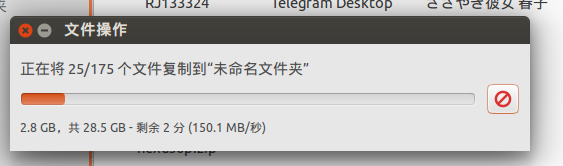
Switched to the desktop and wrote again…
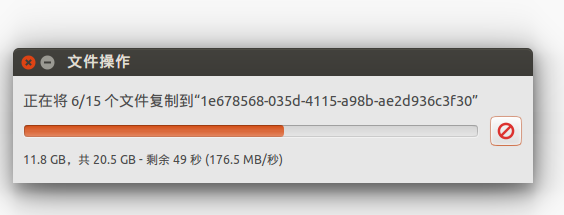
Tried once more…
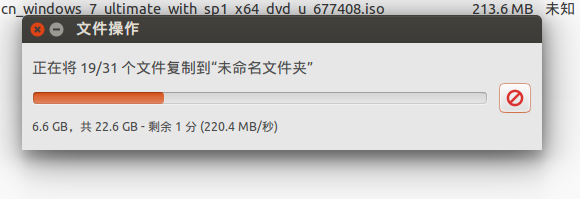
Honestly, it’s about what you’d expect. At least the capacity is big and it’s faster than your average drive.
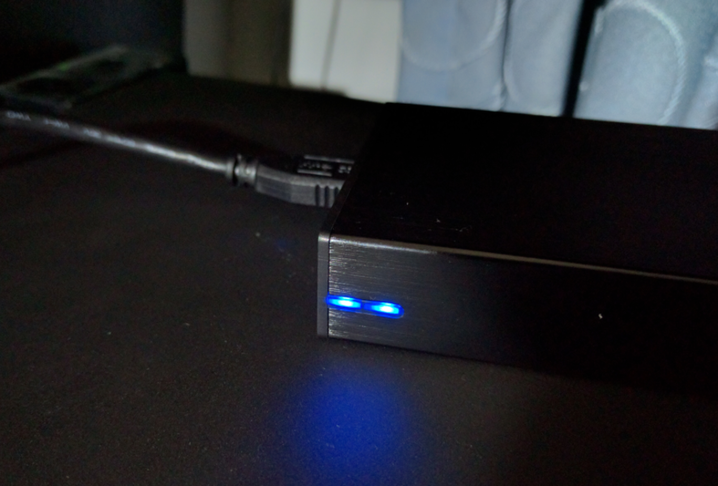
Oh, and when the drives are working, two blue LEDs blink—each showing which drive is active. Looks pretty good, actually.
Comments are hosted on the Chinese main site. This mirror is read-only.