A Quick Fix for Linux Laptop Power Consumption
After a recent kernel upgrade on Ubuntu Linux, my power consumption went up.
I looked around and found a method that brings it down—and it seems to use even less power than before. Writing it down here.
grep enabled /sys/firmware/acpi/interrupts/*
Check whether any interrupt count is absurdly high. In my case /sys/firmware/acpi/interrupts/gpe25 was abnormally high. Normally this shouldn’t be a problem.
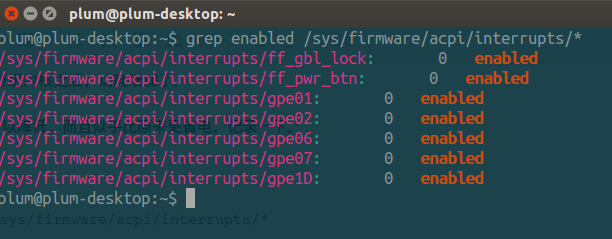
So you can try disabling it and see what happens. Personally I’d suggest just echoing “disable” into it first and checking for any side effects; if nothing seems affected, you can disable it automatically on every boot and resume.
sudo crontab -e
Add the following line, replacing gpe25 at the end with whatever yours is from the earlier output.
@reboot echo "disable" > /sys/firmware/acpi/interrupts/gpe25
Of course that’s not enough—you need to create a file related to sleep to keep it applied.
sudo vim /etc/pm/sleep.d/30_disable_gpe
File contents (gpe25 is my affected interrupt):
#!/bin/bash
case "$1" in
    thaw|resume)
        echo "disable" > /sys/firmware/acpi/interrupts/gpe25 2>/dev/null
        ;;
    *)
        ;;
esac
exit $?
It takes effect after a reboot. This might fix power consumption on other laptops too—but if testing turns up problems, don’t use it.
Source: Crushing The Kworker Uprising
Comments are hosted on the Chinese main site. This mirror is read-only.