Google Pixel C
I sold my year-old Google Nexus 9 and, as a replacement, imported the latest Google Pixel C. The reason was honestly that I wasn’t all that satisfied with the Nexus 9—screen too small… build quality so-so… maybe that was it.
More than that, though, I think the Pixel C just appealed to me more.
The import went smoothly, but Google still shipped the keyboard and the tablet separately, which meant I had to deal with two forwarding orders. The keyboard ended up getting taxed too. I don’t think it should have been, but the forwarding company declared it proactively. They had a tax receipt, so I let it go.
I’ve used the Google Pixel C for a fair amount of time—not short, but not long either. I’ve honestly written quite a bit on it: reports, and every blog post from the last one of last year up to now. I figure that gives me the right to have an opinion on this thing.
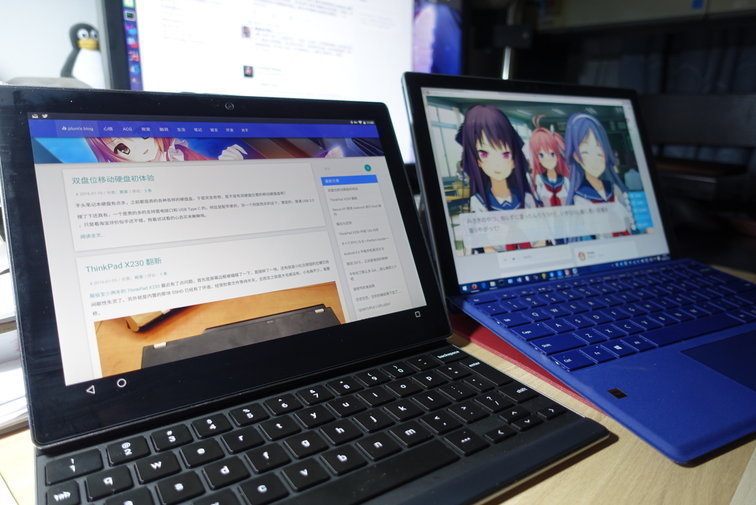
Build, looks, and feel
As far as build quality goes, I don’t think there’s much to complain about with the Pixel C. Like the introductions say, it’s a metal body—feels solid in hand, but not heavy. The buttons have good feedback too, no sinking like on the Nexus 9. More importantly, once the tablet and keyboard are snapped together, the whole thing feels premium—at least it doesn’t look like cheap junk.
There are already plenty of videos online of the Pixel C with its keyboard, so I probably don’t need to go into too much detail. Actually, when I first watched those videos, one thing bugged me: if the keyboard attaches via magnets, wouldn’t that make it loose? Even though Google’s people demonstrated how reliable the magnetic attachment was during the product intro?
Turns out I was worried for nothing. The magnets are much stronger than I expected, and the keyboard packaging even includes a diagram showing how to use it—like which side of the tablet (the one with the indicator light) should attach to the spacebar side of the keyboard for correct orientation, how to detach the firmly attached keyboard, and how to make sure it sticks properly when you close the keyboard over the screen.
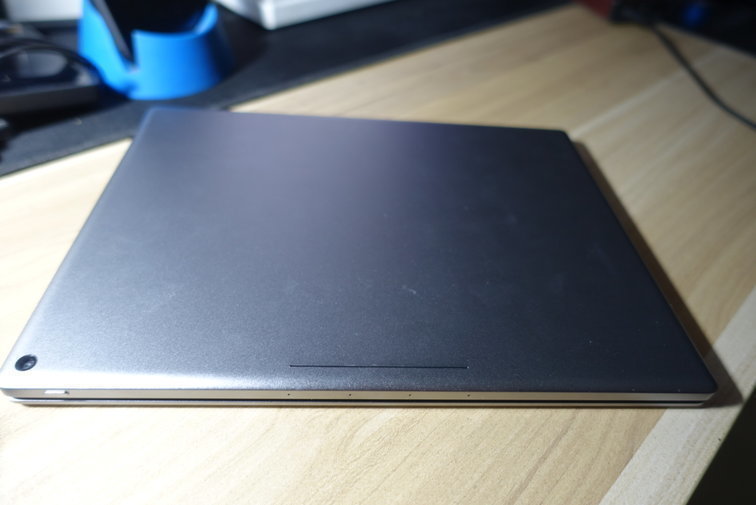
The Pixel C was reportedly designed to run Chrome OS originally, but that fell through because Chrome OS didn’t handle touchscreens well, so it ended up on Android 6.0. Of course, by the time you get it, you can already upgrade to Android 6.0.1. The OS itself isn’t bad—it’s just that, compared to other similar products, Android 6 is a bit lacking when it comes to working with a large screen and keyboard. It feels awkward, too—I mean, the competitors all have styluses… at least.
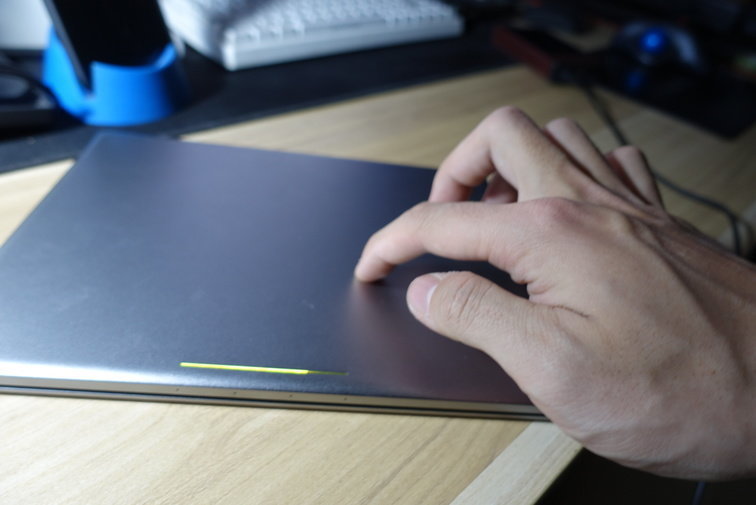
Since it was designed as a Chromebook, some of that DNA naturally carried over—like the Chrome-colored light bar on the back, and the ability to tap the back to check battery level when the tablet is closed. Speaking of which, the battery capacity is on the high side for a tablet, and the battery life really does justice to it. At least compared to the Nexus 9’s “3 days of battery if you only read news” situation, the Pixel C can last 3 days even while watching a ton of YouTube videos. If you’re just reading news, it’ll probably last even longer. With Greenify’s non-root deep Doze mode, standby should improve even more.
It’s not absolutely buttery smooth in use, but the tablet’s touch experience is among the best. The two large speakers sound good—I’ve watched some anime on it and the viewing experience was solid. The keyboard feel, at least to me, is on par with the MacBook Retina keyboard; most ultrabooks are no better, though it still can’t beat a ThinkPad. Interestingly, Google gave specific reasons for the keyboard design—like intentionally narrowing the less-used keys on the sides to make the keycaps bigger. I think that makes sense; after all, you type mostly in the middle, so who cares about the sides. The keyboard doesn’t have F1–F12 keys, but Google thoughtfully provides plenty of shortcuts—like Function + 1 for F1, Search + Enter for the Android Home key, and so on. You need to learn and adapt at first, but once you’re familiar, you barely need to touch the screen—at least for apps that support shortcuts. Of course, plenty of domestic (Chinese) apps have nightmarish shortcut support.
Flaws, shortcomings, and complaints
Reviews from many foreign media outlets are surprisingly unanimous: the hardware is great, the software is shit.
I agree with some of that and disagree with some. First, the hardware being great is certain. The software being shit doesn’t quite hold up.
I searched the Productivity category on Google Play and found plenty of good apps to choose from. For example, I’m using Jotter Pad to write this very post. The latest version uses the new SDK, so when typing with the keyboard, the IME follows perfectly—unlike some word processors where the IME candidate box just stays stuck in the bottom-left corner.
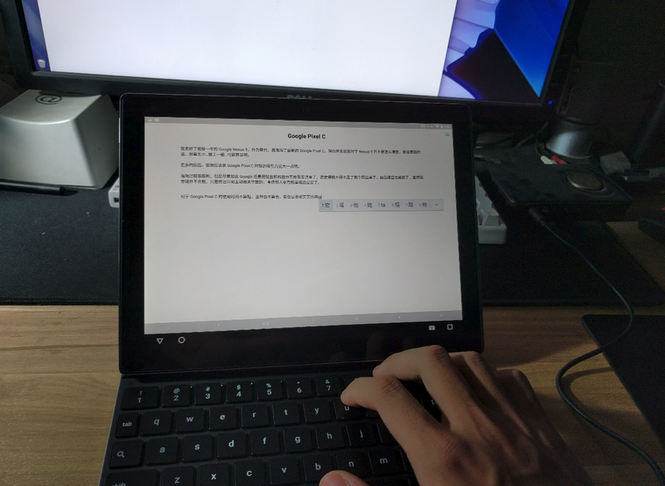
What more people want is split-screen like the iPad Pro. Honestly, I think whether it has it or not is whatever—after all, you can just Alt+Tab to switch. Plus, split-screen would be bad news for most of those garbage domestic developers; they already struggle with landscape support, let alone split-screen. Google can’t just do it themselves like Remix OS, but they’ve promised split-screen, so we’ll wait and see.
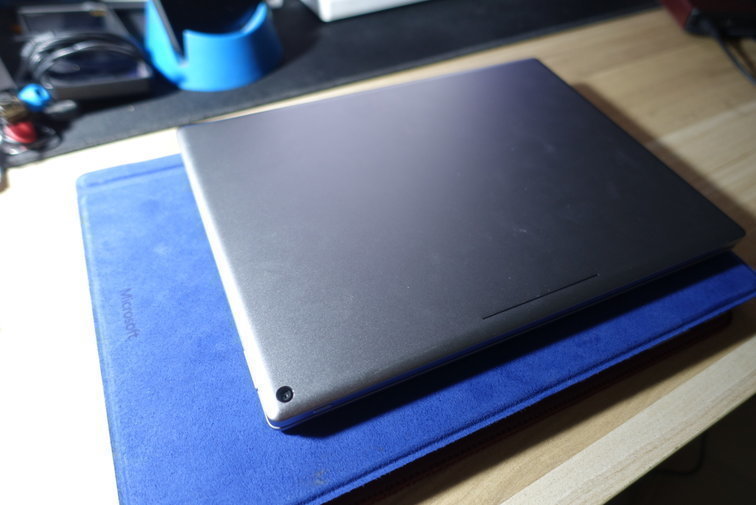
Personally, I think the whole split-screen debate at this size is a bit awkward anyway—the Pixel C is a full size smaller than the Surface Pro 4.
Meanwhile, I came across a news item saying that Android has supported Bluetooth styluses since Marshmallow—meaning stylus makers can offer pressure-sensitive Bluetooth-synced styluses like they do for iPad. But that’s useless in practice. Right now, for Android devices without Wacom support, the best stylus you can get is the Jot Dash. But on the Pixel C, even this best stylus is awkward to use.
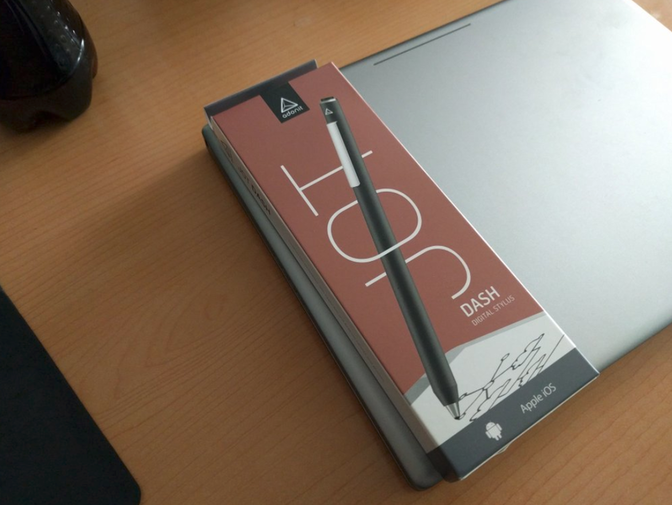
I bought the Jot Dash. It doesn’t work properly on the Pixel C, but it works fine on any other device. I don’t know why—possibly related to the Pixel C’s touchscreen lag issue. Google itself is looking into the cause.
The “touchscreen lag issue” is the most complained-about problem since the Pixel C launched. Basically, it’s fine right after boot, but after standby for a while, the touchscreen becomes noticeably laggy—especially right after booting in portrait orientation. It improves noticeably after you’ve used the tablet for a bit, as if it needs to “warm up.” You’d think it’s a hardware problem, but it’s not—testing all functions in engineering mode shows everything is normal. It only happens after standby, so it must be a driver or power-saving issue.
Thanks to this issue, the Jot Dash doesn’t work well on the Pixel C, and I personally don’t recommend buying a stylus. One, the touch driver issue; two, there still aren’t any Bluetooth pressure-sensitive styluses that support Android 6. You can wait.
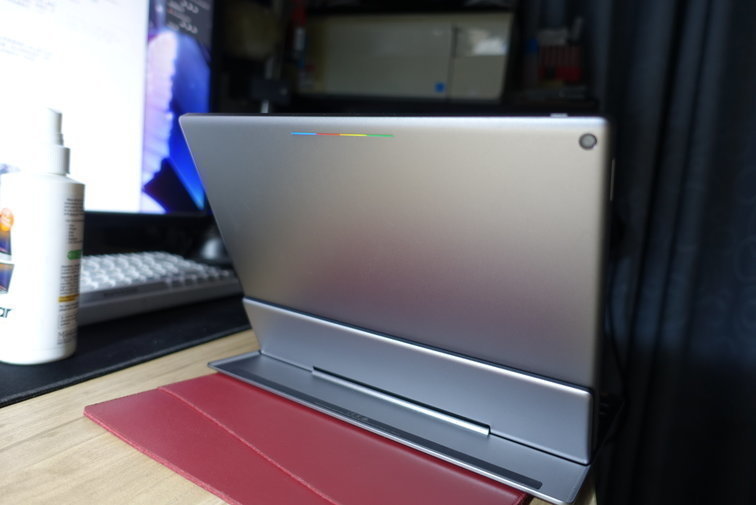
Along with the touchscreen issue, there’s another one many people complain about: Wi-Fi disconnections. I haven’t experienced that—maybe I’m lucky? But the Pixel C as an Android tablet has some other annoyances. For example, that colored light bar on the back—when you get a notification while the cover is closed, it doesn’t blink! I don’t know what that light is for besides checking battery. I mean, Chromebooks can use that light to show notifications—why can’t the Pixel C?
Summary, feelings, and thoughts
Despite some issues, I’ve been very satisfied with the Pixel C in my usage. For most people, it’s not very strong in terms of “productivity,” but for me, it actually became the device I produce the most with. Productivity, productivity—being able to produce more things, that’s the meaning of productivity itself…
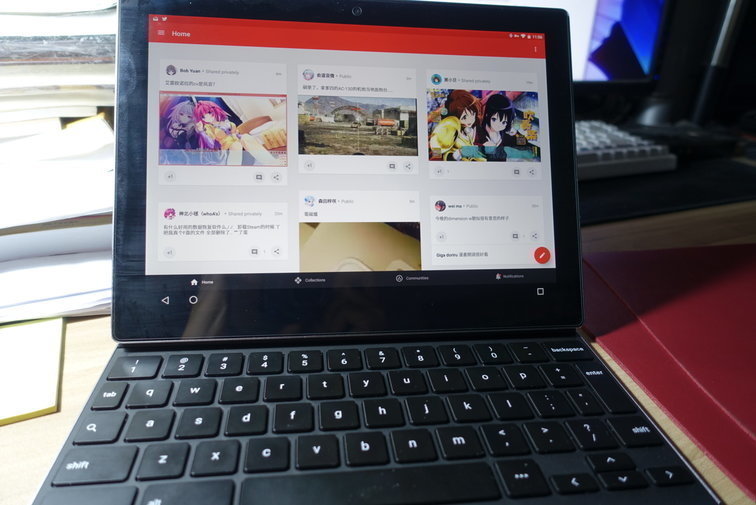
This little thing is the right size and fairly portable. There aren’t any good cases for it yet, but you can just use a Surface 3 protective cover directly. For a screen protector, I recommend buying the 18-yuan one on Taobao—the others are all rip-offs, and this is the only usable one, even though it seems to have no coating and shows fingerprints badly.
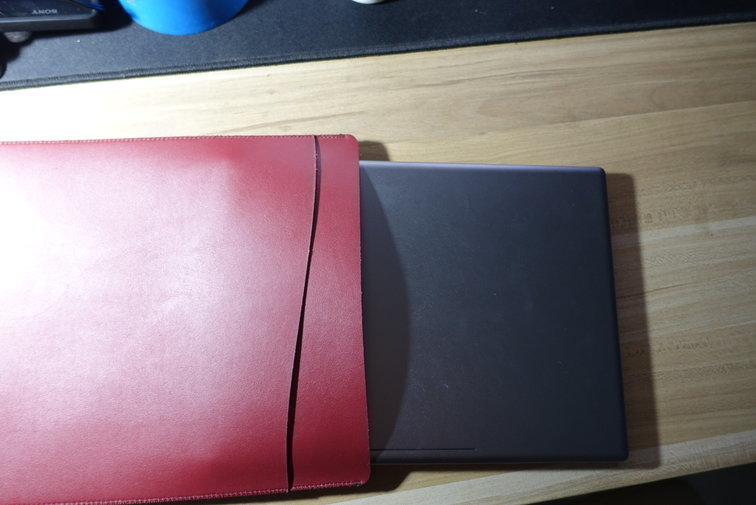
As a product designed by Google itself, I still have faith in the Pixel C. Google has said it will use the Pixel C as a baseline for further improvements and productivity features, so let’s wait and see. As for how long this device will last? I think it’ll definitely outlast the Nexus 9—after all, the Nexus 10 isn’t completely obsolete yet, right?
Comments are hosted on the Chinese main site. This mirror is read-only.