Review: Steam Controller and Steam Link
Steam Controller and Steam Link
I don’t feel like spending too many words on how these two things are, because it’s really hard to say much in detail.
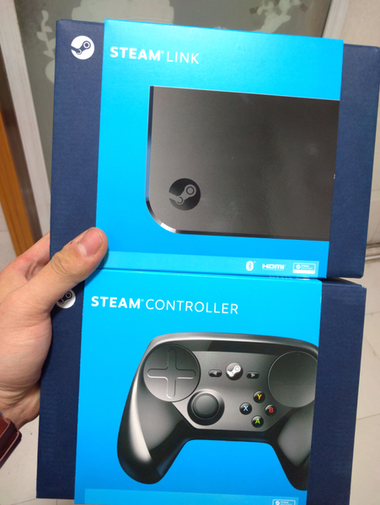
First, the controller.
The Steam Controller package is one controller, one receiver, and that’s it. Under Ubuntu Linux it’s recognized right away, but in normal use you can’t actually use it — only after opening Steam does the controller get properly recognized.
The first day I got it, it told me there was a firmware update. After updating I started using it directly. The left touchpad controls the mouse, and the right touchpad controls up/down scrolling. In other words, you can hold this controller and browse the web, since L2 is the left mouse button.
But I don’t think anyone actually does that…
When I got the controller, the first thing on my mind wasn’t anything else — it was going to see… whether I could play Dota 2.
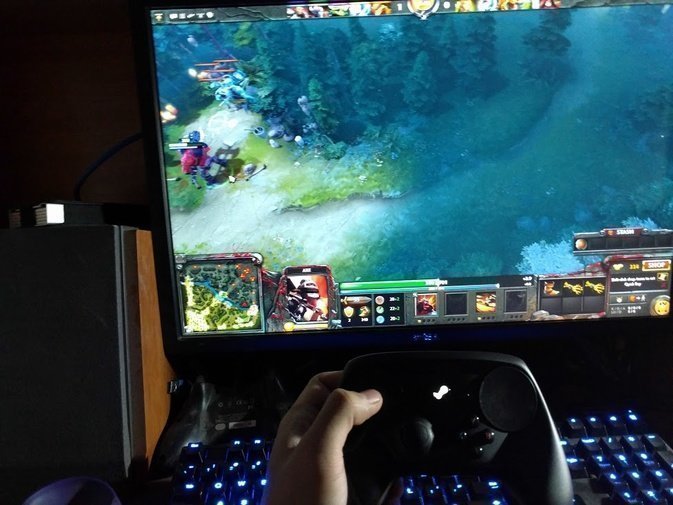
How should I put the result… it’s playable, at least playable. You can control your character, though it’s a real struggle… I can’t rule out the possibility that someone could stomp people after getting familiar with it.
So I started trying other games, and found it quite tragic: L4D doesn’t support it… that’s right, doesn’t support it, no matter how you mash the controller. I picked up an Xbox 360 controller and everything was OK. After testing around, the only thing that supported it was Portal 2. I instantly understood why so many YouTube Steam Controller tests use Portal 2. Of course, I shouldn’t be that absolute — I tested Serious Sam 3 and found it works too, but that game’s pace is too fast and there’s no auto-aim, so I got beaten up by monsters pretty badly…
Does this kind of prove, from another angle, that controller-controlled FPS without auto-aim is garbage?
After that my Steam Controller sat around half-collecting dust. The firmware kept updating the whole time, and a few times, after updating, games that used to work stopped working — then after another update it was fine again.
Feels like a half-finished product.
Later I started playing Shovel Knight, and I remembered this controller.
Simply put, side-scrolling action is no problem, but the Steam Controller has no physical D-pad, so I could only use the stick — and using the stick to jump up and stab downward feels really weird.
In the end I did finish Shovel Knight, but how did the Steam Controller feel…
**It’s like this: when I couldn’t get past a part in Shovel Knight, I’d put down the Steam Controller and switch to the keyboard, and then I’d get through it. You know what I mean?**
Next, the Steam Link — this one’s quicker.
This thing comes with a bunch of cables, but they’re useless. The main ones are the power supply and HDMI. After booting and connecting to the TV, you can select Simplified Chinese, so after connecting to the LAN Wi-Fi I found it couldn’t find my host PC…
I reconfigured the network and restarted the Steam client on my desktop. Still couldn’t find the host. I don’t know if it only supports the Windows version of Steam.
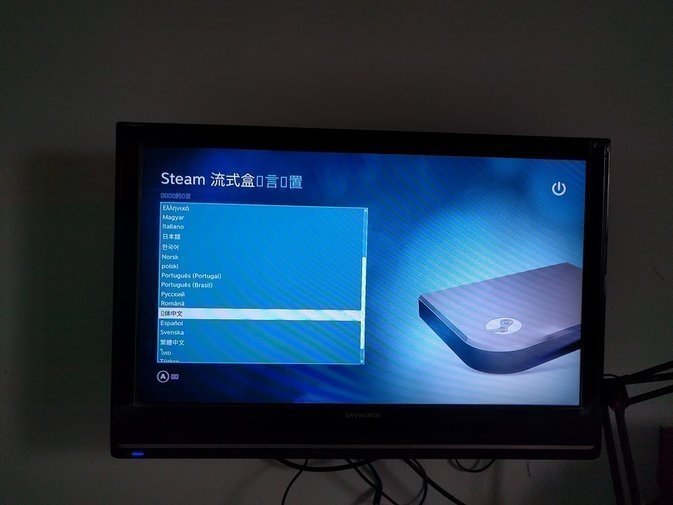
Then one time I used it, it told me there was a firmware update. I chose to update, and after connecting to the TV there was no image… refresh rate out of range…
Well, I’ll just have to find an HDMI at work when I have time and try it. I don’t even know if it’ll find the host. But even so, I’m still optimistic about the Steam Controller and Steam Link — after all, the firmware keeps updating, and I’m not that dependent on Steam platform games. Being a guinea pig now and then isn’t bad. Besides, I actually like the look of the Steam Controller, except for that stick… And a few days ago, after the new firmware update, the stick feels much better — though by then I’d already beaten the game.
So this is the usage report for the Steam Controller and Steam Link. I strongly recommend everyone buy them, thank you.
Comments are hosted on the Chinese main site. This mirror is read-only.