ThinkPad X230: Another Screen Swap, and Reusing the Old Panel
I upgraded my ThinkPad X230 to 16 GB of RAM, so the only thing I’m still unhappy about is the resolution. Even so, 1366x768 on a 12.5-inch screen isn’t exactly unacceptable, right… So I still have no plans to replace it. It’s still plenty fast.
A while back I noticed white blotches on the ThinkPad X230’s screen. After looking around online, it turns out those spots are purely from pressure on the panel. Guess I’ll be more careful from now on. Before that, though, I need to buy a new screen on Taobao and swap it in.
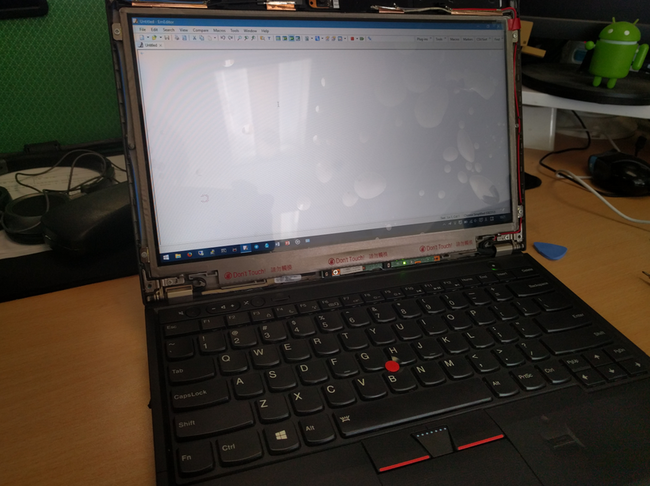
Same as last time I replaced the screen, this one is a newer SLT3 panel. Supposedly it fixes the old yellowing issue, but I can’t really tell—next to the X250 and Pixel C screens, this one looks way too washed out.
The swap went smoothly. Now there’s a new problem: what to do with the old panel? The shop won’t take it back this time.
So I just spent 80 yuan on Taobao for a controller board and stuck the screen to the wall with double-sided tape as a secondary monitor.
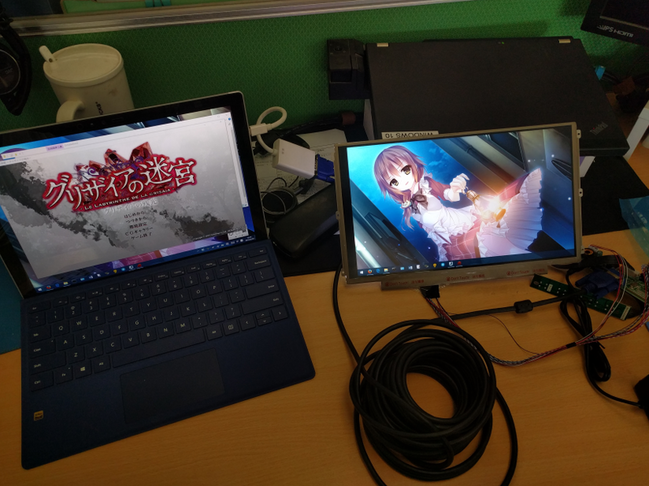
Controller boards on Taobao are pretty mature now—give them the panel model and it lights up no problem.
I bought a few small wooden blocks. Next week I’ll figure out how to mount it so it doesn’t look like garbage.
Comments are hosted on the Chinese main site. This mirror is read-only.